
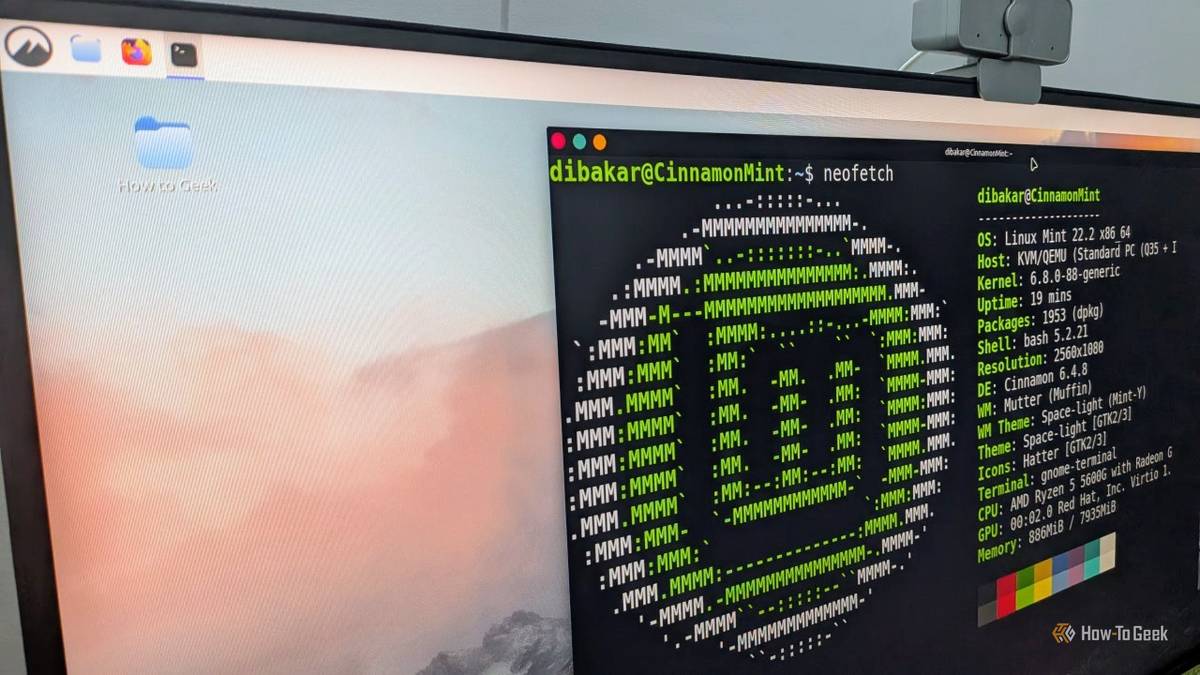
Published Oct 12, 2026, 8:01 AM EDT Arol is a tech journalist who currently works as a contributor at How-To Geek since 2022. He first began writing online for the short-lived portal of Spanish-language gaming forum Emudesc in 2013. Years later, in 2017, he got his true start in tech journalism working for a small Google-focused site called Pixel Spot. He transitioned to a news and feature writer role at XDA Developers that same year, where he worked until 2021 before making the jump to other websites. Arol brings nearly a decade of writing experience, and the occasional hot take, to his writings. While he's a technology lover at heart, he holds computer hardware and smartphones particularly close to heart. You'll normally find him covering news, although he has also written the occasional deal, buyer's guide, how-to post, and round-up. He's also written for Android Police and MakeUseOf. He's also a Political Science student. When he's not writing, you'll probably find him hitting the gym, trying to ace a new hobby, reading his textbooks, or traveling. You can reach him at me@arolwright.com. Ubuntu remains the most recognizable name in desktop Linux, yet a distro built on top of it often does a better job for everyday users. Linux Mint takes Ubuntu’s foundation and turns it into something friendlier, which says a lot about where Canonical’s priorities lie. Where Linux Mint shines Familiar, stable, and built around what users want Linux Mint’s biggest strength is that it feels like it was designed by people who use a desktop every day—a Windows desktop, at least. See, a ton of Linux users are Windows converts, and for beginners, it's easier to just use an OS that looks like Windows. The flagship Cinnamon edition follows a layout most people coming from Windows will understand right away, with a panel at the bottom, a menu in the corner, and a system tray that behaves as expected. There’s no need to learn a new workflow or hunt for extensions just to get basic window controls or a usable taskbar. That familiarity extends to the tools around the desktop. Mint ships with its own Update Manager, which lets users decide how and when updates are applied, alongside Timeshift for system snapshots that can roll back a broken upgrade in minutes. The Driver Manager turns installing proprietary graphics drivers into a couple of clicks, and the Software Manager offers both traditional packages and Flatpaks without pushing a single store-specific format. Mint has also blocked Snap by default since 2020, leaving users in control of whether Canonical’s packaging format ever touches their system. In early 2026, project lead Clement Lefebvre announced that Mint would move to a longer development cycle so the team could spend more time fixing bugs and improving the desktop. The next major release, provisionally called Mint 23 “Alfa,” is targeted for December 2026 on an Ubuntu 26.04 LTS base. It’s also set to adopt the live installer already used by Linux Mint Debian Edition, which brings better OEM installation, Secure Boot, and encrypted LVM support. And what ties all of this together is restraint. Mint changes things incrementally, explains its decisions in monthly news posts, and rarely forces a major shift on users without a clear benefit. For people who just want their computer to work, that predictability is arguably the most valuable feature any distro can offer. Where Ubuntu falls short Snaps, missing tools, and a desktop afterthought Credit: Dibakar Ghosh | How-To GeekCredit: Dibakar Ghosh | How-To Geek Ubuntu’s problems on the desktop rarely come down to a single bad decision. They come from a pattern of choices that seem to serve Canonical’s broader strategy more than the people sitting in front of the screen. Don't get me wrong—I love Ubuntu, and even as it's different from Windows, I still think it's a relatively easy Linux distro for beginners. But it could do some things better. I'm not just talking UI, though. Snap is the most visible example. Since Ubuntu 21.10, Firefox has shipped as a Snap rather than a traditional package, and the transition brought slower launch times and integration hiccups that took years to smooth out. Canonical also stopped including Flatpak support in the default install of its official flavors, effectively steering users toward its own store. Ubuntu 26.04 LTS, released in April 2026, improves how Snaps interact with the desktop through XDG portals and adds Snap search to GNOME Shell, but these largely fix friction Canonical introduced itself. The company has also been open about laying the groundwork for Ubuntu Core Desktop, an immutable, Snap-based future that suggests the format will only become more central. The latest LTS also strips away things desktop users relied on. Ubuntu 26.04 no longer includes the Software & Updates settings app by default, the tool many people used to manage repositories and proprietary drivers. The GNOME session is now Wayland-only, a reasonable technical direction, but one that leaves users with older hardware or niche apps fewer fallbacks. Meanwhile, Ubuntu MATE didn’t receive LTS status for 26.04, a reminder that community flavors aren’t guaranteed long-term attention. Much of Canonical’s recent energy has gone toward enterprise identity management, TPM-backed disk encryption, and Ubuntu on WSL. Those are legitimate priorities, and Ubuntu’s server and cloud business funds the whole operation. The result, though, is a desktop that often feels like a showcase for Canonical’s technologies rather than a product shaped by everyday user feedback. How Ubuntu could improve Choice, transparency, and listening to desktop users None of Ubuntu’s shortcomings are impossible to fix, and Linux Mint offers a fairly clear blueprint. The simplest change would be giving users real choice over packaging. Shipping Flatpak support out of the box, alongside Snap, would cost Canonical very little and remove one of the most common reasons people switch away. Offering a traditional package for Firefox, or at least a simple option to switch, would go a long way toward rebuilding trust with long-time users. Ubuntu could also restore the graphical tools that power users depend on. Removing Software & Updates may simplify the default install, but it pushes repository and driver management back toward the terminal, which is exactly where newcomers don’t want to be. A unified, well-designed panel for updates, drivers, and software sources, similar in spirit to Mint’s Update Manager and Driver Manager, would make the desktop friendlier without sacrificing anything. Bundling a snapshot tool comparable to Timeshift by default would add a much-needed safety net for upgrades, too. The Ubuntu Desktop team is already moving in some positive directions. The 26.04 roadmap put real emphasis on a better installer and first-boot experience, and Canonical has started a broader effort to streamline update settings across the desktop. The challenge is making sure those efforts are driven by what users actually ask for, not by what fits Canonical’s packaging roadmap. Finally, Canonical could treat its desktop community the way Mint treats its own. Mint’s monthly updates explain decisions openly, invite feedback, and occasionally lead to course corrections when users push back. Ubuntu has Discourse threads and published roadmaps, but major changes often arrive feeling settled rather than open to discussion. Committing to longer-term support for community flavors, and being clearer about which defaults will stick around, would help people believe Ubuntu still cares about the desktop as much as it cares about the cloud. Mint proves Ubuntu’s desktop can be far better Linux Mint shows that Ubuntu’s foundation is perfectly capable of powering a friendly, predictable desktop. The gap between the two comes down to priorities. Until Canonical puts choice and user feedback ahead of its platform ambitions, many desktop users will keep finding a better Ubuntu in Mint.
Ubuntu doesn't care enough about desktop users, and Linux Mint is the proof
Full Article
Original Source
Read the full article at Howtogeek →KhanList aggregates and links to publicly available news content. We do not host full articles from third-party sources. Always verify important information with original sources.