
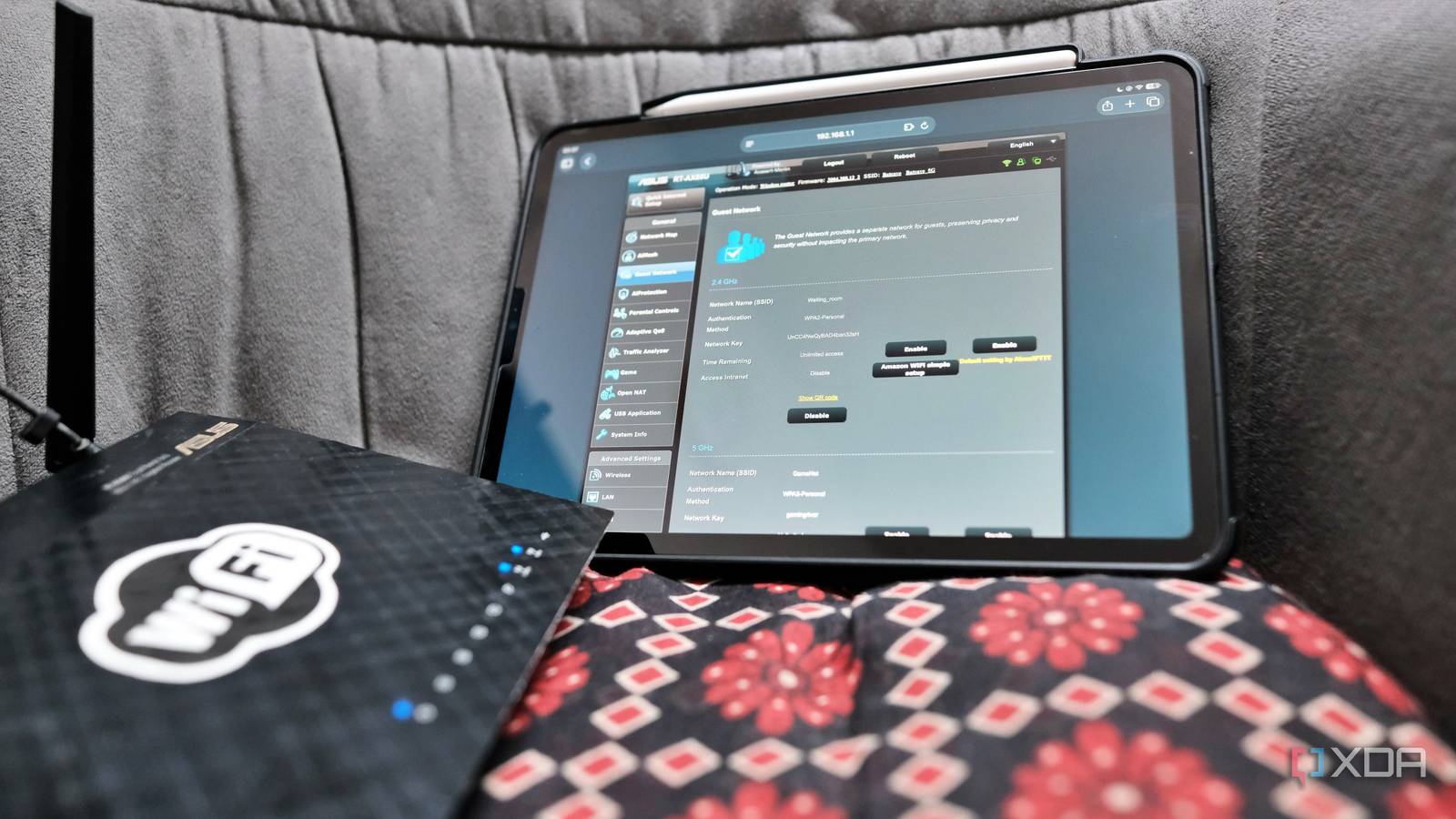
Published Sep 1, 2026, 2:30 PM EDT Samir Makwana is a technology journalist and editor from India since past 18 years and his work appears on MakeUseOf, HowToGeek, GSMArena, BGR, GuidingTech, The Inquisitr, TechInAsia, TechWiser, and others. He has written news, features, and gadget reviews for national technology media publications. His passion is to help people with their technology problems and gadget purchases. For that, he has worked for some of the biggest international technology publications, covering news, explainers, how-to guides, listicles, and product-buying guides. He has worked as an editor and managed teams since 2015. His expertise broadly covers computers, smartphones, game consoles, headphones, smart home products, browsers, and apps. I prefer to tread with caution when tweaking my home network and improving my home lab. After everything works, I don’t host people often enough to bother with the router settings. That’s why the guest network toggle has been sitting unused for the longest time since I reset my router months ago. But I’ve been firefighting with video calls dropping mid-sentence, streams suddenly turning blurry, and slowdowns almost every evening. I called my ISP a couple of times. The support guy asked me to run speed tests, reconnect the WAN cable, and even restart the router several times. The diagnostics mostly came back clean, and I was told that the experience would improve. I labeled it a temporary blip caused by congestion and moved on until my friend was staying the night and requested Wi-Fi access, which prompted me to turn on the guest network. The slowdown always looked like an ISP problem Video call drops and buffering had no clear pattern Whenever I joined a video call, it would freeze for a second, then resume, only to freeze again a few minutes later. To prevent constant call drops, I’d shut down all the apps and processes that consume bandwidth. That rarely helped. While streaming videos on YouTube and Netflix, I noticed that the video went blurry whenever a sequence got interesting. Then it’d recover a few minutes later, like that was a glitch. Speed tests rarely helped, since they’d show me numbers I only sometimes pay for. The other times, the same test would come back showing a number well below that, with no indication of a problem I could point to. After calling the ISP and running support diagnostics, I was told that everything looked fine at their end. The network showed normal sync speeds and no spikes. Those support calls always include a vague suggestion to restart my router and modem to see if that helps. I did that a few times and just chalked it up to congestion in the end. All I had to do was wait it out. A guest Wi-Fi request finally flipped the switch Making the guest network live after months When a friend was staying over and needed Wi-Fi, I didn’t hand out the password to my main network. Instead, I flipped the guest network toggle and set a password. Before handing over that password, I made a few tweaks to follow security habits for solid guest Wi-Fi access. The settings were available on the same guest network page. I switched off LAN access and turned on client isolation. Later that night, my friend hopped on his video call and went through the guest network. Meanwhile, streaming YouTube on my TV, which is on my main network, kept dropping quality every few minutes, same as always. When I checked with my friend about any network hiccups, I was surprised to learn that his video call didn’t drop once. I just made a mental note of it and counted it as a passing thought at the time. Simultaneous testing ruled out my ISP’s problems Only one network struggled with the same connection Based on that passing thought, I tested everything from scratch. I ran a speed test and a video call simultaneously on both networks. The main network stuttered, while the guest network remained stable with no drops. Both networks share the same internet connection. So if my ISP was throttling speeds or the network was congested, it’d impact both networks equally. That’d mean the problem existed before traffic ever reached my router. But that wasn’t the case. Based on that logic, I wrote about why a guest network is the first thing I set up in a new house. The guest network makes a clean baseline, skipping everything I configured on the main network. With the ISP ruled out, I needed to look at whatever my main network was doing differently. My bandwidth settings were starving other devices A forgotten backup schedule had top priority When I opened my router’s admin interface, it took me a while to remember the changes I had made. Most of them looked normal, yet a few things stood out. I had set up a rule to prioritize bandwidth for backups scheduled late at night. That way, those backups wouldn’t get interrupted by any other device in the house. In theory, that made sense when I set it up, but I didn’t account for the possibility that the backup schedule might overlap with actual usage. The backup schedule overlapped with my video calls and streaming videos. So every time backups kicked in, they took priority over everything else running on the main network. The guest network was never part of that equation and did not fall under the per-device priority rules. No wonder my friend’s video calls and streams sailed through without any hiccups while my devices struggled with the leftover bandwidth. Fixing that took less than ten minutes by moving the backup window to well after midnight. Also, I lowered its priority. It no longer outranked real-time traffic and stopped freezing other network activities at night. The guest network toggle always stays on for the home network Even though I don’t host people often enough to justify keeping the guest network active all the time, I leave the toggle on anyway. It’s the fastest step to troubleshoot, whether it’s my ISP throttling my connection or a tweak I applied. Running the same tasks on both networks takes a minute and rules out the usual suspects already. That’s how I figured the ISP is rarely a problem. It’s usually a setting I configured or an option I flipped for a good reason, and then forgot it existed. If your router has an untouched guest network toggle, it’s worth turning on. Besides sharing Wi-Fi with guests, it’s the easiest way to test whether your connection is acting up.
Turning on my router's guest network solved a problem I'd spent weeks troubleshooting
Full Article
Original Source
Read the full article at Xda-developers →KhanList aggregates and links to publicly available news content. We do not host full articles from third-party sources. Always verify important information with original sources.