
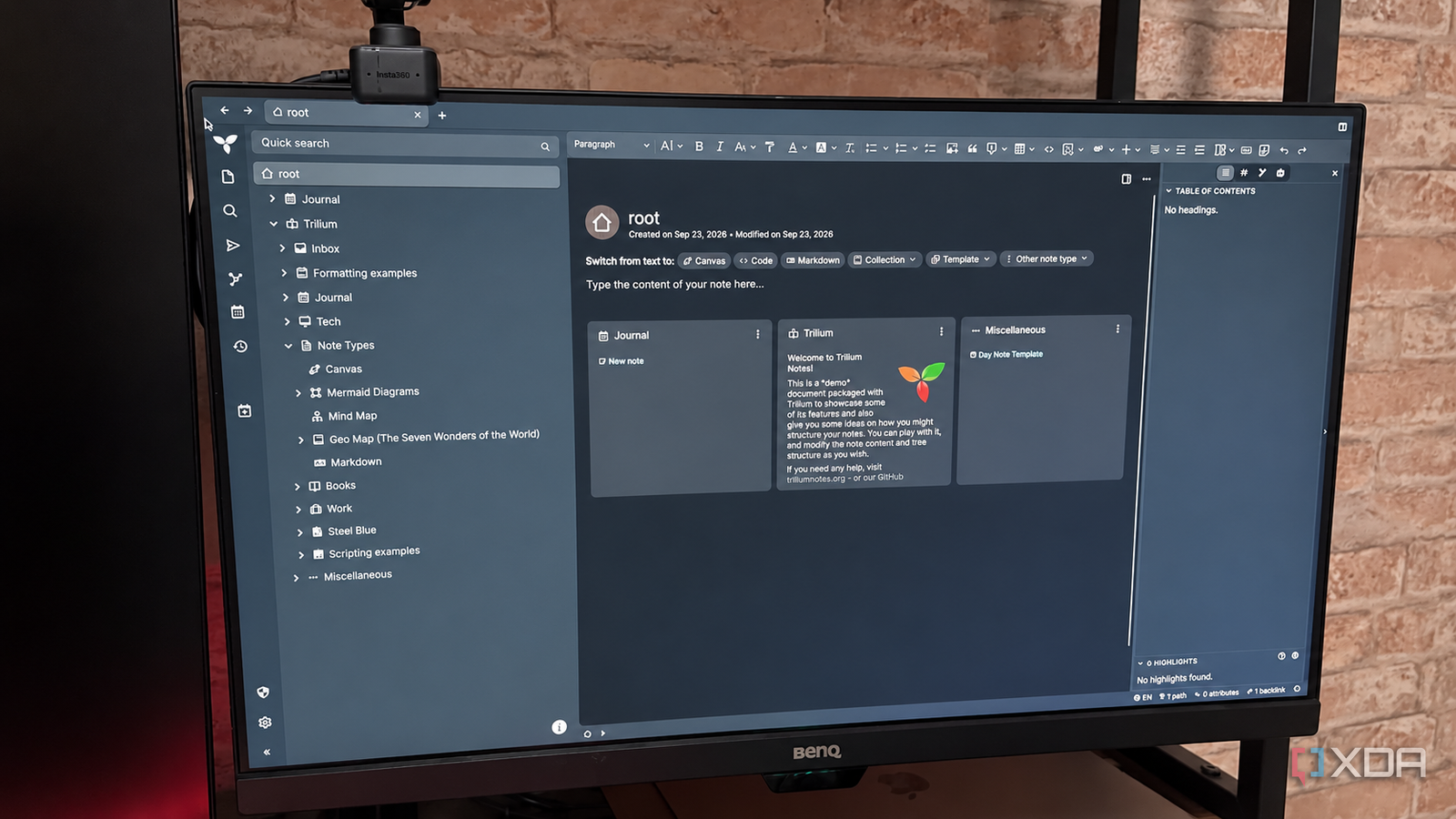
Published Sep 26, 2026, 3:30 PM EDT Patrick is a seasoned writer with more than a decade of experience, specializing in any and all things tech. His work has been featured on platforms like CNET, Yahoo, Xfinity, and many other outlets. When not typing away, he can be found with his nose in a book. In my ongoing quest to try out every single note-taking application on the planet, I decided to give Trilium a whirl. Its interface resembles OneNote in a lot of ways, especially the triple-pane layout and hierarchical folders, but with some of Obsidian's interconnected-note features. Trilium boasts surprising depth to its features beyond what it looks like on the surface, with support for mind maps, Mermaid diagrams, an Obsidian Canvas-like feature, and much more. Trilium strikes me as a strong contender for intensely complex research for several reasons. First, nested notes means a single larger, overall note can have multiple child notes, something that Obsidian can't do. A single note can also live in multiple places at once, and the adjusting formatting feels more natural than native Obsidian (although there are plugins that fix that issue). My notes can act like a folder, too Big ideas have room for smaller ideas Trilium allows a note to stand alone, but it also enables child notes. That's appealing for a lot of reasons, but world-building immediately comes to mind. It means you can convert a mind map into a series of notes with ease, all of which feed back on each other with increasing levels of complexity. For example, I might have a note detailing a fictional solar system in a sci-fi novel, with child notes for each of the planets, and the planets could have child notes of their own detailing geography, government, environment, etc. Obsidian can accomplish something similar with folders and interlinked notes, but it lacks the same structure that Trilium offers. With substantial projects (like fiction writing), it's easier to organize things without maintaining numerous separate folders. A single note can live in multiple places at once And everything remains consistent Building off the previous point, Trilium can assign a single note to multiple branches of your hierarchy at one time. These notes are accessible from all of the different branches, but they aren't independent duplicates; editing the note in one place will edit it everywhere. That's one advantage Trilium has over Obsidian, and a feature I wish I could port over. In that worldbuilding example, a trading guild might exist on multiple planets, but I wouldn't need to duplicate the note and keep multiple copies updated at once. I could change the name of the leader of the guild, and that would appear everywhere the guild note was linked. When I'm organizing my Obsidian vault, I often have to ask myself where a note should go. I use folders, even though I know many people lean more heavily on tags, and sometimes a note could belong to multiple folders (and I inevitably forget which one I put it in). Trilium avoids that problem entirely. Trilium has a rich-text editor that feels familiar It makes it more welcoming for beginners When I first started using Obsidian, I had to learn Markdown before I became more efficient in it. The lack of an editing toolbar gave it a steeper learning curve, and while it's simple enough to pick up, Trilium circumvents that obstacle by including a rich-text editor that will be familiar to anyone who has ever used Microsoft Word. It supports media like images and tables and makes it easy to add these elements with the press of a button. Obsidian takes a little bit more time to figure out, especially when it comes to front matter. Trilium even supports callouts, though it calls them admonitions in its editor. Its best features solve problems I've already figured out Obsidian's plugins are the answer to most things While Trilium offers some truly interesting features and an impressive ecosystem, I've already found ways around those obstacles in Obsidian. The plugin library offers me ways around the organization problems. To reuse my world-building example from earlier, the StoryLine plugin makes it easy to organize that kind of information. And that's where Trilium's primary strength lies: it's a useful organizational tool with a slightly more familiar interface than Obsidian, but after spending as much time as I have with Obsidian, I don't know that Trilium's advantages make a migration worthwhile. Had I discovered Trilium first, I might not have landed on Obsidian as my workhorse. It's a truly impressive application, and one I could easily see myself using. But for now, it doesn't offer anything that is an absolute must-have, at least for the way I take notes. Trilium is good, but Obsidian is better—for now I've enjoyed learning my way around Trilium. The application has a lot of interesting features. I was surprised to find a setting regarding typo tolerance, and there was another for enabling AI/LLM chat. Trillium has a lot going for it, and I could see it becoming a potential rival to Obsidian. But for now, I don't think I'll be making the switch. I'm too firmly ensconced in my Obsidian workflow, and Trilium hasn't yet made an offer I can't refuse. TriliumNext Trilium is an open-source solution for note-taking and organizing a personal knowledge base.
Trilium handles the notes Obsidian was never good at, and it made it easier to just pick one
Full Article
Original Source
Read the full article at Xda-developers →KhanList aggregates and links to publicly available news content. We do not host full articles from third-party sources. Always verify important information with original sources.