
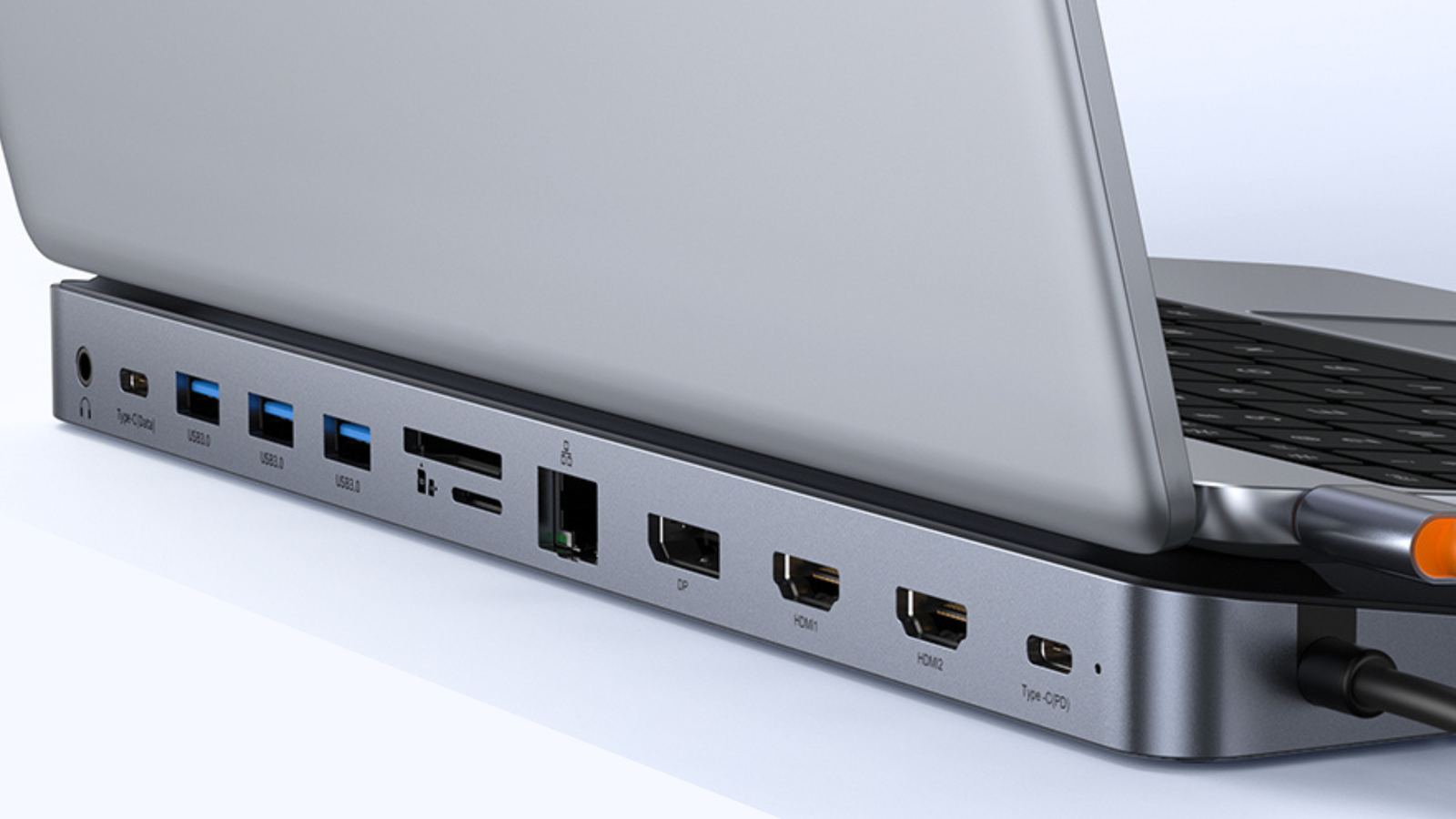
Credit: Baseus Published Sep 29, 2026, 4:47 PM EDT Timi has been writing about technology for over a decade, focusing on smartphones, computers, and anything that he finds interesting in the tech space. He started writing for XDA, covering all things mobile, but has transitioned to covering deals, with a mission to shed light on some of the best discounts around the internet on the greatest tech products. Sign in to your XDA account This Baseus 12-in-1 docking station adds ports to your laptop, expanding its capabilities. It's a must-have accessory if you rely on your laptop for work and personal use. The good news is that it doesn't cost as much as you would think, with Amazon dropping the price down to just $42. The 19% discount isn't huge, but it is the best price we've seen on this product. Baseus Laptop Docking Station USB Power Delivery Yes Power supply included No Max display res. 4K HDMI Yes Ethernet Yes An easy one to pick up It's not often you see a 12-in-1 docking station that costs just $42. But here we are, and we're thankful that Baseus makes such a product. The most vital part of an expansion device is the ports. And this one has some good ones. You get one 3.5mm audio jack, USB-C for data, three USB-A ports, an SD and microSD card reader, Ethernet, DisplayPort, two HDMI ports, and a USB-C 100W PD port for power. That's twelve total, and many you won't find on current laptops. While you can display on multiple monitors, you'll get better support if you use a Windows product. You can output to multiple monitors with a Mac, but you'll only get one extension. With Windows, you can set a different screen for each monitor, up to three. Of course, while this product is aimed at laptops, you can also use it for a desktop, PC gaming console, phone, or tablet. As long as the device is compatible, it should support all the ports. You're getting a lot here with this docking station. We think that most people will be satisfied with the performance. The only caveat is that it doesn't come with a charger. So you'll need to use the one that came with your laptop. If you don't have one, we suggest getting a charger that outputs at least 100W.
Transform your laptop into a beastly workstation with this 12-in-1 dock that's just $42
Full Article
Original Source
Read the full article at Xda-developers →KhanList aggregates and links to publicly available news content. We do not host full articles from third-party sources. Always verify important information with original sources.