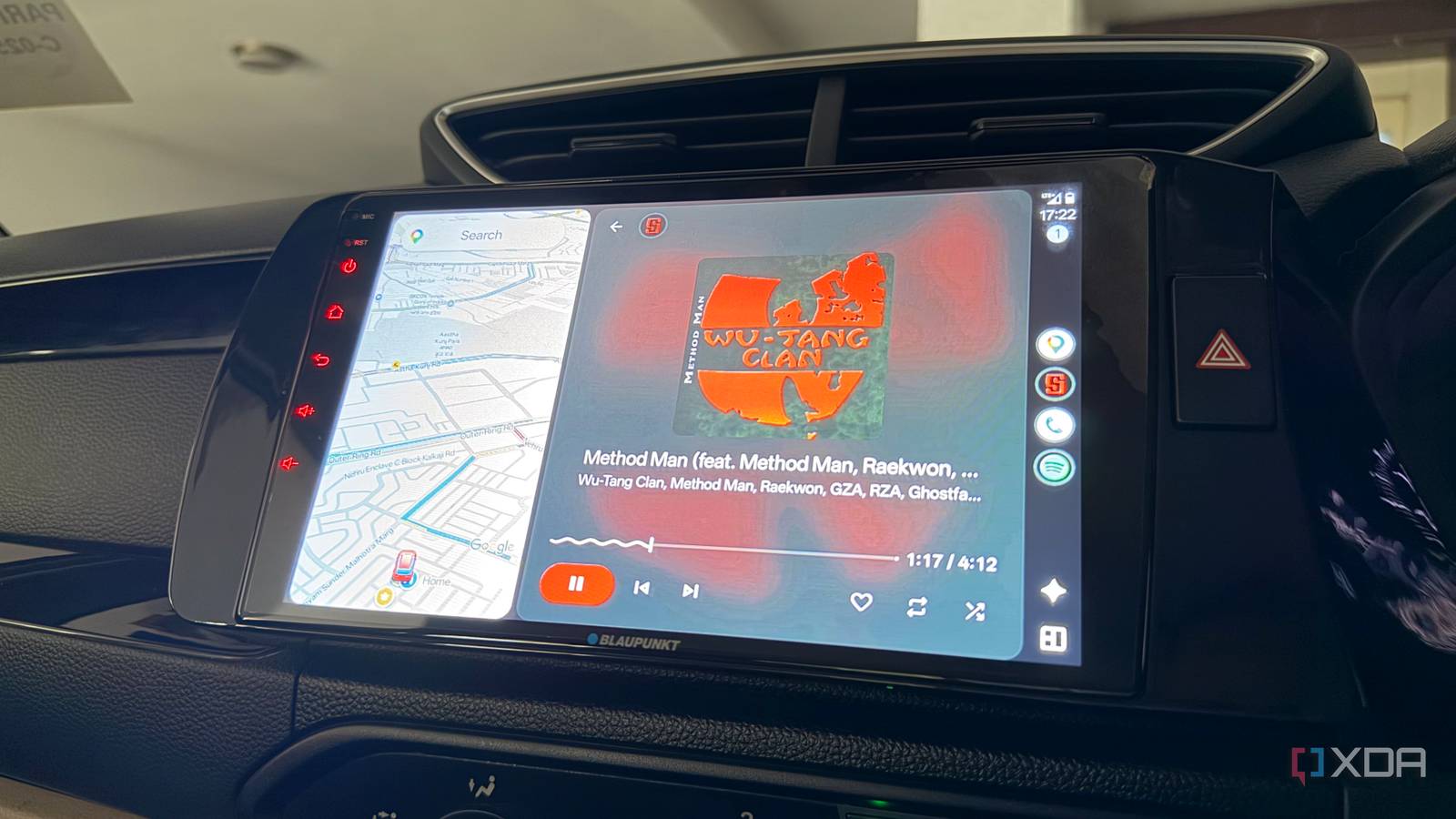
Published Aug 13, 2026, 8:30 AM EDT Dhruv Bhutani has been writing about consumer technology since 2008, offering deep insights into the personal technology landscape through features and opinion pieces. He writes for XDA-Developers, where he focuses on topics like productivity, networking, self-hosting, and more. Over the years, his work has also appeared in leading publications such as Android Police, Android Authority, CNET, PCMag, and more. Outside of his professional work, Dhruv is an avid fan of horror media spanning films and literature, enjoys fitness activities, collects vinyl records, and plays the guitar. It's been a hot minute since I switched over from Spotify to self-hosted music streaming. Don't get me wrong, Spotify works fine, but it doesn't have all the deep cuts that I listen to, and the company's policies don't sit well with me. Moreover, I don't want Spotify mucking up my playlists with their AI-based curation. It's what pushed me to set up tools like Jellyfin and Navidrome on my NAS. My entire collection sits right there and streams to any device that I want. The problem is that Jellyfin isn't exactly meant for on-the-go listening in a car. When I'm out and about or on a long drive, Android Auto is where I listen to music, and suffice it to say that Jellyfin doesn't shine there. I wanted a proper music player instead of a companion app for Jellyfin, so I installed this Android app called Symfonium, which connects directly to my Jellyfin and even Plex servers and gives me an experience that is purpose-built for listening, and not a hack job. A better music player for your self-hosted library The missing piece for for self-hosted music As good as Jellyfin and Navidrome are at storing and organizing a music library, the actual listening experience has never been fantastic. That's where Symfonium makes a huge difference. It's a music listening app first. Everything from artists to albums, playlists, and genres is how it organizes music, which is exactly what you would want from a music listening app. This means you spend less time messing around with the interface and more time listening to the tracks you want. You might be wondering, where does Android Auto come into this? Let me answer that for you. Speed of access and easy navigation are the most important things for me when it comes to an app working via Android Auto. It has to prioritize safety and convenience. When I'm driving, I don't want to browse through thousands of albums. Symfonium surfaces recently played albums, my favorite artists, and playlists right there on Android Auto, and more than that, right up front. It never takes me more than two to three taps to get to what I want to listen to. This is an experience that pulls a lot from Spotify's convenience and is better for it. Taking things a step further, Symfonium can also remember my playback queue and listening progress. That's great because at home I'll often be listening to some music from my phone on my Bluetooth headphones. When I get to the car, it just seamlessly transitions over instead of starting from scratch. This is something that you expect from any music player, so it might not surprise you, but it's definitely good to have. And of course, it goes without saying that nothing changes about your media server. Whether you handle metadata and manage your media through Jellyfin or Navidrome, Symfonium is just the front-end and music player. It does not manipulate anything on your behalf, which means that your carefully cataloged collection remains perfectly safe. Offline playback when the connectivity dips Single app for every media server Symfonium includes a range of features that elevate the Android Auto music listening experience in ways I hadn't anticipated. For starters, I don't always have great connectivity. This is especially true when I'm driving up in the hills. Music apps like Spotify understandably dip out the moment connectivity drops. With Symfonium, I can download albums ahead of time, and it can even create a cache of music that I generally listen to. If I'm driving through dense forests, I can still keep listening to my favorite tunes even if I have no connectivity. While all of these features are great, perhaps my favorite feature is the one that definitely leans toward more enthusiast users. I know I've been talking about Jellyfin and Navidrome, but I'm the kind of person who likes to dabble in a range of media servers. That includes Plex, which also serves up all my videos. It turns out, Symfonium supports all of these servers. This means I can comfortably swap out my server of choice while maintaining the same front end. I don't have to re-learn an interface or give up on a feature that I like just because I changed my server backend. Running self-hosted apps on your home server, you get used to such conveniences and interoperability, but not every Android app plays by the same rules. I'm glad that Symfonium has taken a more pragmatic approach by supporting all the popular backends people use instead of forcing you to switch to one or the other. This Android Auto convinced me to ditch Spotify My move away from Spotify has been a long time coming, and one of the things holding me back from canceling my subscription was great in-car support. I've got my own open-source music server sorted, with enough flexibility to easily handle a 100,000-song library, and Symfonium is the app that ties this all together on my phone and now in my car as well. Between Android Auto support, offline playback, and intelligent caching, it removes every possible reason you could have to not switch away from Spotify. Symfonium Symfonium is a music player app for Android that combines local playback with online sources like your Plex or Navidrome library.
This useful app made my self-hosted music library work flawlessly in Android Auto
Full Article
Original Source
Read the full article at Xda-developers →KhanList aggregates and links to publicly available news content. We do not host full articles from third-party sources. Always verify important information with original sources.