
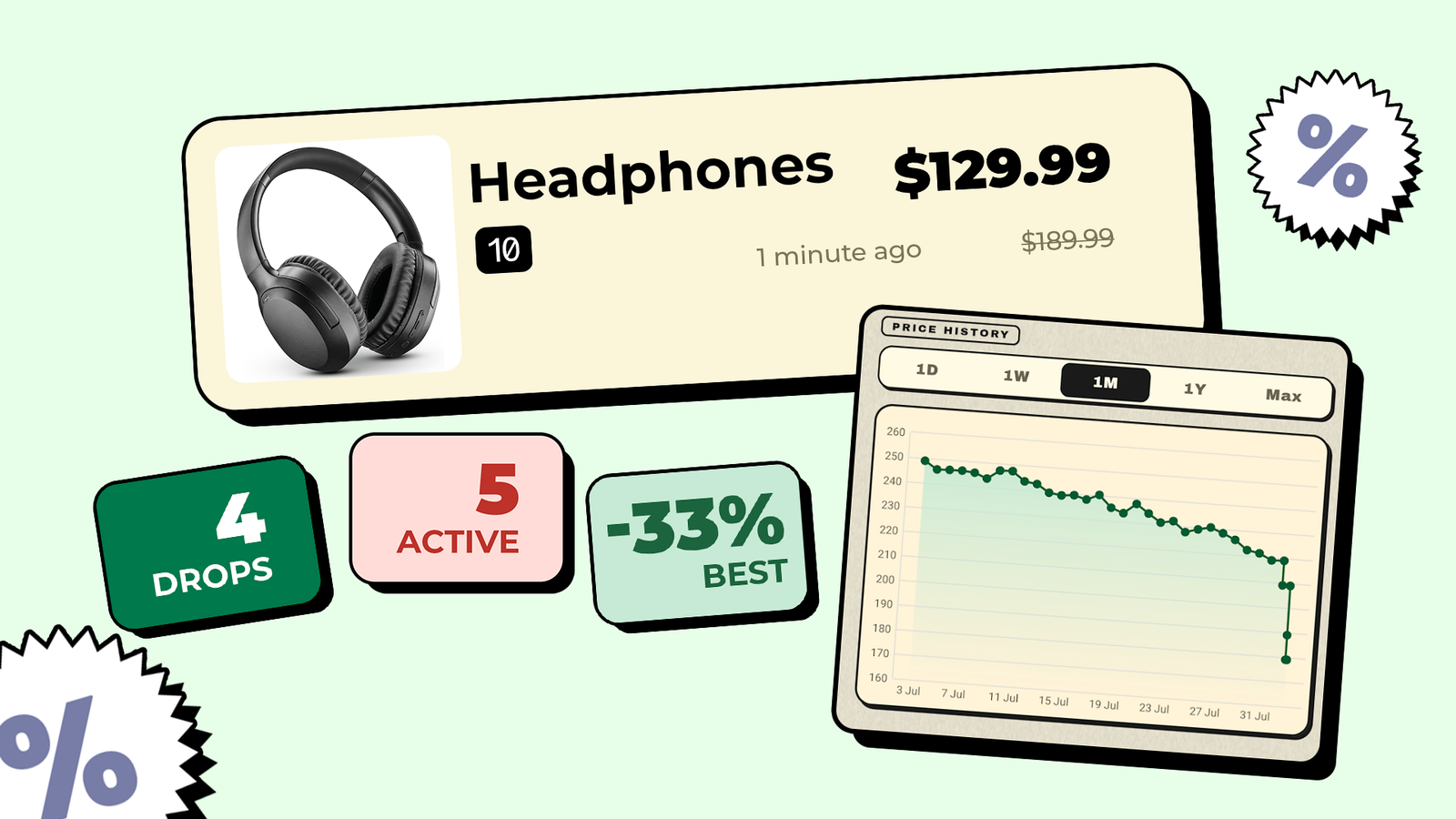
Published Sep 25, 2026, 11:15 AM EDT Irene Okpanachi is a Features writer covering Android devices, laptops, portable projectors, VR headsets, software, and AI recorders for Android Police and Talk Android. She has five years' experience across the Tech, E-commerce, and Food niches, with over 1,000 posts published. The Tech space is where she geeks out most, particularly Android. Irene holds certifications in Graphic Design (HerTechTrail), Writing in Plain Language (LinkedIn), and English for IT (Cisco Networking Academy). Beyond writing, Irene is a gamer, singer/songwriter, food lover, and a Jack of all trades. We all want to save money on purchases. But you're not really saving if you don't know whether a product's price was ever lower. Most of my costly impulse purchases happen because I pay the sticker price. Other times, I blindly trust struck-through prices that were never real. I know better now, and have since become a price hawk. I used CamelCamelCamel to monitor cost fluctuations on my personal devices. But it only tracks Amazon, so I couldn't track anything I found elsewhere. My frequent app exploration has led me to the perfect price tracker for grabbing better deals. It saved me from falling into an inflated price trap recently. Listed prices are now my starting point, not the end Droplert is a universal Android price tracker. According to its Play Store listing, it works on any website, from Amazon, Walmart, and eBay to AliExpress, Daraz, independent Shopify stores, and more. That's what piqued my curiosity as a shopaholic. So, I tested it with several items, including a TerraMaster NAS on the official storefront. I've wanted to get my hands on it for a while. The app filled in the product name, image, and current price. The automatic pricing detection system was inaccurate on several tries, so I entered the figures manually or long-pressed them on my phone screen. Below, I selected how often Droplert should scan the listing. Free users can choose anything from every hour to once a week, but I left it on the hourly default. The 15-minute, 30-minute, and custom intervals are for premium users, which I don't need, given my peeve with persistent notifications. The last section of the product form sets the alerts. Price Drop is on by default and is the only alert on the free plan. Premium adds Price Increase, Target Hit for a price you set yourself, and Significant Change, which alerts you when the cost moves more than 5%. After I did that, I tapped Save Product to add it to my watch list. The first check started the clock. Droplert then checks the value on a schedule and notifies me when it reduces. Sometimes, I spot the periodic scans in my phone's notification panel. I got into vibe coding recently, so the app inspires me. My guess is that it loads each product page like a browser does and reads prices from hidden Schema.org or Open Graph tags. When a store has neither, the app saves prices you tap as a CSS selector. Amazon-only trackers like CamelCamelCamel rely on Amazon's official API, which is why they stop at Amazon. Droplert's approach needs no API, but a store redesign or anti-bot blocking could break it. I haven't experienced either. Regardless, the app has saved me $28 on my recent Pixel 8 purchase. A watch log scored me a cheap Pixel 8 My post-purchase clarity affirms that I didn't overpay for it I recently considered getting a Pixel phone to get closer to my work. Reviewing Android phones didn't feel complete without using the Android version Google builds. But inflation had skyrocketed, and most Pixels were selling for double their launch prices before tax. It gave many sellers excuses to manipulate prices to their benefit. Luckily, Droplert gave me the receipts to catch it. When I open the app, the home screen shows a countdown to the next check and the number of checks completed. Tapping a product opens its price history as a chart with a watch log underneath. I recently added listings from a local marketplace and tracked up to five phones, including the Pixel 8 Pro at $415. The free plan limited me to this many products and 30 days of history viewing. Premium later removed the limit for $2, but not before I used the seven-day trial. If I hadn't, I would've still been fine rotating listings in and out within the restriction. Monitoring the Pixel 8 Pro's price at a local store proved fruitless because prices rose above my budget. But I noticed an intricate pattern of rising listings, even when global prices for the same phones weren't increasing. Sadly, my currency's volatility gave sellers cover to add an extra markup beyond the real cost increase. Having learned this, I gave up on the Pro unit and settled on a UK-used Pixel 8 I found via an Instagram vendor link. Although they posted it at $256, they told me $277 when I messaged them with questions. Fortunately, I had the price tracker, and its watch log showed the original listing. I eventually went to the physical store, and they tried to push me to $284 in person. I showed them Droplert's price history and bargained the Pixel 8 down to $256, saving myself $28. It pays to be on high alert Droplert is now a meaningful part of my shopping routine. I may not use it every day, but I keep dedicated home screens for unique app widgets and the gems I find while testing, and it has earned a spot there. Beyond the alerts, its 4x2 widget lets me watch prices without opening the app. A refresh icon in the corner pulls the latest amount on demand. Given the RAM and storage price crisis, I can only expect tech to get more expensive. It's nice to have a record that gives me deeper insight and helps me avoid paying full price.
This universal price tracker saved me from inflated numbers on Amazon and local shops
Full Article
Original Source
Read the full article at Androidpolice →KhanList aggregates and links to publicly available news content. We do not host full articles from third-party sources. Always verify important information with original sources.