
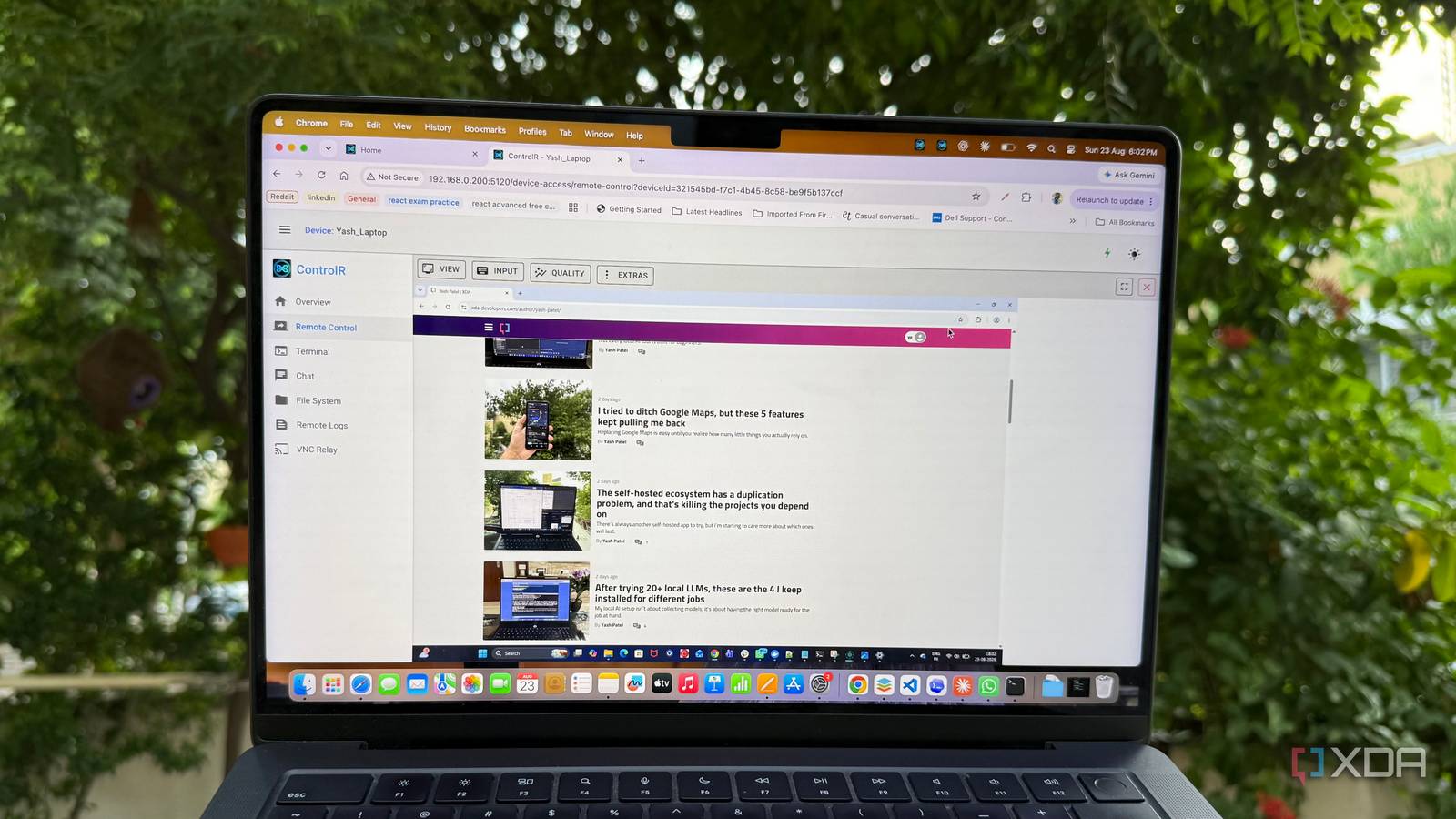
Published Aug 31, 2026, 4:01 PM EDT Beginning his professional journey in the tech industry in 2018, Yash spent over three years as a Software Engineer. After that, he shifted his focus to empowering readers through informative and engaging content on his tech blog – DiGiTAL BiRYANi. He has also published tech articles for MakeTechEasier. He loves to explore new tech gadgets and platforms. When he is not writing, you’ll find him exploring food. He is known as Digital Chef Yash among his readers because of his love for Technology and Food. I have slowly replaced many of the tools I use with open-source and self-hosted alternatives. I like knowing how my software works, where it runs, and what happens to my data. It also fits the way I work: I can try something new, run it on my own hardware, and keep it alongside the rest of my productivity setup. Remote access was one area where I had still stuck with a commercial option like TeamViewer. I didn't think much about it until I started looking for another tool to add to my self-hosted stack. TeamViewer no longer fit my setup I needed less from remote access TeamViewer had worked well for me, but I eventually started questioning whether I still needed it. My remote-access needs were fairly basic. I wasn't managing a large fleet of computers or using remote access throughout the day. Most of the time, I needed to connect to my own machines for a quick task and then get back to whatever I was doing. That made TeamViewer feel like more software than I actually needed. So I started looking for alternatives. I wasn't specifically trying to find a “TeamViewer killer” at first. I just wanted something practical for occasional remote access without making the whole process feel heavier than it needed to be. That's when I came across ControlR. It looked simple at first, but the more I explored it, the more I wondered why I hadn't tried it earlier. ControlR turns remote desktop into a Docker container My remote desktop now lives in Docker ControlR is an open-source remote access tool created by Jared Goodwin. Jared was the person behind Remotely, another popular self-hosted remote access project. After selling Remotely to Immense, he started ControlR to explore some of the ideas he still had for remote access and device management. Getting ControlR running was easier than I expected. It comes with a Docker Compose file, so I didn't have to build the setup myself. I downloaded the file, added the required settings, and ran docker compose up -d. A few moments later, the ControlR server was running. Since I already use Docker, the whole process felt familiar. I didn't need to install a separate server application or change much about my existing setup. I could simply add ControlR as another container and start connecting my devices. More than a Remote Desktop Tool The remote desktop experience was the first thing I tested, and it immediately felt familiar. I connected to my Windows machine from my Mac, took control of the desktop, and everything felt surprisingly smooth. I could move around Windows, open apps, and interact with the machine without constantly fighting lag or a clunky interface. For something I was running myself, I honestly didn't expect it to feel this polished. But the remote desktop is only one part of ControlR. The built-in PowerShell terminal lets me run commands on my Windows machine without opening a full remote session. I found this useful for quick checks and small maintenance tasks. There is also a remote file manager for browsing and transferring files between machines. ControlR includes remote logs, device status, device tags, and permissions, which make it easier to keep track of multiple computers. I also liked the built-in chat feature. It can be useful when remotely helping someone because I can communicate while working on their machine. With Windows, macOS, and Linux agents, ControlR covers the computers I am most likely to use. It feels less like a simple TeamViewer replacement and more like a complete remote management tool. More private and secure The self-hosted and open source benefit One of the biggest reasons I prefer running ControlR myself is that I have more control over the remote-access setup. I decide where the server runs and how it is exposed, rather than handing that responsibility entirely to a remote-access provider. That matters because a remote desktop gives access to an entire computer. I feel more comfortable knowing that the server handling my connections is running on my own infrastructure. I can also keep it behind my existing security setup and decide who can reach it. ControlR being open source is another plus for me. I can see the code, follow its development, and understand what I'm actually running. I don't have to blindly trust a closed application with such sensitive access. I don't think I'm going back to TeamViewer anytime soon ControlR ended up being one of those tools that made me question why I was paying for something I could handle myself. It gave me a smooth experience without making remote access feel complicated or adding another standalone service to my workflow. What I liked most was how naturally it fit into the way I already use my computers. I could manage my machines when I needed to, without feeling like I was working around the software. It isn't perfect, and self-hosting does require some responsibility, but for my needs, that is not an issue. ControlR
This underrated Docker container is the perfect TeamViewer killer I wish I found sooner
Full Article
Original Source
Read the full article at Xda-developers →KhanList aggregates and links to publicly available news content. We do not host full articles from third-party sources. Always verify important information with original sources.