
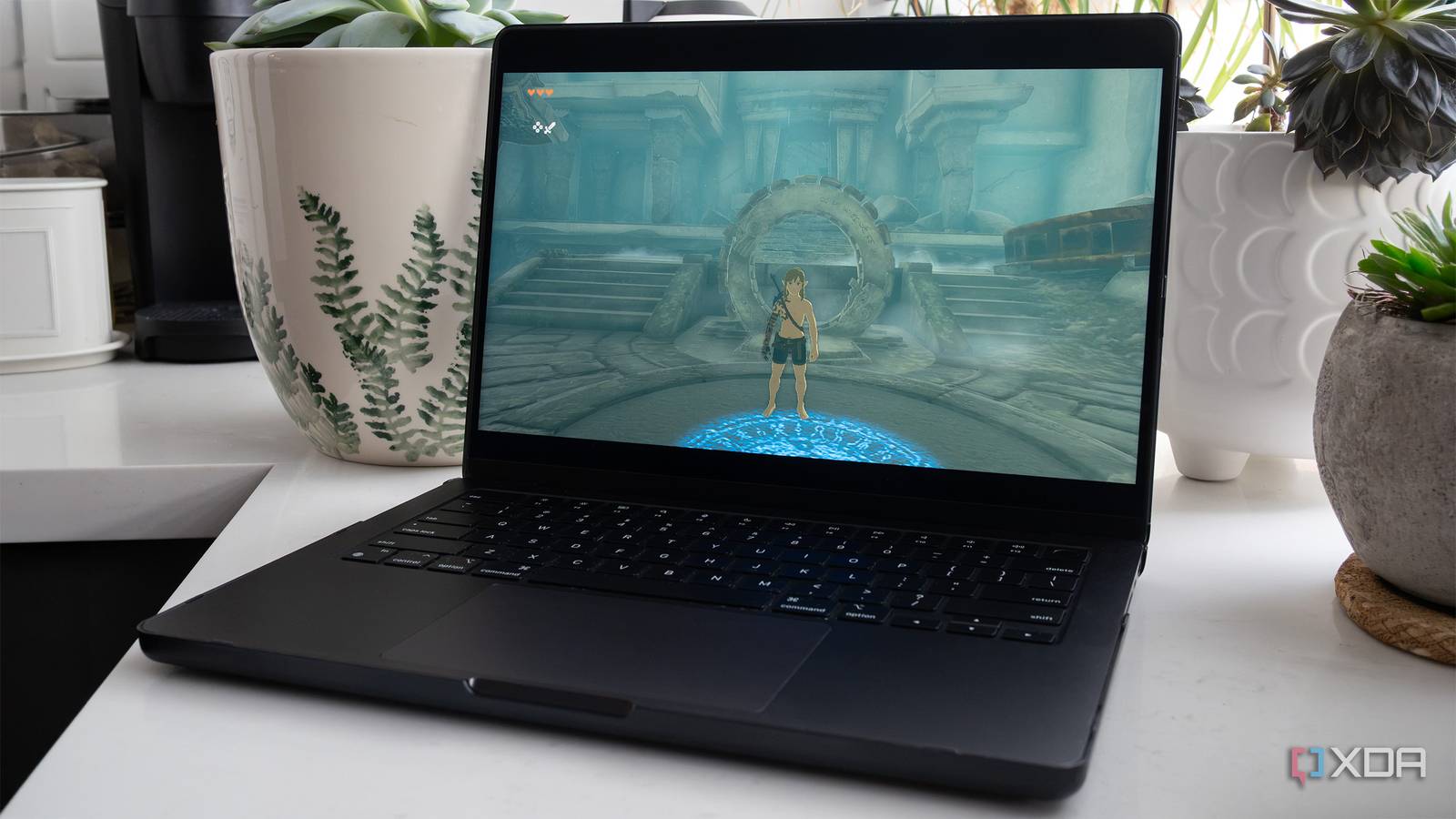
Published Nov 3, 2026, 8:30 AM EST Patrick O'Rourke is XDA's News Editor and Entertainment Segment Lead. Previously, he was Pocket-lint's Editor-in-Chief, the Editor-in-Chief of Canadian tech publication MobileSyrup, and earlier in his career, he worked as the technology editor at the Financial Post and Postmedia. He's based in Toronto. Over the past 15 years, he's written thousands of articles. Patrick has also interviewed dozens of tech industry executives and covered GDC, E3, Gamescom, WWDC, Apple keynotes, Samsung Unpacked events and more. Patrick has a BA in journalism from Toronto Metropolitan University. Sign in to your XDA account The AI-assisted PC and Mac port scene is exploding with a wide variety of apps, but on Apple devices in particular, one tool has clearly risen above the rest: Nxnative. At a basic level, similar to Wine (Wine Is Not an Emulator), an open-source compatibility layer that allows Windows apps and games to run on Linux, Nxnative lets software written for another platform (Nintendo's Switch) execute on a host operating system with high-level emulation (HLE) components, in this case, macOS. Because Nintendo's Switch and modern Apple devices use Arm-based processors, Nxnative can execute much of a game's original ARM64 code directly on Apple's chips, while recreating the Switch's system services and translating its graphics API to Metal. To do this, Nxnative utilizes HLE to recreate Horizon system services (the Switch's operating system), while translating Switch graphics into Metal. The tool's key advantage over similar apps is that it turns a technique previously used for individual games into a broader framework that can be applied to a variety of Switch titles. One of the best parts of Nxnative is that, compared to emulation, it's far less resource-intensive, allowing even older, lower-end M-series Macs to run Switch games better. Several other projects formed the basis for seedds' Nxnative, including dr2-mobile, the Switch emulator Ryujinx, LibHac, and more. Roughly 130 Switch games are already compatible with Nxnative, including Mario Kart 8 Deluxe, Super Mario Odyssey, The Legend of Zelda: Tears of the Kingdom, Super Mario RPG, Final Fantasy Resonance, and dozens more. The tool is even in the early stages of running Switch 2 titles, including Donkey Kong Bananza (I plan to test this soon). Once I discovered Nxnative, I knew I needed to test it to see whether it lived up to the hype and the stream of impressive clips I've seen on social media over the past few days. After spending a few hours compiling several titles and trying out a few community projects that turn Switch titles into iPhone, iPad, and Mac apps, I can confirm that Nxnative is the real deal. The setup process is more streamlined than I expected It can take quite some time to compile Switch games First, you need to dump your own Switch games that you legally own to actually use Nxnative. This requires a tool like nxdumptool and a jailbroken Switch that can run homebrew. You can, of course, find Switch game files in various locations online if you know where to look, but that's illegal and not something I condone. You'll also need other things like Switch product keys, which again, should be dumped from your own console, by using tools like Lockpick_RCM. One key thing to note is to always check Nxnative's version compatibility list. In most cases, you'll need the original version plus a specific update for the tool to work with certain games. Nxnative uses macOS' command line, Xcode 27.2, Homebrew, and Python 3.12 or newer to package a game's ARM64 code with its compatibility layer (some community tools bundle these apps). This then builds a native macOS or iOS application that shows up on your device just ike any other app. If, like me, you aren't great with macOS' command line, more straightforward community-made options take Nxnative and build a graphical user interface around it, including NX2Apple and NxNative Launcher. I started with Nxnative Launcher because it seemed to have the most straightforward UI and included simple options for mods and patches. However, Nxnative Launcher has since been pulled from GitHub. I reached out to Rennan Raffaele, Nxnative Launcher's developer, to find out why the app disappeared from GitHub. Contrary to speculation about a potential Nintendo DMCA takedown (which doesn't make sense since Nxnative and several other community tools are still online), Raffaele says the repository was removed because of inconsistencies in the documentation submitted for his GitHub Education verification. He says he's still working on the project and that compatibility, UI fixes, and Switch 2 support are coming. Nxnative launcher is currently available on GitLab. Tools like NxNative Launcher walk you through the process and make sure you have the right versions of the tools needed to package a Switch game for macOS. In general, most of the Nxnative graphical frontends I've tried are very similar. For example, I switched to NX2Apple, and the experience has been nearly identical to Nxnative Launcher. You can launch titles from a library of games you've already packaged, use an update tool that keeps the app running the latest version of Nxnative, remap controller buttons, swap cover art, and more. You can also change settings per game with NX2Apple, including whether you want a title to run in Docked or Handheld mode, add mod support (some titles support 60fps patches), and enable cloud save support, which is useful if you're playing a game across Mac and iPhone. One difference I've noticed is that NX2Apple makes it easy to install a game directly on your iPhone, as long as you have Developer Mode enabled and are willing to navigate through a few certificate settings (Settings > Privacy & Security > Developer Mode). I haven't tried this feature yet, but I plan to soon (I'll update this story if I run into issues). Some packages can take quite a while to complete, depending on the game you're porting. In most cases, you can expect to wait a few hours for the process to finish, depending on how powerful your Mac's hardware is. For example, with one title, I ended up leaving Nxnative Launcher running for a solid four hours before a game finished building. Nxnative's overall performance is really impressive It feels just like I'm playing the game on the Switch I've packaged several games so far, including Mario Kart 8 Deluxe, Super Mario Odyssey, Super Mario RPG, and The Legend of Zelda: Tears of the Kingdom. Because Nxnative runs Switch ARM64 game code directly on Apple silicon and compiles shaders ahead of time, performance has been stellar on my M3 Max MacBook Pro with 96GB RAM. With Mario Kart 8 Deluxe, I got a silky smooth 60fps across the board, even with several racers on-screen at once. My experience with Super Mario Odyssey was very similar, with the game running at a solid 60fps the entire time. I did notice a few weird, annoying graphical glitches, including occasional screen flashes. The Switch remake of Super Mario RPG also ran at a silky smooth 60fps. Next up, I tried The Legend of Zelda: Breath of the Wild because, of course, I had to. The game boots, but it crashes during the opening sequence. I've seen other people run the game successfully with Nxnative, so I don't know what's wrong with my build (I need to try repackaging it at some point). The Legend of Zelda: Tears of the Kingdom runs great, though, even at 60fps, which is above what the game plays at on the Switch (it seems to pretty much match the Switch 2's performance in terms of frame rate). There are occasional graphical glitches, though, similar to Super Mario Odyssey. Lastly, I wanted to try a much more recent game, so I took Final Fantasy Resonance out for a spin. In my experience, the great-looking pixel art JRPG runs at a solid 60fps, which is actually faster than the 30fps the game runs at on the Switch. Whenever I have encountered lag, it's been brief and not noteworthy, even with more resource-intensive titles like Tears of the Kingdom. Seriously, it's more than kind of wild, and at times Nxnative almost feels like magic. Of course, if you have a less powerful M-series Mac, you might encounter more issues. I only played about 20 to 30 minutes of each game, so performance problems and graphical glitches could appear later, but I can confirm that, at least for each game's opening sequence (with Breath of the Wild being the exception) the experience is pretty impressive. While Nxnative is still in the early stages, it's hard not to be impressed by the tool, especially given how much progress it's made in the short time it's been available. It'll be interesting to see how far the project goes, especially as Switch 2 support is added to the tool, something Nintendo is almost certainly not happy about. Nxnative
This tool lets you run Switch games on Mac without traditional emulation, and it works far better than I expected
Full Article
Original Source
Read the full article at Xda-developers →KhanList aggregates and links to publicly available news content. We do not host full articles from third-party sources. Always verify important information with original sources.