
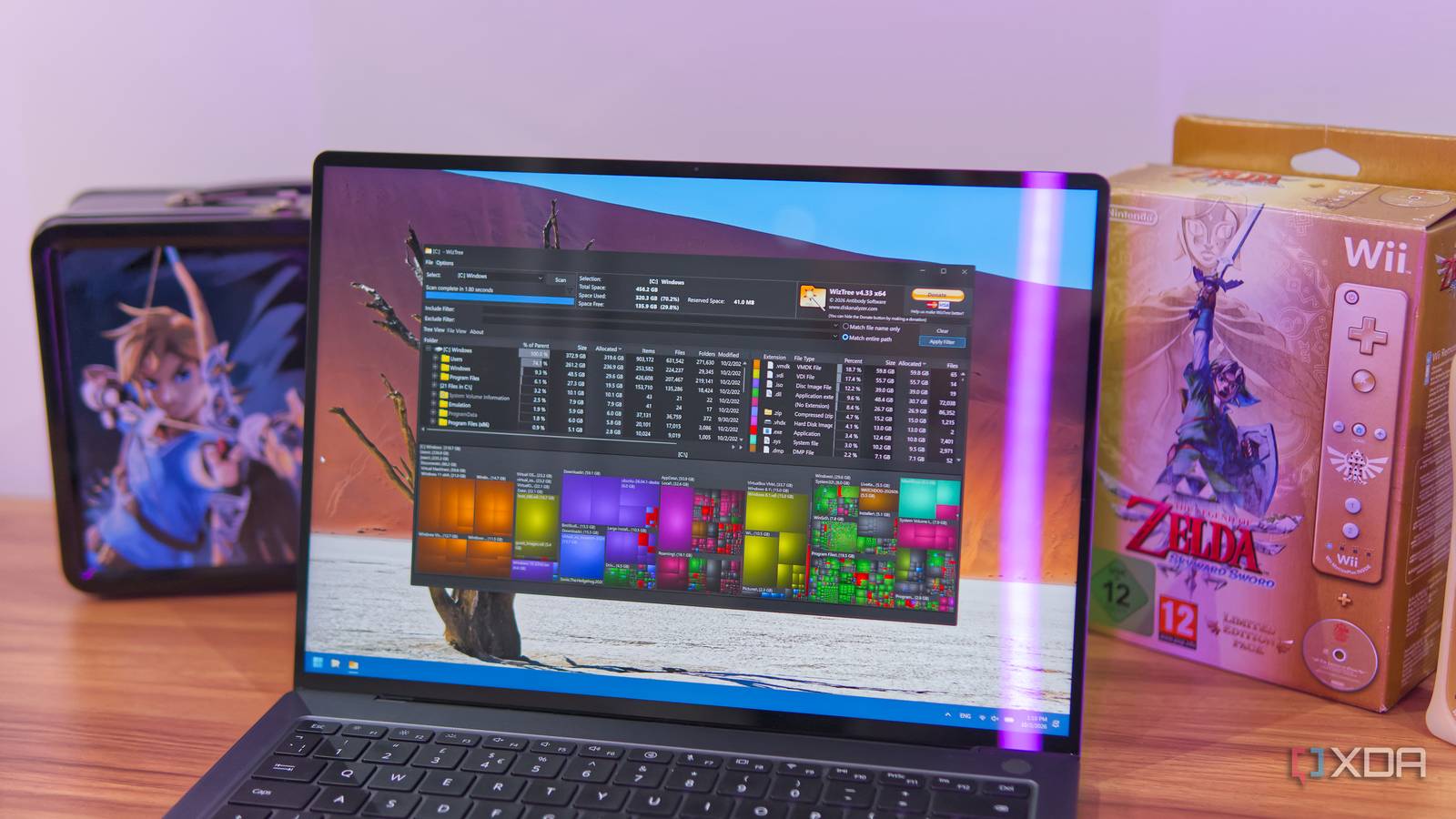
Published Oct 2, 2026, 4:00 PM EDT João has been covering the tech world for over 7 years, with a heavy focus on laptops and the Windows ecosystem. I also love all things tech and videogames, especially Nintendo, which he's always happy to talk about. Prior to joining XDA in 2021, he worked at Neowin: https://www.neowin.net/news/poster/jo%C3%A3o-carrasqueira/ I mostly use my Windows 11 PC for work, and it involves testing a lot of programs and software I have to write about. Because it's not my primary platform, what usually happens is I'll install a program or set something up, use it for testing and screenshots, and then turn off the computer without much of a thought. Recently, this turned into a problem when my laptop, started telling me it was running low on space. I couldn't remember where it had all gone, but thankfully, a tiny app called WizTree showed me exactly what was taking up all that storage space. Drives fill up quickly 512GB isn't as much as you'd think I do most of my testing on a Huawei laptop from a few years ago, and it shipped with a 512GB drive. For any regular use case, I'd say that's plenty, but because I test so much software and forget to delete it, it ran out quickly. Realistically, your drive can be filled up in just a few months depending on how you use it. If you're installing a lot of programs or games, they can eat into your storage very quickly. Microsoft Office, Photoshop, and even web browsers can be a big cause of low available storage. And if you use virtual machines or download operating systems at all, that's where it gets really problematic. ISO files alone take up at least 2GB each. Add virtual hard drives to the mix, and that space is gone fast. I've had to clean up my storage a couple of times before, but that usually involved me trying to remember and hunt for things I had installed or used and no longer needed, so I always miss some big files. That's where WizTree comes in. WizTree showed me everything Hundreds of gigabytes in VMs I didn't need WizTree is a very small tool for Windows, with the installer being just over 5MB in size. For a storage-constrained system, that's certainly welcome. It's been around for a long time, but it's just as effective today as it's always been. Using it is extremely simple. Launch the app, select a drive, and start a scan. In a matter of seconds, you'll see every file — or the ones with any significant sizes, at least —represented as a square. The larger the square, the bigger the size, and you can also see where these files are stored and how they add up to the folder they're contained in. Much like myself, the biggest source of used storage will probably be in your user folder, though I suspect you won't have a similar layout to mine. As I had feared, almost 200GB of my storage was taken up by files related to virtual machines and operating systems. I had virtual machine files from both VirtualBox and VMware, multiple ISO files for different versions of Windows I've tried, and a few more gigabytes being taken by the Windows Subsystem for Linux. In some cases, I had the same files twice, once still in a compressed archive, and then the full expanded files I worked with. While I sort of knew these files had to be there, it was still surprising to see just how much I had let pile up. When you add that to Windows itself taking up about 30GB and a few other things here and there, it's easy to see how a 512GB drive got filled up so quickly. Interestingly, this also showed me it wasn't all my fault. My PC had a 6.3GB hibernation file, even though hibernation is disabled on this machine. This should be part of Windows 11 Why isn't it built in? WizTree has been around since roughly 2012, and it seems to be heavily based on WinDirStat, an open-source app that offers essentially the same feature set and even a very similar design. Aside from the name, the most visible difference at first glance is that WizTree has a macOS version introduced recently, which is neat. But the fact that this is all based on an open-source project — not to mention the fact that, conceptually, it should be an easy idea to execute — makes me wonder how this kind of functionality still isn't built into Windows 11. It's incredibly useful for spotting files you may want to delete and it can help you save a ton of space you didn't even know you were using. At the very least, Windows should have some mechanism to let me know I have a large hibernation file taking up space even though hibernation is disabled on the system. It's not at all uncommon for free apps to fill voids left by Microsoft, but WizTree is 14 years old, and WinDirStat is around 23 years old. Microsoft has had more than enough time to build a similar feature, yet users still have to go looking for other options. Stay on top of your storage If you're frequently running low on space, and if you're just worried about that possibility, then WizTree is an easy app to recommend. Thanks to it, I know I have a lot of unnecessary VMs lying around on my PC that I should probably delete, plus a lot of ISO files I initially used to set up said VMs. Finding these files would have taken a lot longer otherwise, so I highly recommend checking out the app. WizTree
This tiny free app exposed 200GB of forgotten files Windows never told me about
Full Article
Original Source
Read the full article at Xda-developers →KhanList aggregates and links to publicly available news content. We do not host full articles from third-party sources. Always verify important information with original sources.