
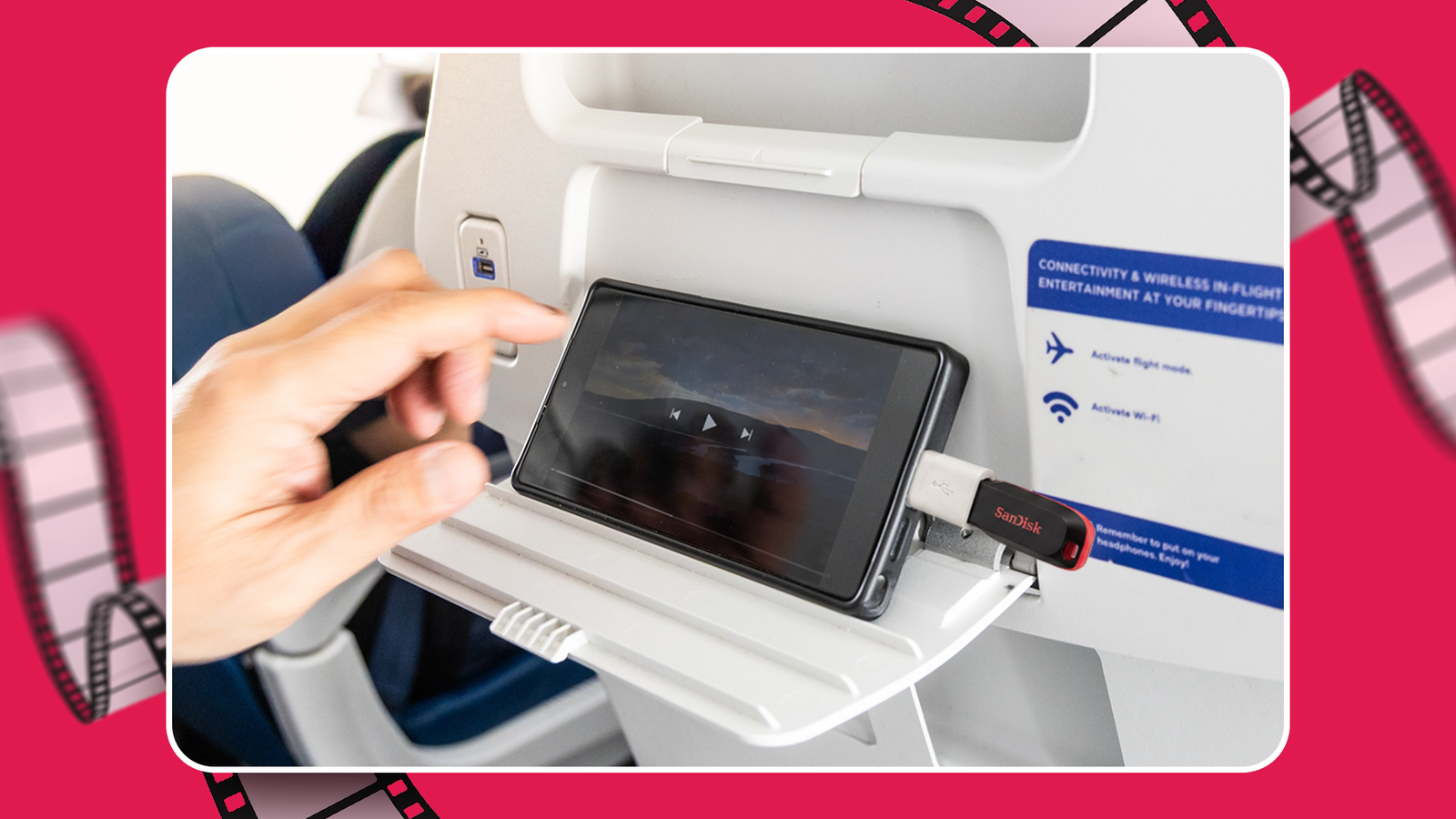
Published Nov 2, 2026, 6:30 AM EST Akshay Bhalla was the former game guides editor for Screen Rant and the technology editor at MensXP. He has previously written about smartphones, apps, streaming, gadgets, and games for print, digital, and TV media outlets. When he isn’t writing about tech, he can often be found playing JRPGs, listening to music, or playing with his three dogs. You can reach Akshay at bhallanator @ proton dot me. If you travel constantly and struggle with phone storage, you're in the same boat as me. But the real pain comes when I want to download movies and shows to watch offline while traveling, but I don't have enough space. With smartphones more expensive than ever, you can't upgrade to a new phone with more storage overnight. But you can use existing external storage devices to store content for offline viewing. Here's the setup I use. Using a USB external storage helped me kill boredom during long trips I didn't have to free up space on my phone Low storage often prevents me from downloading large files, including movies and whole seasons of TV shows. Instead of clearing space and deleting important files, I chose a different approach. The setup is somewhat old-school, but it works flawlessly and costs less than buying a new phone. When I'm on a long trip, whether on a flight, train, or on the road, streaming content is nearly impossible. Even with Wi-Fi on trains and planes, those services are patchy and expensive. Streaming on the road often drains the battery and is unreliable where cell service is low or nonexistent. To solve this, I chose to get more out of my phone's USB-C port. I dug through my drawers and found USB-C flash drives and SSDs I wasn't using. I know SSD prices have shot up to unprecedented levels, but companies like SanDisk still make relatively affordable USB-C flash drives. I prefer a portable SSD since I've bought plenty when prices were normal, but for my setup, a simple USB-C flash drive is more than enough. You can get drives from 64GB to 1TB, but 128/256GB is more than enough for storing some movies, YouTube videos, and a whole season of TV shows at 1080p. But to get the most out of an affordable USB setup for offline media consumption, you also need to keep battery consumption in mind. How I use my USB setup to watch movies and shows offline Old habits die hard I load my USB-C flash drive or portable SSD with video and audio content from various platforms before heading out on a long travel journey. Since I can read and play files from external storage right on my device, I usually save content directly on them via Netflix, YouTube, or any ripped files from my physical DVD collection. If you don't have a portable SSD handy, I recommend a dual-ended flash drive: one USB-A port and one USB-C port. This way, you're always ready to use the drive on your phone or laptop. If you have a high-capacity flash drive that works and doesn't have a USB-C port, get an OTG adapter. If you're using a portable SSD, use a short USB-C cable. Get an OTG adapter or USB-C cable from a reputable, quality-focused brand, as low-quality ones can be flaky and cause frequent disconnections. Always eject flash drives and portable SSDs properly before unplugging to prevent drive failure. After I load my content, I test that all the files work. I prefer VLC because it supports most formats, is lightweight, uses little battery, and is easy to use. I also organize every TV show and movie into clear folders so that browsing is fast and VLC loads them easily. This is the most cost-effective way to watch movies and shows without buying a new phone or deleting important files. Format the USB flash drive to exFAT, as it is best for large files and has no file-size transfer limits. There is one important gadget you should always carry, especially on a long journey. Since I watch movies on long journeys, I'll eventually need to charge my phone. But because my external storage takes up the phone's USB-C port, I prefer a magnetic power bank so I can keep charging while I watch a movie. If you have a Google Pixel 11 or the latest Samsung device, you can charge your phone at 25W with a Qi 2.2 wireless power bank. I prefer UGREEN's latest MagFlow Pro wireless power bank because it has built-in liquid cooling. It helps charge my phone faster and more efficiently without overheating. If I'm taking a break and need to charge my phone faster, I can use the power bank's attached USB-C cable and get back to watching movies in no time. This setup gets the job done, but if you want to take your experience to the next level, consider a dongle that lets you read a USB-C flash drive and includes an HDMI adapter. This way, you can watch your movies on the go or on a hotel TV when you want a larger screen. External USB drives might not be glamorous, but they work Using the old-school method of using external storage devices to watch movies and shows might not be glamorous, but it gets the job done. It's a simple setup that doesn't drain much battery and doesn't require you to free up storage space for storing media files. With storage and phone prices hitting the stratosphere, this simple setup is a great workaround that will work every time.
This simple USB setup let me watch my favorite shows during a long trip without cell service
Full Article
Original Source
Read the full article at Androidpolice →KhanList aggregates and links to publicly available news content. We do not host full articles from third-party sources. Always verify important information with original sources.