
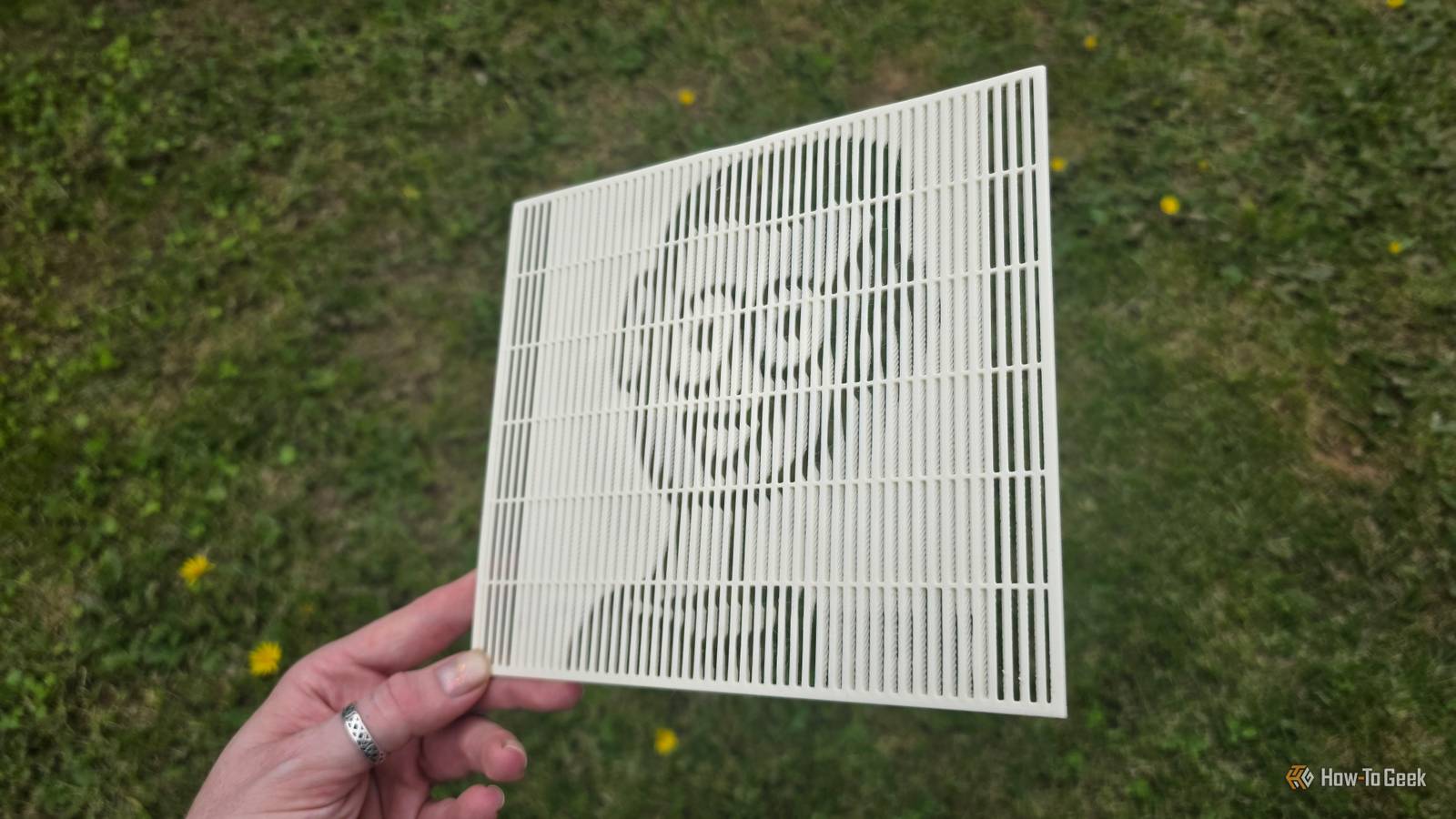
Published Oct 31, 2026, 4:30 PM EDT Sydney Butler is a technology writer with over 20 years of experience as a freelance PC technician and system builder and over a decade as a professional writer. He's worked for more than a decade in user education. On How-To Geek, he writes commerce content, guides, opinions, and specializes in editing hardware and cutting edge technology articles. Sydney started working as a freelance computer technician around the age of 13, before which he was in charge of running the computer center for his school. (He also ran LAN gaming tournaments when the teachers weren't looking!) His interests include VR, PC, Mac, gaming, 3D printing, consumer electronics, the web, and privacy. He holds a Master of Arts degree in Research Psychology with a minor in media and technology studies. His masters dissertation examined the potential for social media to spread misinformation. Outside of How-To Geek, he hosts the Online Tech Tips YouTube Channel, and writes for Online Tech Tips, Switching to Mac, and Helpdesk Geek. Sydney also writes for Expert Reviews UK. He also has bylines at 9to5Mac, 9to5Google, 9to5Toys, Tom's Hardware, MakeTechEasier, and Laptop Mag. When most people think of 3D printing, they imagine spare parts, clever home solutions, or, most likely, piles of articulated dragons. But you can create visual art in quite a few ways with a 3D printer. I first tried my hand at making lithophanes, which reproduce a photo in plastic using variable thicknesses in a plate, blocking light to differing degrees. But recently, a colleague of mine brought my attention to lenticular 3D prints. With the right piece of software, you can take two images and print them overlapping with each other, with each image visible from different angles. What does "lenticular" mean? It's literally what it sounds like Credit: Anastasiia_Kulyk/Shutterstock.com The word "lenticular" simply means "shaped like a lentil," and in this case refers to lenticular lenses, which are used to make those layered image cards where you see one image from a given angle and another image from another angle. The way it works with printed cards is that the two images are divided into parallel strips and laid in an alternating pattern. A layer of lenses is then applied, which bends light in such a way that you can see either the strips from one image or the other. However, lenticular 3D prints are actually misnamed. There are no lenses involved here at all. Instead, the software uses some clever math (that I do not understand) to create a 3D structure that achieves the same effect. Getting the software She's got it where it counts, kid The software to make this all possible is called LuBan, which is "generative design software" that can create 3D models based on 2D input. It can make the aforementioned lithophanes, extrude models from photos, create articulated models, and a long list of other fun and interesting stuff. It's also extremely scrappy. From the bare-bones website to the fact that you're going to download it from a Google Drive link, it has "bedroom coder" written all over it. I even had to send an email asking for a 30-day trial license. Also, yes, this is not free software. It's relatively expensive too, at $30 a month, $150 a year, and $750 for a lifetime license. Interestingly, LuBan has a good-guy move when it comes to the license fees. Every monthly or annual payment you may accumulate, and when it reaches the same total amount as a lifetime license, it converts, and you can stop paying. Quite a neat idea! Creating the lenticular print Click, click, boom! Once you have LuBan open on its blank home screen, the path to making a lenticular print is straightforward. Do keep in mind that this is for the macOS version, and I haven't used the Windows version yet. Go to File -> Create -> Photo Magic. Following that, ensure that "Lenticule" is selected as the type of model you want to make, and then select 'Browse" to open the two photos you want to use. Once that's done, you can adjust the various parameters, such as the total size of the model, its thickness, how many support bars you need, and so on. You'll have to play around with these to learn what settings your printer is happy with. I had quite a few failures before I hit on the right combination of thickness and resolution. Once you're done, just click the "Save" button and choose the destination of the STL file. Then open it in your slicer like you would any model. The actual printing can be frustrating I ran these prints on two different 3D printers and had quite a few failures with both. My first mistake was printing them with the wrong face down. Both my slicers wanted to print the model face-down, but flipping them over makes for a better first layer. Sizing and resolution are also really important. If the print is too small and the image resolution too high, then a standard 4mm nozzle isn't going to make the lines properly. If you have a smaller nozzle on your machine, you'll probably fare better. 200x200mm at a 0.1 resolution worked fine for a logo or a cartoon face, but for a realistic photo, I had to resort to lowering the resolution at that print size. There's a lot more to try Since I am only a few days into my 30-day trial and I have a decent amount of filament I can't use for anything else, I want to play around with some of the other tools in LuBan as well. The ability to make 3D puzzles and extrude photos has some potential, but it has a lot of tools packed into it. This is not a review of LuBan, of course; it just seemed like the go-to software for people making these "lenticular" prints, but there do appear to be some other options as well. I just didn't have the time to look into them.
This simple 3D-printing process turned my flat photos into illusory lenticular portraits
Full Article
Original Source
Read the full article at Howtogeek →KhanList aggregates and links to publicly available news content. We do not host full articles from third-party sources. Always verify important information with original sources.