
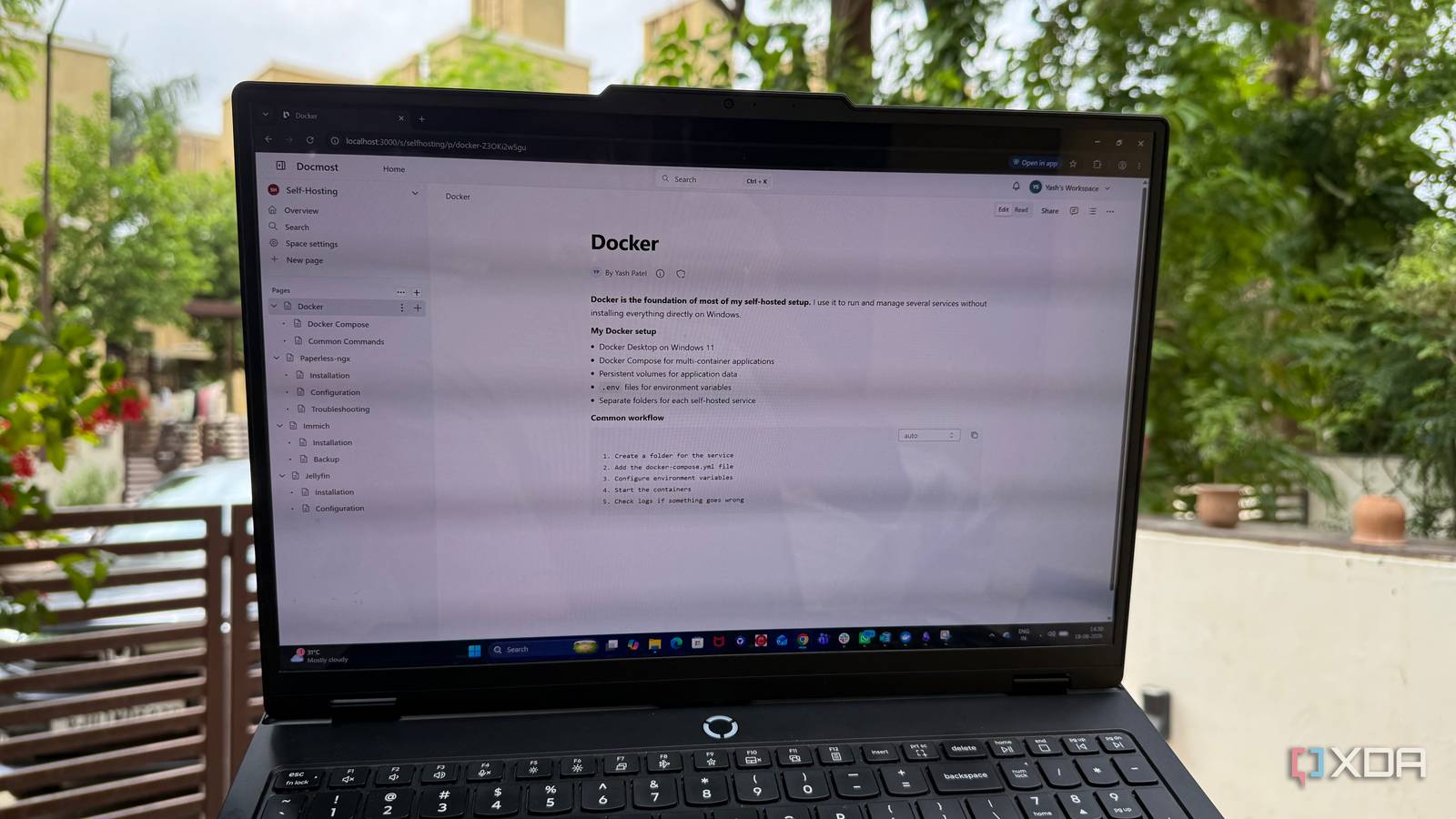
Published Aug 25, 2026, 10:30 AM EDT Beginning his professional journey in the tech industry in 2018, Yash spent over three years as a Software Engineer. After that, he shifted his focus to empowering readers through informative and engaging content on his tech blog – DiGiTAL BiRYANi. He has also published tech articles for MakeTechEasier. He loves to explore new tech gadgets and platforms. When he is not writing, you’ll find him exploring food. He is known as Digital Chef Yash among his readers because of his love for Technology and Food. I’ve been using Obsidian for a long time, and it has become one of those apps I keep coming back to. My vault had plenty of useful information, but turning all of it into something easy to navigate was another job altogether. I wanted something that felt more like a personal documentation hub than a collection of notes. At the same time, I didn’t want to hand all of that data to another cloud service. That’s when I started looking at Docmost, and it quickly caught my attention. What is Docmost? Installation is a breeze Docmost is an open-source documentation and wiki platform that you can host yourself. I came across it while looking for a better way to keep my technical documentation organized without moving everything to another hosted service. What caught my attention was the fact that I could run the entire thing on my own hardware. Since I already use Docker for most of my self-hosted services, setting up Docmost fits naturally into my existing setup. I pulled the Docker image, configured the required settings, and got my own Docmost instance running with little hassle. I mainly use it as a dedicated home for documentation that I want to keep around and refer back to later. That includes notes about my self-hosted setup, tools I use, configurations, and other technical information that I don't want to lose in a pile of random files or notes. Docmost feels more like a knowledge base than a note-taking app Structure without constantly maintaining it One thing I always struggled with in Obsidian was maintaining my notes' structure. Obsidian gives me almost complete freedom to organize things however I want, but that also means I’m responsible for creating that organization myself. As my vault grew, I had to keep thinking about folders, tags, links, and where a new note actually belonged. That flexibility is great when I’m brainstorming or collecting random ideas, but it can become tiring when I’m trying to build proper documentation. I don’t want to spend time deciding how every piece of information should fit into my system. I just want to write it down so I can find it later. This is where Docmost has worked better for me. It gives my documentation a proper structure from the start, so I don't have to maintain it myself. I can create a logical hierarchy and keep related pages together without turning organization into another task. For example, when I document one of my self-hosted services, I can keep the installation notes, configuration details, troubleshooting information, and other related pages under the same area. As I add more documentation, it still feels like I'm building one organized knowledge base rather than adding another disconnected note. That has made a bigger difference than I expected. With Docmost, the system feels much smoother, and I can focus more on actually writing the documentation. A few things I wish Docmost did better than Obsidian Docmost isn't perfect, and that's okay Docmost has become a better fit for my documentation, but I wouldn't say it has completely replaced Obsidian for me. There are still a few areas where I find myself missing the flexibility of Obsidian. The biggest one is how much I can customize my workflow. Obsidian has a huge plugin ecosystem, and over time I've built my setup around the tools and features I actually use. I can add a plugin for almost anything, change how my notes behave, or create a workflow that fits a very specific need. Docmost feels much more focused, which is good for documentation, but it also means fewer ways to customize the experience. I also miss some of Obsidian's freedom when I'm working with information that doesn't fit neatly into documentation. Sometimes I just want to throw ideas into a note, connect them later, and figure out the structure as I go. Obsidian is much better suited for that kind of messy thinking. So while Docmost has given my documentation a better home, I still keep Obsidian around for the things that benefit from its flexibility. I didn't need another note-taking app After using Docmost for a while, I realized my problem wasn't that I needed more places to store information. I needed a better way to turn the information I already had into something useful later. Docmost fits that role surprisingly well, especially for technical documentation that keeps growing over time. The best part is that I can run it myself and decide where my data lives. It doesn't try to do everything, and that's actually part of its appeal. Docmost Docmost is an open-source, self-hosted collaborative wiki and knowledge-base.
This self-hosted tool gave my documentation the structure Obsidian never could
Full Article
Original Source
Read the full article at Xda-developers →KhanList aggregates and links to publicly available news content. We do not host full articles from third-party sources. Always verify important information with original sources.