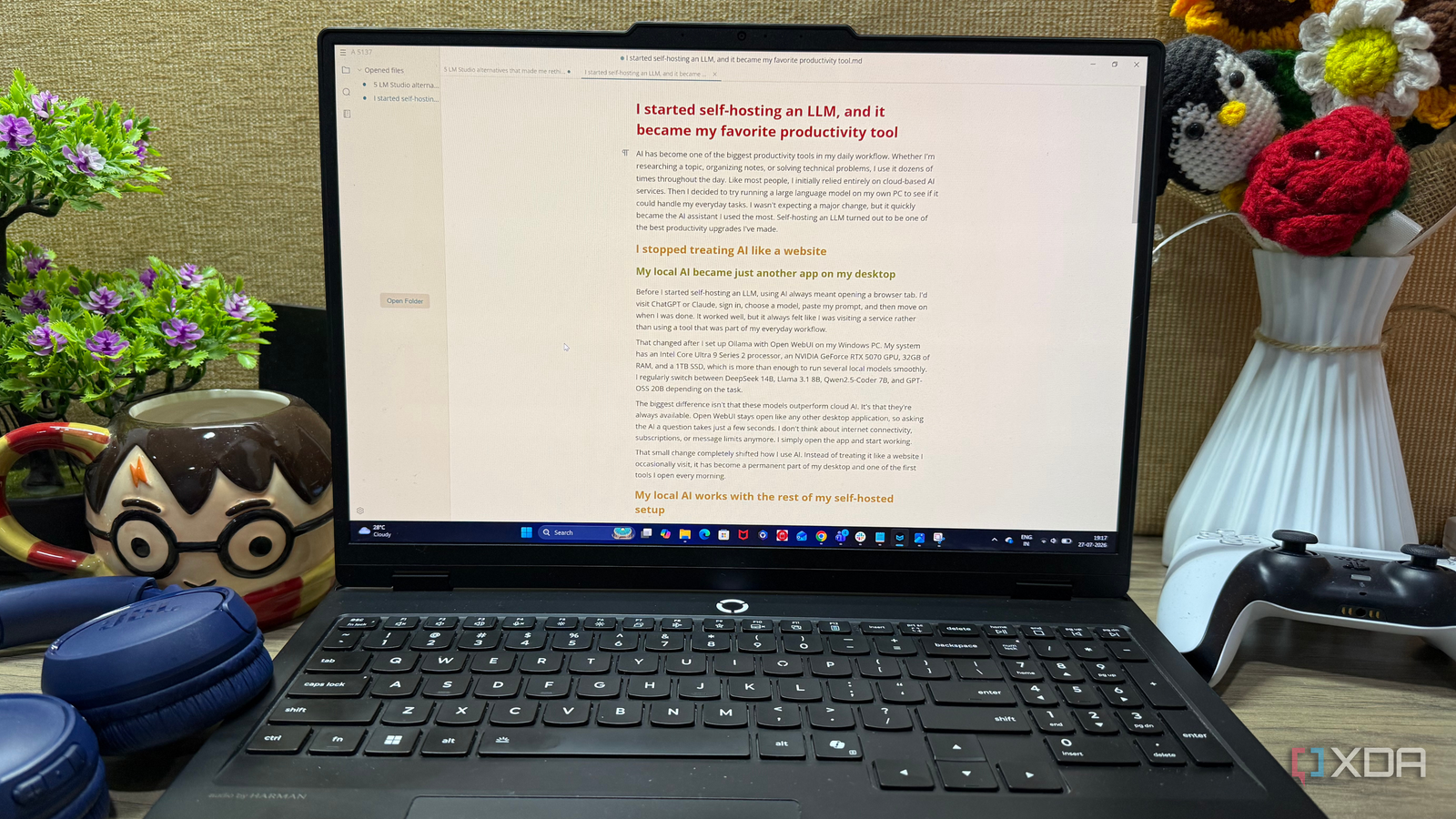
Published Jul 29, 2026, 5:00 PM EDT Beginning his professional journey in the tech industry in 2018, Yash spent over three years as a Software Engineer. After that, he shifted his focus to empowering readers through informative and engaging content on his tech blog – DiGiTAL BiRYANi. He has also published tech articles for MakeTechEasier. He loves to explore new tech gadgets and platforms. When he is not writing, you’ll find him exploring food. He is known as Digital Chef Yash among his readers because of his love for Technology and Food. I use Markdown almost every day for drafting blog posts, outlining ideas, and taking notes, so having the right editor makes a bigger difference than I once thought. Over the years, I've tried several Markdown editors, but many either felt too basic or were overloaded with features I never used. I wanted something that stayed out of my way and let me focus on writing. That's exactly what I found with the open-source markdown editor, MarkText. It doesn't try to be a second brain or a productivity suite. Instead, it offers a clean, comfortable writing experience that has quickly made it my go-to Markdown editor for almost everything I write. What is MarkText? Installation is a breeze I came across MarkText while looking for a Markdown editor focused on writing rather than piling on features I didn't need. It's a free, open-source Markdown editor available for Windows, macOS, and Linux, and it saves everything as standard Markdown files. That means I'm never tied to a proprietary format and can open my documents in almost any Markdown application. Getting started was just as straightforward as I had hoped. I installed it on my Windows PC, but the process is equally simple on any operating system. Just download the appropriate installer from the project's releases page, run the installation, and launch the application. Within a couple of minutes, I was ready to start writing without having to create an account or configure anything complicated. It is super smooth and approachable from the very beginning. It offers a clean interface that gets out of the way, making it easy to jump straight into a new document. Instead of spending time learning the app, I was able to focus on what I opened it for: writing. It feels like writing, not editing Markdown A distraction-free Markdown editor The biggest reason I keep coming back to MarkText is that it doesn't constantly remind me I'm writing in Markdown. Most editors either show raw Markdown syntax everywhere or require a separate preview pane to see the final formatting. MarkText takes a different approach with its live preview editor, and I found it much more comfortable for long writing sessions. As I type, headings, lists, tables, links, and images are rendered instantly without leaving the editor. When I need to edit the formatting, the Markdown syntax appears only for that specific element and disappears once I'm done. It feels natural and keeps the document clean while I'm writing. This makes it much easier to stay focused on the content instead of the formatting. I don't have to switch between editing and preview modes or constantly check whether my Markdown looks right. Whether I'm drafting a blog post, outlining an article, or taking notes, the writing experience feels smooth and distraction-free. That's exactly the kind of workflow I was hoping to find in a Markdown editor. Power user features make writing more enjoyable Focused writing meets practical productivity Once I got comfortable with the basics, I started discovering small features that genuinely improved my writing workflow. The document outline makes it easy to jump between sections of a long article, while the built-in file browser lets me switch between drafts without opening another file manager. I also like that MarkText supports tabs, so I can keep multiple documents open at the same time. For longer writing sessions, I often turn on Typewriter Mode and Focus Mode. Typewriter Mode keeps the current line centered on the screen, while Focus Mode fades everything except the paragraph I'm working on. Together, they create a distraction-free environment that helps me concentrate on writing instead of editing. MarkText also gets the little things right. Lists automatically continue when I press Enter, saving me from manually adding bullets or numbers, and the live word counter helps me keep track of article length. It supports tables, code blocks, mathematical expressions, front matter, and images without making them feel complicated. Once I'm done writing, I can also export my documents to formats like PDF and HTML, making it easy to share or publish my work. None of these are headline-grabbing features, but together they make MarkText a capable writing companion that stays simple without feeling limited. It still has a scope of improvements There’s room to grow As much as I've enjoyed using MarkText, it isn't perfect. The project hasn't seen the same level of active development as some other open-source editors, so I occasionally wonder how quickly new features or bug fixes will arrive. It has remained stable during my use, but the slower pace of updates is worth keeping in mind. I'd also like to see a few quality-of-life improvements. A built-in sync option would make it easier to move drafts between multiple devices, even though I can already sync my Markdown files through cloud storage services. The app also lacks a plugin ecosystem, so extending its functionality isn't as easy as with editors like Obsidian. Sometimes the best writing tool is the one that stays out of your way After spending time with MarkText, I've realized I don't need my Markdown editor to do everything. I just need it to help me write without slowing me down. That's exactly what MarkText delivers. It keeps the experience simple, fast, and focused, while still offering enough features to handle my daily writing tasks. Despite a few rough edges, it's become the app I instinctively open whenever I start a new article or jot down an idea. If you're looking for a free, open-source Markdown editor that puts writing first, MarkText is definitely worth trying. MarkText MarkText is a free, open-source Markdown editor that offers a clean, distraction-free writing experience with live preview, thoughtful productivity features, and cross-platform support for Windows, macOS, and Linux.
This open-source Markdown editor is replacing every other writing app I use
Full Article
Original Source
Read the full article at Xda-developers →KhanList aggregates and links to publicly available news content. We do not host full articles from third-party sources. Always verify important information with original sources.