
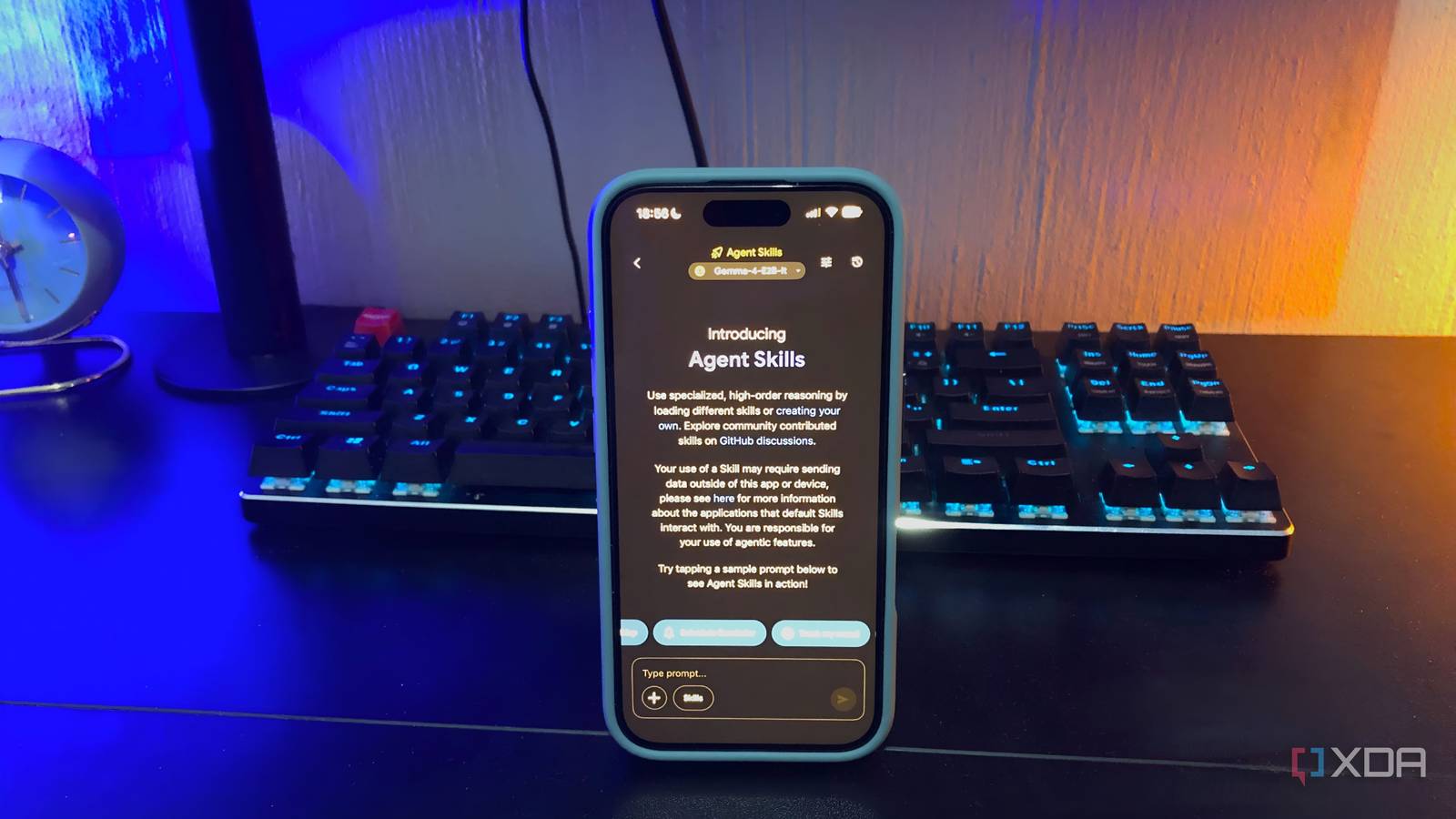
Published Aug 30, 2026, 10:30 AM EDT Nolen began their writing career in 2019, with three years dedicated to editing the Creative section at MakeUseOf. Their expertise lies at the crossroads of technology and creativity, covering areas like photography, video editing, and graphic design. Outside of work, you'll often find Nolen diving into a good book, writing their own stories, or playing video games. Running a local LLM on your phone wasn't really an option just a few years ago. Now it's something you can actually open every day and get practical use out of. Between the runners maturing and the model makers finally treating phones as a real deployment target, the daily driver setup that used to live on a desktop with a decent GPU can now sit in your pocket and work offline. One of the apps I've been defaulting to lately has been Google AI Edge Gallery. It's not exactly a chatbot app, or at least, it's not only that. There's a full assistant plus a lineup of Google's own on-device models to hop between, and everything can work offline. It's free too, which, of course, never hurts. Want to stay in the loop with the latest in AI? The XDA AI Insider newsletter drops weekly with deep dives, tool recommendations, and hands-on coverage you won't find anywhere else on the site. Subscribe by modifying your newsletter preferences! For starters, it does what Google Assistant used to With Assistant on the way out, this is a reasonable alternative The Agent Skills system in Edge Gallery is what carries most of the assistant load. Schedule Notification takes a plain English line like "remind me to check my calendar every weekday at 9" and hands it off to the phone's notification system with the parsing done on-device. There's also calendar integration for reading and creating events, which, for local mobile AI, can often feel like the last piece of the puzzle to make it a legitimate replacement. Interactive Map covers the "where's the nearest X" queries with an embedded Google Map and a hand-off to the Maps app if I need directions. Ask Image is my quick object and scene identifier - I've always found vision models more useful because one of my biggest use cases of AI is handing it screenshots and photos to help me make sense of other software or the world around me. So I think it's impressive to have a dedicated feature for that in a local mobile app. It's not a full Assistant substitute. For example, there's no wake word and smart home functions and live traffic still have to run through the OS. So plenty of gaps left, sure, but the ones you use on the regular could probably be filled by Edge Gallery. The model catalog is Gemma-only, and that's not a bad thing A locked-down lineup on paper, but the Gemma family covers more ground than the branding suggests When you head to the Models panel, you'll see the exact type of catalog you'd expect from a Google app, which is only Gemma. My assumption going in was that the selection would be pretty narrow, so it's not exactly like I'm disappointed. Gemma models are top of the line and what I already use on my PC and other local LLM mobile apps. Here, the flagships are pushed to the front, but there are a bunch of older versions being kept around for posterity. If you're not familiar with the Gemma models, they're optimized for edge devices and cover more territory than you'd imagine. Gemma 4 E2B and E4B are the flagships and what I spend most of my time with. Both are multimodal, meaning they take text, images, audio in, and text out. These models can support a context window of up to 128k, but in Edge Gallery both go up to 32k instead, and this is simply because of RAM constraints on any phone, even if it's a newer one. This is still plenty for regular use in my opinion. Both are also instruction-tuned (the "it" you see after the model name), which simply means it's tuned to chat and follow commands, making it ideal for interactive assistant-style apps like Edge Gallery. Then there's FunctionGemma 270M. It's a tiny finetune of Gemma 3 built specifically for function calling, and it's what powers the Mobile Actions feature for offline phone controls like the flashlight and volume, and the Tiny Garden mini-game where you plant and water flowers with natural language. A 270M model doing multi-step function calls without a signal is kind of wild. There's a small catch though. Agent Skills only works with the Gemma 4 family, and Thinking Mode too. So if you want the full assistant stack from the last section, you've got to have a Gemma 4 model loaded. Everything else in the catalog is chat-focused. There's also a Hugging Face import path and a sideload option for .litertlm files if you want to run something outside the Gemma family, though both of those are more setup than the default flow. Thinking Mode and benchmarking are what earn the "lab" label Watching the model reason and clocking it against my hardware turned this from an app into a testbed Inside the AI Chat workspace there's a toggle that lets me see the model's step-by-step reasoning trace before it lands on an answer. It's currently limited to the Gemma 4 family, so watching a chain of thought means staying in that lineage. I don't always have it on because it can take too long, but it is useful if you're prepared to have a longer session, and it gives you almost a heads-up on bad answers before they arrive. So if the reasoning heads in a direction I know is wrong, I can just stop the generation and redo my prompt. Then there's also benchmarking, tucked into the little hamburger menu next to the Models screen. It runs prefill and decode tests on my specific device and hands back tokens-per-second numbers plus time-to-first-token latency. This can be useful because on-device performance isn't really a specsheet thing - two people running the same model on different phones can get very different numbers, and this feature means I don't have to trust someone else's blog post when I can just run the test on my own device. The barrier to running local on mobile keeps getting lower Cloud AI still wins whenever I need frontier-scale intelligence for something serious. But for smaller tasks and whenever I need something offline, this app has become the first thing I open. It's free and open source, runs fully locally, and the fact that a combination like that even exists on a phone right now is still kind of surprising to me. Google AI Edge Gallery
This open-source Google app turned my phone into a fully local AI lab
Full Article
Original Source
Read the full article at Xda-developers →KhanList aggregates and links to publicly available news content. We do not host full articles from third-party sources. Always verify important information with original sources.