
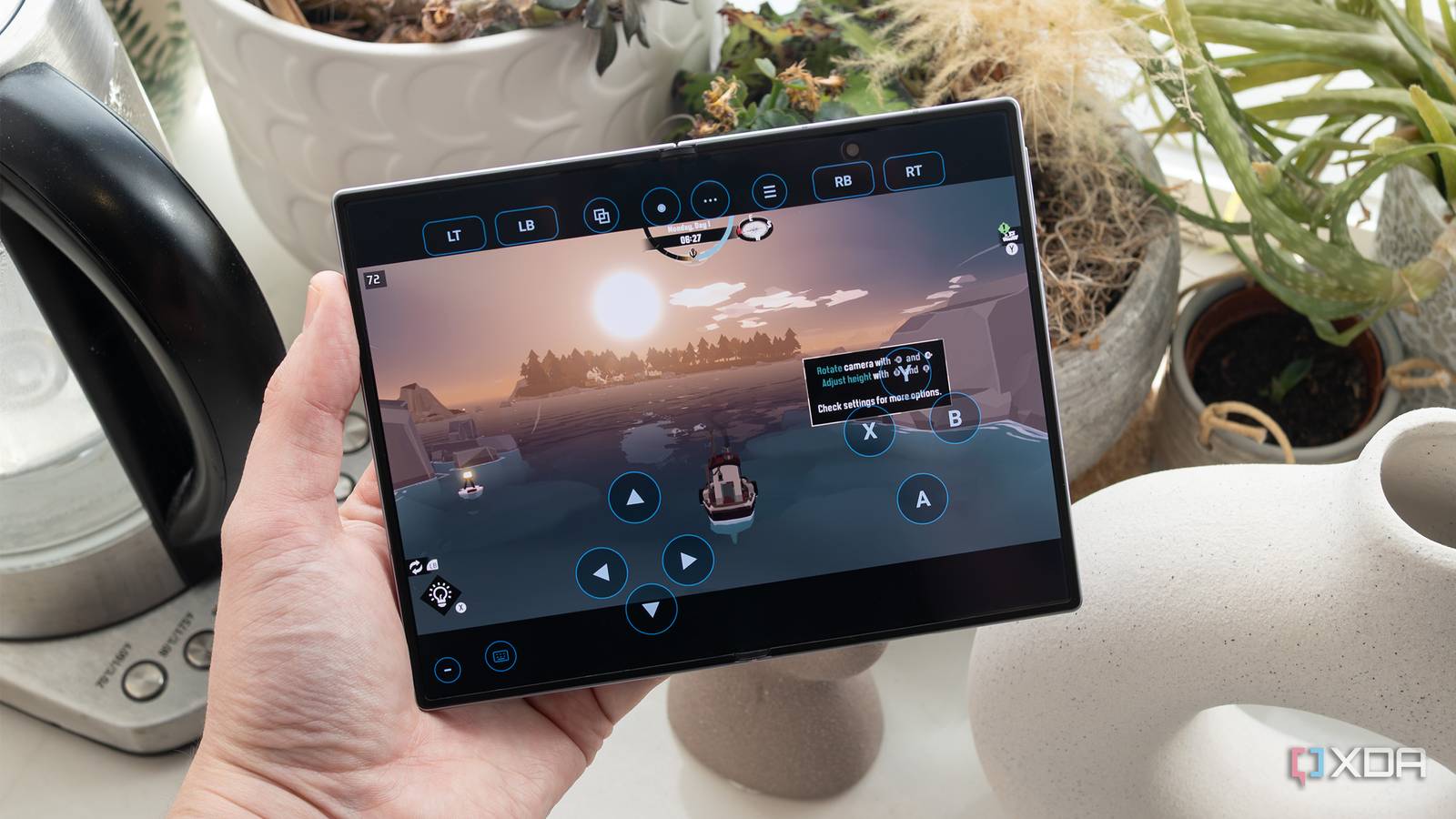
Published Nov 24, 2026, 11:30 AM EST Patrick O'Rourke is XDA's News Editor and Entertainment Segment Lead. Previously, he was Pocket-lint's Editor-in-Chief, the Editor-in-Chief of Canadian tech publication MobileSyrup, and earlier in his career, he worked as the technology editor at the Financial Post and Postmedia. He's based in Toronto. Over the past 15 years, he's written thousands of articles. Patrick has also interviewed dozens of tech industry executives and covered GDC, E3, Gamescom, WWDC, Apple keynotes, Samsung Unpacked events and more. Patrick has a BA in journalism from Toronto Metropolitan University. A few weeks ago, I stumbled across a sideloaded Android app called DroidDeck on Reddit. Since I'm always looking to get as much out of my increasingly expensive Xbox Game Pass subscription as possible, I figured it was worth checking out. The ability to play full x86 PC games locally on my Galaxy Z Fold 8 was something I couldn't resist at least trying. Basically, DroidDeck brings Valve's Steam Big Picture interface to Android phones, including recent Snapdragon-powered devices. It runs Steam locally inside a Linux environment, using FEX to translate x86-64 instructions for ARM-based processors. Proton, Valve's Windows compatibility layer, then helps Windows games run in that environment. It also supports mobile-specific graphics drivers to help games run on Android hardware. The process is similar for Windows PC Game Pass titles, but it adds an extra layer. DroidDeck incorporates components from Xodus, the open-source project behind Xodus Nexus, which lets Xbox PC Game Pass games run on the Steam Deck (I covered the app a few weeks ago, and it works pretty well). These components handle Xbox-specific requirements, including authentication, licensing, and game runtime compatibility, while FEX and Proton help run Windows games on Android. DroidDeck also works with other platforms like Steam Fex and Proton bring Xbox Game Pass to Android While DroidDeck works with Steam, it's also compatible with the Epic Games Store, Amazon, and Battle.net, includes installation options for various emulators, and has recently added Xbox Game Pass support. Though I haven't tried DroidDeck's Steam integration (I plan to soon), my research suggests compatibility is pretty spotty, with indie games like Hollow Knight: Silksong running far better than something like Cyberpunk 2077 (though the game reportedly runs at lower graphics settings and resolution). In this case, I'm specifically interested in testing Xbox Game Pass compatibility with a few key titles I actually want to play on the Galaxy Z Fold 8 that I think would work well with touchscreen controls (you can, of course, also use a Bluetooth controller). After installing the DroidDeck APK from the app's GitHub page, I signed in to my Xbox account to access my Xbox Game Pass PC subscription. Next, I picked out a few titles to download: Dredge, Dirt 5, Ball X Pit, Kiln, and Yakuza: Like a Dragon. After each game finished downloading, I clicked the Play button beside the title in DroidDeck. I was then greeted with a surprising error, asking me to enable an Android Developer Option called Disable Child Process Restrictions that limits the number of processes an app can create. I went to Settings, searched for Build Number, and tapped it seven times to enable the feature. I then went to Developer Options and scrolled down until I found Disable Child Process Restrictions. Game compatibility is hit or miss When DroidDeck actually works, it's great Now it was finally time to try out a game. First up was Dredge; instead of instantly booting, several Steam-related files needed to be downloaded and installed. Then I needed to sign in to Steam, which I did with my iPhone Duo. The first time Dredge booted up, I couldn't get the on-screen controls to work, so I swiped from the right and opened Steam's menu. Next, I changed the virtual controller to Xbox 360 Controller, and rebooted DroidDeck. Now the on-screen controls suddenly started working. In my experience with the Snapdragon 8 Elite Gen 5-powered Galaxy Z Fold 8, Dredge consistently hit 60-70fps, which is pretty impressive. That said, it's a pretty slow-paced indie game that isn't very graphically demanding, so I'm not totally surprised. Next, I fired up Dirt 5, an Xbox Series X racing game I really liked when it released in 2020. I've often thought about going back to it, so it seems like the perfect title for this. Dirt 5 just straight-up wouldn't boot at all, which is disappointing. Next, I tried Double Fine's Kiln. The game opened immediately but locked up on the title screen for some reason — bummer. Next up, I decided to try Ball x Pit because a friend of mine won't stop talking about it. I figured being able to pull the game out and play it on my phone whenever I wanted would be a good way to give it a proper shot. Ball x Pit runs great and lands somewhere between 60-80fps, though again, it's not exactly a graphically intense game. Lastly, I tried out Yakuza: Like a Dragon, an excellent (and very wacky) turn-based JRPG that I've always wanted to finish, and like Dirt 5, it wouldn't even boot up. Hopefully, Xbox Game Pass game compatibility improves Whatever game you're trying to play might work (but it also might not) I realize I've only tried a handful of games so far, and I've focused on Xbox Game Pass PC titles I actually plan to play with DroidDeck on my Galaxy Z Fold 8. That said, I'm not very impressed with how many games actually run right now. This seems to echo DroidDeck's community-made compatibility list for Steam games that run on Android through the app. That said, when DroidDeck actually works, it's great. Beyond the compatibility issues, my only other complaint is that the Galaxy Z Fold 8 gets noticeably hot while running the app. With this in mind, if there's an indie or older Xbox Game Pass PC game you're interested in playing on your Android phone, DroidDeck might be able to make that happen — just don't be surprised if the app isn't compatible with that specific game right now. There's clearly a lot of potential here, but game compatibility needs improvement. DroidDeck
This open-source app lets me run Xbox Game Pass games on Android, but it's far from perfect
Full Article
Original Source
Read the full article at Xda-developers →KhanList aggregates and links to publicly available news content. We do not host full articles from third-party sources. Always verify important information with original sources.