
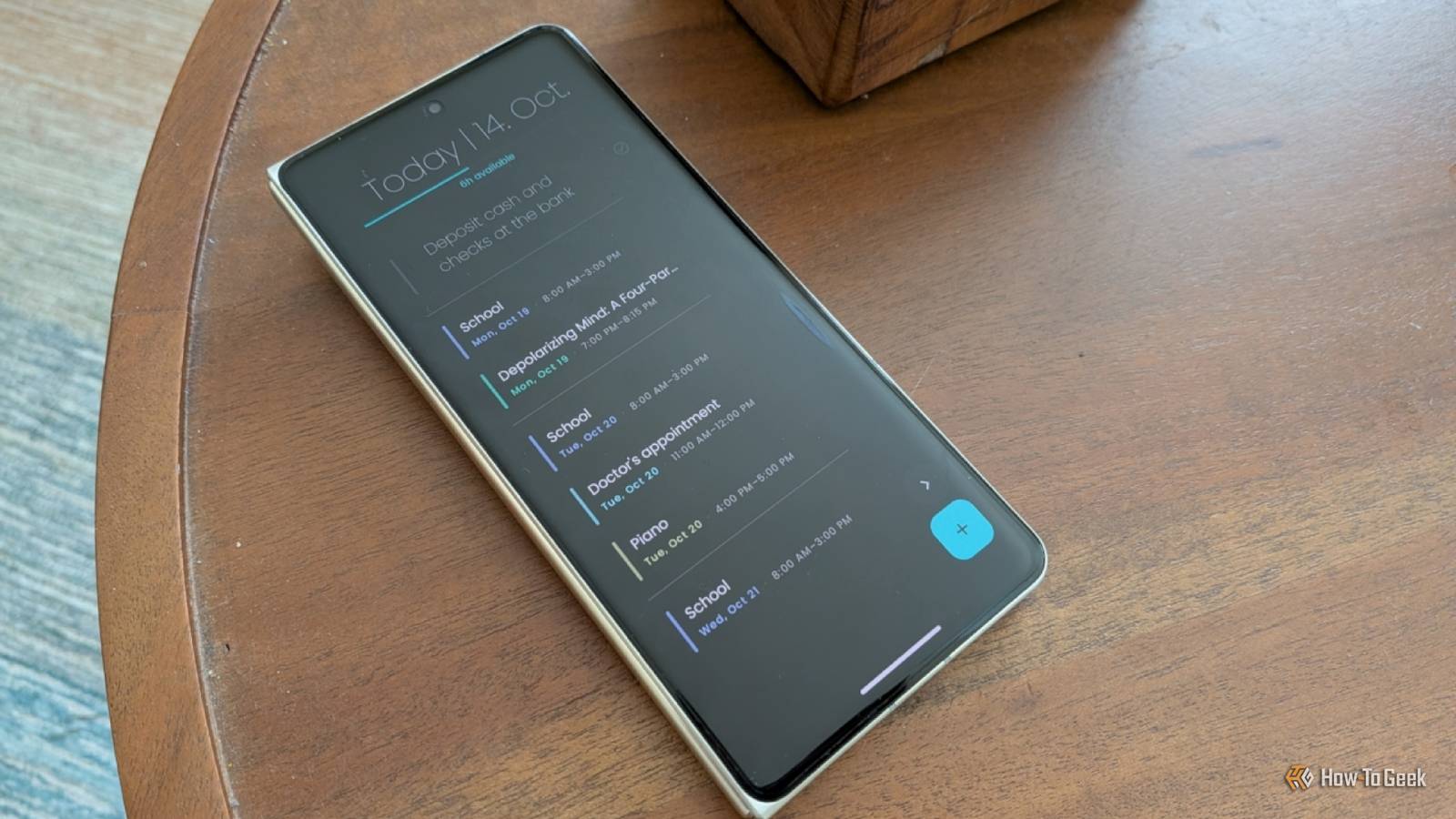
Published Oct 15, 2026, 9:00 AM EDT Bertel is a lifelong tech enthusiast with over a decade of experience writing thousands of articles about Android devices, Linux, and more. Before joining the How-To Geek team, Bertel wrote for the likes of MakeUseOf, MakeTechEasier, and Android Police—at the latter he wrote over 3,500 articles. He delights in helping others decide which tech to bring into their lives... and which tech to do without. Bertel graduated from the College of William and Mary in 2012 with degrees in History and Government. He has spent his entire career as a tech journalist covering Android, Linux, wearables, smart home devices, and more. I regularly try out new launchers to replace my Android home screen, and most are variations of how my phone already works — but I’ve recently stumbled across one that does things so differently, it’s had a noticeable impact on how I live my life. Entropy’s Defiance is more than just an awesome name This launcher is a radical rethink of what a home screen can be I’ve never been a fan of the grid of icons that has defined the smartphone experience since the launch of the iPhone and Android phones. Opening a smartphone feels cluttered, with numerous images vying for my attention as I try to place a call or check email. This design is great for fueling addiction and encouraging me to spend money, but it’s not particularly well suited to improving my quality of life. Entropy’s Defiance fundamentally changes what I see when I unlock my phone. No app icons are visible on the home screen, and there aren't even names. Instead, the home screen centers around my goals, responsibilities, and scheduled activities. Simply put, Entropy’s Defiance replaces your home screen with a clever to-do list and calendar. That’s not to say that Entropy’s Defiance makes it hard to open apps. I can access them by swiping up along the right side of the screen, which is a well-exercised muscle for me as someone who is quite enamored with Niagara Launcher. I can then scroll through a list of apps sorted by how often I use them, or I can search by typing instead. I can hide apps I don’t want to see in the list, but that’s the extent of app interaction. There are no app icons even here. This launcher keeps my focus on my intentions and goals I'm pushed to ask myself what I want to do with my life Most to-do list apps want you to assign a specific date and time to each task. Entropy’s Defiance works at a scale that feels more like how I think. When I tap the button at the bottom to create a new task, I decide whether it needs to be done today, this week, this month, this year, or this life. Yes, you read that right. What do I want to do in this life? When I create tasks that still need to be completed, they appear at the top of the screen. If any tasks are due today, I see those. If I’ve completed all of today’s tasks, then the ones due this week appear next. If I’ve completed those, then I see the ones due this month. You get the idea. Eventually, I’m left with only the bigger projects that I want accomplished by the end of the year, and if I’ve done that, I’m left with a daily reminder of what I want to do with my life. I didn’t expect a home screen launcher to make me ask myself these questions. I appreciate even more how it holds me accountable. As I contemplate what I need to do to reach my life goals, I naturally come up with short-term actions — tasks due this week, this month, or this year. In this way, I make steady progress, rather than let the big picture completely disappear from sight. This launcher goes further than most to-do list apps by also showing me how many hours I have left to perform each task. It asks me how many hours each day are "productive" and subtracts the time my calendar events take up. What remains is the amount of time I can commit to my tasks. My home screen is also my calendar I'm a fan of this agenda-style view I don’t have the best relationship with calendar apps. It’s not that there is anything wrong with them. I was a big fan of Samsung Calendar back when I carried a Galaxy phone — I just rarely thought to open the app. Yes, reminders are a thing, and I appreciate them, but I either set them to go off at the last possible moment so I can make it to an event on time, or they go off early enough that I might forget. They don’t present me with a picture of what lies ahead each day. I appreciate the calendar widget on Niagara Launcher, but as embarrassing as it is to say, I didn’t even think to tap on the date to pull it up all that often. Entropy’s Defiance presents events similarly to Niagara Launcher, but they're always visible, letting me scroll through everything scheduled for the week ahead. Just like I know what tasks need doing, I am also reminded of what my family’s commitments are every time I pull out my phone. Entropy’s Defiance isn’t a perfect launcher — but it’s a helpful one In what are arguably vital ways, Entropy’s Defiance is a terrible launcher. While I can open the dialer by double-tapping the screen, accessing Google Messages requires swiping up from the side to open the app list. There is no dock with apps I expect to access quickly, and there's little customization. I can’t create folders, and I can’t add my own widgets. Yet I think any of these would make the launcher worse. I appreciate my home screen just the way it is. But if you want a distinct open-source launcher that offers more flexibility, I have the list for you.
This open source Android launcher has changed how I live my life for the better
Full Article
Original Source
Read the full article at Howtogeek →KhanList aggregates and links to publicly available news content. We do not host full articles from third-party sources. Always verify important information with original sources.