
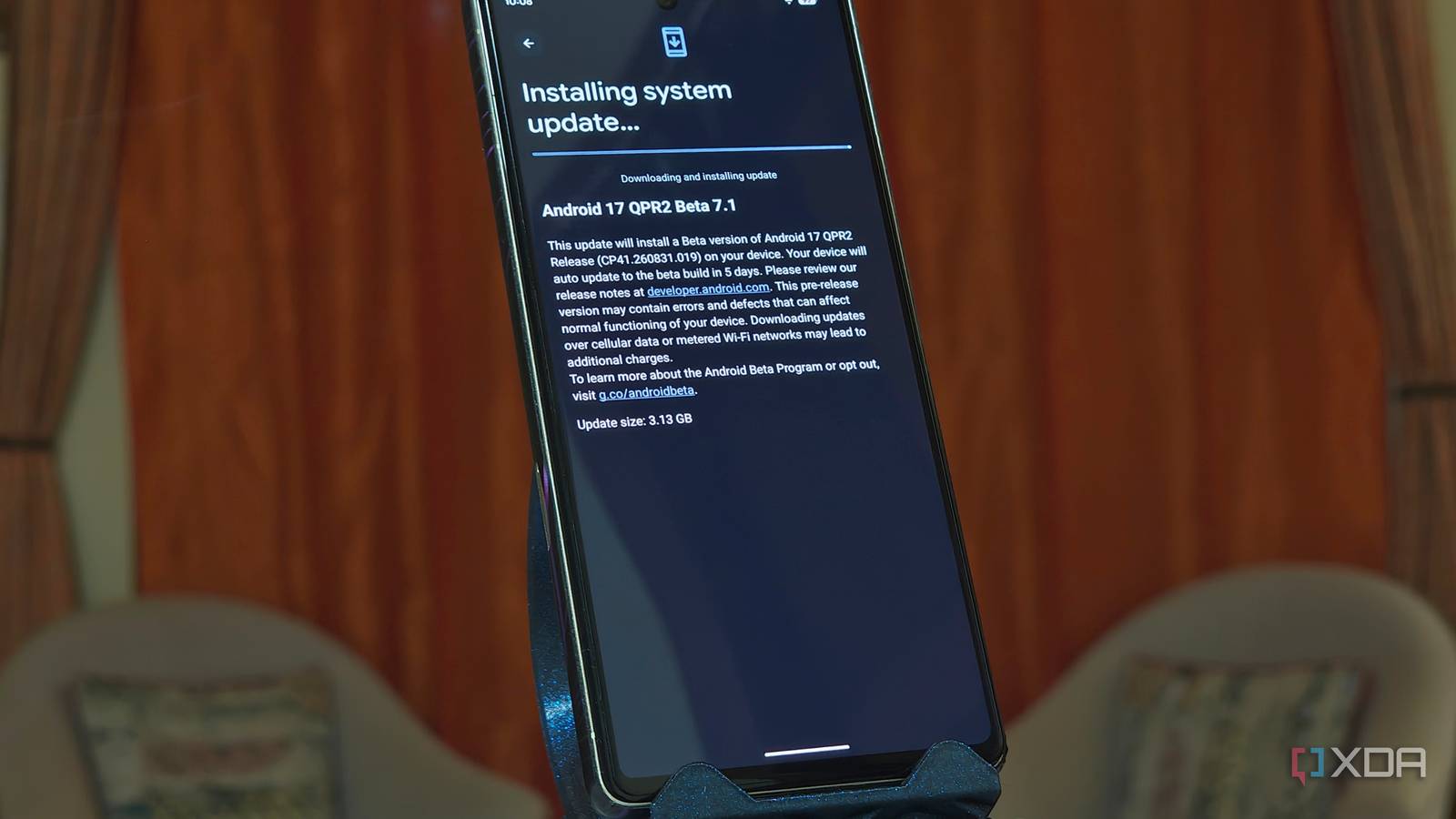
Published Nov 8, 2026, 7:01 PM EST A seasoned mechanical design engineer turned tech reporter and reviewer, Chandraveer brings more than four years of consumer tech journalism experience to the table, with bylines at Android Police and iPhoneHacks. He's written about everything from UI and UX changes across various apps to emerging software and AI trends. At XDA, he showcases his versatility in the tech reporting space with articles rooted in personal experiences and frustrations. Chandraveer's passion for consumer tech spills over into hobbies such as mechanical keyboards, photography, and 3D printing. With an academic background in design and manufacturing, his insatiable curiosity spans beyond the digital domain. Chandraveer's downtime is an eclectic mix of reading fiction, practicing calligraphy, conceptualizing new products, and enjoying an expansive FLAC audio library. Google's September rollout of Android 17 QPR1 turned smooth smartphones into stuttering headaches for thousands of Pixel owners, and Pixel 10 owners seem the worst affected. I run a Pixel 7 on the Android Beta channel, and the company said it has patched the underlying issue in the current QPR 3 Beta 3, but the official stable-channel code fix is still awaited. Importantly, the latest Pixel 11 seems to have been spared this hassle, but there's no telling if owners of older Pixels will get a point update or a long wait until the next QPR release. Performance complaints outpaced every other issue category in a recent reader survey Android Authority ran, surging past UI, display, and connectivity bugs, with 20% of the respondents suffering. With a fallout at this scale, several users are already trying everything possible to fix the issues and have reported some success with turning off Battery Health Assistance and capping background processes in Developer Options. Here's how to implement these stopgap fixes. Android 17 QPR1 broke everyday usability Across several generations of Pixel phones User reports on Reddit and Google support forums suggest the post-update slowdown shows up as jarring frame drops when switching between apps and pulling down the notification shade during routine multitasking. Forums paint an even bleaker picture for midrange devices with tighter memory budgets. One Pixel 6a owner documented a recurring one-second input freeze right after opening the keyboard, where typed characters fail to appear on-screen before dumping into the text field all at once. That same Pixel 6a support report highlights delayed Wi-Fi toggle animations and an empty Google Discover feed that takes several seconds to populate when swiping left from the home screen. Newer flagships have not escaped the choppy animations either, as frustrated owners on Reddit's r/GooglePixel community report heavy UI stalls on the Pixel 8 and Pixel 9 Pro XL. One commenter in the Reddit Beta 7.1 thread noted that their Pixel 9 Pro XL sits in a drawer because the September update made the flagship feel ten years old compared to competing hardware. Ironically, users in that same discussion pointed out that the brand-new Pixel 11 series avoided all this because Google delayed its Android 17 QPR1 rollout for it. For the Pixel 6 Pro owners, frustrations stem from their phones reaching end-of-life on such a buggy September build. A kernel memory issue is choking UI fluidity The GrapheneOS team had to step in with a fix Digging into Google Issue Tracker #571186734 reveals why everyday animations fall apart even under nominal workloads. Android 17 QPR1 introduced an upstream regression in the Pixel kernel driver tree that triggered major page faults whenever the system encountered memory pressure. Google's Issue Tracker report acknowledges that developers at GrapheneOS independently tracked down this regression in Pixel software and patched it downstream in release 2026100200 by restoring the previous Android 17 read-ahead behavior. When a Pixel running the affected update hits a memory-pressure wall, users see multi-second freezes and delayed application switching, with "System UI not responding" crashes documented well. Toggling a user-facing setting cannot fix a kernel-level driver issue, and power users toying with the window transition or animation duration scale settings under Developer Options only hide the symptoms and fuel the illusion of fluidity. To reduce stuttering on the current stable version, you could try preventing the phone from throttling background resources and crossing the memory-pressure threshold to begin with. The fix that actually works Disable Battery Health Assistance and cap background compute The fastest stopgap comes straight from affected users. They suggest that disabling Battery Health Assistance immediately reduces UI lag and frame drops. You can apply this fix in seconds by opening the Settings app, tapping the Battery menu, selecting Battery health, and toggling off Battery Health Assistance. Turning off this power-management layer stops the operating system from aggressively throttling performance states while the kernel is already struggling with page faults. To keep the phone away from the memory pressure described in Google's Issue Tracker, pair that battery toggle with a stricter background process cap in Developer Options. If you have not unlocked the hidden menu yet, open Settings, head to About phone, and tap Build number seven times until the system confirms you are a developer. Next, navigate to Settings, open System, tap Developer options, scroll down to the Apps section, tap Background process limit, and change it from Standard limit to At most 4 processes so cached apps cannot pile up in RAM. Google has a permanent patch in beta testing for stable Pixel users These two quick adjustments serve as an effective stopgap while stable-channel Pixel owners wait for Google to roll out its permanent kernel fix. As confirmed in the r/GooglePixel Beta 7.1 thread, Google has already marked Issue #571186734 as patched in Android 17 QPR2 Beta 7.1 (build CP41.260831.019), so you can safely revert your Battery Health Assistance and background process settings back to their defaults once the stable update lands on your Pixel. Unfortunately, there's no telling when that might be.
This one Pixel setting fix stops the Android 17 animation stutter, and it takes 30 seconds to apply
Full Article
Original Source
Read the full article at Xda-developers →KhanList aggregates and links to publicly available news content. We do not host full articles from third-party sources. Always verify important information with original sources.