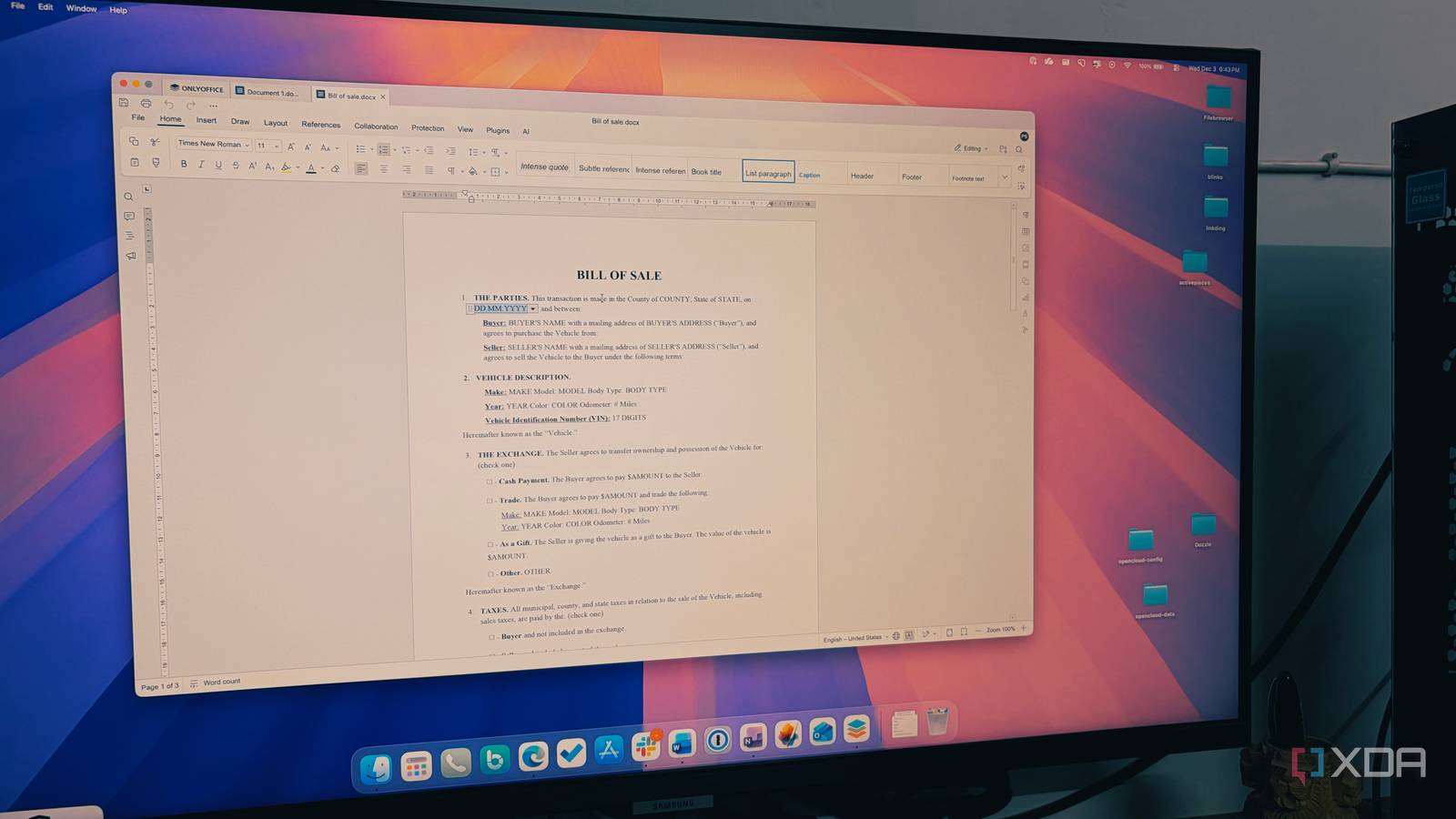
Published Aug 2, 2026, 1:00 PM EDT Beginning his professional journey in the tech industry in 2018, Yash spent over three years as a Software Engineer. After that, he shifted his focus to empowering readers through informative and engaging content on his tech blog – DiGiTAL BiRYANi. He has also published tech articles for MakeTechEasier. He loves to explore new tech gadgets and platforms. When he is not writing, you’ll find him exploring food. He is known as Digital Chef Yash among his readers because of his love for Technology and Food. Office software is one of those subscriptions that's easy to keep paying for without thinking twice. Once it becomes part of your workflow, canceling it feels more like a risk than a way to save money. That's exactly how I felt about Microsoft 365. I had been renewing it for years simply because it was familiar, not because I had stopped to ask whether I still needed it. That changed when I decided to try an open-source alternative, OnlyOffice. I expected it to be a decent free alternative, but after using it for a while, I realized I wasn't missing Microsoft 365 at all. Before long, I'd stopped paying for it entirely. I was juggling three different productivity apps Too many tools were slowing me down For a long time, I didn't think much about using separate apps for different tasks. One handled my documents, another took care of spreadsheets, and a third was there whenever I needed to build a presentation. It worked, but it also meant jumping between different interfaces throughout the day. Even simple projects often involved opening multiple applications just to get everything done. The bigger issue was that I was paying for Microsoft 365 that I didn't fully use. Most of my work revolves around writing articles, organizing research, tracking content ideas in spreadsheets, and occasionally creating presentations. I wasn't relying on advanced features that justified keeping several paid apps around, yet I continued renewing the subscriptions out of habit. Eventually, I started questioning whether I really needed three separate tools for everyday office work. I wasn't looking for dozens of new features or AI-powered extras. I simply wanted an application that could handle the basics well without forcing me to compromise. That's what led me to give OnlyOffice a serious try, and it ended up changing my workflow more than I expected. OnlyOffice brings everything together One download simplified my entire workflow Once I installed OnlyOffice, the biggest difference was having documents, spreadsheets, and presentations available in one place. Instead of opening three different programs depending on what I was working on, I could do everything from a single application. That alone made my workflow feel much simpler. Most of my work starts with writing articles, but I also keep content calendars, keyword lists, and research notes in spreadsheets. Every now and then, I need to put together a presentation for work or a personal project. OnlyOffice handled all of those tasks without making me feel like I was using a stripped-down alternative. The interface also felt familiar from the start, so there wasn't much of a learning curve. I could jump in and get work done instead of spending time figuring out where everything was. Since it's a desktop application, I can work offline whenever I want, which is something I still value. After a few weeks, I stopped thinking about which app to open because OnlyOffice had become the default for nearly all of my office work. Compatibility issues didn’t become a hurdle at all My biggest concern disappeared after the switch Before switching, my biggest concern wasn't features; it was file compatibility. I regularly exchange documents with editors, clients, and teammates, and most of them use Microsoft Office. If files didn't open correctly or formatting changed during editing, the switch wouldn't be worth it. Thankfully, that never turned into a real problem. I opened DOCX, XLSX, and PPTX files without running into the formatting issues I expected. Tables, images, headings, and basic layouts stayed intact, so I didn't have to spend extra time fixing documents before sending them back. That gave me enough confidence to make OnlyOffice my primary office suite instead of treating it as a backup. My files remained in standard Office formats, making it easy to collaborate with people using different software. Over time, I stopped worrying about whether a document would open properly because it almost always did. That peace of mind made the transition much easier than I had originally expected. The biggest improvement isn't saving money It is simplifying my workflow Saving money was definitely a nice bonus, but it wasn't the reason I kept using OnlyOffice. What made the biggest difference was how much simpler my daily workflow became. I no longer had to think about which application to launch before starting a task. Whether I was writing an article, checking a spreadsheet, or making a few edits to a presentation, I knew exactly where to go. That small change removed more friction than I had expected. My desktop felt less cluttered, software updates became easier to manage, and I spent less time jumping between different programs. It also made organizing files more straightforward because everything lived in the same office suite instead of being scattered across separate apps. Looking back, I realized I had been overcomplicating something that didn't need to be complicated. I wasn't missing any essential features, and my work wasn't slowing down because I had switched to a free alternative. If anything, I felt more productive simply because there were fewer distractions. That's why I haven't felt any reason to go back to the paid apps I used for years. Sometimes less software is the better upgrade Trying OnlyOffice started as a small experiment, but it ended up changing the way I handle everyday office work. Instead of collecting more apps over the years, I found that I was better off with fewer tools that covered everything I actually needed. It proved that a free office suite doesn't have to feel like a compromise. I certainly didn't expect it to replace software I'd relied on for years, but I also haven't looked back since making the switch. OnlyOffice OnlyOffice is a free alternative to Microsoft Office that offers familiar features like Word, Excel, and PowerPoint. It has a simple user interface with tabs and multiple window options, making it easy to organize your work. Despite being feature-rich, OnlyOffice remains lightweight and compatible with Microsoft Office files.
This one free open-source tool replaced three paid apps I'd used for years
Full Article
Original Source
Read the full article at Xda-developers →KhanList aggregates and links to publicly available news content. We do not host full articles from third-party sources. Always verify important information with original sources.