
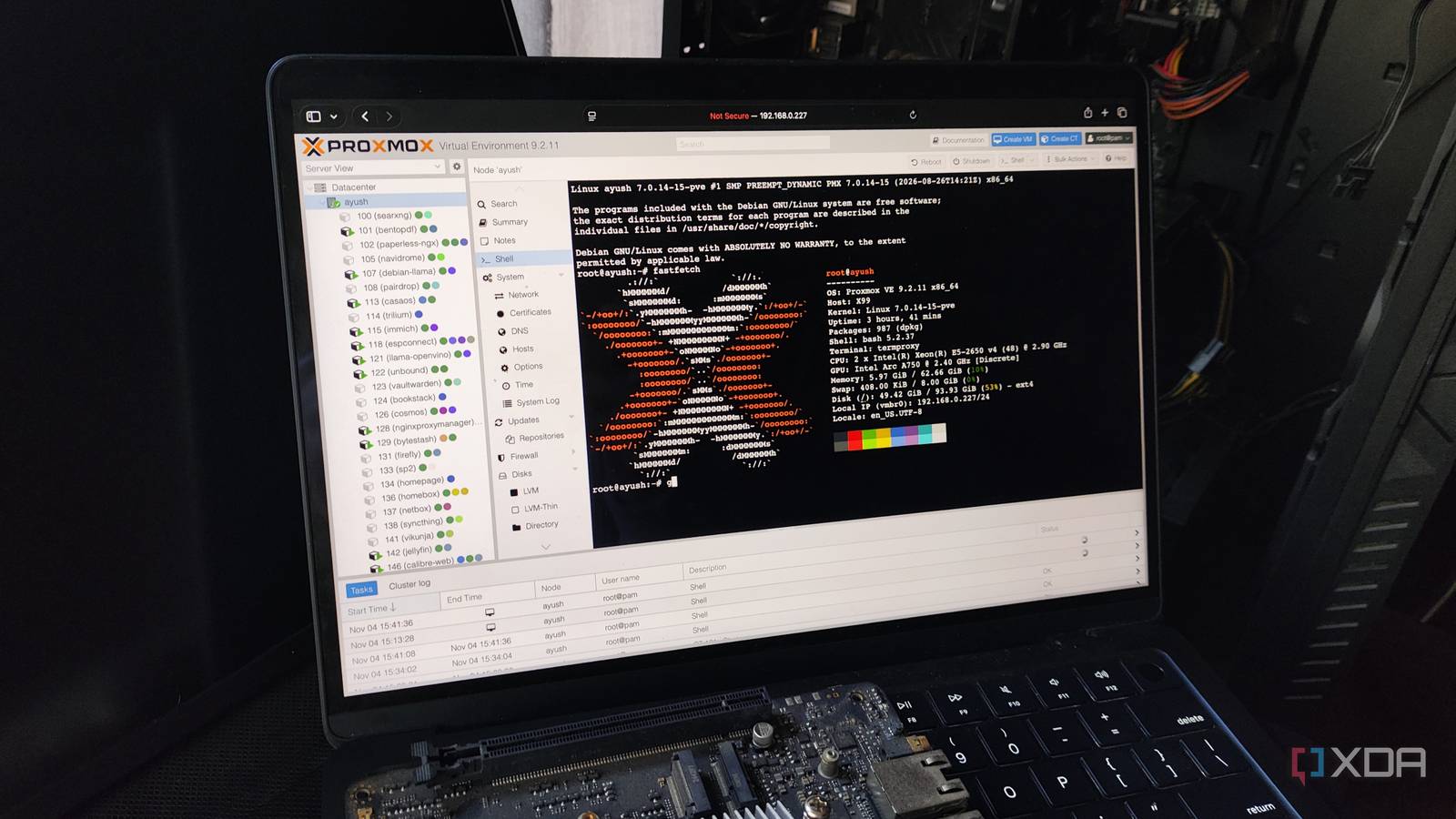
Published Nov 4, 2026, 1:30 PM EST Ayush Pande is a PC hardware and gaming writer. When he's not working on a new article, you can find him with his head stuck inside a PC or tinkering with a server operating system. Besides computing, his interests include spending hours in long RPGs, yelling at his friends in co-op games, and practicing guitar. Between Proxmox’s new ARM image and OCI image-based containers, we’ve seen quite a few cool additions to the virtualization environment over the last couple of months, and that’s before I even include the new facilities added to the companion PBS and PDM services. However, one major feature that remained unnoticed by a large fraction of the community was the load balancer added to PVE 9.2. And truth be told, considering all the extra steps you have to take to set up a working cluster, let alone a high-availability one, it makes sense why there wasn’t a lot of fanfare in the community compared to, say, the OCI image support from Proxmox Virtual Environment 9.1. That said, this seemingly enterprise-tier feature is pretty useful for home lab setups, especially once you consider the sheer ease of deploying HA nodes with this lightweight platform. Before PVE 9.2, even the most over-engineered Proxmox clusters were prone to resource imbalance Without manual rebalancing, your freshly recovered nodes would remain underutilized Let’s say you’ve cobbled together a cluster from old parts and used ZFS replication (or better yet, Ceph distributed storage) to set up high-availability provisions for your setup. As long as you add your favorite virtual guests to the Resources tab and fine-tune their HA rules, you can rest easy knowing that Proxmox will move them to a different node if things go south on your primary workstation. Unfortunately, our problem begins after the first node comes back online. You see, Proxmox uses a Cluster Resource Scheduler to balance the virtual machines and Linux Containers across high-availability nodes, but its old modes have a deal-breaking flaw: they aren’t concerned with moving virtual guests back to your original node. The basic mode, for example, assigns virtual guests strictly using the total HA resources assigned to it, while its static-load counterpart distributes the LXCs and VMs using the statically-allocated quotas. So, even though both nodes are well-equipped to migrate your Proxmox virtual guests to secondary nodes, they can’t rebalance the cluster when you restore the initial server. As such, the freshly-revived workstation would remain idle, while the secondary nodes would end up with high resource utilization numbers trying to keep the virtual guests active. Up until PVE 9.2, the only way to solve this issue was to manually migrate the LXCs and VMs every time the primary workstation went down. Or, you could look into custom load balancer packages, but you’d have to deal with reinstalling them every time an update breaks your setup. Fortunately, Proxmox 9.2 got rid of this problem with the dynamic load balancer. Proxmox’s new load balancer can automatically rebalance the cluster resources It provides a neat solution to the lopsided cluster issue Unlike the older CRS modes, the dynamic load balancer does precisely what you’d imagine from the name: it checks the existing resource utilization statistics of the virtual guests as well as the underlying nodes, and upon finding improperly-balanced nodes, it begins the LXC/VM migration tasks. By default, it uses the brute force mode, which weighs CPU and memory usage equally across all nodes, and it’s what I’d rely on had it come out a few years ago when RAM was aplenty. But with the memory shortage forcing many home labbers (including yours truly) to work with RAM-starved systems, the TOPSIS mode makes cluster balancing easier for budget-friendly setups. Unlike the brute force mode, TOPSIS prioritizes memory over CPU resources when calculating which migration tasks to perform. Specifically, it targets a 5:1 ratio for CPU-to-memory usage, and it bumps this ratio to 10:5 for CPU-to-RAM peaks. Personally, I’ve switched to the TOPSIS mode ever since I had to remove 16GB of DDR4 RAM from my primary workstation for the LLM-hosting experiments on my gaming machine. Fortunately, building a Proxmox cluster is fairly cheap these days You don't need to spend thousands on bucks just for a high-availability environment Since we’re already on the subject of budget-friendly setups, PVE clusters don’t cost a fortune, especially when you compare them to HA nodes involving other virtualization platforms. Unlike ESXi, which requires you to have a paid license for a cluster, Proxmox lets you pair multiple nodes together in non-HA, ZFS replication, and Ceph configurations without forcing you to spend a dime. Despite its solid VM and LXC-hosting provisions, Proxmox is extremely lightweight – to the point where you can repurpose any ol’ system as a PVE node. In fact, my ZFS replication cluster simply consists of an old Ryzen desktop paired with an N100 node, with a “mere” Raspberry Pi serving as the tie-breaker thanks to the QDevice package. The new load balancer is so worth it for home labs The dynamic load balancer may not be something most folks care about, but it's by far my favorite addition to Proxmox in 2026. Since I've configured my primary workstation to shut down when the power goes out, I'd typically have to move half my virtual guests back from the N100 every time there's a long outage in my backwater town. But with the dynamic load balancer set to TOPSIS mode, my PVE cluster handles the cluster re-balancing on its own. Combine that with Proxmox's low system requirments, and building a PVE home lab becomes easier than ever. Proxmox Proxmox is an open-source platform built on Debian Linux designed for server virtualization.
This obscure Proxmox feature is built for data centers, but it's just as useful for hardcore home labs
Full Article
Original Source
Read the full article at Xda-developers →KhanList aggregates and links to publicly available news content. We do not host full articles from third-party sources. Always verify important information with original sources.