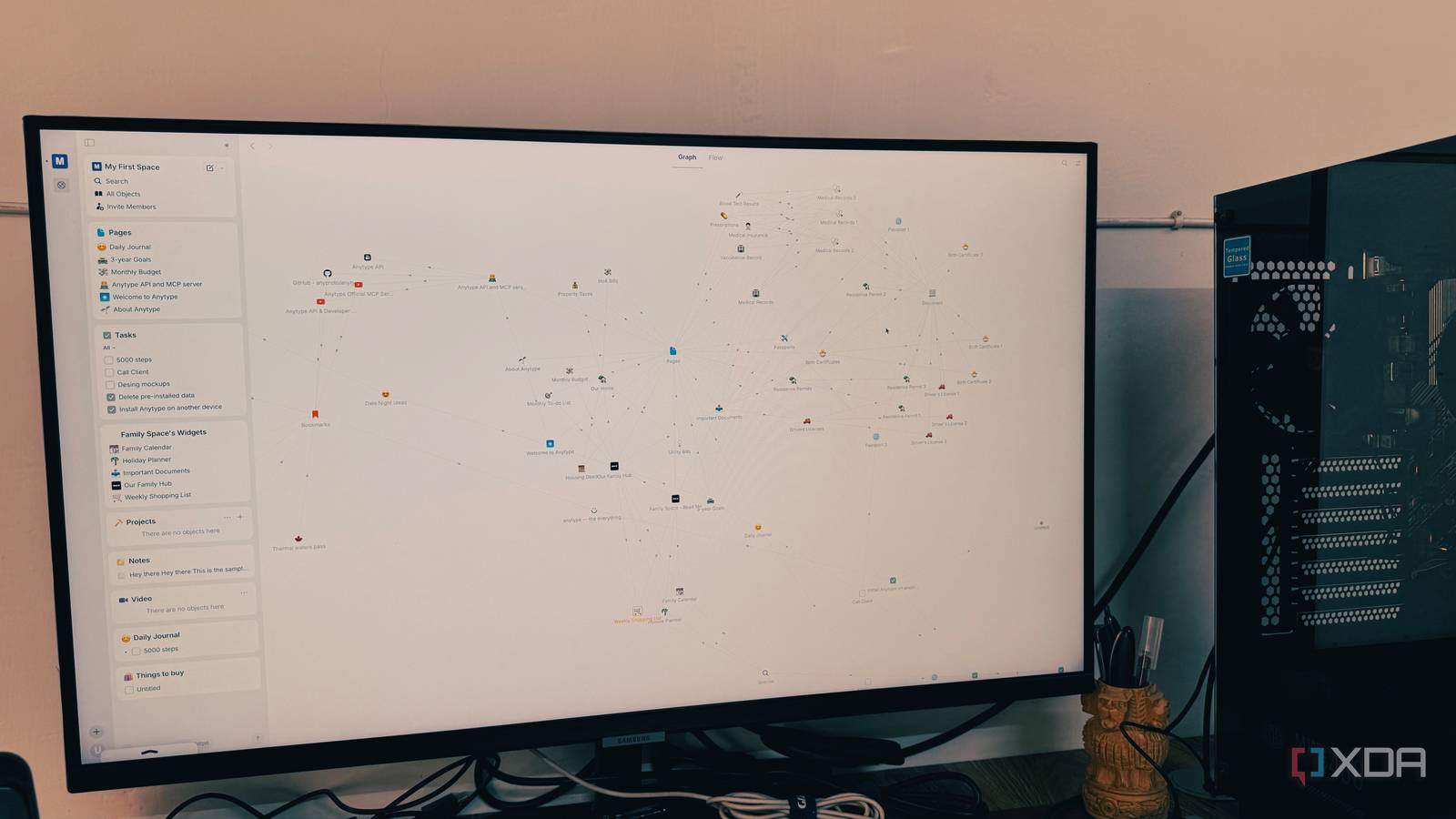
Published Aug 3, 2026, 6:00 AM EDT Parth, a seasoned tech writer, wields the keyboard (or pen) with finesse to unravel the intricacies of both Windows and Mac operating systems. He has covered evergreen content on mobile devices and computers for multiple publications over the last six years. You can find his work on AndroidPolice, GuidingTech and TechWiser. Whether it’s demystifying system updates, deciphering error codes, or exploring hidden features, Parth’s prose guides readers through the binary maze. When not immersed in tech jargon, you’ll find him sipping chai, pondering the next software review, and occasionally indulging in a friendly debate about mechanical keyboards. I was convinced my perfect note-taking app simply did not exist. I had moved years of notes between OneNote, Notion, and Obsidian, rebuilding my setup more times than I could count. One app felt too outdated, another became unnecessarily complicated, and the third demanded more maintenance than actual note-taking. I was ready to stop searching altogether. Then I opened Anytype, created my first few pages, and something immediately felt different. My note-taking setup never lasted Each app solved only half the problem Whenever I try a new note-taking app, the experiment starts with the same burst of excitement. I would create folders, design dashboards, organize tags, import old notes, and convince myself that this was finally the system I would stick with. For a few weeks, everything looked neat and purposeful. Then small frustrations started appearing. Capturing a quick thought took too many steps, finding older notes became harder than expected, or the structure I had created started feeling restrictive. The frustrating part was that OneNote, Notion, and Obsidian were all excellent in their own ways. OneNote gave me a familiar notebook-style structure and made it easy to capture information, but the experience eventually started feeling dated. Notion looked modern and gave me powerful databases, templates, and dashboards, but it often felt heavier than necessary for personal note-taking. Obsidian gave me complete control over my files, yet I found myself constantly tweaking themes, metadata, folders, and extensions. Each app fixed one part of my workflow while creating another compromise. I wanted OneNote’s simplicity, Notion’s structure, and Obsidian’s ownership, but I could never find all three in one place. Everything becoming an object clicked Anytype didn’t feel like another note-taking app that expected me to spend an entire weekend building the perfect setup. The interface looked polished, and I could start creating useful pages without installing plugins or copying templates to my workspace. At the same time, it did not feel as restrictive as a traditional notebook app. I could begin with a simple note and gradually add properties, relationships and database-style views only when I needed them. Just like Capacities, everything in Anytype can become an object. An article, app, research source, person, book, or project doesn’t necessarily need to use the same boring page type. Each object could have its own properties and connect naturally with other parts of my workspace. For example, I created an object for Microsoft Surface Ultra with properties for the manufacturer, operating system, review status, and more. I could then link it to my notes about Nvidia CPU, battery performance, keyboard and trackpad experience, and comparisons with MacBook Pro. That object-based approach made Anytype feel like a PKM system that understood how my work was connected. Anytype is packed with features Local-first changed how the app felt Anytype may look like a straightforward note-taking app at first, but the deeper I explored it, the more capable it became. Templates are one of the features I use constantly because they remove repetitive setup from my workflow. I created a reusable article template with fields for the publication, status, headline ideas, research links, and deadline. Every time I start a new post, Anytype gives me the same structure automatically instead of making me rebuild it from scratch. Its database tools are equally impressive. Anytype calls them Queries and Collections, but they give me many of the organizational benefits I previously relied on Notion for. I can display all my article ideas in one place, filter them by priority, sort them by deadline, and switch between different layouts. The mobile apps also deserve credit. Unlike Notion and Obsidian, Anytype’s iOS and Android apps are native, well-designed, and feature-rich. Privacy is another reason Anytype stands apart for me. My vault is local-first, so my information is stored on my device and remains accessible offline. My objects are encrypted, I control the encryption keys, and Anytype says it can’t decrypt the content stored inside my vault. That gives me more confidence when storing unpublished ideas, personal notes, and sensitive project information. The list of features continues with the graph view (just like Obsidian), Kanban boards (like Trello), and Gallery view for graphic-heavy pages like recipes, books, travel, and more. Among them, I use Kanban boards all the time to tackle my personal and work projects like a pro. Anytype simplified my digital life After years of jumping between note-taking apps, Anytype is the first one that makes me want to stay. I appreciate its local-first approach, clean design, and focus on keeping my data under my control. It is not flawless, and there is a learning curve, but the flexibility it offers is worth the initial effort. If OneNote feels dated, Notion feels too dependent on the cloud, and Obsidian requires too much maintenance, give Anytype a try. It might be the app that finally ends your search, just as it did mine. Anytype Anytype is a personal knowledge management tool that rivals Notion and Obsidian.
This note-taking app is so good that I stopped using OneNote, Notion, and Obsidian
Full Article
Original Source
Read the full article at Xda-developers →KhanList aggregates and links to publicly available news content. We do not host full articles from third-party sources. Always verify important information with original sources.