
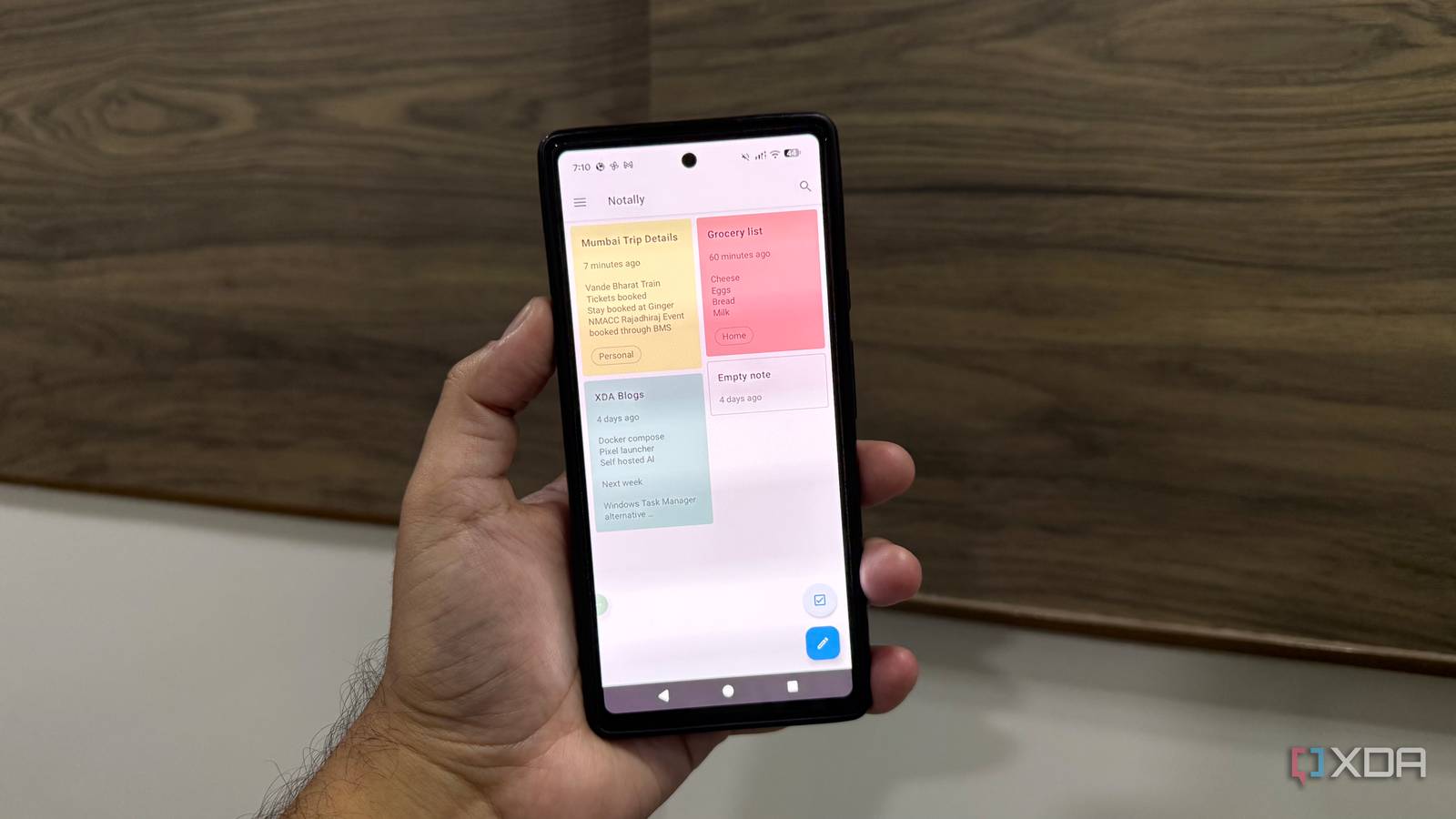
Published Sep 1, 2026, 10:30 AM EDT Beginning his professional journey in the tech industry in 2018, Yash spent over three years as a Software Engineer. After that, he shifted his focus to empowering readers through informative and engaging content on his tech blog – DiGiTAL BiRYANi. He has also published tech articles for MakeTechEasier. He loves to explore new tech gadgets and platforms. When he is not writing, you’ll find him exploring food. He is known as Digital Chef Yash among his readers because of his love for Technology and Food. I love exploring different apps and software, especially when I come across something that takes a different approach from the tools I normally use. Over time, I've noticed that many note-taking apps keep adding features until they start to feel like complete productivity platforms. That made me curious about simpler alternatives. While looking for lightweight apps for everyday use, I came across Notally, a note-taking app with a much more focused approach. It immediately caught my attention because it doesn't seem interested in doing everything. I decided to give it a proper try and see how well it works for writing something down without turning it into a whole productivity task. What is Notally? It makes writing feel refreshingly simple Notally is a minimalist note-taking app made for Android users who want a simple place to write things down. The moment I start a new note, I get a clean space to put my thoughts down. There is no pressure to organize everything perfectly or decide where an idea belongs before I write it. That simplicity has become the biggest reason I keep coming back to it. When an idea pops into my head, I can quickly type it out and move on. It feels more like grabbing a piece of paper than opening another productivity tool. I also like that Notally doesn't make every writing session feel important. Some notes are just quick thoughts, rough ideas, or things I don't want to forget. They don't need a complicated workspace. For me, that's where Notally works best. I can open it, write what I need, and close it when I'm done. Features that make my note-taking productive The little things that save time Once I started using Notally regularly, I noticed that its simple design doesn't mean it lacks useful tools. The features are practical, and I can use them without changing the way I normally take notes. I particularly like the different ways I can organize my notes. I can use colors and labels to separate different types of information, while pinned notes keep important things within easy reach. Search also makes it much quicker to find an older note. I can archive notes I don't need right away without deleting them. Notally also lets me add images to my notes, including JPG, PNG, and WEBP files. I can create lists and checklists, set reminders, and even adjust the text size when I want something easier to read. Rich-text options such as bold, italics, monospace, and strikethrough are useful when I need a little more formatting. I also like the light and dark themes, as well as the home-screen widgets for quick access. The app feels fast when I'm opening notes or typing, which is important when I'm trying to capture something quickly. When I need to move my writing elsewhere, Notally lets me export notes as PDF, TXT, JSON, or HTML. It also supports clickable phone numbers, email addresses, and web links. There are plenty of features here, but they don't feel like they are competing for my attention. They make the app more useful when I need them. It isn't for everyone And that's exactly what makes it better After using Notally for a while, I can see that some people will want more from their note-taking app. If I needed real-time collaboration, shared workspaces, advanced project management, or deep integrations with other services, I would probably choose a different tool. Notally makes more sense for individual use. It works well when I'm managing my own notes and don't need other people involved in the process. That's an important distinction because no single note-taking app works for everyone. Some people want an app packed with connected services and advanced workflows. Others want something they can use on their own without building their entire workflow around it. I think Notally knows where it fits. It doesn't try to compete with every type of productivity software, and that makes the choice easier for me. If my requirements are straightforward, I don't need an app designed for a much bigger job. A note-taking app that knows its place Notally changed my view of what I actually need from a note-taking app. I don't need every note to become part of a larger system, and I don't need an app to turn simple writing into a productivity routine. I just need something that handles everyday notes reliably. That makes Notally a good fit for a specific kind of user. If you mainly write down ideas, lists, reminders, or short pieces of information on Android, it covers the basics without getting in the way. It won't replace a full writing or productivity platform, but it doesn't need to. Notally Notally is a minimalistic note-taking app with a beautiful material design and powerful features.
This note-taking app is refreshingly boring, and that makes it special
Full Article
Original Source
Read the full article at Xda-developers →KhanList aggregates and links to publicly available news content. We do not host full articles from third-party sources. Always verify important information with original sources.