
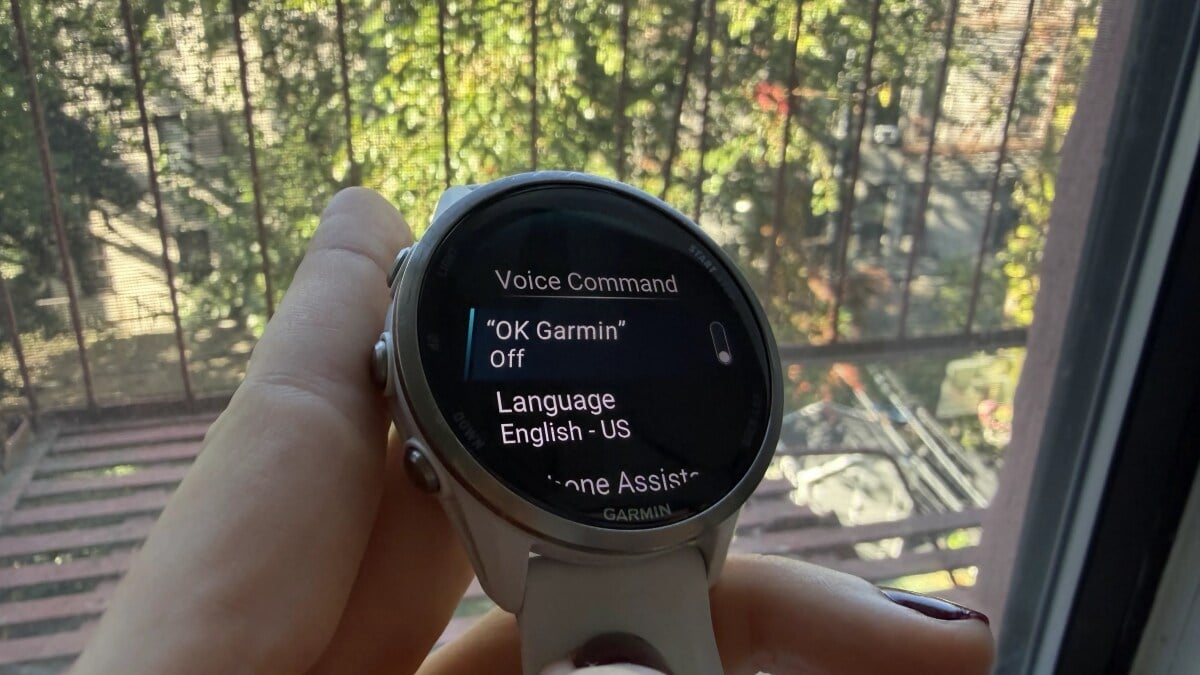
Meredith Dietz Meredith Dietz Senior Staff Writer ExperienceMeredith is a marathon runner and stand-up comedian. As Lifehacker’s Senior Staff Writer, she covers personal fitness tech, home gym equipment, and more. Read Full Bio October 23, 2026 Add as a preferred source on Google Add as a preferred source on Google We may earn a commission from links on this page. Credit: Meredith Dietz Table of Contents Garmin users are taking to the company's support forums with a common grievance: The newly introduced "OK Garmin" hands-free voice feature appears to be eating through battery life. The feature arrived through Garmin’s September software updates, bringing hands-free voice activation to the Fenix 8, Forerunner 570 and 970, Venu 4, and several other models. Here's how to make sure Garmin's new updates aren't slashing your watch's battery life. Garmin's latest feature updates for select smartwatchesLast month's updates for select watches also brought all-day fall detection, a set of new Quick Workouts and Garmin Run Coach plans, as well as that "OK Garmin" hands-free voice command feature. It's exactly what it sounds like: Instead of pressing a button, users can simply say “OK Garmin” to activate voice commands. However, it looks like "OK Garmin" in particular is what causes some watch's projected runtimes to drastically drop, allegedly by roughly 35% to 50% in some cases. Garmin does acknowledge that enabling these settings shortens battery life, though it doesn't say by how much. The tradeoff makes sense, since the watch has to listen constantly for its wake phrase. Even so, giving up several days of runtime is a steep price for a feature that many people may seldom use. Luckily, the fix is simple: Turning off "OK Garmin" should restore your battery life estimates right away. Credit: Meredith Dietz How to stop Garmin's new feature from draining your watch's batteryIf your watch has been draining faster since the update, go to Settings > System > Voice and disable "OK Garmin." If needed, you can also switch off the Phone Assistant wake word from the same area. The good news is that turning this feature off won't even take voice commands away—you can still trigger them manually using the watch's physical controls. What do you think so far? Keep in mind that these numbers are battery estimates rather than independently tested, real-world runtimes. Some of the battery complaints that surfaced after the update may also stem from unrelated issues. Still, trading away as much as half your battery life just to avoid pressing a button is a difficult bargain to defend. Lifehacker has been a go-to source of tech help and life advice since 2005. Our mission is to offer reliable tech help and credible, practical, science-based life advice to help you live better. Our Mission Our Team Newsletter © 2001-2026 Ziff Davis, LLC., A ZIFF DAVIS COMPANY. ALL RIGHTS RESERVED. Lifehacker is a federally registered trademark of Ziff Davis and may not be used by third parties without explicit permission. The display of third-party trademarks and trade names on this site does not necessarily indicate any affiliation or the endorsement of Lifehacker. If you click an affiliate link and buy a product or service, we may be paid a fee by that merchant.
This New Garmin Feature Is Draining Battery Life, but There's a Quick Fix
Full Article
Original Source
Read the full article at Lifehacker →KhanList aggregates and links to publicly available news content. We do not host full articles from third-party sources. Always verify important information with original sources.