
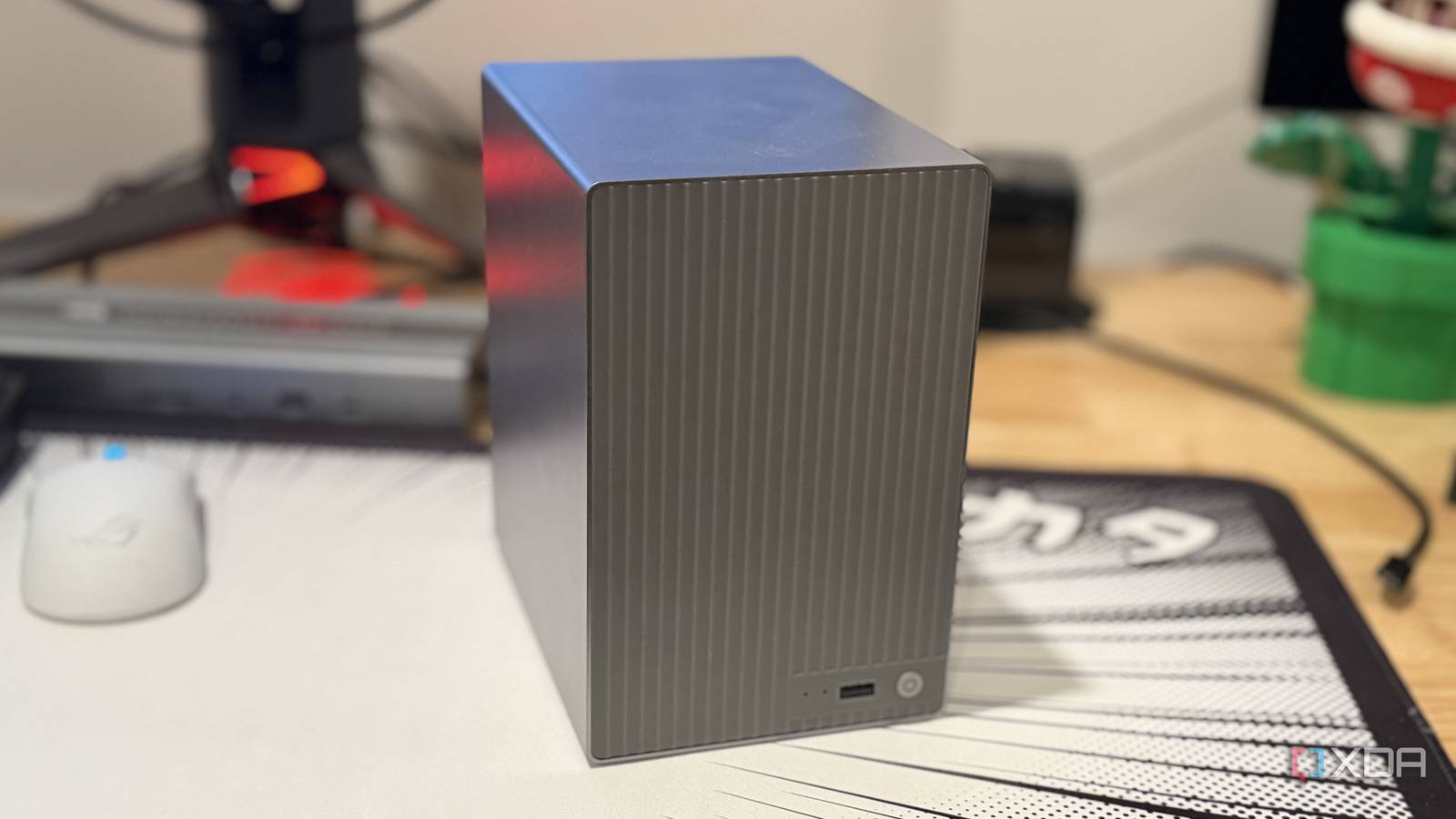
Published Nov 25, 2026, 8:00 AM EST Maker, meme-r, and unabashed geek, Joe has been writing about technology since starting his career in 2018 at KnowTechie. He's covered everything from Apple to apps and crowdfunding and loves getting to the bottom of complicated topics. In that time, he's also written for SlashGear and numerous corporate clients before finding his home at XDA in the spring of 2023. He was the kid who took apart every toy to see how it worked, even if it didn't exactly go back together afterward. That's given him a solid background for explaining how complex systems work together, and he promises he's gotten better at the putting things back together stage since then. Not everyone wants to build their own home NAS, which means looking at prebuilt enclosures. However, even the best NAS devices offer little upgradability once you've picked a box. You can usually upgrade RAM and storage, and maybe add in PCIe cards for networking or caching, but that's it. Not every company is working to that set of design restrictions. I've long used a Beelink ME mini as an all-flash NAS, so I was excited when they asked if I wanted to take a look as the new Beelink ME Pro. This metal NAS comes in 2- and 4-bay options, and a wide array of CPU, RAM, and SSD options. What's more, those options don't disappear after your initial choice, since the motherboard is designed as a module you can swap out. Current options include a range of Intel and AMD CPUs, but Arm-based modules are on the way too. In a sea of boring black boxes, it's a shining example of what can happen if you go against the norm. About this review: Beelink provided the NAS unit used in this review. The company had no input into its contents, nor did it see it before publication. Beelink ME Pro Brand Beelink CPU Intel Pentium Silver J5005 (4C/4T), Intel N95 (4C/4T), Intel N150 (4C/4T), Intel Core 3 304 (5C/5T), Intel Core i5-13500H (12C/16T), AMD Ryzen AI 7 H 350 (8C/16T), AMD Ryzen AI 9 HX 470 (12C/24T) Memory Up to 32GB DDR5 (depending on CPU option) Drive Bays 2 or 4 Ports J5005: 1 × 5Gbps USB-C; N95 and N150: 1 × 10Gbps USB-C; Core 3 304: 2 × Thunderbolt 4; Core i5-13500H: 1 × Thunderbolt 4; Ryzen AI models: USB4 at 40Gbps, HDMI Caching Up to two M.2 SSD ports (can also be used for storage pool if not for cache) The Beelink ME Pro is a powerful NAS unit with a unique selling point: the motherboard is modular so you can upgrade it in the future or swap between Intel, AMD (and upcoming Qualcomm) options. Pros & Cons Beautiful aluminum enclosure Interchangeable motherboards Plenty of connectivity More powerful CPU options are expensive Only the AMD versions are good for AI use Price, specs, and availability of the Beelink ME Pro The Beelink ME Pro is currently only available on Kickstarter, where it has a couple of weeks left on the clock. I'm pretty sure it'll be available from Beelink and Amazon, etc., at the beginning of 2027, but if you want it early with a nice discount, it's time to head to the crowdfunding site. It currently starts at $299 for a J5005 CPU and 2 bays, up to a 4-bay Ryzen AI 9 HX 470 at $1,379. These are crowdfunding prices, and the retail MSRP will be about 30% higher. Our review unit has an Intel i5-13500H and costs $819 right now. Beelink ME Pro Brand Beelink CPU Intel Pentium Silver J5005 (4C/4T), Intel N95 (4C/4T), Intel N150 (4C/4T), Intel Core 3 304 (5C/5T), Intel Core i5-13500H (12C/16T), AMD Ryzen AI 7 H 350 (8C/16T), AMD Ryzen AI 9 HX 470 (12C/24T) Memory Up to 32GB DDR5 (depending on CPU option) Drive Bays 2 or 4 Ports J5005: 1 × 5Gbps USB-C; N95 and N150: 1 × 10Gbps USB-C; Core 3 304: 2 × Thunderbolt 4; Core i5-13500H: 1 × Thunderbolt 4; Ryzen AI models: USB4 at 40Gbps, HDMI Caching Up to two M.2 SSD ports (can also be used for storage pool if not for cache) OS FygoOS Price From $299 Dimensions 4-bay: 165 × 121 × 185mm, 2-bay: 166 × 121 × 112mm Weight 4-bay: 2.4 kg, 2-bay: 1.7 kg Wi-Fi Wi-Fi 6 or Wi-Fi 6E depending on configuration LAN Ports J5005: 2 × 2.5GbE; N95 and N150: 5GbE + 2.5GbE; Core 3 304, Core i5-13500H and both Ryzen AI models: 10GbE + 2.5GbE What I liked about the Beelink ME Pro This is a powerful NAS The 4- and 2-bay units differ only in the number of drive bays, so assume everything I talk about applies to either. The ME Pro has one feature I haven't seen before: a replaceable motherboard module that is essentially a mini PC on a tray. It's the same module for either bay configuration, and you can buy the options separately. The modules differ slightly in features, depending on the CPU they use. Our review unit with an Intel i5-13500H has a Thunderbolt 4 port, two M.2 slots for caching or storage pools, and two more M.2 slots under the blower-style heatsink. One of those has a 512GB SSD with FygoOS installed. You can get to that SSD and swap it for a larger one, but the slots under the blower aren't as fast as the others, so it's best used for the OS anyway. It also means you can upgrade it if you want to run another OS, like Proxmox or TrueNAS, or use it for caching. You also get SODIMM RAM slots so you can upgrade them. Again, our review unit has 32GB of DDR4 and can be upgraded up to 96GB, although current prices make that prohibitively expensive. The more powerful Intel chip means lots of PCIe lanes, so we get 2.5 GbE and 10 GbE ports, Thunderbolt 4, and three USB 3.2 Gen 2 ports. It also has an HDMI output thanks to the Intel Xe iGPU. That also gives you enough power for things like transcoding but not really up to the task of local LLMs. Get the AMD versions if you want to use local AI. You can use 30TB drives in this unit, and luckily I had a few in the closet, and they all turned into a ZFS storage pool with little fuss. You can also use Ext4 or Btrfs if you wish, but ZFS is my preferred choice for NAS use when possible. FygOS is a step above many NAS offerings FygoOS is more capable than many hardware-included NAS OS options, but there are a couple of things to know. It's not entirely open-source; it's more fair to say it's a proprietary OS built with open-source components. The kernel is published under GPL2, and many features are well-known open-source packages. It runs on x86 and Arm hardware, and you get a lifetime license tied to your ME Pro device. Inside, you get Docker, an app store, and a responsive UI. Far more responsive than I'm used to with my Xeon-based Synology, or most other prebuilt NAS devices I've used. Apps are easy to install and set up; you get multiple filesystem options for your storage pools, plus a powerful, AI-powered photo and media search tool. Things I didn't like about the Beelink ME Pro The i5-13500H is an odd choice The relatively powerful CPU here is clearly chosen for the PCIe lanes it offers. It's barely used for file transfers, or really anything that I did on the NAS so far. It's great having a 10 GbE and 2.5 GbE port for whatever network you're plugging it into, but remember you'll want SSD caching to get anywhere near saturating the 10 GbE link. It's still an odd choice, and the iGPU isn't really powerful enough for local LLM use, although it will run at low tokens per second. I wish the drive sleds were toolless The drive sleds need two screws to pull them out of the NAS, and four screws to secure your SSD or HDD to the sled. With almost every other NAS using toolless sleds, swapping drives is annoying. Not that you'll be doing that often, and maybe I'm just spoiled by the convenience. Should you buy the Beelink ME Pro? You should buy the Beelink ME Pro if: You like the idea of an upgradeable NAS You want a capable NAS for self-hosting services You want a small unit that still has plenty of capabilities You should NOT buy the Beelink ME Pro if: You want more than four bays for storage You want all your network ports to have the same speed You want to run a dGPU for more AI power Need a NAS and not sure what CPU you'll need? This might well be the unit for you, because the Beelink ME Pro lets you upgrade the CPU (and the motherboard it's attached to) at a future date. I've got no real complaints about the device, and I can't say that about many NAS devices. The other thing is that the competition for 2- and 4-bay devices all have compromises. Synology has underpowered CPUs, UniFi uses an underpowered Arm processor and is designed for network rack use, and Asustor or QNAP are both more expensive. When you look at the wider market, the Beelink ME Pro is a compelling package. Beelink ME Pro Brand Beelink CPU Intel Pentium Silver J5005 (4C/4T), Intel N95 (4C/4T), Intel N150 (4C/4T), Intel Core 3 304 (5C/5T), Intel Core i5-13500H (12C/16T), AMD Ryzen AI 7 H 350 (8C/16T), AMD Ryzen AI 9 HX 470 (12C/24T) The Beelink ME Pro is a powerful NAS unit with a unique selling point: the motherboard is modular so you can upgrade it in the future or swap between Intel, AMD (and upcoming Qualcomm) options. Memory Up to 32GB DDR5 (depending on CPU option) Drive Bays 2 or 4 Ports J5005: 1 × 5Gbps USB-C; N95 and N150: 1 × 10Gbps USB-C; Core 3 304: 2 × Thunderbolt 4; Core i5-13500H: 1 × Thunderbolt 4; Ryzen AI models: USB4 at 40Gbps, HDMI Caching Up to two M.2 SSD ports (can also be used for storage pool if not for cache) OS FygoOS Price From $299 Dimensions 4-bay: 165 × 121 × 185mm, 2-bay: 166 × 121 × 112mm Weight 4-bay: 2.4 kg, 2-bay: 1.7 kg Wi-Fi Wi-Fi 6 or Wi-Fi 6E depending on configuration LAN Ports J5005: 2 × 2.5GbE; N95 and N150: 5GbE + 2.5GbE; Core 3 304, Core i5-13500H and both Ryzen AI models: 10GbE + 2.5GbE
This NAS lets you upgrade more than drives and I'm all for it
Full Article
Original Source
Read the full article at Xda-developers →KhanList aggregates and links to publicly available news content. We do not host full articles from third-party sources. Always verify important information with original sources.