
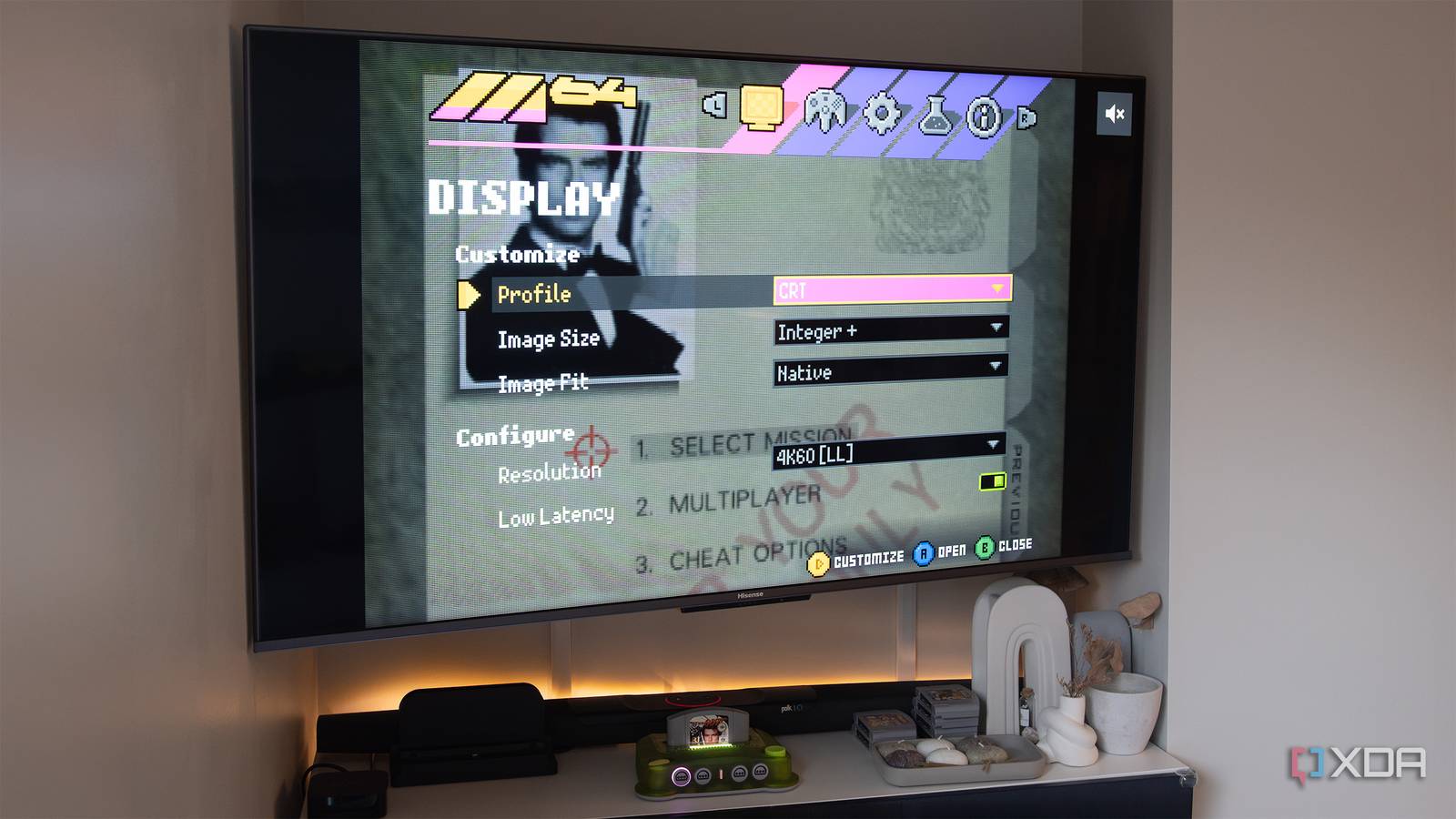
Published Sep 19, 2026, 11:30 AM EDT Patrick O'Rourke is XDA's News Editor and Entertainment Segment Lead. Previously, he was Pocket-lint's Editor-in-Chief, the Editor-in-Chief of Canadian tech publication MobileSyrup, and earlier in his career, he worked as the technology editor at the Financial Post and Postmedia. He's based in Toronto. Over the past 15 years, he's written thousands of articles. Patrick has also interviewed dozens of tech industry executives and covered GDC, E3, Gamescom, WWDC, Apple keynotes, Samsung Unpacked events and more. Patrick has a BA in journalism from Toronto Metropolitan University. When I first covered the M64 a few months ago, the modern take on the Nintendo 64 was a bit of a mess, despite its promising features and undeniably cool-looking design and hardware. Fast-forward a few months, and that situation has improved significantly — at least for the most part. For example, the N64 revival console now features experimental overclocking settings that solve the majority of the performance issues I experienced with some games, most notably GoldenEye 007 and Top Gear Rally. In some cases, overclocking can even smooth out frame-rate drops that occurred on the original N64 hardware with certain games. Of the games I own, GoldenEye 007 is the best example I've experienced, but I've read that it also helps with Turok. ModRetro's official M64 game compatibility list has improved significantly, too, with 274 titles showing no issues and 20 fixes still in progress. Other improvements include more reliable Wi-Fi firmware updates for both the M64 and its excellent M64 Pro controller, low-latency output, expanded third-party controller support, and HDMI handshake fixes (this was something I initially encountered a lot). More importantly, ModRetro has improved the console's overall FPGA implementation, which is great, because the point of retro-revival devices like the M64 and Analogue 3D is to deliver the most true-to-the-original gaming experience possible, but with a modern spin. The M64 recreates the Nintendo 64 using an FPGA (Field-Programmable Gate Array), specifically AMD's Artix UltraScale+ FPGA with a 16nm process node. This means that it doesn't use emulation to play N64 cartridges on a modern TV over HDMI, which in theory, eliminates issues like input lag, weird graphical glitches, and audio problems. Speaking of the Analogue 3D, the other FPGA N64 console out there, the gap has definitely closed between the two devices, though Analogue still bests it in a few key areas. For example, it features better cartridge compatibility, built-in Controller Pak functionality for saving (though this is coming to the M64 eventually), and VRR support. To save games that require a Controller Pak, I need to plug the tiny memory card into a second N64 controller (the Pro Controller doesn't have a memory card slot). This isn't the end of the world, but it's a frustrating workaround. I'm surprised at how much I've enjoyed revisiting games with the CRT overlay It's jarring at first, but it quickly became the only way I want to play Now that I've spent more time with the M64, I've really started to appreciate the display customization options baked into the console. When I've gone back and played games like Wave Race 64 and Super Mario 64 on the Switch through Nintendo's Switch Online + Expansion Pak subscription service, things have never looked quite right. Games are too clean, and the polygon sharpness is jarring because you're playing on a modern television, not a CRT, which blurred and softened N64 games' harsh edges. While I started with the M64's Clean look, I've come to really like the full pixelated CRT overlay. Clean tends to make everything look too smooth and more like a blurrier, emulated version of whatever I'm playing, while CRT softens the visuals and gives them the vaseline-covered look that I remember. Scanlines is a solid in-between option that only adds horizontal lines to the image, but I prefer CRT, which combines scanlines with additional softness and bloom to create its old school effect. If you want to take things a step further, you can create a custom display option with adjustable features like Scanline, Aperture Grille, Sharpness, Horizontal Bloom, and Gamma Mode. I've mostly stayed away from messing with this custom feature because I know that once I start trying to get that perfect look, I likely won't stop. I've also opted for Integer+, which scales the game's image to fit larger screens better. It's the ultimate millennial nostalgia console Sure, you can match this throwback look by running something like RetroArch with an emulator and taking advantage of various shaders, but there's something to be said about how the M64 makes my 4K TV look like a CRT right out of the box, just by changing a few key settings. At first, it all seems a bit odd, since my more recent experience with most N64 games has been through emulators, but this is really how muddy these games looked when they were released in the late 90s and early 2000s. Throw in the top-tier feeling Pro Controller, which accurately recreates the iconic N64 gamepad with a modern spin, and you have one of the most authentic retro gaming experiences out there. In a way, I've grown to appreciate the almost Vaseline-like filter that covers the N64's blocky visuals when I use the M64 with the CRT filter turned on. Hopefully, ModRetro keeps pushing out updates that improve the overall experience, especially game compatibility. The M64 is available to order now for $230. The Pro Controller can also be ordered now for $50.
This modern N64 console brings the classic CRT look to my 4K TV
Full Article
Original Source
Read the full article at Xda-developers →KhanList aggregates and links to publicly available news content. We do not host full articles from third-party sources. Always verify important information with original sources.