
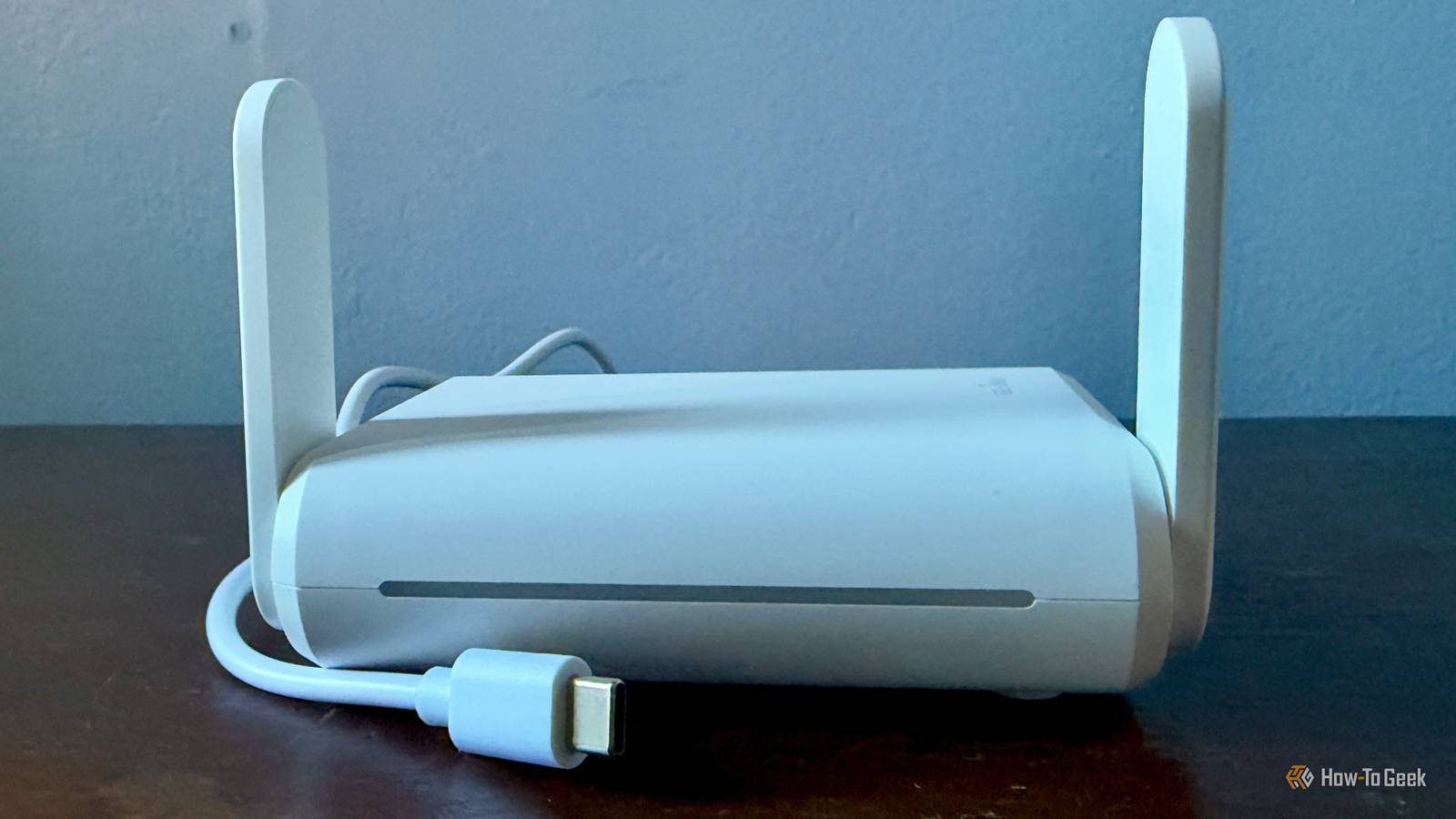
Published Nov 2, 2026, 7:30 AM EST Monica J. White is a journalist with over a decade of experience in covering technology. She built her first PC nearly 20 years ago, and she has since built and tested dozens of PCs. PC hardware is her main beat, and graphics cards and the GPU market at large are her main area of interest, but she has written thousands of articles covering everything related to PCs, laptops, handhelds, and peripherals. From GPUs and CPUs to headsets and software, Monica's always willing to geek out over all things related to computing. Outside of her work with How-To Geek, Monica contributes to TechRadar, PC Gamer, Tom's Guide, Laptop Mag, SlashGear, Whop, and Digital Trends, among others. Her ultimate goal is to make PC gaming and computing approachable and fun to any audience. Monica spends a lot of time elbow-deep in her PC case, as she's always making upgrades, testing something, or plotting out her next build. She's the go-to tech support person in her immediate circle, so she's never out of things to do. Whenever she has spare time, you'll find her gaming until the early hours and hanging out with her dog. Is hotel Wi-Fi ever really good? Is it ever more than just a nuisance that needs to be endured? I can count on one hand the number of times I've arrived at a hotel and found the Wi-Fi satisfactory, and I'm used to having bad internet. But that (already low) number would drop lower still if I also take the ease of connecting to said Wi-Fi into the equation. Hotel Wi-Fi login pages are often a whole new level of annoying. Fortunately, there's an easy fix, and it fits in your backpack: a travel router. Hotel Wi-Fi login pages are a pain for more than one reason Captive portals are especially annoying for devices without browsers If you're not going on some sort of tech-less retreat (in which case, I applaud you, but that couldn't be me), you're probably going to want to try that hotel Wi-Fi. Terrible or not, it's better than nothing, and paying for 5G internet when you're in another country is never worth it. The thing is that hotel Wi-Fi gets annoying before you even try it. My main gripe is with the login pages that pop up whenever you connect to hotel Wi-Fi. These pages are called captive portals, and they're often the bane of my existence whenever I travel. Sometimes, all you need to do is accept the hotel's terms and conditions, but other times, you'll have to do a whole song and dance to even attempt to connect ... think room number, surname, and other credentials. An endless list of little annoyances And just because you're connected to the hotel's Wi-Fi network doesn't even mean you're online! You still need to get through that login page, and depending on how the network is configured, you might have to repeat the process on every single device you bring along. That's annoying enough when you just have a phone and a laptop, but things get even more frustrating on devices that don't even have a proper browser. Think streaming sticks, gaming consoles, or other gadgets that aren't particularly well-equipped to deal with hotel Wi-Fi (or, more specifically, captive portals). Then there's the fact that some hotels limit the number of devices you can connect or make you log in again once your session expires. Ugh, just thinking about this is annoying, to be honest. A travel router lets you authenticate once for all your devices The hotel sees one connection, while you get your own Wi-Fi network Fortunately, there exists a tiny little remedy to (some of) these little annoyances. Behold the travel router. These tiny gadgets can connect to an existing Wi-Fi network, such as the one in your hotel, and then create a separate Wi-Fi network within that. A home only for your devices. Instead of connecting your phone, laptop, and a million other gizmos to hotel Wi-Fi and dealing with those nightmare-ish login pages each time, you can just connect them all to your travel router. Yup, you should be able to only deal with the hotel's captive portal once. Thanks to Network Address Translation (NAT), the hotel typically sees just one connected device even though you're using several, too. Of course, some hotels have stricter authentication rules, so don't treat this as a rule. Setting up a travel router in your hotel room is surprisingly easy Just connect it to the hotel's Wi-Fi and complete the login once Credit: Bertel King / How-To Geek Fortunately, setting this up is easy. First, you buy yourself a travel router. Duh. Step two, power it up and connect your phone or laptop to its Wi-Fi network. That'll let you open the router's admin interface by typing a specific address in the browser (often 192.168.8.1, but this varies by router). When you're in there, look for Repeater mode or Hotspot mode, again, depending on the router. Scan for available networks and select your hotel's Wi-Fi. Enter the password if required, and once the router connects, open a browser on your phone or laptop while still connected to the travel router. You should now be able to access the hotel's captive portal, enter whatever it's asking you for, and complete the authentication process. That should leave your router with (hopefully semi-stable) internet access which it can then share with all your other devices. Public Hotspot Login Mode and MAC cloning can help Unfortunately, your Wi-Fi issues may not be at an end even if you do get a travel router. A common problem is that the travel router connects to the Wi-Fi but the login page refuses to appear. Don't give up just yet if that's the case. First, try to open a browser on a device connected to your travel router and visit a regular HTTP website to trigger the captive portal. Didn't work? Try to disable any VPN or custom DNS settings on your router, as these can sometimes mess with hotel authentication. Some travel routers also have a dedicated captive portal login that can help. Lastly, you can try MAC cloning, which lets your travel router use the same MAC addresses as a device you've already authenticated, such as your phone. Your travel router makes hotel Wi-Fi feel a lot more like home The best part is that you can keep using the same Wi-Fi network name and password on your travel router wherever you go. That means all your devices will hopefully reconnect automatically, cutting out some of the aforementioned annoyances. With added security, better performance, and less frustration, a travel router seriously makes sense. They barely weigh a thing, too. TP-Link BE3600 Wi-Fi 7 Travel Router Range 1800 sq.ft Wi-Fi Bands 5 GHz This tiny TP-Link travel router gets you plenty of performance in a portable package.
This is the only way to defeat hotels' annoying Wi-Fi login pages
Full Article
Original Source
Read the full article at Howtogeek →KhanList aggregates and links to publicly available news content. We do not host full articles from third-party sources. Always verify important information with original sources.