
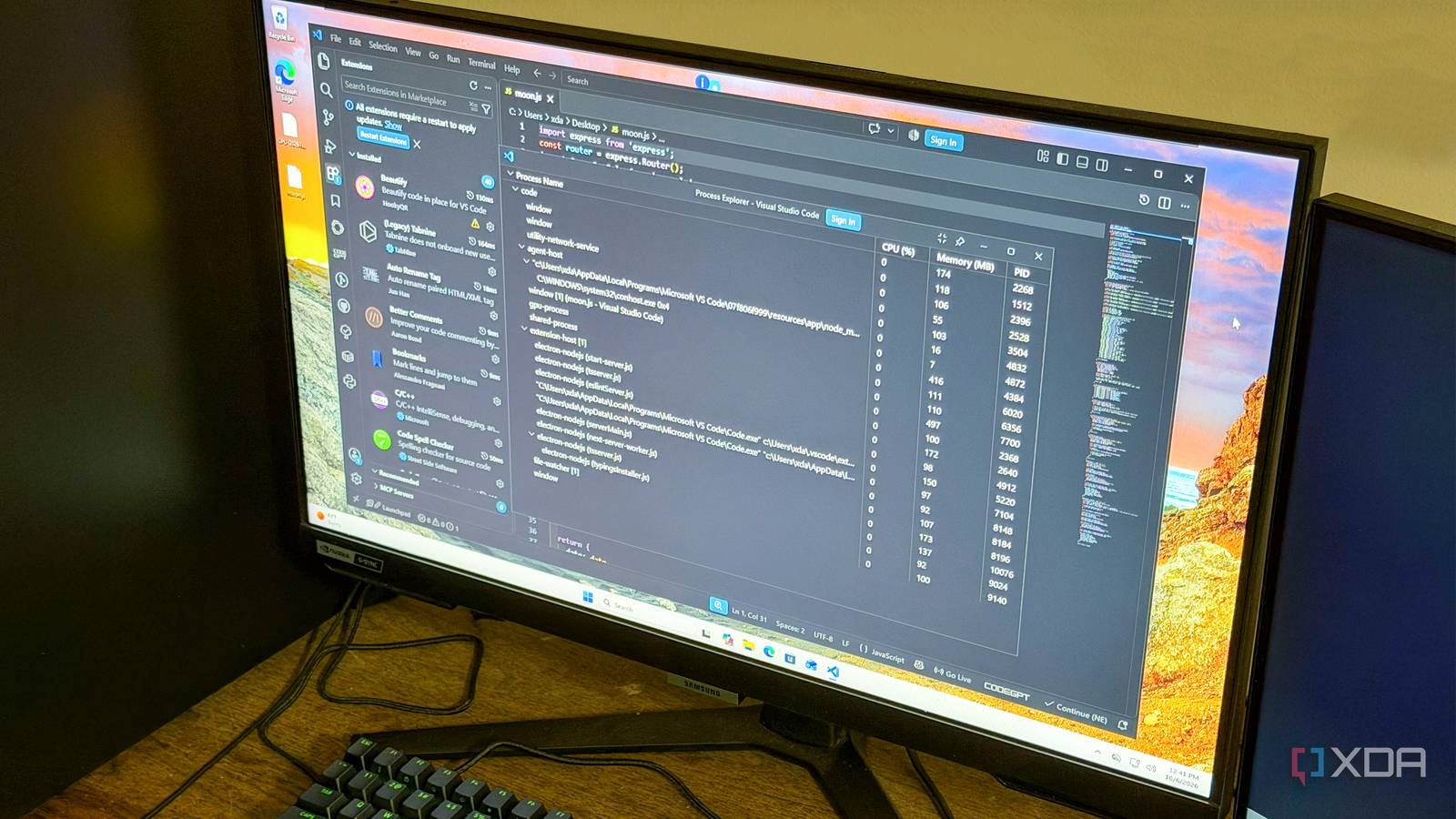
Published Oct 10, 2026, 5:30 PM EDT Korbin is a Linux system administrator who spends most of his time in a terminal figuring out how things actually work. Over the last decade he's written hundreds of articles about Linux configuration, troubleshooting weird problems, and using open-source tools in the real world. He also works a lot with Windows systems and networking, especially in mixed environments where things don't always behave the way the documentation says they should. Writing things down is how he makes sense of it all and hopefully saves someone else a few hours. For a couple of years, I'd been accumulating VS Code extensions without thinking much about clearing them after they served their purpose. Quite a few on my list were there only to help me through a temporary, one-off problem, and for some reason I never purged them afterward. The cumulative weight of those extensions became apparent when I noticed how long VS Code took to open projects. I always needed to wait a few seconds before the application would become truly responsive, and things like IntelliSense would begin working the way I expected. After running a freshly installed copy of VS Code on a separate machine and being reminded of just how snappy the editor is supposed to be, I decided to clear my whole catalog of extensions and only bring back what I truly need. Once I'd plucked out the dead weight, startup time immediately improved, and features felt responsive and instantaneous in a way they hadn't in years. I thought my laptop was just getting old All it needed was a little VS Code optimization VS Code's broad ecosystem makes it easy to amass a long list of extensions without thinking. It only becomes problematic if you never curate the list. Personally, I never did, since it never occurred to me that they could tie up so much of my system's resources. On a lightweight, office-oriented laptop like mine, the sluggishness from a couple dozen extensions running simultaneously across every workspace became hard to ignore. Even though I suspected extension bloat was dragging down VS Code's performance, I wanted to be sure before I started yanking extensions out one by one. SoI used the "Developer: Show Running Extensions" command in the command palette to get a better sense of what was going on. This gave me a breakdown of how long each extension takes to start up, in milliseconds. The worst offenders took upwards of 500 milliseconds (half a second), which, combined with multiple other extensions that take the same amount of time, creates a very noticeable startup delay. Another thing worth checking is Process Explorer, accessible under the command palette by typing "Developer: Open Process Explorer." That window shows a live view of CPU and RAM usage stats for VS Code, including for the extension host. Most extensions get crammed into the extension host process, but some may also spawn their own process. Of the 40 extensions I had installed, 6 spawned their own processes, while the rest show their combined resource usage under "extension host." That breakdown of system usage gave me the hard evidence I needed to attribute the app's slowness to my extensions. My RAM usage sat at over 1.2GB with no files open (not even counting the app's overhead). That number climbed steadily as I opened more documents, and CPU usage rose with it. What extensions I actually kept A very small number survived the cut I disabled most of my extensions and kept only what felt truly essential. Having access to extensions is, after all, one of the huge advantages of using VS Code in the first place, so a few were worth keeping. As for the dozens I removed, I didn't miss them at all. Some extensions were already built into VS Code, and I'd never realized it or gotten around to cleaning them up. I still had the Copilot and Git extensions, which previous updates made redundant. Deleting the extensions with overlapping functionality and one-off uses accounted for almost the entire list. This whole experience also changed the way I look at extensions. I used to acquire them almost haphazardly, without thinking about the long-term impact. I'd always been careful not to clutter my PC with useless software, but mentally I'd put extensions in a different category. Now that I think of them as separate programs that launch with VS Code every time, and knowing they strain my system resources like any other program, I'm more selective about what I add. Extensions are VS Code's selling point The good ones are worth the RAM they consume I still rely on a number of VS Code extensions. Being able to develop remotely or browse a database without leaving my editor adds a lot of zip to my workflow. A lot more than running a base installation would. The extensions themselves aren't the problem. It's how easily dead weight can accumulate inside the app. The solution was to slim down to a handful of essential extensions and regularly assess how much I use any new ones that make it onto my system. If I haven't touched one in a few weeks, it goes. VS Code feels faster than ever My VS Code is back to the snappy tool it was when I first downloaded it. If your app is packed with extensions you faintly remember using, much less installing, it's worth taking a few minutes to purge what you don't actively rely on. Those system resources are better spent on tools you actually use.
This hidden tool showed me exactly which VS Code extensions were slowing my laptop down
Full Article
Original Source
Read the full article at Xda-developers →KhanList aggregates and links to publicly available news content. We do not host full articles from third-party sources. Always verify important information with original sources.