
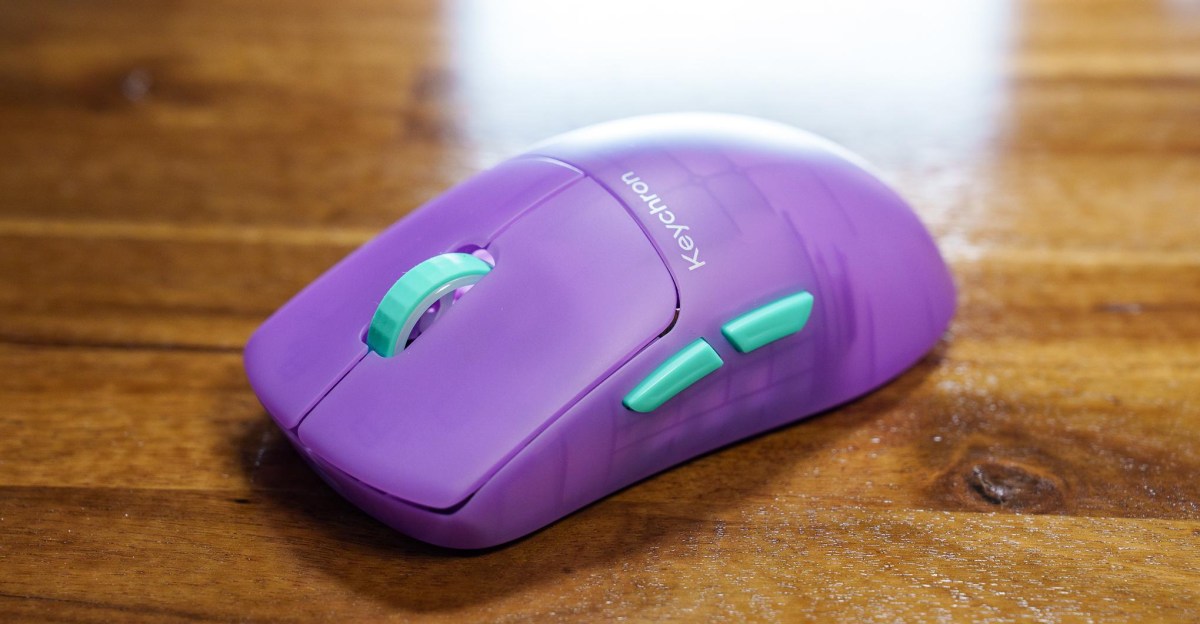
When Keychron announced its $90 G6 HE gaming mouse, I immediately thought, “Cool! A cheaper alternative to the pricey $180 Logitech G Pro X2 Superstrike.” Logitech’s innovation with the Superstrike is using magnetic Hall effect switches for a user-adjustable mouse click depth, with haptic vibrations mimicking the tactile click feel. The Keychron G6 HE, as its name indicates, also uses Hall effect switches for that same kind of customization. But something felt immediately off as I began testing it.The mouse’s shape and design are very reminiscent of Logitech G Pro models, with more colorful flair. The magnetic switches are there and easily customizable (through a browser-based app, no less). But the clicks? The clicks are all wrong.The left and right mouse buttons on the G6 HE use Keychron’s MagOptic switches, which are both magnetic Hall effect and optical. They click just like any standard mouse, regardless of where you set the actuation point. There are no fancy haptics on the Keychron. If you set the buttons to a shallow hair-trigger depth, you’ll register a press before you actually feel or hear any click. Set the depth for a very heavy press, and the mouse clicks before it actually registers. That… kind of defeats the purpose here.There’s not much point in tuning the actuation depth of the G6 HE’s buttons if the click feel doesn’t match it. I suppose it’s still nice to have a hair-trigger-like setting for taking faster single shots in an FPS, but not feeling anything when you shoot is weird. And it gets frustrating when using the G6 HE as a regular mouse for productivity — like you’re getting phantom clicks as you mouse around your computer. At least I can feel my accidental clicks when using a Logitech Superstrike with the action set too high, and I know I’m to blame for leaving the mouse on my try-hard settings.I reached out to Keychron for the reasoning behind the G6 HE’s magnetic-but-not-haptic setup, and cofounder Fab Chan said, “There are two reasons for this design. First, many users still prefer the feel of a traditional click over haptics. Second, a haptic motor adds weight, and for this model we prioritized a lighter design. That said, we’re planning a model with haptic feedback. It will be slightly heavier than the G6 HE, and we’ll share more details soon.”1/8Frosted lavender is a sharp look. It also comes in frosted black, pink, and mint colors.The G6 HE is a lightweight mouse. It’s only 49g with its battery, or 40g in wired mode with the battery removed. The Logitech X2 Superstrike is 60g, and the newer X3 Superstrike is 59g — each still pretty light. If you ignore all the Hall effect stuff and just use the G6 HE as a regular mouse, it has some things going for it over the Superstrikes. In addition to its lighter build and much lower price, it feels a tiny bit comfier in my hand, thanks to its side walls that curve slightly inward at the bottom.One of its best features is hot-swappable batteries. From my time testing Angry Miao’s AM Infinity Mouse, I know that once you can pop out a magnetic battery pack and quickly swap it, you never want to go back to plugging in your mouse to charge. You can also get the G6 HE in black with a standard built-in rechargeable battery for $15 less, but I don’t think that’s enough savings to forgo the convenience of hot-swap batteries.The G6 HE’s charging base doubles as the wireless receiver, and of course it’s lit up with customizable RGB lighting. It has four programmable buttons for on-the-fly changes to things like DPI, lighting, mouse profiles, or just about anything else you want to program. The browser-based Keychron Launcher software is robust and makes tinkering with the G6 HE or its base very easy. And for some reason, the receiver / charging base is designed like a vacuum tube, which is fun, but it means you’re unscrewing its clear housing to access the battery — a little tedious.Keychron’s Launcher web app is very simple to use. It works much like VIA for keyboards, but it’s tailored to Keychron boards and mice.I can’t shake my disappointment with the G6 HE’s lackadaisical magnetic switch implementation. Keychron seems proud of the fancy MagOptic Switch it put into the G6 HE, even going so far as to call it “next gen,” but this mouse seems a jack of all trades and master of none. The G6 HE is cheaper than most other mice with hot-swap batteries — which can still make it worthwhile if you don’t care about all the Hall effect stuff — but that is its lone saving grace.We’ll have to wait and see if Keychron’s follow-up model with haptics can properly compete with the Superstrike mice and their hallmark feature. I’m excited to see where Hall effect tech goes in mice, and how more companies can evolve it, but the G6 HE is a half-measure.Photography by Antonio G. Di Benedetto / The VergeFollow topics and authors from this story to see more like this in your personalized homepage feed and to receive email updates.Antonio G. Di Benedetto
This gaming mouse should be a Logitech-killer, but it has one big flaw
Full Article
Original Source
Read the full article at Theverge →KhanList aggregates and links to publicly available news content. We do not host full articles from third-party sources. Always verify important information with original sources.