
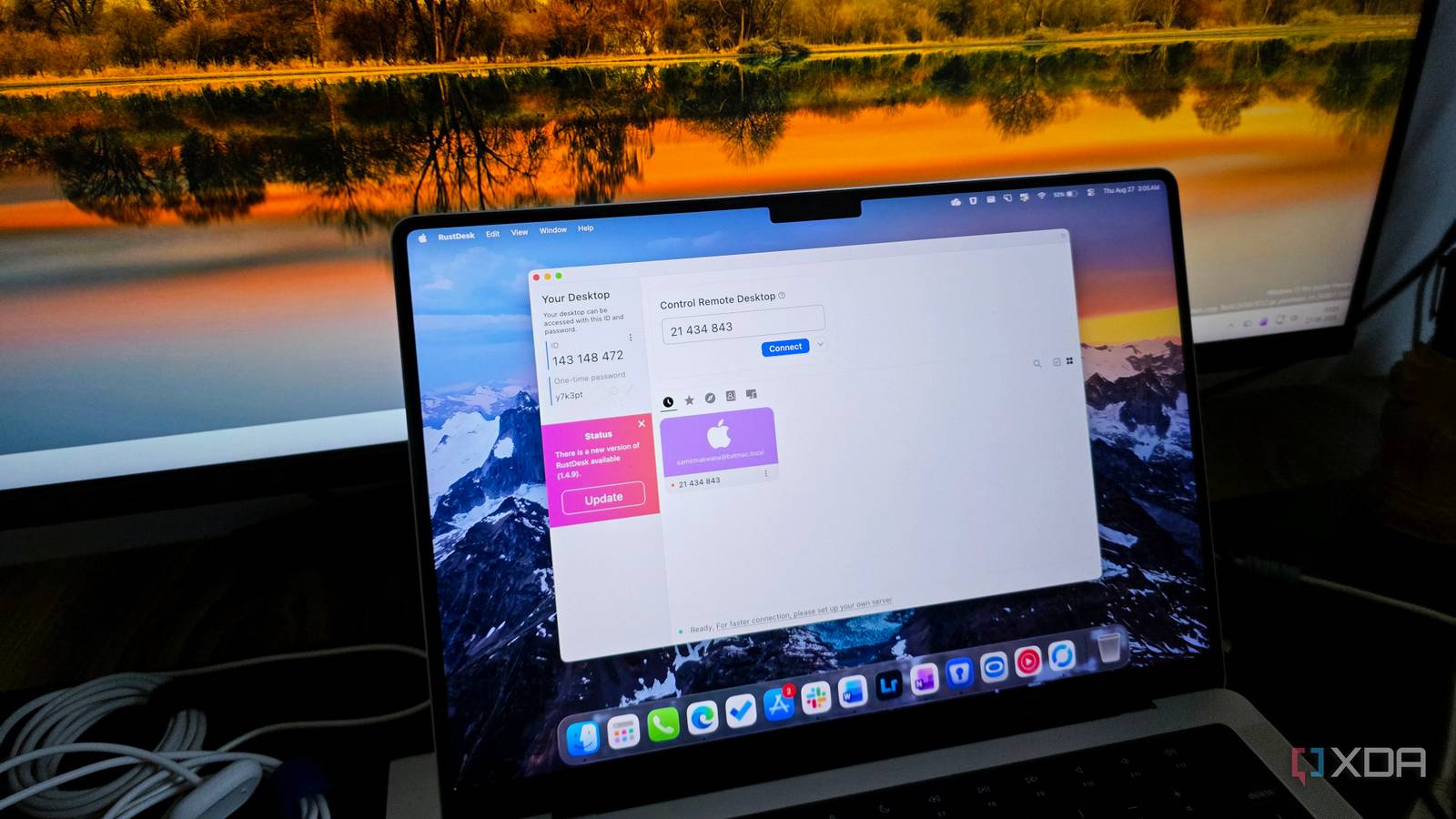
Published Aug 30, 2026, 12:30 PM EDT Parth, a seasoned tech writer, wields the keyboard (or pen) with finesse to unravel the intricacies of both Windows and Mac operating systems. He has covered evergreen content on mobile devices and computers for multiple publications over the last six years. You can find his work on AndroidPolice, GuidingTech and TechWiser. Whether it’s demystifying system updates, deciphering error codes, or exploring hidden features, Parth’s prose guides readers through the binary maze. When not immersed in tech jargon, you’ll find him sipping chai, pondering the next software review, and occasionally indulging in a friendly debate about mechanical keyboards. Every time I offer to fix a friend’s PC or need to remote into my secondary machine while working away from my desk, I brace for the inevitable TeamViewer headache. It used to be a simple, reliable utility, but it has slowly degraded into a bloated platform loaded with sudden session disconnections and constant nagging to upgrade to a pricey business tier. I wanted a lightweight, zero-fuss solution that respects my privacy, runs on all my devices, and gets the job done without pop-ups. As it turns out, the perfect open-source replacement I was looking for is RustDesk. Whether it’s TeamViewer, AnyDesk, or Splashtop I have already relied on well-known tools like TeamViewer and AnyDesk for troubleshooting. Whether I was walking my parents through a software update, pulling a misplaced file from my home setup while traveling, or managing a headless machine across the room, they simply got the job done. But over the last few years, the entire experience has been a mixed bag. The breaking point for me came during a routine remote session helping a family member. Barely two minutes into diagnosing the problem, the connection froze, dropped out completely, and slammed me with a generic ‘Commercial use suspected’ dialog box. Just like that, I was locked out. Nothing is more frustrating than trying to explain over the phone why their screen just went black. Also, the pricing model offers no sensible middle ground for home lab enthusiasts or casual users. You are either pushed into a crippled free tier or expected to shell out hundreds of dollars a year for commercial features you will never touch. It became clear that legacy remote desktop clients are no longer built with everyday users like me in mind. Familiar, zero-friction setup out of the box Portable and lightweight When trying out new open-source software, my biggest worry is always the learning curve. I was fully prepared to spend an afternoon going through configuration files or troubleshooting network ports just to get an initial session going. Instead, firing up RustDesk for the first time felt almost identical to the golden days of TeamViewer — in the best way possible. The interface is straightforward and immediately recognizable. I get a clean, uncluttered window displaying my unique ID and a temporary one-time password on the left, alongside a simple input field on the right to connect to another machine. I didn’t have to sign up with an email address, verify a magic link, or set up 2FA just to establish a quick connection. Right out of the box, the app routes traffic through RustDesk’s free public servers. Also, my daily setup isn’t locked into a single operating system. RustDesk’s native client supports virtually every platform I need. Whether I am remoting from Windows into an Ubuntu box or jumping between macOS and Linux, the feature set, like smooth display scaling, multi-monitor switching, and responsive input handling, remains consistent without awkward visual glitches. Power features that aren’t paywalled Security and peace of mind Many remote tools have a bad habit of locking essential utilities behind steep tier lists. RustDesk doesn’t treat core utilities like a luxury add-on. For instance, it supports unattended access out of the box. I can set a permanent password, register the client as a system service, and access my secondary PCs or servers remotely whenever I want. It also handles moving documents, logs, and screenshots back and forth with a dedicated file transfer manager and effortless two-way clipboard syncing. And if you are on the same local network or connected through a mesh VPN, you don’t have to bounce through external servers at all. RustDesk can establish a direct local IP connection for fast response times. Unlike TeamViewer and other commercial clients, which ask you to blindly trust closed-source binaries and routing servers. RustDesk delivers a transparent approach. Since the entire codebase is hosted on GitHub, anyone can review the source code and confirm whether there are any backdoors or loopholes. While I personally use RustDesk’s public community servers because they are fast and reliable enough for my daily tasks, the ultimate superpower here is self-hosting. You can spin up your own lightweight relay and containers via Docker on a home server or inexpensive VPS. Even though I haven’t set up my own instance yet, knowing I can take complete ownership of my connection routing makes all the difference. Zero session limits, full local control Switching from TeamViewer doesn’t mean sacrificing convenience or settling for clunky workarounds. RustDesk hits that rare sweet spot in open-source software: it works immediately out of the box for quick family tech support, yet gives me the total freedom to self-host my own relay server whenever I want peak performance and complete data privacy. If you are tired of sudden connection cutoffs and aggressive subscription pop-ups, download the client, get it up across your machines, and give it a spin during your next remote session. RustDesk RustDesk is an open-source remote tool for all the major platforms.
This free remote desktop tool is TeamViewer on steroids and I can’t recommend it enough
Full Article
Original Source
Read the full article at Xda-developers →KhanList aggregates and links to publicly available news content. We do not host full articles from third-party sources. Always verify important information with original sources.