
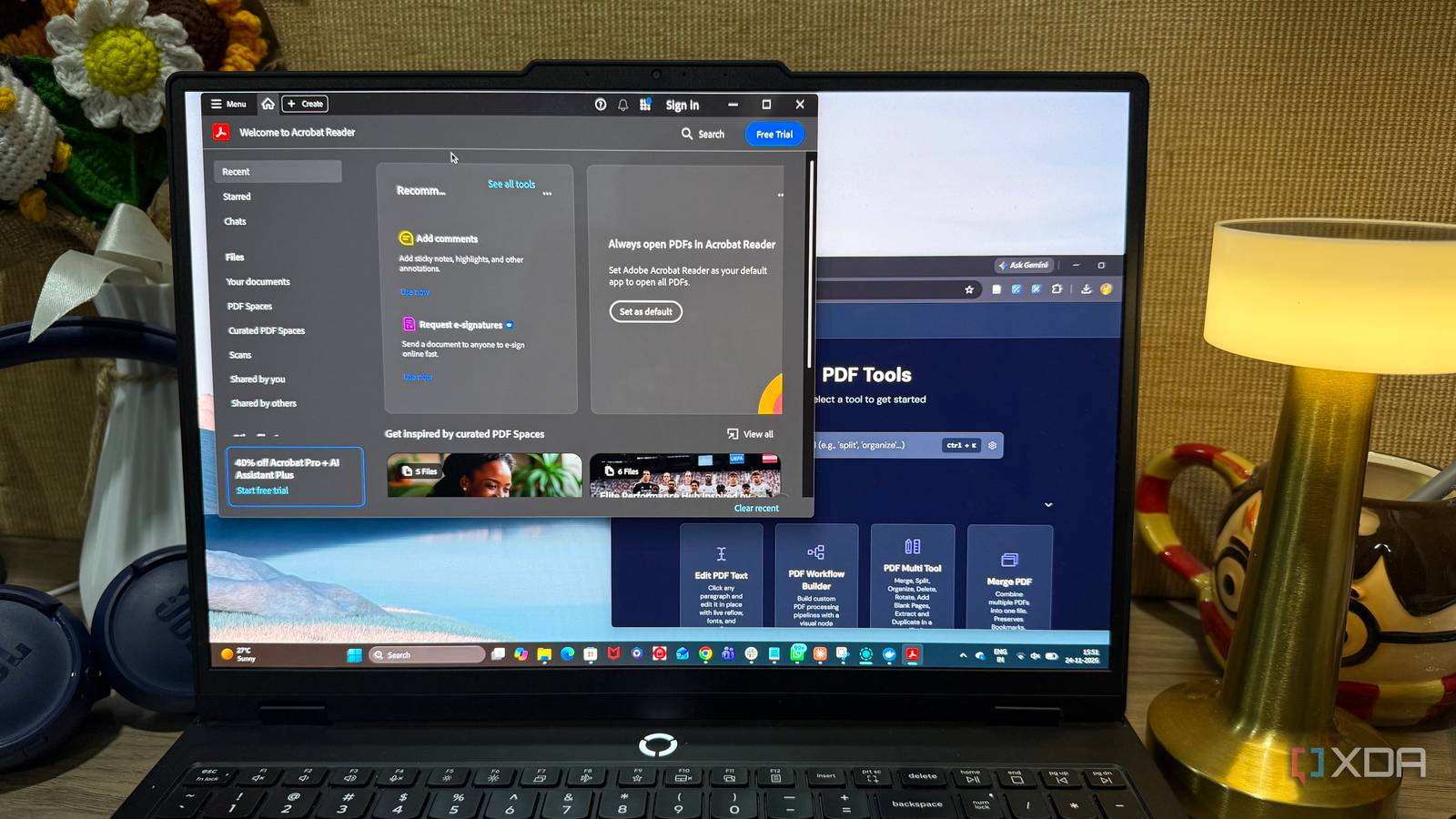
Published Nov 26, 2026, 2:00 PM EST Beginning his professional journey in the tech industry in 2018, Yash spent over three years as a Software Engineer. After that, he shifted his focus to empowering readers through informative and engaging content on his tech blog – DiGiTAL BiRYANi. He has also published tech articles for MakeTechEasier. He loves to explore new tech gadgets and platforms. When he is not writing, you’ll find him exploring food. He is known as Digital Chef Yash among his readers because of his love for Technology and Food. PDFs have become part of everyday work, whether it's signing contracts, managing invoices, or combining documents. For decades, Adobe Acrobat has been the familiar name for handling them. First released in 1993, it has evolved into a feature-packed document platform. However, not everyone needs a full-fledged editing suite just to make a few changes to a PDF. That's where BentoPDF caught my attention. It offers a different way to handle PDFs without installing a desktop editor or paying for features I might rarely use. After exploring its features, I found there's more to this newcomer than its age suggests. I tried it for a few weeks to discover: "Could this relatively new tool really handle the PDF jobs I've relied on Acrobat for over the years?" Its clean interface makes finding the right tool easier The first thing I noticed about BentoPDF was how clean and approachable its interface felt. Instead of opening a full-fledged PDF editor filled with menus, panels, and editing controls, I landed on a homepage that puts individual tools front and center. They're neatly grouped into categories such as conversion, editing, organization, optimization, and security. With more than 130 utilities available, I could browse the categories or use the search bar to find exactly what I needed. Acrobat takes a different approach, bringing together a wide range of document editing and management features in one workspace. While that makes sense for professionals who regularly work with complex PDFs, it can feel like more than I need for a quick operation. BentoPDF keeps things more focused, opening each utility in a dedicated workspace with only the relevant controls. There's no need to navigate through several menus or create an account before getting started. Simply open the website, pick a tool, and bring in your document. I tested BentoPDF for my workflow It handled most of my everyday PDF jobs Since I was already using Acrobat to manage PDFs, I didn't expect BentoPDF to replace it overnight. I wanted to see how well it handled the smaller document-related jobs that regularly come up during work. I started by filling out PDF forms, adding signatures to documents, and converting files into different formats. I also tried combining multiple PDFs, removing unnecessary pages, adding page numbers, and compressing larger files before sharing them. BentoPDF handled these jobs without much fuss. Finding the right utility and completing each task took little effort, so there was no need to interrupt my work just to make a quick change to a document. The biggest difference was how easily these tools fit into my routine. Whether I was preparing a document to send someone or making a small adjustment to a file I'd received, the process felt smooth and predictable. The focused approach meant less time navigating features and more time getting things done. BentoPDF is a handy alternative for routine PDF tasks that don't require a full editing suite. Adobe Acrobat still has the edge when it comes to advanced editing and more involved document workflows, but for everyday PDF management, BentoPDF offers a more focused and less complicated experience. Open source and self-hosting make BentoPDF even more appealing It gives users more control over their documents BentoPDF offers more than just a collection of PDF utilities. Its open-source code, available under the AGPL-3.0 license, gives users more control over how they run and manage it. There's also a separate commercial licensing option for proprietary applications. Privacy is another reason BentoPDF stands out. It processes supported documents directly in the browser using WebAssembly instead of sending them to a remote processing server. This helps me when working with invoices, contracts, or other sensitive files that I don't want to upload to third-party services. It also supports Docker-based self-hosting, allowing you to run your own instance on a home server or other infrastructure. Since I already run a few self-hosted applications, adding BentoPDF to my Docker setup felt like a natural fit. It gives me another way to manage documents without depending entirely on a hosted service. Old isn't always gold Just because a tool has been around for decades doesn't mean it's always the best fit for everyone. Established platforms like Adobe Acrobat have their place, especially for professionals who rely on advanced features. But newer tools like BentoPDF show that you don't always need an all-in-one software suite to get things done. Sometimes, a focused application that handles the jobs you actually perform is a better choice than one packed with features you'll rarely touch. Don't overlook newer alternatives simply because traditional names have been around longer. The next tool that improves your workflow might be one you've never considered before. BentoPDF BentoPDF provides fast, private, and free PDF tools. It processes files locally in your browser, ensuring privacy as your documents never reach their servers. It requires no account, offers all tools for free, and is built for speed.
This free, open-source tool replaced one I've paid for and used for more than 33 years
Full Article
Original Source
Read the full article at Xda-developers →KhanList aggregates and links to publicly available news content. We do not host full articles from third-party sources. Always verify important information with original sources.