
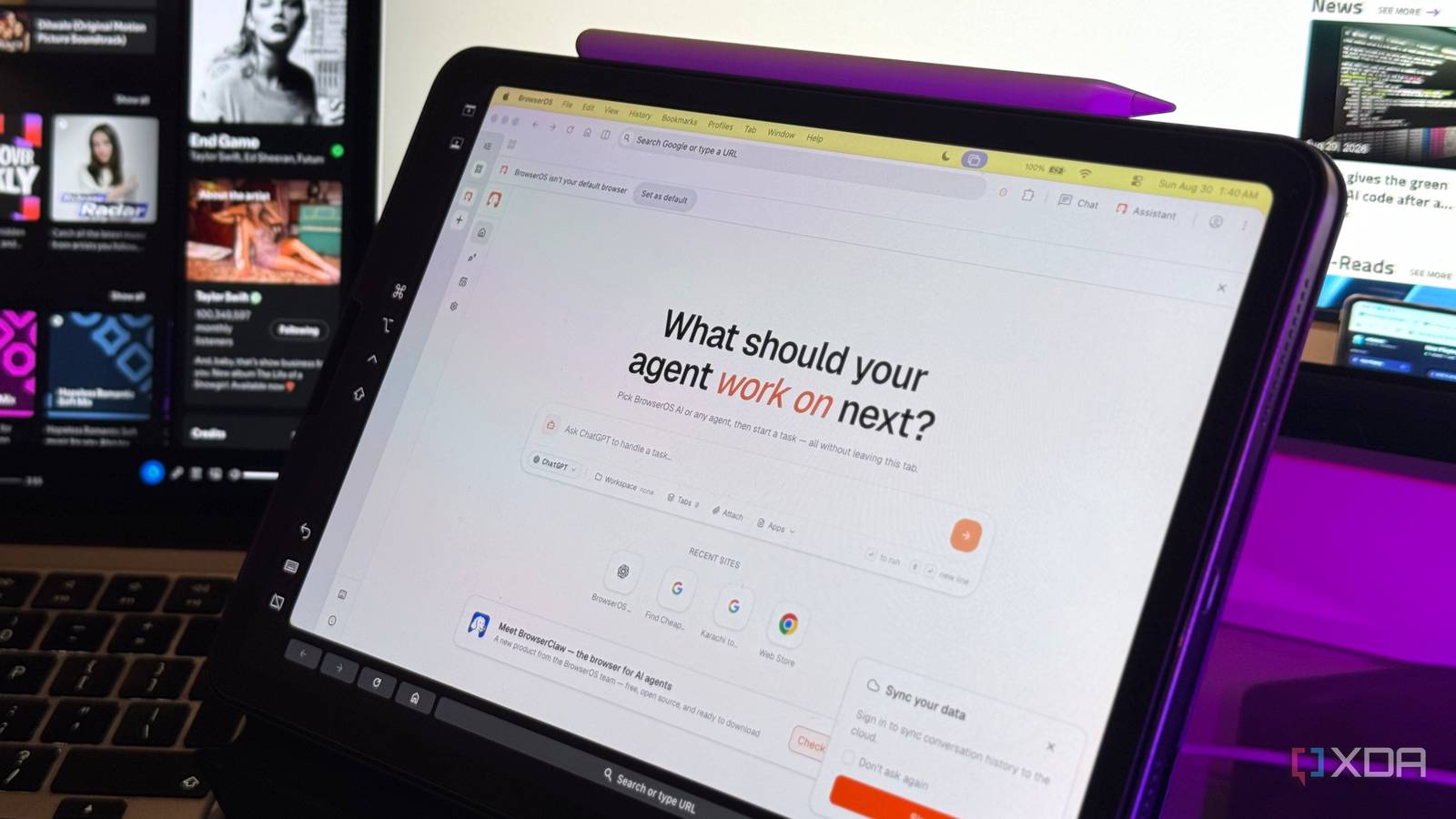
Published Aug 31, 2026, 7:30 AM EDT Mahnoor Faisal is a tech journalist covering AI and productivity tools with bylines at XDA, SlashGear, MakeUseOf, Laptop Mag, and Android Police. She's been writing professionally since she was sixteen, and has since penned hundreds of articles. This includes in-depth coverage of AI tools like NotebookLM to breaking news across the AI space. Her passion for technology started when she received her first iPod Touch (4th generation) on her 8th birthday, and she's been deep in the tech world ever since. Currently pursuing a degree in computer science, Mahnoor brings both a journalist's eye and a technical foundation to her coverage of how AI is reshaping the way we work and learn. Around the same time last year, AI browsers were the hot new thing. It felt like every other company wanted to rethink the browser around AI, with names like Dia, Perplexity's Comet, Opera's Neon, and even ChatGPT's Atlas all promising to change the way we use the web. While the hype has now largely died down, both from the companies building these browsers and the people actually using them, I still think there's something useful about the idea itself. Sure, the way most companies approached AI browsers often felt a little overdone and came with very genuine concerns, but having AI built directly into the browser did have its benefits. Fortunately, it turns out you don't need to hand your browsing over to one of these companies to get them. I recently came across BrowserOS, a free, open-source AI browser that promises much of what drew me to Comet, Dia, and Opera Neon in the first place, without quite as much baggage. BrowserOS is an open-source AI browser built on Chromium Chrome at heart, AI on top While there are now a bunch of AI browsers that are built on Chromium, BrowserOS is a fully open-source Chromium fork. That means the browser itself, along with the agent platform powering its AI features, is out in the open rather than being locked behind a proprietary product. This means that you have complete freedom to inspect the code, see exactly how the browser and its AI features work, and even modify or build on it yourself if you want to. BrowserOS is licensed under AGPL-3.0, and its repo even lays out the Chromium patches, build system, agent server, and browser UI that make everything work. Given that it's Chromium-based, it also feels immediately familiar. There's practically no learning curve, and importing your existing browsing data from Chrome takes seconds. All your Chrome extensions work too, and you can bring over your bookmarks, passwords, and settings in one click, which makes BrowserOS feel less like switching browsers and more like adding AI to the one you're already used to. BrowserOS doesn't lock you into one provider Pick your brain I've interacted with a lot of people who experimented with AI browsers during its initial hype, and the most frequent complaint I'd hear was privacy. Given that a browser is the one app you use to access practically everything on the internet, handing even more of that activity over to an AI company understandably made a lot of people uncomfortable. Comet keeps you within the models Perplexity chooses to support, while Opera Neon gives you a wider model selector but still largely revolves around the models and AI services Opera integrates into the browser. Similarly, ChatGPT Atlas was designed around ChatGPT itself, with OpenAI's models powering the browser's AI features. BrowserOS is much more flexible. You can bring your own API keys, use OAuth with an existing ChatGPT subscription, or skip the cloud entirely and run a local model through Ollama or LM Studio. The browser suppers over eleven providers including Anthropic Claude, Google Gemini, OpenAI, Moonshot Kimii, and OpenRouter, which gives you access to over 500 models. Now, this in no way means that BrowserOS sacrifices the actual AI-browser experience in exchange for flexibility. You still get the kind of agentic features you'd expect from the bigger names, including an AI that can understand what's on a page, navigate websites, fill out forms, extract information, and carry out multi-step tasks on your behalf. It has everything you'll find in the bigger AI browsers All the AI browser tricks are here First, there’s the familiar AI side panel. BrowserOS lets you keep your assistant of choice open alongside whatever page you’re browsing, so you can ask questions about what’s on-screen, summarize something, compare information, or just use it like a normal chatbot without leaving the tab. Side-panel assistants have become almost standard across AI browsers, but BrowserOS gives you the advantage of letting you choose what’s actually powering it. The more interesting part is always Agent Mode. This is where BrowserOS starts behaving much more like Comet, Opera Neon, or Atlas rather than simply sticking a chatbot next to your webpages. You can give it a task and let it actually navigate the web, click through pages, read information, and work through multiple steps on your behalf. For instance, I’ve used flight searches as a bit of a recurring test whenever I’ve tried an agentic browser. I gave BrowserOS a simple request to find flights from Karachi to Berlin for a specific set of dates. Rather than just returning a list of links or telling me where to search, it opened Google Flights in another tab, entered the route and dates itself, waited for the results to load, and then worked through the available options before summarizing the ones that made the most sense. There’s no subscription attached Perplexity Comet started at $200/month. Two hundred dollars! Opera Neon spent months behind a waitlist before opening up at roughly $20 a month, while Dia introduced a $20/month Pro tier for heavier AI use. Given that BrowserOS is open-source, it's completely free to use. That said, if you choose to use it via an API key, you'll still need to shoulder whatever usage costs your chosen model provider charges. If you already pay for ChatGPT and connect through OAuth, or run a local model through Ollama or LM Studio, you can avoid adding another browser subscription on top!
This free, open-source browser made me ditch Perplexity Comet, Dia, and Opera Neon
Full Article
Original Source
Read the full article at Xda-developers →KhanList aggregates and links to publicly available news content. We do not host full articles from third-party sources. Always verify important information with original sources.