
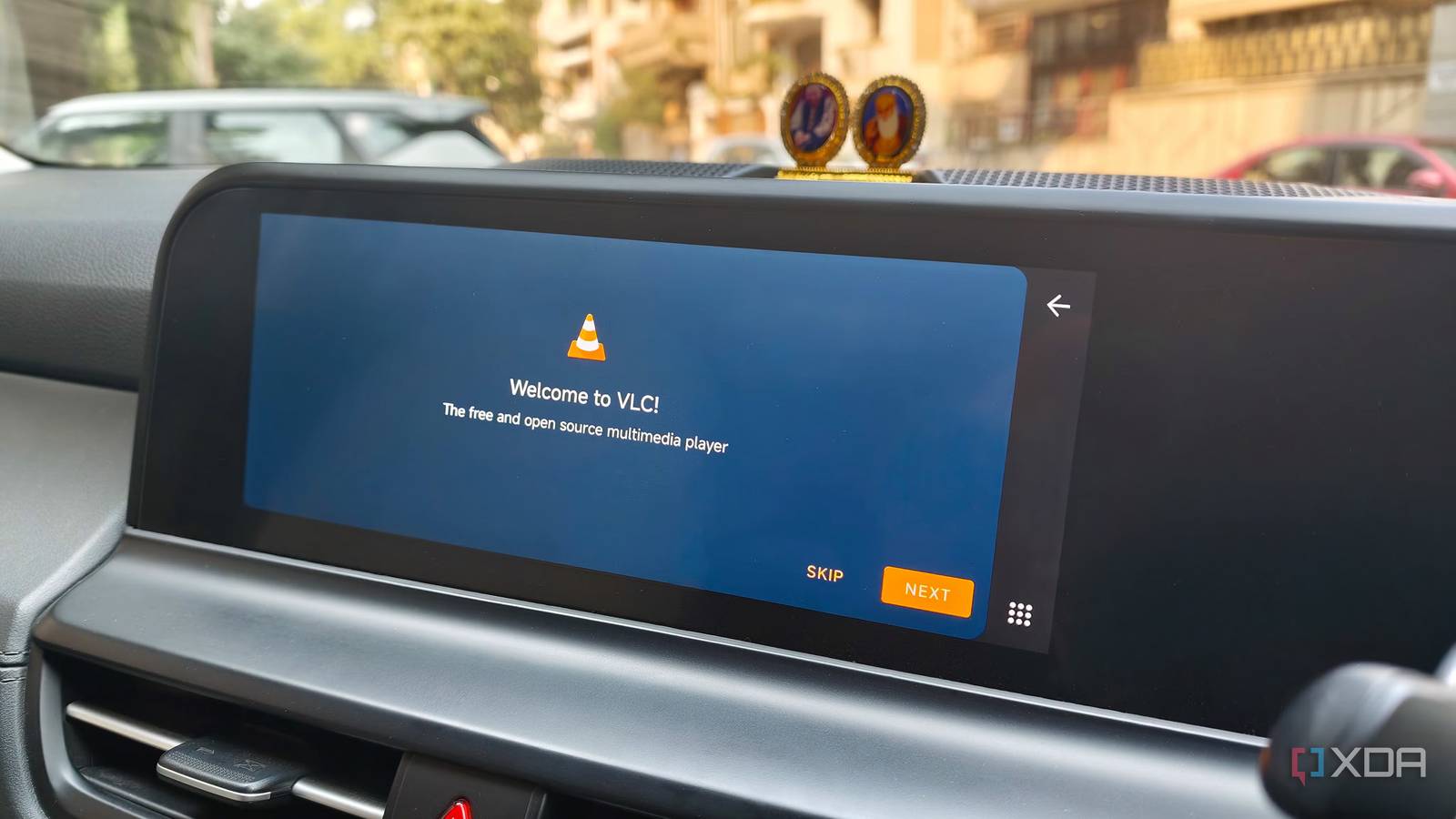
Published Nov 12, 2026, 11:30 AM EST Dhruv Bhutani has been writing about consumer technology since 2008, offering deep insights into the personal technology landscape through features and opinion pieces. He writes for XDA-Developers, where he focuses on topics like productivity, networking, self-hosting, and more. Over the years, his work has also appeared in leading publications such as Android Police, Android Authority, CNET, PCMag, and more. Outside of his professional work, Dhruv is an avid fan of horror media spanning films and literature, enjoys fitness activities, collects vinyl records, and plays the guitar. Android Auto is incredibly useful if your needs mostly revolve around navigation, streaming music, and taking calls. However, Google's restrictions on what you can view on the car's display can be pretty frustrating if you're an enthusiast. Look, I get it. Google needs to move on the side of caution and follow local rules and regulations. However, there are plenty of Android apps I'd like to access when I'm parked and waiting for someone or taking a break. Unfortunately, just installing an app doesn't mean I can use it in Android Auto. However, this new open-source app fixes that limitation. Android Auto Maker is a free, open-source utility that patches Android APKs so that they show up as a parked app. So, instead of relying on workarounds like screen mirroring, I can prepare an app specifically for my car's screen. The utility is immediately obvious. Android Auto Maker takes a different approach to running unsupported apps How to patch regular Android apps for Android Auto directly on your phone Compared to some other open-source apps that have tried to solve the same problem, Android Auto Maker takes a unique approach. To start with, it doesn't attempt to mirror the phone's display to Android Auto. Instead, it patches the application package itself so Android Auto recognizes it as an app that can run while the car is stationary. This leverages functionality Google introduced a while back. You see, Android Auto supports a category of applications called parked apps, which can run directly on the car's display when the vehicle isn't moving. The problem is that developers need to implement the appropriate support for these applications to appear in the category. And, as it turns out, most apps don't. That's where Android Auto Maker steps in. All you have to do is give it an APK or XAPK file, and it creates a patched installation file that Android Auto recognizes. There are a few different ways to use Android Auto Maker with varying degrees of complexity. I've been using the simplest route: the Android app. This makes the workflow a lot simpler, as you can prepare your Android Auto-compatible APK file directly on the phone you'll be using. Credit: Once you've selected the APK file you want to install, keep the Parked Game option enabled and tap Create Android Auto package. The tool processes the package and prepares a modified APK that is compatible with Android Auto. The only real caveat is that since Android Auto Maker signs the modified application with a new signing key, you can't install the patched file alongside the original app. You'll need to uninstall the original app before installing the patched version. In most cases, this shouldn't be an issue. But if you've already cached data for games or streaming services, you'll need to start from scratch. How I use Android Auto Maker in my car From playing games to watching videos, Android Auto Maker opens up new possibilities Once you've installed the patched APK, using the app is exactly the same as any other Android Auto app, with no real learning curve. Just open the app drawer, scroll to the app, and launch it. I tested it out with games like Subway Surfer and media players like VLC Player, both of which aren't otherwise fully accessible via Android Auto. With the patched APK installed, I could play Subway Surfer while parked outside a mall and catch up on an episode of my favorite show via VLC. It's all very predictable and simple once installed. So, you might be wondering why you'd need an app like this. For me, the biggest reason I find Android Auto Maker interesting is the flexibility it offers when I'm not actively driving. My car's infotainment system is large enough to double as a tablet, but the potential use cases are woefully limited. Credit: Having access to my phone's applications makes that screen considerably more useful. Elsewhere, while I have no interest in watching videos while driving, it is also the first app I installed in the car. India is notorious for its traffic jams, and lately, I've been ferrying around a cranky nephew who doesn't take well to being stuck in a jam. Being able to pop up some cartoons on the car's infotainment screen comes in handy as a distraction. There are other practical possibilities, too. I can experiment with alternative media players and utilities that wouldn't otherwise be a great fit for the car screen. My electronic toll pass payment app? Why not? Or perhaps my home security camera app, so I can check the feed in the car. The possibilities are just limited by your imagination. Android Auto Maker has a few limitations, but the possibilities are endless For as good as the app is, Android Auto Maker can't turn every app into an optimized automotive experience. An interface that doesn't scale well to your car's infotainment system won't look or work all that well. Similarly, apps that depend on Google Play Integrity checks or hardware-backed security, like some streaming services, simply won't work. But when it does work, Android Auto Maker is the coolest addition to my in-car Android Auto app stack. It makes it easy to install any interesting app I might want to use on my car's screen. From streaming services to games or even browsers, the sky is the limit. Android Auto Maker
This free open-source app lets Android Auto run almost any app on your car's screen
Full Article
Original Source
Read the full article at Xda-developers →KhanList aggregates and links to publicly available news content. We do not host full articles from third-party sources. Always verify important information with original sources.