
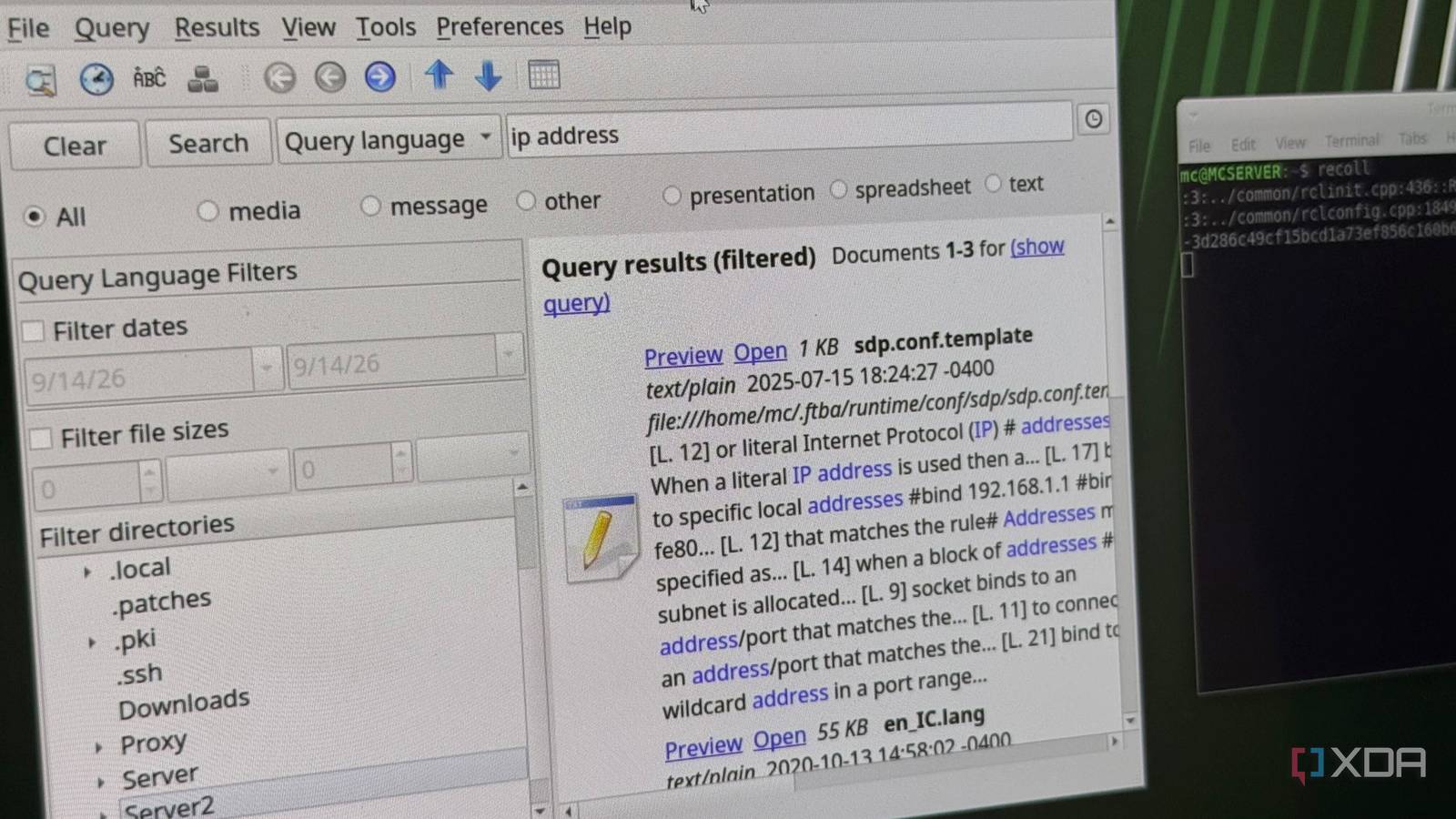
Published Sep 15, 2026, 12:30 PM EDT His love of PCs and their components was born out of trying to squeeze every ounce of performance out of the family computer. Tinkering with his own build at age 10 turned into building PCs for friends and family, fostering a passion that would ultimately take shape as a career path. Besides being the first call for tech support for those close to him, Ty is a computer science student, with his focus being cloud computing and networking. He also competed in semi-pro Counter-Strike for 8 years, making him intimately familiar with everything to do with peripherals. File search leaves a lot to be desired these days, especially on Windows. I've leaned on the likes of Everything by voidtools for years, but always wanted a Linux equivalent that didn't require typing a full-on grep command and waiting for it to finish. Recoll is exactly what I was looking for: it's a free and open-source full-text search engine that indexes your entire machine. It obviously grants you the ability to search for files, but it also enables you to search for what's inside them as well. It completely changed the way I search for files on both Linux and Windows, and I don't think I can go back to the default way. It searches inside your files Not just what they're named Recoll gives you far more than just another search box; it's more akin to a query language with field-qualified filters, and even that is just scratching the surface. You can use clauses like "dir:" to search for anything under a given path which includes subdirectories. You can also stack several of them and negate them by adding a minus to exclude certain results. You can "mime:" a result to search by file-type, use wildcards as you'd expect, and filter by size, date—essentially all the operators you'd want. Recoll also tracks an MD5 checksum for every document it indexes, which is what's behind its power to collapse duplicate results. Turning it on gives you an easy way to track down duplicates all over your machine, which is genuinely useful for cleaning space. The index can be separate to the files Recoll's indexing can be decoupled from the actual search GUI The utility of Recoll is pretty clear when it's used on a single desktop, but one of its most interesting features is one that makes it useful across two or more. The indexer is a standalone program you can run from cron on a schedule, or leave running as a filesystem monitoring daemon that updates the index in real time as files change. Which paths get indexed is up to you, and can be configured to your liking in a plain text config file. This is what makes it extremely valuable when attached to something like a NAS, if you can give it access. With the Python web front-end, you can search, preview, and download over HTTP. Instead of maintaining an index on every client, you can just run Recoll on the host and search over the web like a search engine for your own files. It's not much of a file manager Disk management is not a strong suit Recoll is an excellent tool for finding what's inside files, but it's not a file manager, and it doesn't claim to be. There's no treemap, no sorting by size in a directory view, no drive summaries, and there's a real cost to that first round of indexing. That first index of a large collection of files is quite a heavy CPU task, not to mention the size of the index itself. Running it in the background isn't what I would consider light, although most systems should be able to handle it. You can also schedule the on-going indexing, so it's not happening when you least want it to. Then there's the look of it: it absolutely looks its age compared to a modern search bar, and it's not going to win any design awards. Compared to Everything on Windows, if you're just trying to find the files and not necessarily what's inside them, the former works a lot better. It's also very clearly a Linux-first application, just judging by the "name your price" nature that the Windows version is available for. Recoll is an excellent way to find what you're looking for on your system If your drives are tidy and you always know where things are, Recoll will feel like a solution to a problem you don't have. If you've accumulated years of files across multiple machines and several half-finished reorganization attempts, it's a thousand-percent worth a download. Install it, point it at a directory (or an entire system) that you're unsure about, and then query away. It will find exactly what you're looking for and does it with all the tools a power user could ever need.
This FOSS tool searches inside your files, not just their names, and it changed how I find things on my PC
Full Article
Original Source
Read the full article at Xda-developers →KhanList aggregates and links to publicly available news content. We do not host full articles from third-party sources. Always verify important information with original sources.