
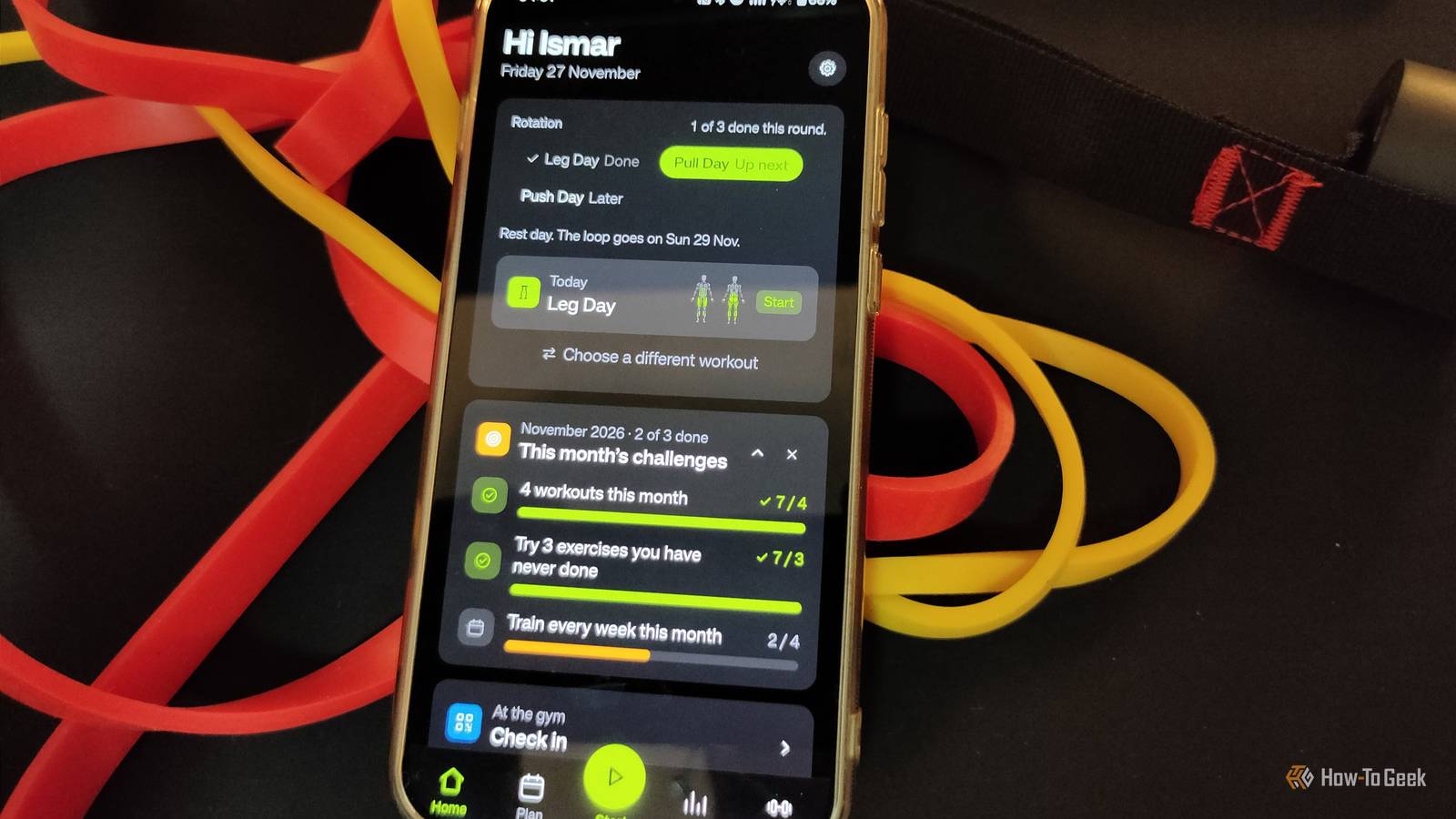
Published Nov 27, 2026, 10:30 AM EST Ismar is a Senior Author at How-To Geek. He previously worked as a writer, editor, and general manager at a content agency before joining the team in 2023. He began his writing career in 2021 after completing a BA in English Language and Literature. Beyond How-To Geek, Ismar has contributed to Red Stag Fulfillment and Authority Hacker. He has also worked on various SEO projects to help clients improve their search visibility. Ismar has been around Windows PCs since the age of three, so friends and family naturally chose him as the resident tech support. His projects often involve tinkering, such as disassembling mechanical keyboards and gaming mice to mod his beloved gear. He also enjoys pushing hardware to the max through overclocking while staying on a reasonable budget. An avid gamer, Ismar has logged thousands of hours across various genres, including first-person shooters, RPGs, racing games, and roguelites. When he is not at his desk, he is probably exploring other people’s phones to discover their quirks and features or experimenting with the latest AI tools. In his free time, Ismar enjoys spending time with his wife, working out at the gym, playing guitar and bass, cooking gourmet meals, and traveling. Above all else, he’s a proud cat owner. I've been going to the gym four times a week for almost six years now. I'm not exactly a gym rat, but it's one of the few things that regularly gets me out of the house, which is especially important since I work from home. Despite all those years of lifting, I've never been particularly good at tracking my workouts. I have a training plan, but my progress has been patchy, partly because I never bothered writing anything down. I just couldn't stomach dealing with yet another obnoxious app on my phone. However, that changed when I stumbled upon openGym, a free, open-source gym tracker that I can self-host and that finally makes me want to track my workout data while keeping it completely private. I wanted a FOSS, self-hostable gym tracker that keeps my workout history private Free from the usual freemium baggage As I've grown older, I've become increasingly paranoid about keeping my data as private as possible. Unfortunately, having a device with every imaginable sensor always within reach doesn't make that easy, but the least I can do is choose the apps I install on it. If there's an alternative to sending my data to the cloud without making major compromises, I'll find it. That's why I ditched Strava earlier this year in favor of a FOSS fitness tracker called FitoTrack. The outdoor training season is over for me, though, so I've been focusing more on strength and hypertrophy training in the gym. I've always been a regular gym-goer, but my track record isn't great. My PRs are lower than they were six months ago, which is why I've finally recognized the need to start tracking my workouts if I want to make steady progress month over month. Unfortunately, many gym trackers share the same core issues as other fitness apps: they rely on cloud syncing and may even process my data to provide recommendations for improving my exercise plan. On top of that, most put features behind paywalls, fill their apps with ads, and bombard users with constant reminders that they'd have a better experience if they subscribed to the Pro version. As it turns out, I didn't have to worry about any of that because the open-source community had my back all along. A quick search led me to openGym, a free and open-source gym tracker with zero telemetry. In fact, it can work fully offline, which keeps workout data local. Since it also has a self-hosted version, and being the homelabbing geek that I am, of course that's the option I picked. openGym has practically every feature I could want in a gym tracker It's the whole package Although I haven't tried other gym trackers to compare them with openGym due to privacy concerns, I can already tell it has practically every feature I could want after logging my first workout with it. For starters, it offers an impressive degree of customization. In the Settings menu alone, you can specify which types of equipment you have access to, choose which modules you want to see in the app, set up an optional AI coach using your own API key or even a local model (something I'll look into at some point), sync data from a compatible smartwatch, import training data from other apps, and tweak many, many other options. One of my favorite parts of openGym's workout planner is that it lets me choose between a fixed weekly schedule and a rotation, catering to different preferences. It also lets you set up your own workout routines or pick from a few preconfigured ones to get started. The pre-made routines are fully customizable, too, making it easier for beginners to learn the ropes and then modify their routines as they discover new exercises. I already follow a few routines for my push-pull-legs (PPL) program, and luckily for me, there are over 5,600 exercises to choose from, complete with descriptions and animated demonstrations of the movements, along with visuals showing the muscles worked. You can select the number of sets, reps, and weight for each exercise, add warm-up sets, configure rest periods (which are typically longer for harder exercises), set up pyramid sets or a final set to failure, and tweak a long list of other useful options. Oh, and the app supports supersets and drop sets, my go-to workout techniques for smaller muscle groups. When you're done creating a routine, a handy visual at the bottom shows you which muscles the session targets, updating as you add exercises. The intelligent exercise search functionality deserves special praise. You can easily find the exercises you're looking for by typing just a couple of keywords, but the best part is that it also helps you discover new exercises you'd never even think to try. For instance, if I type in "shoulder stretch," I'm instantly presented with 38 different shoulder stretches, along with useful filters that help me narrow down my search based on exercise type, equipment, and other criteria. Progression is another impressively executed feature in openGym. It supports linear progression, Greyskull LP, double progression, triple progression, and several other methods, along with planned deloads. You can configure these for an entire routine or individual exercises. The app then calculates targets for your next workout based on your previous performance. There's a lot more I could get into here, but you get the gist of it. You don't need to self-host to use openGym, but I do it anyway Taking full advantage of the app openGym can work just fine on its own, but self-hosting turns it into a proper service that automatically backs up your data and makes it available across all devices. If you frequently switch between phones or if other members of your family are also avid gym-goers, which is the case with my wife and me. It's surprisingly easy to set up. I just followed the official self-hosting guide to add openGym to my Docker Compose stack, then connected my phone to the server and signed in with a passkey. If you want to access the browser version from outside your home, you'll need HTTPS for the passkey, with localhost being the only exception. Thankfully, setting access up through Tailscale is pretty straightforward. I just used ChatGPT to help me configure it, and I use it to access my openGym data on my PC so I can check my exercise data on a larger screen, since passkey authentication over HTTP only works through localhost on the machine that's running the service. I finally have a gym tracker that I actually want to use openGym ticks every box I was looking for in a gym tracker: it's 100% free, feature-rich, and gives me full control over my workout data. The self-hosting aspect is a major bonus, too, because I'm always looking for more apps to add to my Docker Compose stack. If you're a geek who exercises, do not skip this app.
This FOSS gym tracker keeps my workout data private, and I can even self-host it
Full Article
Original Source
Read the full article at Howtogeek →KhanList aggregates and links to publicly available news content. We do not host full articles from third-party sources. Always verify important information with original sources.