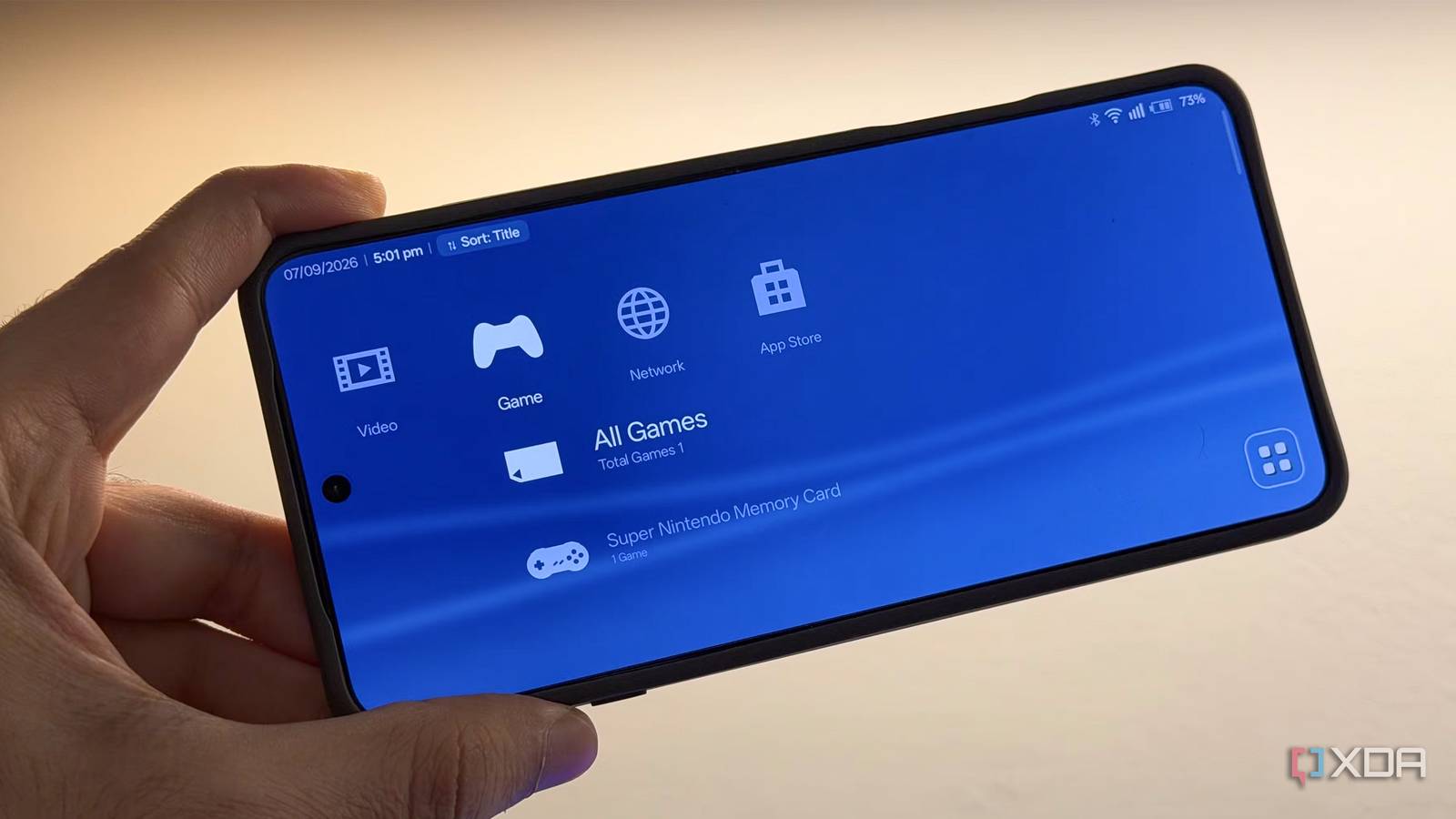
Published Jul 20, 2026, 4:30 PM EDT Dhruv Bhutani has been writing about consumer technology since 2008, offering deep insights into the personal technology landscape through features and opinion pieces. He writes for XDA-Developers, where he focuses on topics like productivity, networking, self-hosting, and more. Over the years, his work has also appeared in leading publications such as Android Police, Android Authority, CNET, PCMag, and more. Outside of his professional work, Dhruv is an avid fan of horror media spanning films and literature, enjoys fitness activities, collects vinyl records, and plays the guitar. Call me nostalgic, but retro games are one of my favorite ways to entertain myself, whether on a long flight or during downtime at the end of a long day. There are a few things that help me unwind, like a good old-school JRPG. I'm clearly not alone, given the breadth of retro-emulation handhelds on the market. I tend to use older Android phones for the task simply because they are powerful enough and have long-lasting batteries, and I already tend to have one or a few sitting around. The problem is that none of these Android phones have an interface geared toward horizontal orientation or gaming. I already have a collection of emulators and ROMs, but every emulator lives in its own interface, and finding the game I want often takes longer than actually playing it. That's where this front-end, called Play Field Portal, steps in. It's not an emulator; instead, it's a launcher for emulators, but it takes things one step further. It brings everything together inside an interface inspired by my favorite handheld, the PlayStation Portable, and turns any old Android phone into something that feels much closer to a dedicated handheld. While it's not going to change how you game, it makes the entire experience around getting to your game so much better. Bring all your favorite emulators under one umbrella A PSP-inspired interface makes browsing and launching games feel like using a real handheld One of the biggest problems with retro emulation in general and Android emulation in particular is that pretty much everything exists in its own silo. Every emulator has its own interface, and it exists separately in your launcher app. While you can spend a lot of time bringing them all together on your home screen, the experience is still pretty disjointed. Play Field Portal solves that by sitting on top of these individual emulators. It gives you a single interface through which you can scroll through and launch all of your retro games and much more, but we'll come to that in a minute. First, let's talk about the design. The entire interface is based on the PlayStation Portable and the PlayStation 3's cross-media bar interface. That means you get a combination of futuristic waves in the background with simple icons you can scroll horizontally. Press one of these game, video, or music icons, and you will get a plethora of options underneath them to dive in further. It's all very simple but very elegant to look at. You can, of course, choose which categories you want visible, so if you want to hide away the music or video options, you can do so in the settings. I also like that Play Field Portal has done a pretty good job of replicating the original console's experience. It's not 1:1, but it gets close enough, complete with near-identical iconography, waves and backgrounds, and once set up, it simplifies the process of just choosing a game. The front end automatically launches the correct emulator in the background, and you don't really have to think about it beyond the initial setup. Turn your Android phone into a modern-day PSP Support for modern games, media apps and deep customization make it feel like a real handheld While the interface has primarily been designed for retro emulation, it also supports modern native Android games. If you like to switch between Chrono Trigger and the latest Call of Duty: Mobile title, you can do so within the same interface. Not just that, you can also launch any other app, like YouTube, to watch a tutorial right from the same interface, so you have a little more flexibility. Of course, since your phone will be in horizontal mode when using this app, it's best to configure it with an external controller. I paired my phone with a telescopic gamepad, and the experience got deceptively close to that of a dedicated Android gaming handheld. It goes without saying that a tool like this thrives on customization, and there are plenty of options here. You can swap out themes and also colors, similar to what the original PlayStation Portable offered, allowing you to create an experience that is truly your own. Additionally, Play Field Portal can tap into online gaming databases to pull metadata and artwork for the games you're playing, giving you a beautiful interface to launch your favorite titles. An easy way to give your old Android phone a new purpose as a gaming handheld I love repurposing old Android phones for various tasks in my life, be it turning a pokey old smartphone into a dedicated to-do machine, repurposing one as a home assistant dashboard, or, of course, the easiest one: a dedicated retro-gaming handheld. Play Field Portal isn't the only launcher dedicated to launching retro gaming titles, but the fact that it recreates the experience of my favorite handheld certainly weighs in its favor. Moreover, it offers an easy way to browse and launch games and a polished, smooth interface, all of which, when combined, make this open-source app one of my favorite new ways to launch retro gaming titles on my old Android phone.
This app transformed my old Android phone into a PlayStation Portable
Full Article
Original Source
Read the full article at Xda-developers →KhanList aggregates and links to publicly available news content. We do not host full articles from third-party sources. Always verify important information with original sources.