
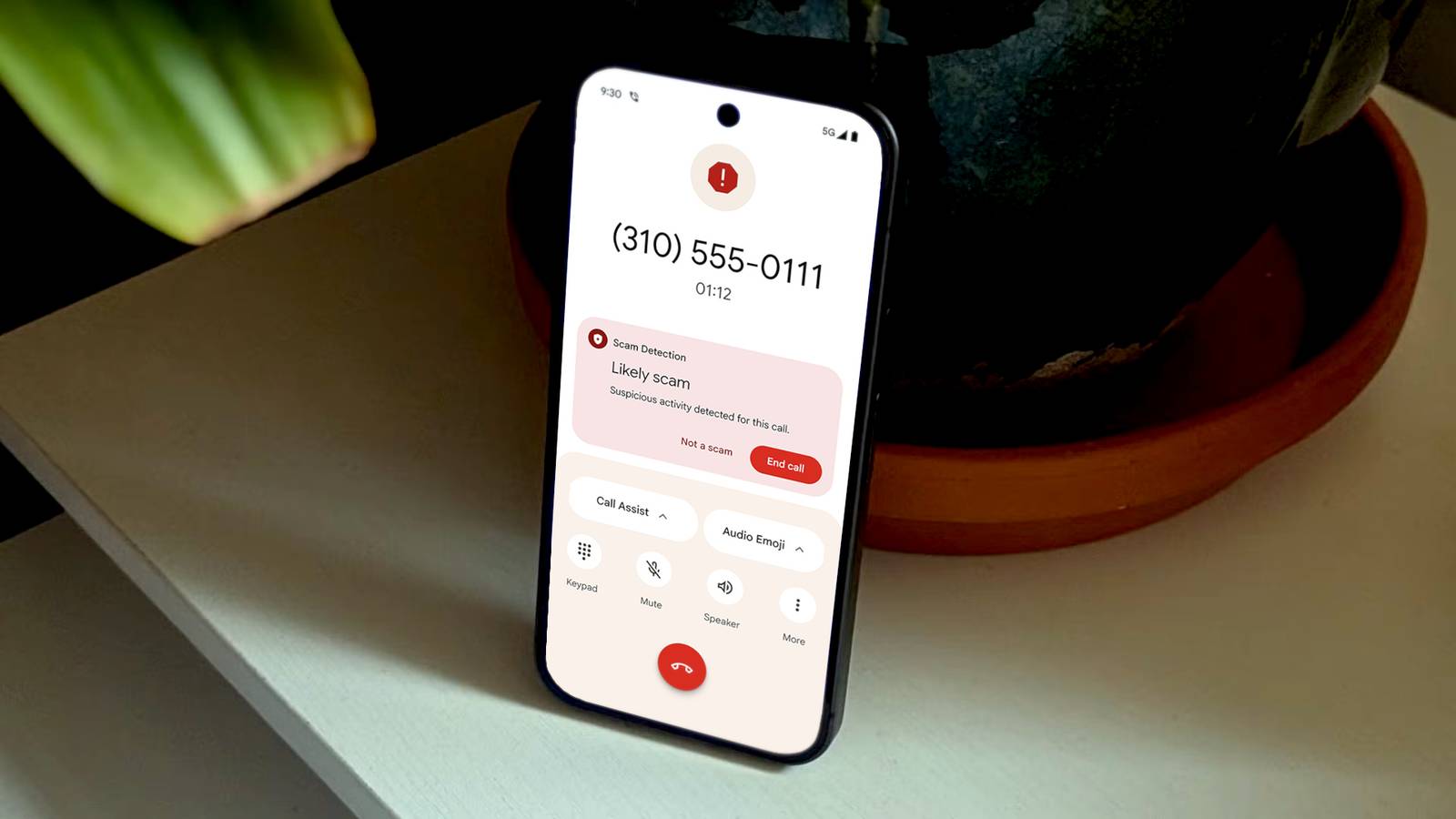
Published Aug 30, 2026, 6:30 AM EDT Joe Fedewa has been writing about technology for over a decade. Android and the rest of the Google ecosystem have been a focus for years, as well as reviewing devices, hosting podcasts, filming videos, and writing tutorials. Joe loves all things technology and is also an avid DIYer and food blogger. He has written thousands of articles, hundreds of tutorials, and dozens of reviews. Before joining How-To Geek, Joe worked at XDA-Developers as Managing Editor and covered news from the Google ecosystem. He got his start in the industry covering Windows Phone on a small blog, and later moved to Phandroid where he covered Android news, reviewed devices, wrote tutorials, created YouTube videos, and hosted a podcast. From smartphones to Bluetooth earbuds to Z-Wave switches, Joe is interested in all kinds of technology. After several years of jailbreaking and heavily modifying an iPod Touch, he moved on to his first smartphone, the HTC DROID Eris. He's been hooked ever since. For many of us, we seem to get more spam calls than calls from people in our contacts list. The problem with strict call filters is that they run the risk of blocking the people you do actually want to hear from. Thankfully, that’s not something you need to worry about if you use an Android phone. In the past, the best filters for spam calls were available in the Phone by Google app. As nice as it is, it doesn’t come pre-installed on all Android phones—namely, Samsung Galaxy phones. They could download the app, of course, but now it’s no longer necessary if you want the same features. Caller ID & Spam protection Your phone is smart enough to detect spam As I said, spam calls are a real problem. I easily receive at least two times as many spam calls as legitimate calls. Here’s the thing, though—they never actually ring my phone. I had to go into the “Spam” section of my dialer to see how many spam calls my phone had blocked. This is thanks to a simply named, but highly effective, feature called “Caller ID and spam protection” or “Caller ID and spam ID.” When enabled, every call you receive is checked against a database of known or suspected spam phone numbers. The call screen shows that the call is suspected to be spam, and it’s automatically silenced. Some phones turn this feature on by default, but others don’t. On a Samsung Galaxy phone, you’ll need to open the stock Phone app, go to Settings > Caller ID and spam protection. After toggling it on, you can also enable “Block spam and scam calls.” Pixel phones have this on from the start, but you can find it in the Phone settings under “Caller ID & spam.” Block unknown callers The ultimate spam blocking filter Spam identification directly on the call screen is helpful, but it doesn’t completely block the calls. You’ll still know that you got a call, and you’ll have to choose to ignore it or manually hang up. The nuclear option automatically blocks all calls from any unknown number. If that sounds extreme—it is. This option doesn’t just block suspected spam calls. Any number that hasn’t been saved in your contacts will be blocked. The doctor’s office you visited for the first time, a teacher from your child’s school, your car mechanic, etc. If you haven’t taken the time to add these people and places to your contacts, they won’t be able to reach you. It essentially turns the entire world into a blacklist, and it’s up to you to whitelist the numbers you want to hear from. If that sounds like sweet silence to you, here’s how to enable it. On a Samsung Galaxy phone, open the stock Phone app and go to Settings > Block numbers > Block calls from unknown numbers. For Google Pixel phones, it’s the same process: Settings > Blocked numbers > Unknown. Don’t let distractions get to you As much as we may forget that smartphones are still phones, annoying spam calls are rude reminders. It’s the price we pay for being always reachable. Unfortunately, a phone number is precious personal information that’s far too easily passed back and forth between bad actors. If neither of the options listed above is ideal for your situation, consider adding your number to the National Do Not Call Registry.
This Android filter silences spam calls without blocking your contacts
Full Article
Original Source
Read the full article at Howtogeek →KhanList aggregates and links to publicly available news content. We do not host full articles from third-party sources. Always verify important information with original sources.