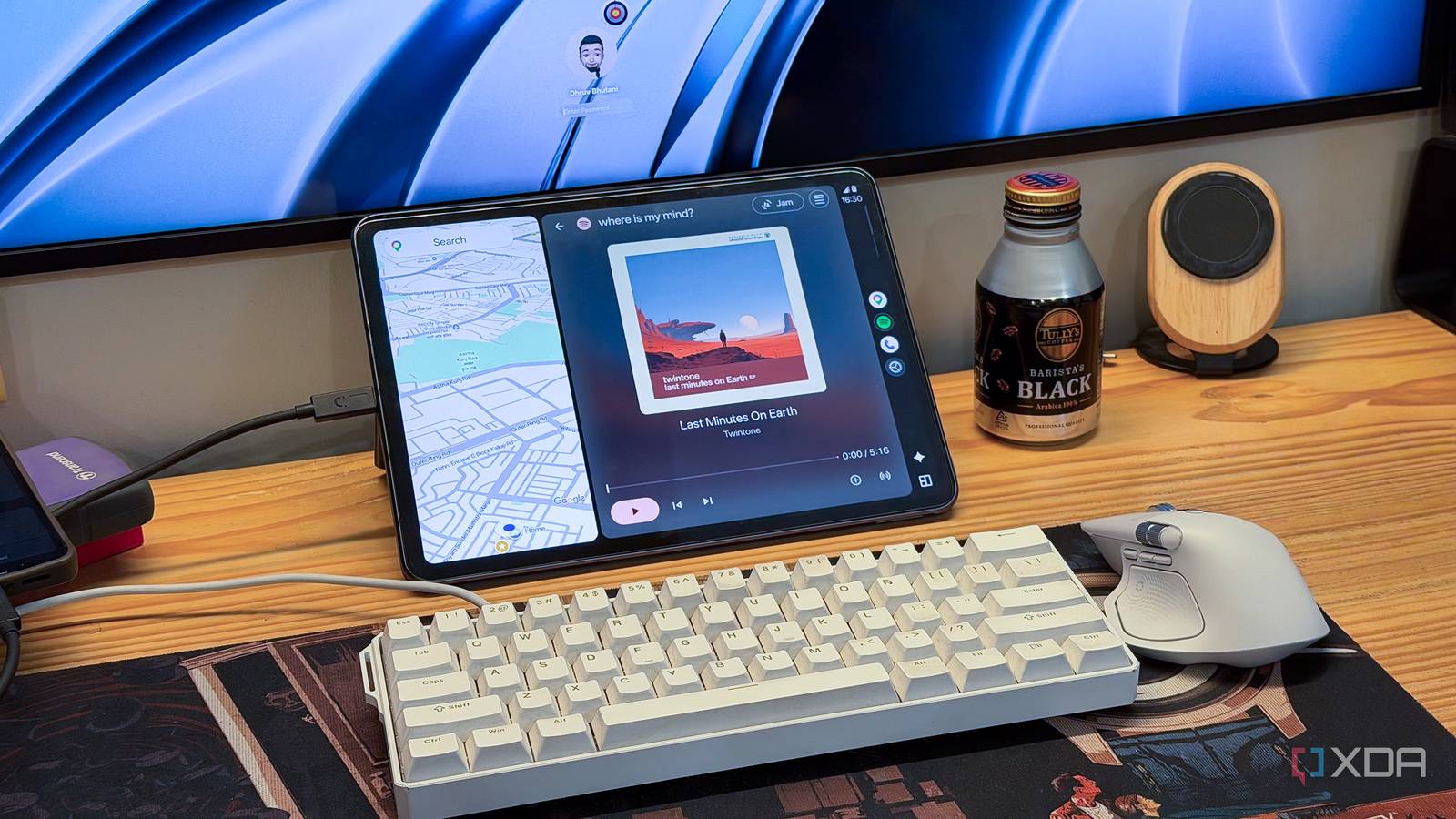
Published Jul 30, 2026, 11:30 AM EDT Dhruv Bhutani has been writing about consumer technology since 2008, offering deep insights into the personal technology landscape through features and opinion pieces. He writes for XDA-Developers, where he focuses on topics like productivity, networking, self-hosting, and more. Over the years, his work has also appeared in leading publications such as Android Police, Android Authority, CNET, PCMag, and more. Outside of his professional work, Dhruv is an avid fan of horror media spanning films and literature, enjoys fitness activities, collects vinyl records, and plays the guitar. As someone who works from home, I spend the vast majority of my day at my desk. So, you might be wondering what Android Auto, the car-focused Android interface, is doing on my desk. You see, I wanted quick access to music, reminders, smart home controls, and even the ability to quickly check how long it would take me to get to my meeting, without constantly unlocking my phone and getting distracted by notifications. And as it turns out, an old Android tablet running Android Auto is a rather good solution for all these things. Android Auto is, after all, a hyper-optimized dashboard designed for quick access on the go, and I need those exact same things on my desk. What started as a quick experiment over the weekend has become an essential part of my workspace and, instead of treating Android Auto like an in-car interface, it's helped me focus on my work instead of whatever else that happens to be on my phone's lock screen. It's not going to replace your phone, but it works beautifully as a complementary interface to handle small interactions throughout the day. Keeps the essentials within reach Solving one of my biggest productivity problems Setting up your Android tablet as an Android Auto dashboard is surprisingly simple. I started off by installing Headunit Revived on an old Android tablet, which lets it function as an Android Auto receiver. Alongside, on my phone, I use WiFi Helper to automatically discover the tablet and establish a wireless Android Auto connection between the two devices. Once the initial setup is done, future connections happen automatically, so this is essentially a one-time effort. The tablet simply wakes up to Android Auto whenever I sit down to work. That simplicity solves one of my biggest productivity problems. I'm prone to distractions, and every time I unlock my phone to check a message or change a track, I tend to lose focus. Very soon, I'm doom-scrolling Instagram or Reddit, without realizing that it's been an hour. Using an Android Auto-based dashboard removes that temptation by only exposing the information I need. My tablet sits in front of me, right under my desk, and acts as an information display. It shows calendar events, lets me answer incoming calls, and displays messages in a simplified interface. I can interact with most of these with a voice-based interface. Distractions like Instagram and Reddit simply don't exist here. And believe it or not, those limitations are Android Auto's biggest strength when used as a desktop dashboard. Music controls are, perhaps, one of the biggest reasons why this setup has worked out so well for me. I spend most of the day writing while listening to music or podcasts. This oversized Android Auto-based dashboard gives me large playback controls that are always one-tap away. I can switch albums or tracks, or jump into a podcast, without reaching for my phone or opening the Spotify app on my computer. Voice controls, too, are a natural extension of the setup. Throughout the day, I use them to set timers, create reminders, or send quick messages. It all works surprisingly well. Moreover, those small requests happen without interrupting whatever I'm working on or breaking my flow. Elsewhere, you might think that the persistent Google Maps overlay is a bit superfluous, but it earns its keep. I regularly head out for meetings and events, so being able to check out live traffic conditions right from my desk comes in handy. More than I initially expected. It has quickly become my smart home dashboard A distraction-free way to control my home With Android Auto up and running on the tablet on my desk, I've been discovering new use cases beyond what I'd originally planned. For example, I have a fully connected home that's plugged into Google Home. So, the built-in smart home controls using voice commands are an easy favorite of mine. Before joining a video call, or even when the light starts dimming, I use the voice controls to adjust the lighting in my room. Similarly, I can control things like the fan or air conditioner right there from my desk. These are all simple actions that I could very well control from my phone, but put together, they remove dozens of minor interruptions over the day and that adds up over time. A lot of that has to do with the simplicity of the interface. Sure, I could just use the Android tablet as is to accomplish most of these tasks, but Android Auto removes the rows of app icons and the endless notification shade that adds distractions. Moreover, it removes the temptation to browse the internet or an app for just a quick minute. Android Auto on the desk solved a problem I didn't know I had I originally set up Android Auto on the tablet as a quick experiment to see if it made any sense at all. I, for one, absolutely did not expect to use it as much as I did. Instead, Android Auto on the desk has become a part of my daily workflow. It works, and it works surprisingly well. Headunit Revived and the companion Wi-Fi helper app make the experience so seamless and reliable that it is basically set and forget. All that to say that Android Auto on the desk isn't a use case Google had in mind, but it should probably consider something similar. Headunit Revived OS Android Price model Free (optional paid version in Play Store) Headunit Revived is an Android app that turns any Android phone or tablet into an Android Auto display, letting it act as a wired or wireless receiver for navigation and media.
This Android Auto desk setup removed dozens of daily distractions without replacing my phone
Full Article
Original Source
Read the full article at Xda-developers →KhanList aggregates and links to publicly available news content. We do not host full articles from third-party sources. Always verify important information with original sources.