
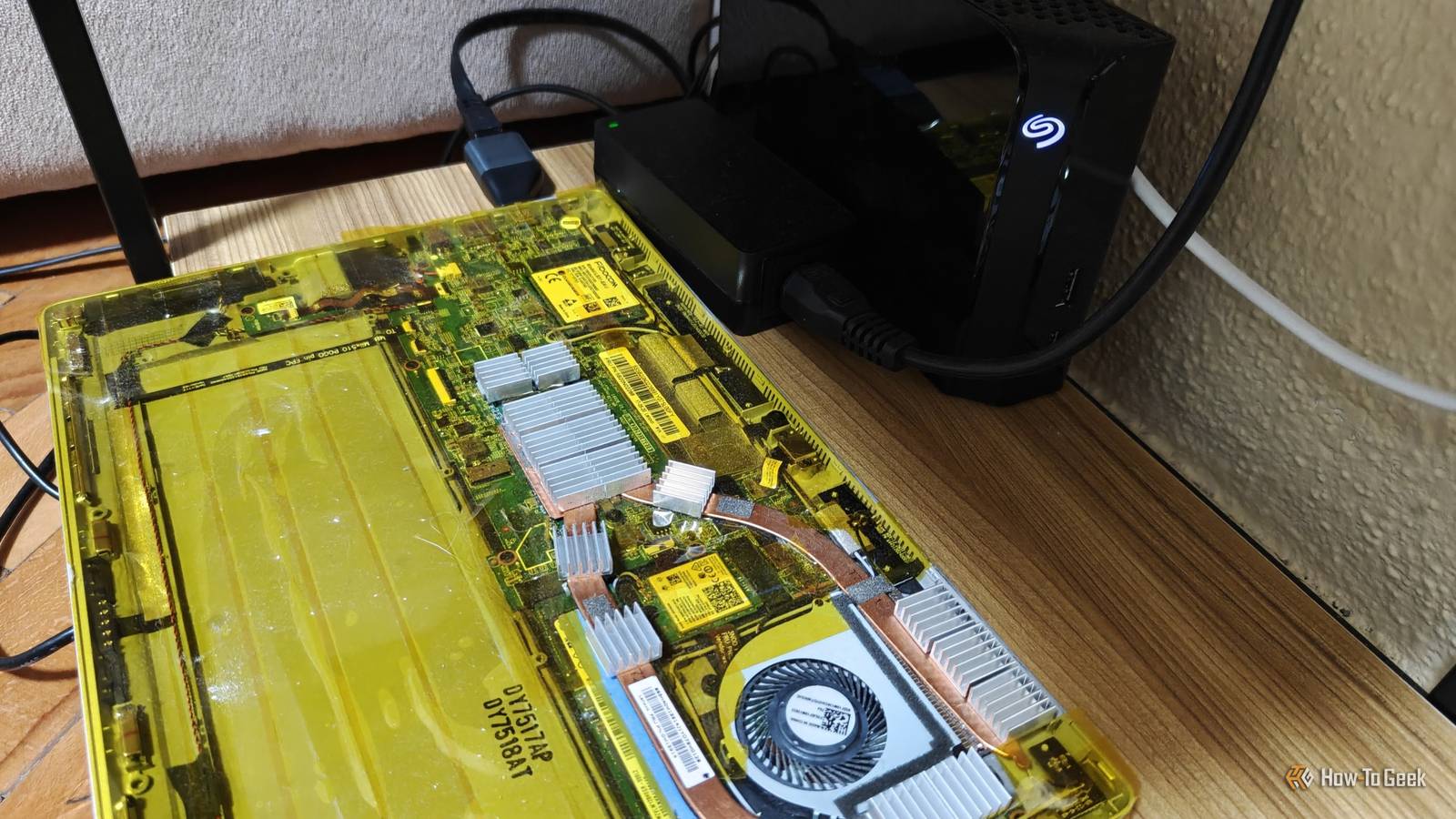
Published Oct 12, 2026, 8:00 AM EDT Ismar is a Senior Author at How-To Geek. He previously worked as a writer, editor, and general manager at a content agency before joining the team in 2023. He began his writing career in 2021 after completing a BA in English Language and Literature. Beyond How-To Geek, Ismar has contributed to Red Stag Fulfillment and Authority Hacker. He has also worked on various SEO projects to help clients improve their search visibility. Ismar has been around Windows PCs since the age of three, so friends and family naturally chose him as the resident tech support. His projects often involve tinkering, such as disassembling mechanical keyboards and gaming mice to mod his beloved gear. He also enjoys pushing hardware to the max through overclocking while staying on a reasonable budget. An avid gamer, Ismar has logged thousands of hours across various genres, including first-person shooters, RPGs, racing games, and roguelites. When he is not at his desk, he is probably exploring other people’s phones to discover their quirks and features or experimenting with the latest AI tools. In his free time, Ismar enjoys spending time with his wife, working out at the gym, playing guitar and bass, cooking gourmet meals, and traveling. Above all else, he’s a proud cat owner. Earlier this year, I found an old 2-in-1 convertible laptop in my closet that I hadn't touched in a couple of years after I cracked its screen. I'd since replaced it with a business laptop and figured the old machine wasn't good for much until I realized one day that I could just turn it into a headless home server. The problem was that this thin, portable laptop didn't have many ports to begin with, and after struggling with Wi-Fi for a while, I finally decided to buy a cheap USB-C-to-Ethernet adapter — and it's been nothing short of a massive upgrade. A laptop can be a great home server, but its port selection matters A server is only as good as its expandability Regardless of the specs, almost any old laptop can make for a surprisingly decent home server. The real bottleneck, at least initially, won't be the internal specs — it's the port selection. The touchpad and keyboard eliminate the need to plug in an external keyboard and mouse, even during initial setup (though I had to connect an external monitor via an HDMI adapter because of my cracked screen). Once it's operational as a headless server, you can use its USB ports for charging devices, external storage drives, a UPS, a printer, and any number of other accessories. While having more USB ports is nice, the real differentiating factor is whether the laptop has an Ethernet port. Many business and gaming laptops have one, but my old Lenovo Miix 510 was designed to be a thin-and-light Microsoft Surface alternative, so a highly portable design was the top priority. That's why it has only one USB-A port, one USB-C port, and a DC power jack. My old laptop-turned-homelab was struggling to keep up over Wi-Fi A server shouldn't be hogging the airwaves My initial plan was to use both USB ports for external storage, with flash drives and an external hard drive, and connect the DIY NAS/home server to the router over Wi-Fi. The laptop supports Wi-Fi 5 on the 5GHz band, with a maximum link rate of 867Mbps. Since it sits relatively close to the router in the kitchen, I thought that would be sufficient. However, it didn't take long to realize that Wi-Fi was a major bottleneck. I never came close to that theoretical 867Mbps maximum when transferring files between my PC and the laptop-turned-server. This was expected given the furniture between the laptop and router, as well as protocol overhead, but transfers between the SSDs in my PC and laptop topped out at just 300–400Mbps. It was especially slow when sending files from my phone to the laptop because the router had to receive and retransmit the data wirelessly. Uploading just a few photos could take over a minute. I could live with the slow transfer speeds, but that was only part of the problem. Relying on Wi-Fi also introduced reliability issues and airtime congestion. I was using the laptop as a media server for multiple devices around the house, some wired and some wireless. When it had to stream multiple TV shows simultaneously, I occasionally ran into buffering. It was especially annoying when I wanted to watch a show in 4K on my office TV while my wife's laptop and phone were competing for airtime in the kitchen, right next to the router. The final straw came when I wanted to add AdGuard Home to my network. This self-hosted service acts as a DNS server and network-wide filter that blocks unwanted requests, such as trackers. It needs a reliable connection to the router, but Wi-Fi made things unpredictable. Sometimes, AdGuard Home resolved DNS lookups much faster than my router, while other times, even a simple text-based webpage took several seconds to load. I finally had enough. An $11 USB-C Ethernet adapter fixed my biggest problem The simplest fix actually worked While I initially wanted to keep the USB-C port on my laptop available for external storage, I realized it was actually a fairly capable USB 3.1 Gen 1 Type-C port that supports transfer speeds of up to 5Gbps. So, I finally ordered a cheap Gigabit USB-C-to-Ethernet adapter from AliExpress, which let me take full advantage of the bandwidth available through my router's LAN ports. I didn't need anything faster anyway, since Gigabit Ethernet is enough to get close to the maximum real-world read and write speeds of my 6TB external hard drive. TP-Link USB to Ethernet Adapter TP-Link's UE300 USB to Ethernet adapter supports gigabit connection speeds, and is plug'n play with almost any modern operating system. As you can imagine, the real benefit was a stable and reliable connection. All the issues I mentioned earlier disappeared once I plugged in the adapter, and I reduced Wi-Fi airtime congestion in the process. Now, even when the laptop has to serve multiple high-bitrate 4K streams, it can do so without a hiccup, thanks to the reliability of a good old Ethernet cable. Last but not least, I was finally able to use AdGuard Home as a reliable alternative to relying on my router for DNS. That alone made this a massive upgrade for my entire network, and it cost me next to nothing. You don't need new hardware to start a homelab My laptop server is the definition of doing more with less. It has only a power jack and two USB ports, but I was able to turn it into a wired home server with a Gigabit Ethernet adapter and a simple external hard drive. Of course, the next natural step would be a USB-C hub that adds several USB ports and potentially video output. Be careful when choosing one, though, as some cheaper USB-C hubs only support 100Mbps Ethernet instead of the full Gigabit. Check the specifications before buying, or you could end up with an even worse networking bottleneck.
This $11 adapter turned my useless old laptop into a powerful home server
Full Article
Original Source
Read the full article at Howtogeek →KhanList aggregates and links to publicly available news content. We do not host full articles from third-party sources. Always verify important information with original sources.