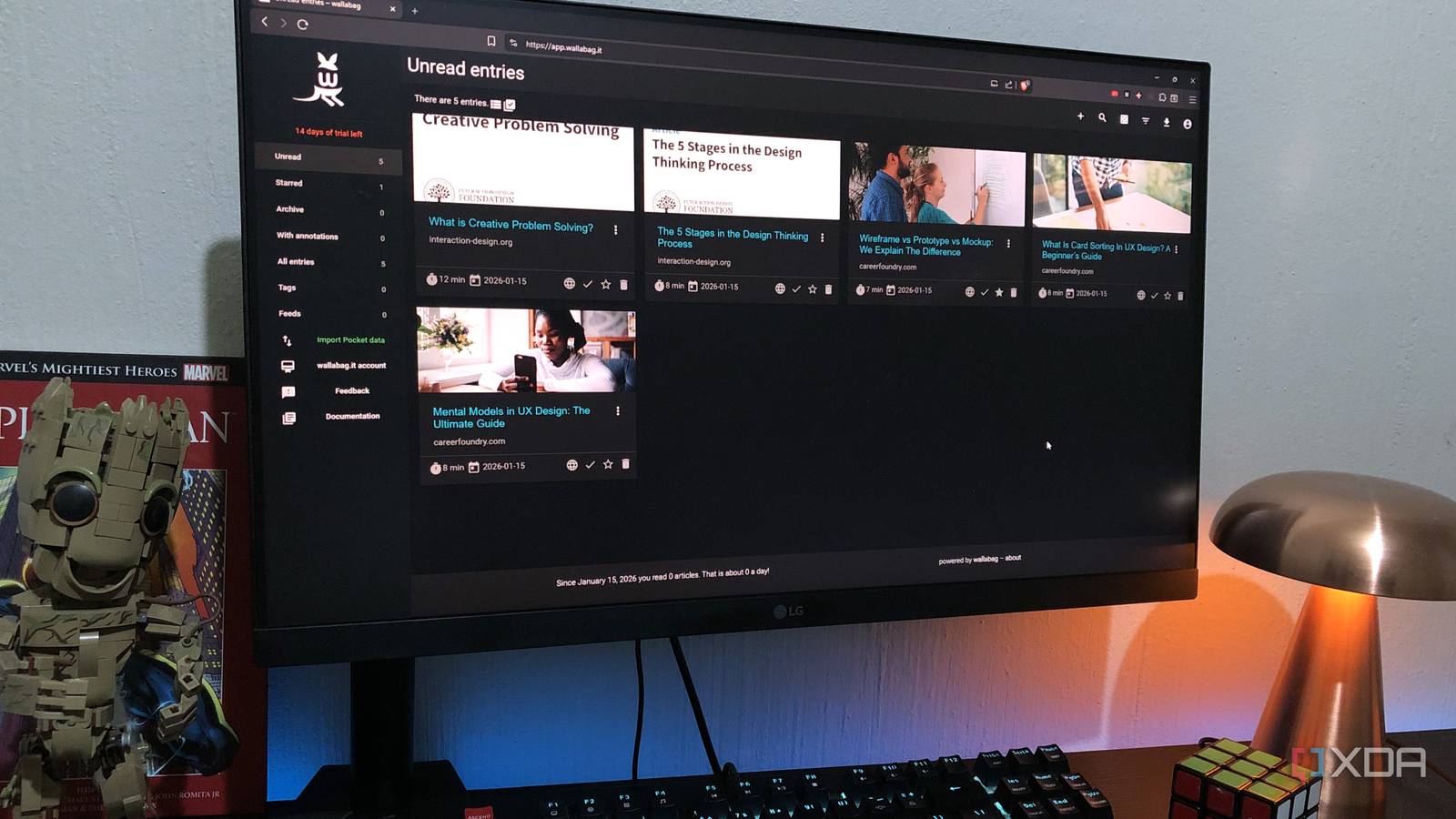
Published Jul 30, 2026, 1:00 PM EDT Nolen began their writing career in 2019, with three years dedicated to editing the Creative section at MakeUseOf. Their expertise lies at the crossroads of technology and creativity, covering areas like photography, video editing, and graphic design. Outside of work, you'll often find Nolen diving into a good book, writing their own stories, or playing video games. Productivity apps have always felt like a category that was easier to shop for than to actually use. There's this whole shelf of tools that promise to reorganize your life, but with that comes the inevitable loop of trying one out, using it for a week, maybe even getting the subscription, then canceling your subscription and forgetting about it. Some do stick around; in my case, a couple of the more mainstream picks earned a permanent spot, but plenty of the ones I tried didn't really do anything for me. Then almost by accident, while I was actually researching open-source alternatives for other tools entirely, I kept running into these four self-hosted apps across different categories. I gave them a go and it turned out the self-hosted versions of these categories were finally the ones I actually wanted to keep… Super Productivity A task manager I stumbled into and never closed, and I wasn't even looking for one Super Productivity is a free, open-source task manager that unifies task management, time tracking, and focus tools into one app. It's local-first with no account required, works offline by default, and stores everything on your device. Sync is optional and can be done through WebDAV, Dropbox, or the developer's own hosted service if you want. The feature set is genuinely deep for a free app. There's kanban, an Eisenhower matrix view, compact lists, or custom layouts you can build yourself. Built-in Pomodoro, timeboxing, anti-procrastination prompts, a "Finish Day" review flow at the end of every day, and integrations with GitHub, GitLab, Jira, and OpenProject for the developer crowd. I found it by accident, which is honestly why I trust it. I was researching self-hosted PKM tools as Notion alternatives, and Super Productivity kept coming up in the same lists, even though it's really not a PKM. I've never been a task manager person, I'd tried Todoist before but just drifted back to sticky notes (and relying on memory). But the UI on this one was interesting and is what kept me digging around in it, until I realized how useful this little tool actually is. One of my favorite features is the timer that lives directly on a task - by the end of the day, you can see exactly where the hours went, and then structure the upcoming week around these habits you might never have noticed before. Super Productivity AFFiNE The PKM that made Notion feel dated to me AFFiNE is an open-source knowledge base that combines documents, whiteboards, and databases into one workspace, and it pitches itself as "more than Miro and Notion". Unlike most tools that make that kind of claim, I think it actually holds up. It's local-first, has optional cloud sync, and can be fully self-hosted via Docker. So you own your data on disk regardless of which path you pick. The signature feature is that every document has both a Page Mode, which is a linear block-based editor in the style of Notion, and an Edgeless Mode, which is an infinite spatial canvas. It runs natively on Windows, macOS, Linux, iOS, and Android, and there's also a web app. I use it on desktop mostly, but the mobile client is decent, it's just not winning any UX awards. I found AFFiNE pretty early on when I was actively looking for Notion alternatives. The block-based editor is actually very similar to Notion, so it was easy to make the switch, except its feature set was already ahead of Notion. The edgeless canvas is what genuinely won me over. I use it for outlining concepts visually and mapping how ideas connect, and the fact that I can flip any linear doc into that view without setting up a separate canvas file is something Notion still doesn't have. I also think the AI features here are a little better than Notion's. The model generates mind maps, drafts, and structured outputs directly onto the canvas rather than just replying in a chat pane. It's not perfect but I lean on AFFiNE way harder than I ever leaned on Notion. That probably says more about it than any feature list. AFFiNE Wallabag A tool I didn't know I needed Wallabag is a self-hosted read-it-later app. You save articles to it, it strips out the ads and clutter, and stores a clean readable version of the page in your own archive. There's full browser extension support, mobile apps, an API, RSS export, and e-reader integration too. You can save from Firefox or Chrome, read on your phone offline, or send articles to a Kobo. You can either self-host it via Docker in about 90 seconds with the official Docker Compose file, or use their paid hosted service if you don't want to run a server yourself. It also handles file management to an extent, you can save PDFs and other documents to it, tag everything, and export to EPUB or PDF for offline reading. All in all, a pretty decent tool, but it did take some convincing for me to actually start leaning on it. Wallabag's popularity went up quite a bit after Pocket shut down last year, which is the reason it ended up on my radar in the first place. I never used Pocket myself, but people were rebuilding their workflows around Wallabag and it kept coming up. My previous setup was "bookmark it in Brave or paste the link into a note," which meant articles I actually wanted to read got lost in a folder next to five hundred others I'd never revisit. So I decided to give this a go, and really ended up liking the strip-to-clean-text conversion, plus tagging and full-text search. I don't just save the link, I save the article, and I can pull up everything I've saved on a specific tool or topic when I'm writing about it. So it's more of a research tool for me than anything. Wallabag Vaultwarden Getting a password manager was long overdue Vaultwarden is a self-hosted, community-built server that's fully compatible with the official Bitwarden client apps. Same browser extensions, mobile apps, and desktop apps, but just pointed at your own server instead of Bitwarden's cloud. It runs in a single Docker container, uses around 10 to 20MB of RAM at idle, and unlocks the premium Bitwarden features like TOTP codes, emergency access, file attachments, and organizations for free, because there's no licensing gate on your own instance. You do need to keep the instance running for the apps to sync new passwords, though the clients cache your vault locally, so you can still use existing passwords even if the server is temporarily unreachable. My previous "system" was letting Brave save everything, and relying on my head for the accounts I didn't keep in the browser. But neither is very reliable. Brave's built-in vault ties everything to that browser on that machine, and my head only really covers the accounts I log into every day. Vaultwarden took maybe a minute to spin up with Docker, and once the browser extension and mobile app were pointed at my instance, it disappears into the background. Vaultwarden Key highlights Self-hosted Bitwarden alternative The self-hosted apps that made me a productivity-app convert The common thread isn't even privacy or cost, though those are nice, it's that these ended up being better-designed daily tools than the mainstream ones I'd tried before them. So much so, that they actually changed my mind on which productivity categories were worth caring about in the first place.
These self-hosted productivity tools did something mainstream apps couldn't — they actually stuck
Full Article
Original Source
Read the full article at Xda-developers →KhanList aggregates and links to publicly available news content. We do not host full articles from third-party sources. Always verify important information with original sources.