
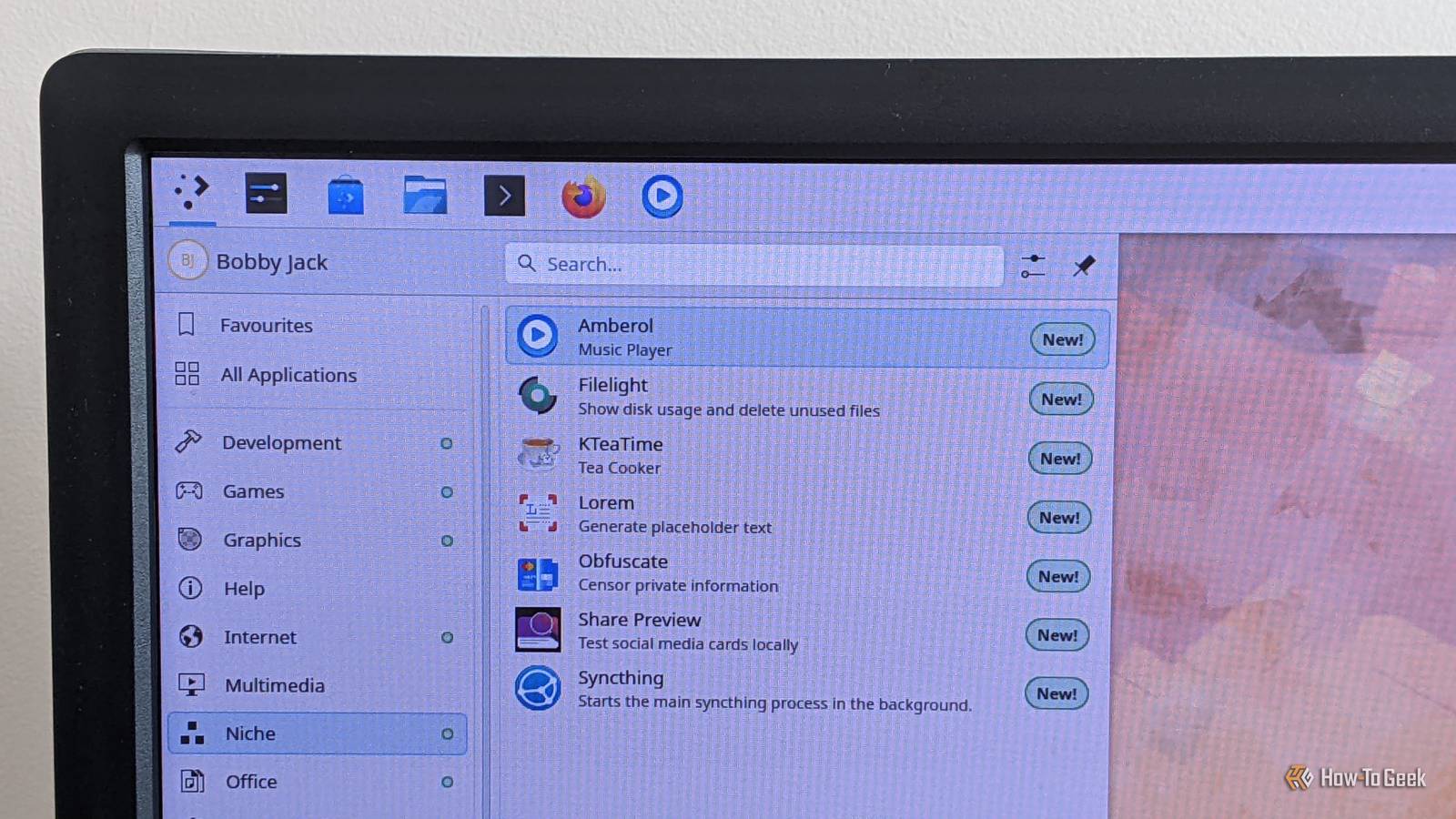
Published Sep 9, 2026, 2:00 PM EDT A technology enthusiast, Bobby studied Computer Science at the University of Southampton before working in a number of roles across industries, from the private sector to the charitable one, at multinationals and startups. He’s helped maintain backend Java servers, designed databases and front-end interfaces, and created a bespoke content management system. Bobby also enjoys video gaming, and has written for several outlets, including a stint as Editor-in-Chief at Switch Player Magazine and contributions to online magazine, SUPERJUMP. Bobby uses a Mac for day-to-day work and an Android phone for distractions. Firefox, GIMP, and LibreOffice are the obvious, popular apps that you'll see everyone recommend for your Linux system. But there are many more apps beyond those. These more obscure utilities provide simple, tailored experiences for tasks you may not carry out all the time, but when you do, you'll be grateful for them. Sharing links via social media can be hit-or-miss, depending on your webpage's underlying metadata. With the right data, you'll generate attractive, informative cards for your sites. Without it, you'll see broken links, missing images, and maybe even off-putting errors. Share Preview aims to fix all this, with clear previews for common social media services. Give it a URL, and it'll display an accurate version of the card you'll expect to see on X (Twitter), Facebook, LinkedIn, Discourse, and Mastodon. The app also has a Scraping Log feature, which is invaluable for troubleshooting. This reports issues at various levels (e.g., WARNING, DEBUG), helping to explain why your social media cards aren't formatted as you'd expect. Filelight Visualize disk usage Most file managers display files as icons in a grid, maybe in a hierarchical view, or in a long list. Filelight is different. Then again, Filelight is less a file manager than a whole new way to visualize your disk usage, from various viewpoints. Filelight shows a classic list of folders, with their total size, in a panel on the left-hand side. But the main panel is a colorful, concentric ring chart that shows disk usage in a way that's easy to understand. Different colors group individual folders, and the overall effect highlights files and folders that take up significant amounts of space. The app is remarkably quick, even if you're displaying hundreds of thousands of files at the root level of a filesystem. It may be an unusual presentation, but many apps take a similar approach, proving this particular data visualization is a popular one. KTeaTime A handy timer for steeping tea I'm British, so it's fair to say this app is right up my street. It's one of the most specific on this list, tailor made for us fans of leaf-based, hot-water drinks. KTeaTime operates entirely via a system tray icon. Click the teacup, and you'll see a list of options, from Black Tea to Fruit Tea. Just select your drink of choice from this menu, then await a notification as it brews; you'll never get an insipid or bitter cuppa again! OK, so this might seem far too niche to really be of use, but there's one redeeming feature here: you can configure the options exactly as you'd like. This means not only the timings, but the labels and even the total number of options available. You can, therefore, use KTeaTime as a handy timer app for any set of tasks you might carry out regularly, from Pomodoro breaks to exercises, egg cooking, and more. Syncthing Continuous file synchronization On many occasions, I've needed to sync a file between one machine and another, like my desktop Mac mini and mini PC. While there are many ways to do this, they're typically fiddly and unintuitive. In fact, my go-to is usually to open up Google Drive and upload a file, then download it on the other computer. Syncthing makes this unnecessary, providing a much quicker alternative that doesn't rely on internet access or sending any data to a third-party provider. Syncthing's main interface is web-based, so your browser will pop up and display it on request. Initial setup involves linking the devices you want to share files between and designating specific folders to share. Once you've done this, however, all changes will be kept in sync seamlessly, without you even having to think about it. Amberol Plays music and nothing else Forget Spotify, Bandcamp, and the rest; if you've got a local music collection, Amberol is the way to play it. With basic support for playlists, playback controls, and keyboard shortcuts, this little app is a perfect music dashboard. Amberol is a GNOME app that follows the platform's guidelines to present a minimal, highly usable interface that gets out of your way and focuses on the task at hand. It also runs fine on KDE, even integrating with the system tray if you close its main window. This app is resolutely local, so it won't, for example, download cover art from the internet. But it handles artwork embedded in music files or present in your music directory as separate images, exactly as you'd expect, for an attractive display that automatically themes to match. Obfuscate Redact your private information from any image If there's a more targeted app than this one, I'd like to know what it is. Obfuscate exists to, almost entirely, let you add black rectangles on top of images. Of course, it does this for very good reason, allowing you to preserve anonymity and prevent your private data from getting leaked. In addition to the black bar format, there's a blur feature which, as the app warns, shouldn't be used for anything highly sensitive since the information may still be recoverable. Such an app may seem unnecessary, but it's a lot less weighty than a full graphical app like GIMP, and it's much easier to use for the sole purpose of redacting. Lorem To generate placeholder text in style When I’ve worked on web design or prototyping tasks, I’ve usually ended up at lipsum.com, a site that’s dedicated to this classic piece of placeholder copy. There’s a better option, though: the Lorem utility. I like this app because it’s so simple and does the job with zero distractions. Choose between words and paragraphs, set the number that you want to generate, then copy your placeholder text; Ctrl+C copies all the text by default. Lorem is the type of app you won't need every day, but when you do need it, it's a handy shortcut that you'll appreciate for its simplicity. Linux has free, open-source apps that cater to all needs Many niche apps are officially supported by GNOME and KDE. Most of them are simple tools, focused on a single task, following the Unix philosophy that underpins so much great software.
These obscure Linux utilities solve problems you didn’t know you had
Full Article
Original Source
Read the full article at Howtogeek →KhanList aggregates and links to publicly available news content. We do not host full articles from third-party sources. Always verify important information with original sources.