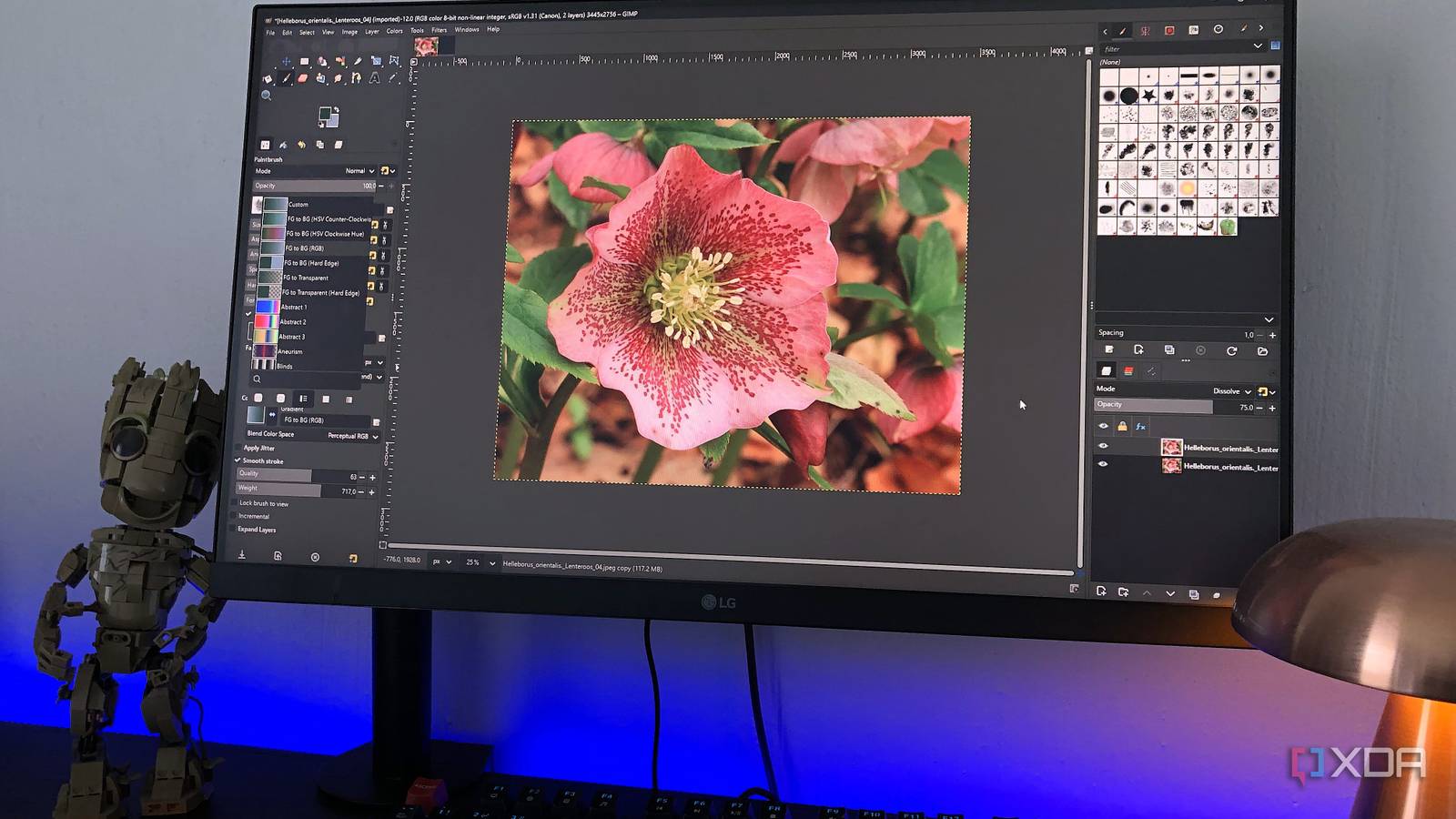
Published Jul 28, 2026, 8:30 AM EDT Beginning his professional journey in the tech industry in 2018, Yash spent over three years as a Software Engineer. After that, he shifted his focus to empowering readers through informative and engaging content on his tech blog – DiGiTAL BiRYANi. He has also published tech articles for MakeTechEasier. He loves to explore new tech gadgets and platforms. When he is not writing, you’ll find him exploring food. He is known as Digital Chef Yash among his readers because of his love for Technology and Food. I used to think the latest software would automatically be the best choice. New apps arrive with polished interfaces, AI features, and promises to improve the way we work, so it's easy to overlook older tools. After trying many of them, though, I kept returning to a handful of open-source applications that have been around for decades. They may not generate the same buzz as newer alternatives, but they continue to deliver where it matters most. These are the five open-source apps that have earned a permanent place on my computer because they still outperform many modern alternatives. GIMP (1996) It still handles almost everything I need without asking for a subscription I still keep GIMP installed even though plenty of newer image editors have appeared over the years. Whenever I need to crop screenshots, remove backgrounds, resize images, or make quick graphics for a blog, it's usually the first app I open. It launches quickly, works completely offline, and never interrupts me with account sign-ins or upgrade prompts. It has aged like a fine wine. Despite first launching in the 1990s, it continues to receive updates and supports modern image formats, layers, masks, filters, and plugins. For the kind of image editing I do every day, I rarely feel like I'm missing anything important. I've tried web-based editors and newer desktop apps, but many either lock useful features behind subscriptions or rely heavily on cloud services. GIMP stays focused on image editing, and that's exactly why I keep coming back to it. It may not have the flashiest interface, but it still gets the job done reliably. GNU Image Manipulation Program (GIMP) The GNU Image Manipulation Program (GIMP) is an open source, free image editor with support for multiple operating systems. I've never had to wonder whether it can play a file VLC media player is one of those apps I install on every new computer without thinking twice. Over the years, I've thrown all kinds of video and audio files at it, and it almost always just works. I don't have to search for codecs, install extra plugins, or deal with compatibility issues. That reliability is the biggest reason I've never replaced it. Even after more than two decades of development, VLC continues to receive updates while staying lightweight and easy to use. It opens quickly, plays local files smoothly, and even handles network streams and subtitles without much effort. I've tried newer media players with modern-looking interfaces, but many come with ads, unnecessary features, or premium upgrades. VLC stays focused on one job: playing media. It doesn't try to sell me anything or collect my data. After all these years, it's still the media player I trust the most because it simply works every time. VLC VLC is one of the best open-source media players ever created. 7-Zip (1999) I forgot archive software could even be complicated 7-Zip is one of those utilities I barely think about because it quietly does its job every single time. Whether I need to compress a large folder before uploading it or extract a ZIP, RAR, or 7z archive, it's the tool I reach for by default. It supports almost every archive format I've come across, and I've never felt the need to replace it. Despite being around for decades, it remains lightweight, fast, and completely free. It doesn't fill the interface with unnecessary buttons or try to bundle extra software during installation. Everything is simple and exactly where I'd expect it to be. I've tested newer archive managers over the years, but many add features I never use or push paid upgrades for basic tasks. 7-Zip focuses on doing one thing well, and it still delivers excellent compression, quick extraction, and dependable performance. That's why it has stayed on every PC I've owned. 7-Zip 7-Zip is the best and most powerful replacement for paid archiving software. Notepad++ (2003) It's still my fastest way to edit text and code Even though I no longer write code every day, Notepad++ is still one of the first apps I install on a Windows PC. I use it to edit configuration files, clean up plain text, compare snippets, and quickly open log files. It launches almost instantly, even on older hardware, which makes it much faster than opening a full-featured code editor for simple tasks. Over the years, it has gained useful features like syntax highlighting, tabbed editing, search across multiple files, and a plugin system without becoming bloated. It still feels lightweight, responsive, and easy to navigate. I've used modern editors with AI tools and countless extensions, but they often take longer to start and include features I don't need for quick edits. When all I want is a fast, reliable text editor that stays out of my way, Notepad++ is still the one I trust. Decades later, it continues to do that job exceptionally well. Notepad++ Notepad++ is a free, open-source code editor for programmers and coders Inkscape (2003) It proves professional vector editing doesn't need a monthly fee Whenever I need to create logos, icons, diagrams, or simple SVG graphics, Inkscape is the tool I open first. It gives me all the essential vector editing features I need without asking me to pay for a subscription. For blog illustrations and website graphics, it has been more than capable. What surprises me most is how much it has improved over the years. Despite being over two decades old, it feels polished, supports modern SVG standards, and continues to receive regular updates. The interface has become easier to use, performance has improved, and exporting graphics for different platforms is straightforward. I've experimented with newer design tools, especially browser-based ones, but many reserve advanced features for paid plans or require an internet connection. Inkscape keeps everything local and focuses on creating high-quality vector graphics. It may not be the trendiest design app today, but it's one I can rely on whenever I need professional results without ongoing costs. Old software, better choices After spending years trying new apps, I've realized that age doesn't say much about how good a piece of software is. The tools I keep coming back to are the ones that stay reliable, respect my workflow, and don't get in my way. These open-source projects have survived for decades because they've consistently solved real problems instead of chasing trends. While newer alternatives often focus on subscriptions, AI features, or flashy redesigns, these apps continue to prove that solid engineering lasts. Sometimes, the smartest upgrade isn't installing something new; it's sticking with software that has already stood the test of time.
These decades-old open-source apps still outperform many modern alternatives
Full Article
Original Source
Read the full article at Xda-developers →KhanList aggregates and links to publicly available news content. We do not host full articles from third-party sources. Always verify important information with original sources.