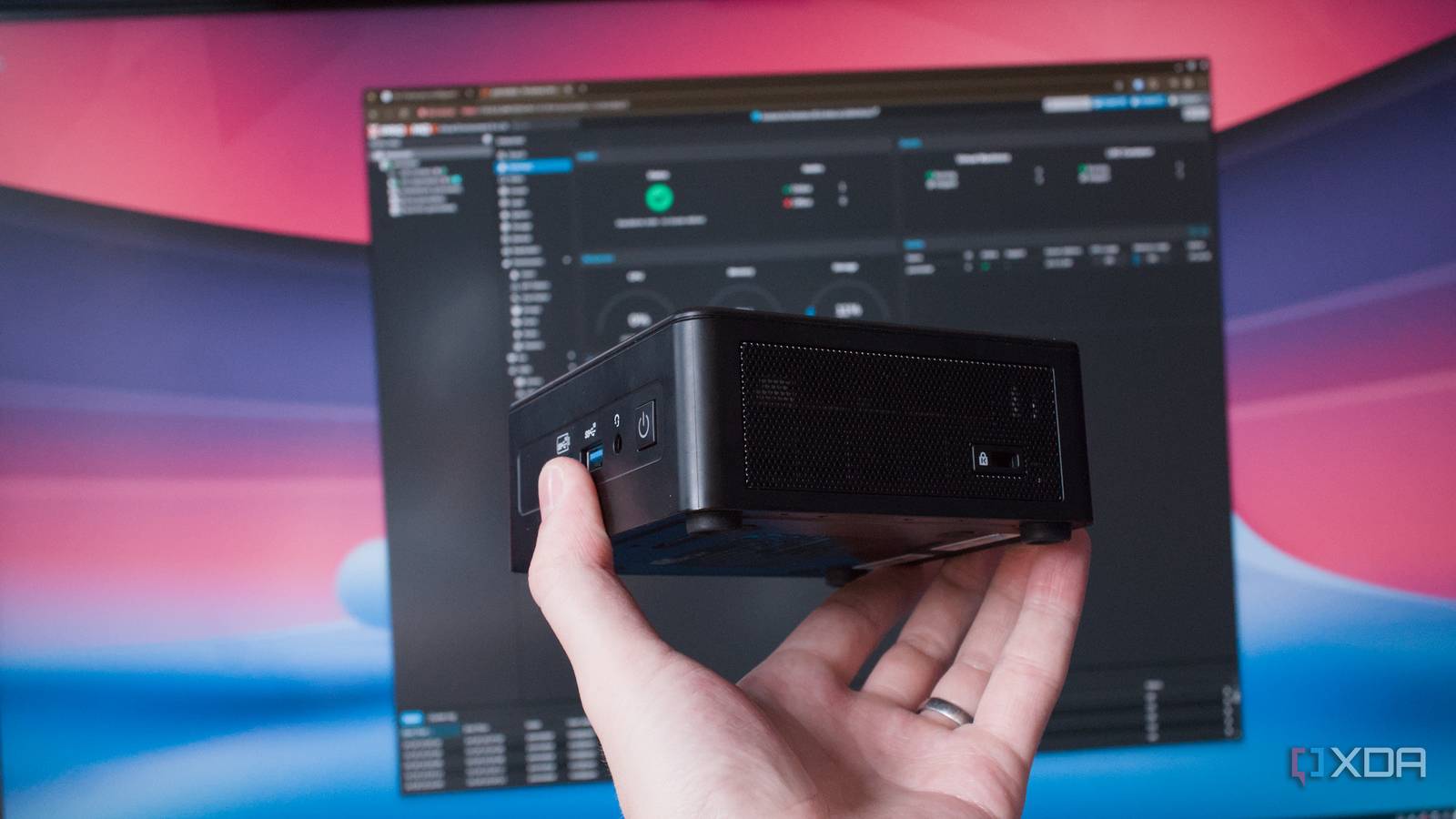
Published Jul 29, 2026, 6:00 AM EDT Richard is the PC Hardware Lead at XDA and has been covering the technology industry for almost two decades. He's been building PCs since young, and when not creating content, you can often find him inside a chassis somewhere. Choosing the right containers and apps to run on a home server can prove challenging if you don't know where to start. I've been running apps and services on network-attached storage (NAS) enclosures, a powerful Threadripper custom server, mini PCs, and compact business-class desktop PCs. If I'm starting fresh with a mini PC for a home lab setting, which I did for a development and experimental branch, I always make sure a few self-hosted apps are installed and running 24/7. Homepage There's no place like /home There's no point having a vast self-hosted empire if there's no clear way to oversee and manage it all. That's where something like Homepage comes in. It's a simple dashboard app that's nothing more than a static web page, which can be loaded on just about any device with an available browser. If I so desire, I can have my entire home lab displayed on the living room TV—though I'd likely be the only one present who would appreciate the scale of the homebrew operation. Homepage has it all, however. Sure, you could create your own with a simple LAMP container and achieve similar results, but Homepage is easy to install, configure, and manage once up and running. It's all using YAML, which you'll either love or hate, depending on how accustomed you are to coding and whether you'll remember just how many indents are required with each line. But once the stars align and everything works as intended, Homepage is actually pretty powerful. The app can be integrated with both internal and external services. I have Jellyfin and Immich running within the LAN, which can both provide data that Homepage can parse and relay. For instance, when Jellyfin is being used to stream something, that particular stream can be shown on the Jellyfin card. The same goes for how many movies, shows, and tracks are available. Sometimes you don't recall all the various IP addresses for each hosted container, and other times a guest may need access. Homepage makes it easy to check how the home lab is running, as well as access specific parts of it on the LAN, which is why it's among the first self-hosted apps I install and have running 24/7. Jellyfin Cutting the streaming services There's a good chance you don't need to transcode a single file on your media server, as most modern clients are really good at supporting all the various formats and resolutions. I'm lucky enough to have a situation where our Jellyfin server almost never has to transcode a file on the fly, reducing the CPU overhead and making it possible to comfortably run the software on a compact mini PC alongside a few other capable Linux containers. Jellyfin is my all-time favorite media streaming platform. I used to love Plex and used it extensively to make our catalog of purchased media available to those within the household, but I've since switched to Jellyfin and have yet to look back. The best part about using something like Jellyfin is that it's actually fairly lightweight for what it does. Jellyfin effectively catalogs all our media, be it movies, shows, or music, and matches it to databases for metadata and image sourcing. The end result is an experience akin to browsing and using something like Netflix, except there's no monthly charge. Have a 4K Blu-ray disc or digital movie file purchase? Simply copy it to the NAS, load it into Jellyfin, and start streaming. It's that easy. There's no waiting around for buffering; it works from within the home or outside, and there's never a day when access will be revoked, which is something that could always happen to the big streaming platforms. If you're tired of logging in only to find your favorite movie or series completely wiped from the online service, it may be time to consider alternative options like self-hosting your own media streaming service. Gitea It's like GitHub, but better What's better than the merging of Git and tea? Gitea, of course, but it's definitely a must-have for me when configuring the home lab from scratch or starting anew. There's a reason why this app is always running on my LAN, and that's because it's absolutely brilliant at storing all my projects as well as documentation on the entire network and server stack. Through the power of ink and sticky paper, I'm able to use stickers and QR codes to link to specific Gitea pages for all my hardware. It's great having such a wealth of information at the ready, and it definitely makes setting up the home lab or even managing it that much simpler. Instead of having to recall credentials, addresses, and the like, I can load up a Gitea file, and it'll tell me everything I need to know about that very specific component of my smart home. I can scan the QR code of one of my servers, and I'll be greeted by details on the box itself, as well as the OS running on it and all the virtualized containers. And because all these files are dynamic in that they can be updated later with new data or changes applied, it means I don't have to go around and cover the old labels with new versions. Everything is as simple as it was, but Gitea adapts to the ever-changing landscape that happens to be my home network and lab. It's also handy for my spouse, who can parse some of the information and follow easy steps to troubleshoot specific issues, for instance, with the Wi-Fi from one of the access points (APs). Frigate Home security, without the subscriptions Tired of forking out to keep your home safe? I was, even though I appreciated the closed ecosystem Ring offered. Frigate was a means to configure my own network video recorder (NVR) with a few cheap and cheerful Reolink IP cameras. These all support Power over Ethernet (PoE), allowing me to install them at convenient locations to cover all parts of the property, including the entrance from the main road, without the need for dedicated power. But it's the effectiveness of Frigate as a software solution that really caught me off guard. A mini PC typically doesn't have very good integrated graphics, at least not powerful enough to handle 4K gaming and the like. That said, these chips are usually more than capable of handling a few camera streams in Frigate with some object detection. It's always best to use the available GPU at the hardware level, but I have had good results relying on the CPU alone. The only drawback of Frigate is it usually runs in a VM on the mini PC and other devices I install it on, which takes away the GPU from other virtualized instances, be they a VM or LXC. This could cause problems if you're wanting to use multiple containers that require access to this specific component, but there are workarounds, and for me, nothing I need running 24/7 requires the GPU outside of Frigate, but even then I could make the switch and fall back to the CPU for a while. Home Assistant The heart of any smart home If there's one self-hosted app I simply cannot run my home lab without, it would be Home Assistant. This platform is the center of my smart home. It handles everything. I'm talking smart plugs, bulbs, relaying information on our renewable energy, as well as taking control of frequent tasks that can be carried out via simple automations. The best part about Home Assistant is that it can be as straightforward or as complicated as needed, allowing for some serious room for customization and flexibility. If you haven't used Home Assistant before, it's essentially an open platform for controlling smart home gadgets with support for integrations that can easily expand its functionality with the click of a few buttons. I even have Home Assistant running a Zigbee network, which is dedicated to all my compatible smart home products. This frees up valuable wireless network capacity for other clients by utilizing a separate protocol for sensors and the like. A mini PC running a few containers and VMs will have no issue running Home Assistant, specifically Home Assistant OS (HAOS). It's fairly lightweight unless you pack it full of integrations and countless automations to create the ultimate smart home. Once you've fired up Home Assistant for the very first time, it's difficult to ignore the allure to dig deeper down the rabbit hole with dedicated dashboards and control panels, re-using older hardware. Be forewarned! Mealie Cooking was made that little bit easier I love food, and I love eating. Lucky for me, I have a spouse who loves cooking far more than I, making us the perfect duo. To get the most from our kitchen, I installed and configured Mealie a few years ago. It was an immediate success with my wife. She's able to create new recipes for various cuisines she loves to explore, not to mention I can accompany our meals with some custom, homemade cocktails. Everything is stored with full ingredients, a step-by-step guide, and images. My personal favorite part of Mealie is the planner, allowing us to map out the week ahead. Not only does this solve the issue of "What are we having for dinner this evening?" but it also allows us to shop for precisely what is required and nothing more, which in turn helps to keep costs down when everything only seems to cost more daily. There's even machine learning support, quickly parsing through ingredient lists and the like. It's a powerful tool and one we rely on. It's all powered by Proxmox I love using Proxmox. It's rock-solid, incredibly capable yet easy to use, and offers the means to take advantage of a mini PC within a home lab setting. All one requires is some local storage, a few self-hosted apps in mind, and a community script or two to make the installation process absolutely painless. It's the OS I wish I used back when I first started messing about with servers at home over Debian or Ubuntu Server. It's also the glue that binds all my must-have self-hosted apps that run 24/7 at home.
These 6 self-hosted apps turned my mini PC into a full home lab, and I run them 24/7
Full Article
Original Source
Read the full article at Xda-developers →KhanList aggregates and links to publicly available news content. We do not host full articles from third-party sources. Always verify important information with original sources.