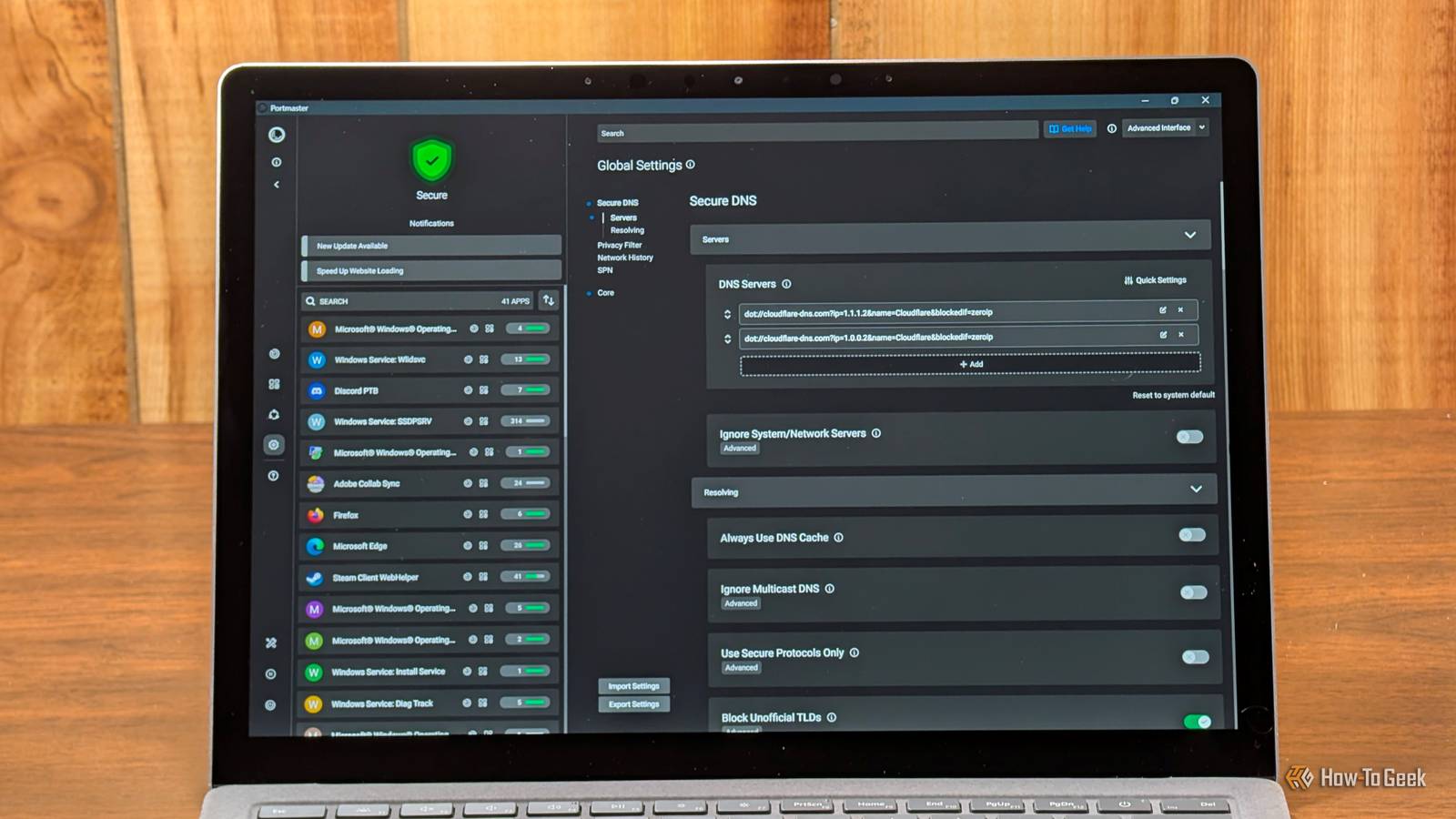
Published Aug 6, 2026, 6:30 AM EDT Nick Lewis is an editor at How-To Geek. He has been using computers for 20 years --- tinkering with everything from the UI to the Windows registry to device firmware. Before How-To Geek, he used Python and C++ as a freelance programmer. In college, Nick made extensive use of Fortran while pursuing a physics degree. Nick's love of tinkering with computers extends beyond work. He has been running video game servers from home for more than 10 years using Windows, Ubuntu, or Raspberry Pi OS. He also uses Proxmox to self-host a variety of services, including a Jellyfin Media Server, an Airsonic music server, a handful of game servers, NextCloud, and two Windows virtual machines. He enjoys DIY projects, especially if they involve technology. He regularly repairs and repurposes old computers and hardware for whatever new project is at hand. He has designed crossovers for homemade speakers all the way from the basic design to the PCB. Nick enjoys the outdoors. When he isn't working on a computer or DIY project, he is most likely to be found camping, backpacking, or canoeing. Microsoft Defender Firewall is a decent enough firewall. Its major problem isn't a lack of capability, it is a mixture of the default settings and the interface. Outbound filtering is effectively unmanaged by default, and the interface's per-app control is unbelievably tedious. When you set up and use a third-party firewall, the two biggest things you'll gain are ease of use and control. You'll be able to know which application is talking to a service on the web, be prompted when something tries to form a connection, run a DNS filter, and create security policies for the entire network. There are two different ways you can approach that. One approach is to run a different firewall on your PC that provides more control; the other requires running a firewall on your router. The first options I've included are programs that run on your PC; the other two are designed to run on your network. Portmaster is a firewall for any PC Built on WFP but with way more control Portmaster is a firewall suite from Safing. It hooks into your network stack via a WFP kernel driver on Windows (and nfqueue/eBPF on Linux), meaning every single packet is visible and stoppable. You should use Portmaster if you want a live, scrolling list of every application's connections and destinations as they occur. Unlike Defender, which doesn't really emphasize per-app controls, Portmaster makes them the primary interface. It also intercepts stray DNS queries and reroutes them through DoT or DoH resolvers that you specify, applying maintained filter lists to kill ads, trackers, and phishing attempts before they even reach your browser. As a result of everything it can do, it is quite a bit heavier than Windows' firewall, or any other option on this list. If you are running an older or low-power machine, you will notice the overhead. While there is a paid Pro tier for access to Safing's SPN network, the core firewall and filtering remain free. I use the free version on a few of my devices, and I've had a good experience with it. Fort Firewall You get better control over svchost Credit: Fort Firewall Fort Firewall is a free, open-source tool built directly on the Windows Filtering Platform. It provides app groups, wildcard path matching so you can block entire folders, and rate limiting. It is especially helpful if you've ever tried to block a specific Windows component only to discover that everything is bundled under svchost.exe. Defender’s default per-app approach just doesn't work in that scenario, since blocking svchost usually just breaks your ability to use the internet entirely. You can manage a service individually, but it is a pain. Fort Firewall distinguishes between individual services sharing that host process easily, allowing you to block one specific service without disrupting the rest. Additionally, its wildcard app paths ensure that your rules don't break every time an application updates and changes its version-numbered folder, which is a common problem I've encountered with GlassWire. The trade-off is a dense interface that is pretty daunting if you've never used it before. It is Windows-only and has a smaller community than Portmaster, so you may have to dig deeper into the documentation if something behaves unexpectedly. OPNsense Moving the firewall off the PC completely Credit: OPNSense PC-based firewalls are great, but your smart TV, IoT lightbulbs, and printers cannot run a Windows firewall; you need to move the firewall somewhere else in your network. To do that, I'd recommend OPNsense. OPNsense is a FreeBSD-based routing platform that protects every device on your network. OPNsense offers you abilities that Defender can't replicate: intrusion detection (via Suricata), network-wide DNS filtering, and VLAN segmentation to isolate untrusted IoT devices from your main PC. It also provides traffic reporting that shows you exactly where your bandwidth is going across the entire house. The problem is that it requires dedicated hardware, usually a mini PC with two NICs. There is also an extremely steep learning curve that comes with manually handling routing. IPFire A simpler network firewall Credit: IPFire IPFire is a community-developed distribution with a security-first philosophy. While OPNsense offers a huge range of features, IPFire focuses on a streamlined, hardened-by-default approach. You should choose IPFire if you want clean network segmentation without the complexity that OPNsense demands. It splits your network into color-coded trust zones (LAN, DMZ, wireless, internet). This means an untrusted device is contained by the default configuration rather than relying on rules you have to remember to write manually. It runs comfortably on modest hardware and includes proxying and content filtering. However, the interface is more utilitarian, and there are fewer third-party tutorials available compared to OPNsense. Pick one for your PC and one for your network Host-based tools tell you which application is talking and let you control them; network-based tools protect all the devices on your network, including IoT devices. If you can only pick one, I'd recommend starting with Portmaster and then adding OPNsense on a small mini PC later on to protect the rest of your home. If you're specifically having issues with Windows services, try out Fort Firewall.
These 4 free, open-source firewalls do what Windows Defender can't
Full Article
Original Source
Read the full article at Howtogeek →KhanList aggregates and links to publicly available news content. We do not host full articles from third-party sources. Always verify important information with original sources.