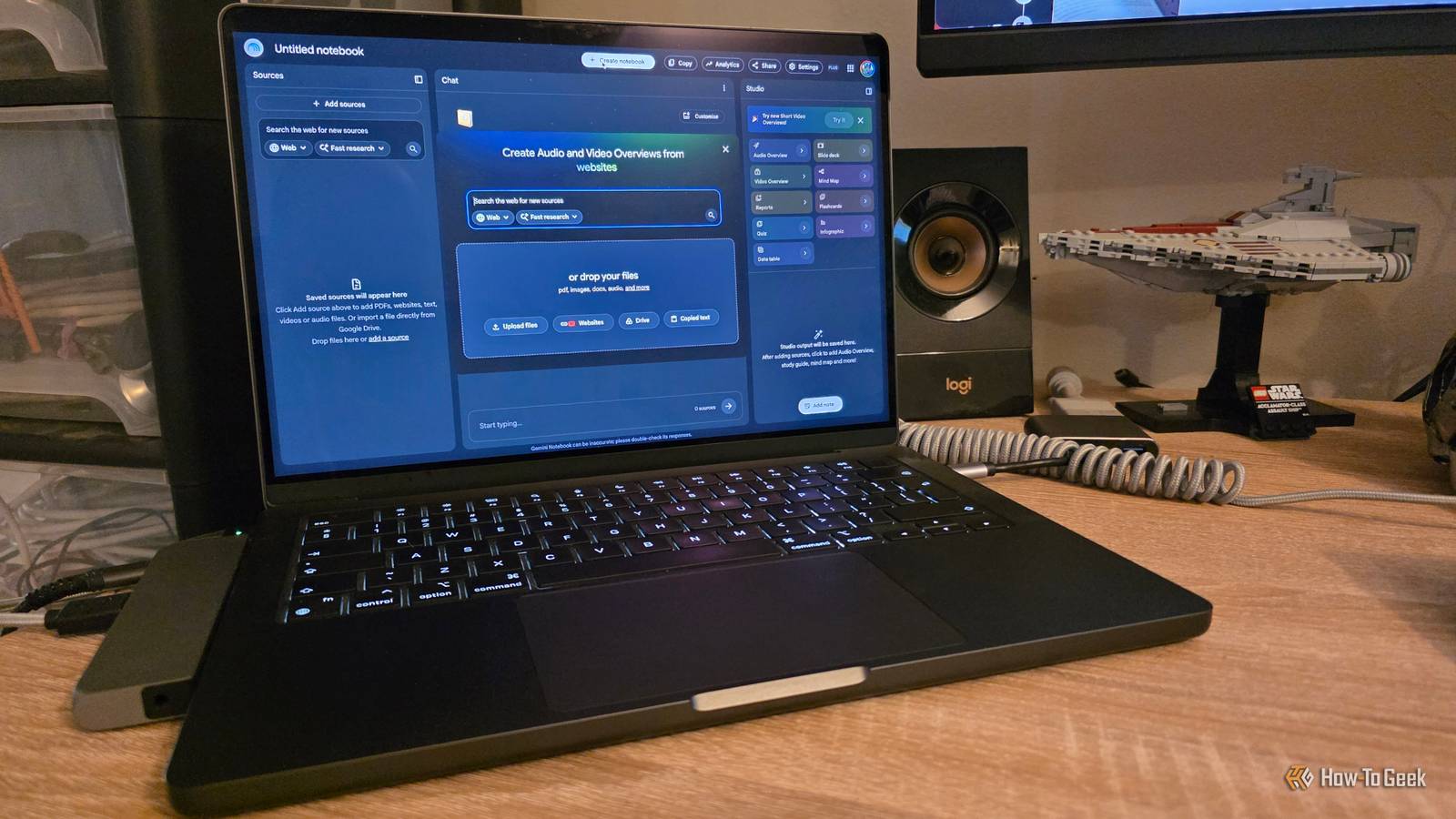
Published Aug 4, 2026, 9:30 AM EDT Sydney Butler is a technology writer with over 20 years of experience as a freelance PC technician and system builder and over a decade as a professional writer. He's worked for more than a decade in user education. On How-To Geek, he writes commerce content, guides, opinions, and specializes in editing hardware and cutting edge technology articles. Sydney started working as a freelance computer technician around the age of 13, before which he was in charge of running the computer center for his school. (He also ran LAN gaming tournaments when the teachers weren't looking!) His interests include VR, PC, Mac, gaming, 3D printing, consumer electronics, the web, and privacy. He holds a Master of Arts degree in Research Psychology with a minor in media and technology studies. His masters dissertation examined the potential for social media to spread misinformation. Outside of How-To Geek, he hosts the Online Tech Tips YouTube Channel, and writes for Online Tech Tips, Switching to Mac, and Helpdesk Geek. Sydney also writes for Expert Reviews UK. He also has bylines at 9to5Mac, 9to5Google, 9to5Toys, Tom's Hardware, MakeTechEasier, and Laptop Mag. Chatbots like ChatGPT and Claude get all the attention when it comes to the current generation of AI technology, but there are so many other genuinely useful applications of AI that involve more than telling a computer about how your day's been going. Gemini Notebook (formerly NotebookLM) Make your research come to life One persistent area of concern for AI chatbots is "hallucinations" where the model produces facts or statement based on nothing, that don't correspond with reality. However, if you've ever worked with a tool like ChatGPT, you might know that if you provide the information (such as PDFs) then it's much less likely to make things up, and tends to stick to the source material provided. But it does still happen, which is why Google's Gemini Notebook is such a powerful tool. It's built from the ground up to work with the sources that you provide, instead of relying on knowledge embedded in its own model. Upload PDFs, websites, Google Docs, YouTube videos, audio recordings, or even entire collections of notes, and it builds an AI assistant that only references those materials. One standout feature of Gemini Notebook is the audio overview feature. This uses AI to turn the source material you provide into what's effectively a podcast that you can listen to while you're doing something else. By creating explainers that, for example, go over the results of a research paper or project files, you can learn what you need to know efficiently. But it doesn't stop there. There are many ways Gemini Notebook can make your life easier, and, if you're a lateral thinker, even more creative ways to leverage it. Perplexity AI search done right Perplexity is one of my absolute favorite AI-powered tools, and quite possibly the one I use more than anything. Since my job involves a ton of internet searches, I've always appreciated anything that can make my search for information more efficient and useful, and Perplexity has most lived up to that for me. In effect, it's an AI-powered search engine, but it's not quite like Google's AI Overview feature. Even though you can now chat with the AI Overview to a limited extent. No, Perplexity was designed from the ground up to be a web-connected AI tool that understands natural language, and can evaluate online sources to match the spirit of your search request. I can explain to Perplexity in detail what information I'm searching for, why I need it, what I'll do with it, and if I have any special criteria. It also tends to format the results in a highly-digestible way and makes visiting the source website to confirm the information easy with inline citations. Rarely, I've encountered one or two hallucinations, or links to websites that are no longer up or perhaps never existed, but it happens so infrequently (and you should check the primary source anyway) that I have no issue recommending Perplexity. Midjourney An AI image generator with soul Midjourney is one of the pioneering tools for AI image generation, and as of this writing it's on version 8.2, with no sign of stopping when it comes to refining and improving its model. With ChatGPT having an advanced built-in image generation model, not everyone needs a dedicated AI image generator, but Midjourney has a lot going for it that sets it apart from the built-in image creators in popular chatbots. With laser-focus on image generation, this tool offers you much more when it comes to control and artistic flair. I can't necessarily put it into words, but there's something unique to the aesthetic of Midjourney images that other tools don't quite match. Whether its composition, or color, the same prompt in Midjourney and ChatGPT couldn't result in a more different outcome. If you generate images more than just casually, this is one tool you have to try. ElevenLabs Giving a voice to those that need it Credit: Elevenlabs You may have noticed that more and more YouTube videos are using AI-generated voices and even avatars. Understandably, the rise of cheap tools that can generate natural voices and facial animation has led to a flood of AI slop on platforms like YouTube. However, that doesn't mean the technology itself is bad. There are plenty of people who, for example, write informative scripts, but don't have a good speaking voice or struggle with the accent in the target language. I should know, since my English accent can be hard to understand for some, but when I started out on YouTube as a host for Online Tech Tips (with whom I am no longer affiliated), AI voices weren't good enough. Ironically, if you check that channel out, you'll see that I was eventually replaced with an AI-generated avatar and voice. While I don't know exactly what tool was used to make those videos, it's likely either Elevenlabs or something quite close to it. Elevenlabs has a free tier for its tool that lets you do a decent amount of text-to-speech, and it's a great start for anyone that wants to create content without the budget or team members that would usually be required. The free tier has enough credits for around 10 minutes of speech, but the mid-tier "Creator" plan for $22 a month offers 12 times the credits. Most importantly, you get access to voice cloning on the higher tiers, which lets you do text-to-speech with a model of your own voice.
These 4 AI tools actually change how you work
Full Article
Original Source
Read the full article at Howtogeek →KhanList aggregates and links to publicly available news content. We do not host full articles from third-party sources. Always verify important information with original sources.