
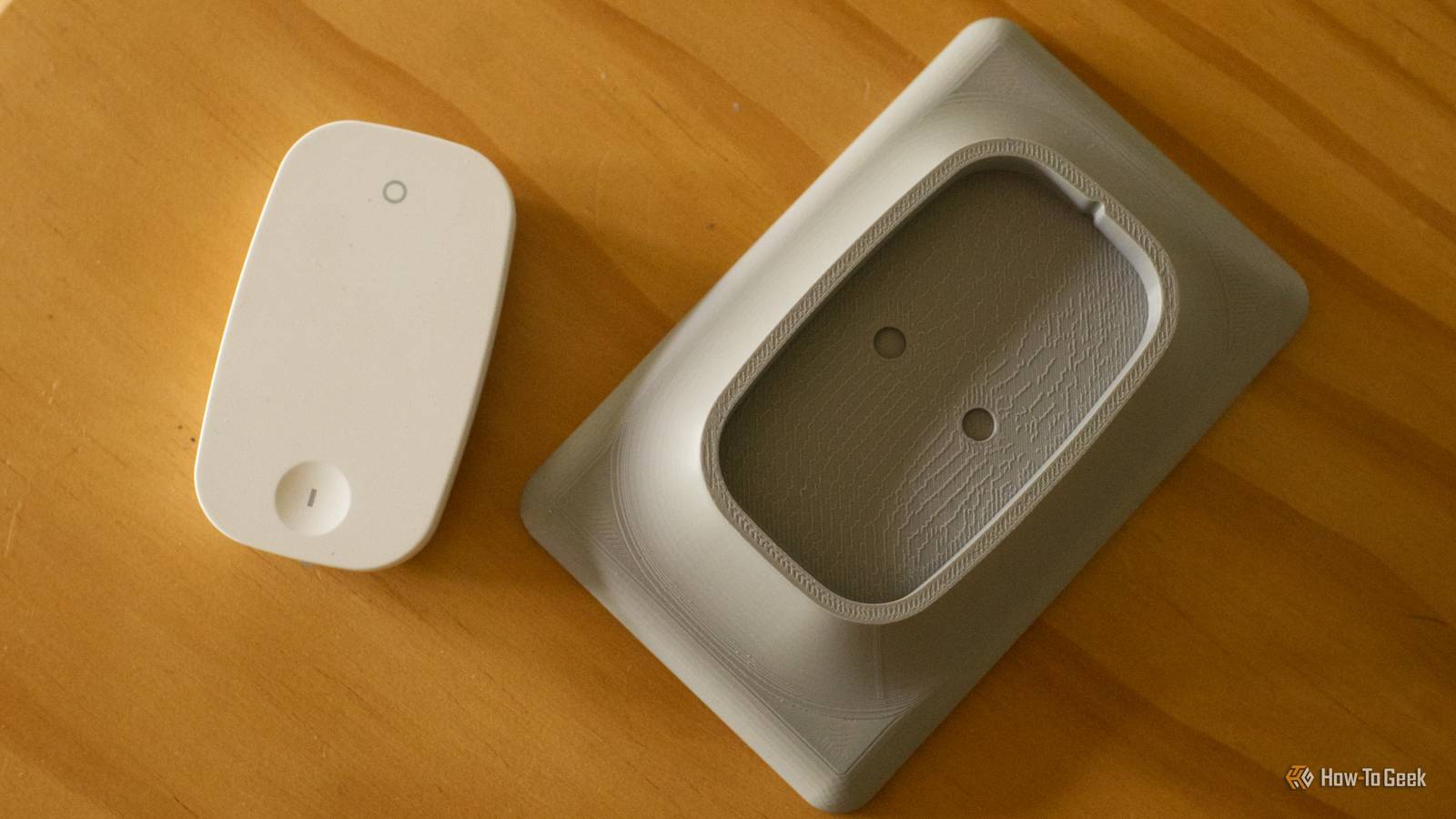
Published Oct 19, 2026, 6:00 AM EDT Tim has been covering technology for almost 20 years, in that time spanning a broad range of topics from security to product reviews. He is especially focused on the Apple ecosystem, productivity, and consumer advice. Over the years Tim has written thousands of articles, reviews, and round-ups in addition to producing video content and original photography. A graduate of journalism, he found his footing as a freelancer with a laptop and loves how he is able to work from practically anywhere. Now a Senior Editor for iPhone, Mac, and Smart Home at How-To Geek, Tim still loves to write. He can also be found crafting round-ups and productivity posts for the Zapier blog. Earlier in his career Tim spent nearly a decade as a writer and eventually Apple section editor for MakeUseOf. Tim currently lives in Brisbane, Australia. Outside of work he loves to hike and work out, play video games, and spend quality time with his wonderful partner and two cats Inka and Roger. Faced with the prospect of having someone house-sit in a few weeks, I suddenly need to make my smart home a little more accessible to guests. Smart switches are something I’ve yet to install, so my smart home still doesn’t function like a dumb home with augmentations. Thankfully, my 3D printer can help. My endless search for smart light switches I’ll get around to it eventually Credit: Tim Brookes / How-To Geek Confession time: I’m really bad at finding smart switches. I’ve been meaning to do it for well over a year, to make my ceiling fans smart and add buttons that control the lighting in my home. It’s one job I keep putting off and making excuses for, delaying it while I deal with all the other things that need doing. Since there are only two of us in the house and we understand the system, it’s surprisingly easy to live with. We can bark an order at Siri, since Home Assistant is paired with Apple Home thanks to the HomeKit Bridge integration. Alternatively, we rely on three main scenes that can be triggered using shortcuts on smartphones or via a smart speaker. There’s a “Focus” scene for evening activities like cooking and eating dinner that switches most lights on, a “Relax” scene that turns all but atmospheric lighting off, and a “Goodnight” scene that I trigger when I’m in bed. I never even think about the light switches anymore. I’ve also made the cardinal sin of designing some motion-triggered lighting that needs to be left on at the switch. These rely on simple passive infrared (PIR) sensors to detect movement, because I haven’t gotten around to investing in mmWave presence detection sensors yet either. I know I should practice what I preach, but if there’s one lesson I’ve learned, it’s that home ownership is a journey, not a race, and designing a smart home doesn’t happen overnight (or three years after moving in, it seems). 3D-printed wall switch holders to the rescue I already have a ton of cheap Zigbee buttons When IKEA announced that the company was moving away from Zigbee in favor of Matter over Thread, I made a trip to my local store to see what Zigbee accessories were left on the shelves. I basically picked up the last few units of Tradfri color-changing bulbs and cheap Rodret two-button remotes. These remotes take a single AAA battery, come with mounting plates, and a 3M strip. In Home Assistant, they work using single-tap and long-press commands, so you can use a single remote to trigger different devices and routines. I use one at my desk to increase or decrease the volume on my HomePod and turn the mood lighting on or off as needed. It wasn’t until I spotted some 3D-printed light switch covers that I had the bright idea of using IKEA’s cheap remote as a stand-in wall switch. These are designed to fit over the top of existing wall switches, with a mount cut out for common IKEA, Philips, and Hue remotes. They’re a bit outdated now, since IKEA replaced the Rodret with the Bilresa (for which you can print these instead). The results speak for themselves, but I had to remove the switch faceplate in order to get the switch to stay in place. An alternative idea would be to print a blank faceplate cover instead, and stick the remote on top of that. Both are non-permanent solutions that you can attach with a little bit of Blu-Tack. I went for gray because I didn’t have any white filament on hand and I didn’t fancy printing in black or orange, but at least it won’t show up greasy fingers. Perfect for guests And those times that Siri lets me down Credit: Tim Brookes / How-To Geek This temporary solution will tide me over whenever we have guests who instinctively try to turn off lights that should remain on, while offering smart home-connected buttons that I can tailor to my Home Assistant setup. It’s a cheap and effective alternative to a wired-in switch. Eventually I will change the old light switches out for something far more elegant, whether that’s a Zigbee or Matter over Thread solution. I’m also aware that the best temporary solution is a permanent one, so maybe these will stay in place even when we don’t have guests. With that out of the way, my top priority is designing some sort of HVAC control system using an old tablet, smartphone, or maybe a Cheap Yellow Display. On the plus side, I can probably 3D print a nice enclosure, wall-mount, or stand for it. There are lots of ways to put your 3D printer to use in your smart home, and you can even add your 3D printer to Home Assistant to unlock some neat new tricks.
These 3D-printed wall switches made my Home Assistant smart home feel more accessible
Full Article
Original Source
Read the full article at Howtogeek →KhanList aggregates and links to publicly available news content. We do not host full articles from third-party sources. Always verify important information with original sources.