
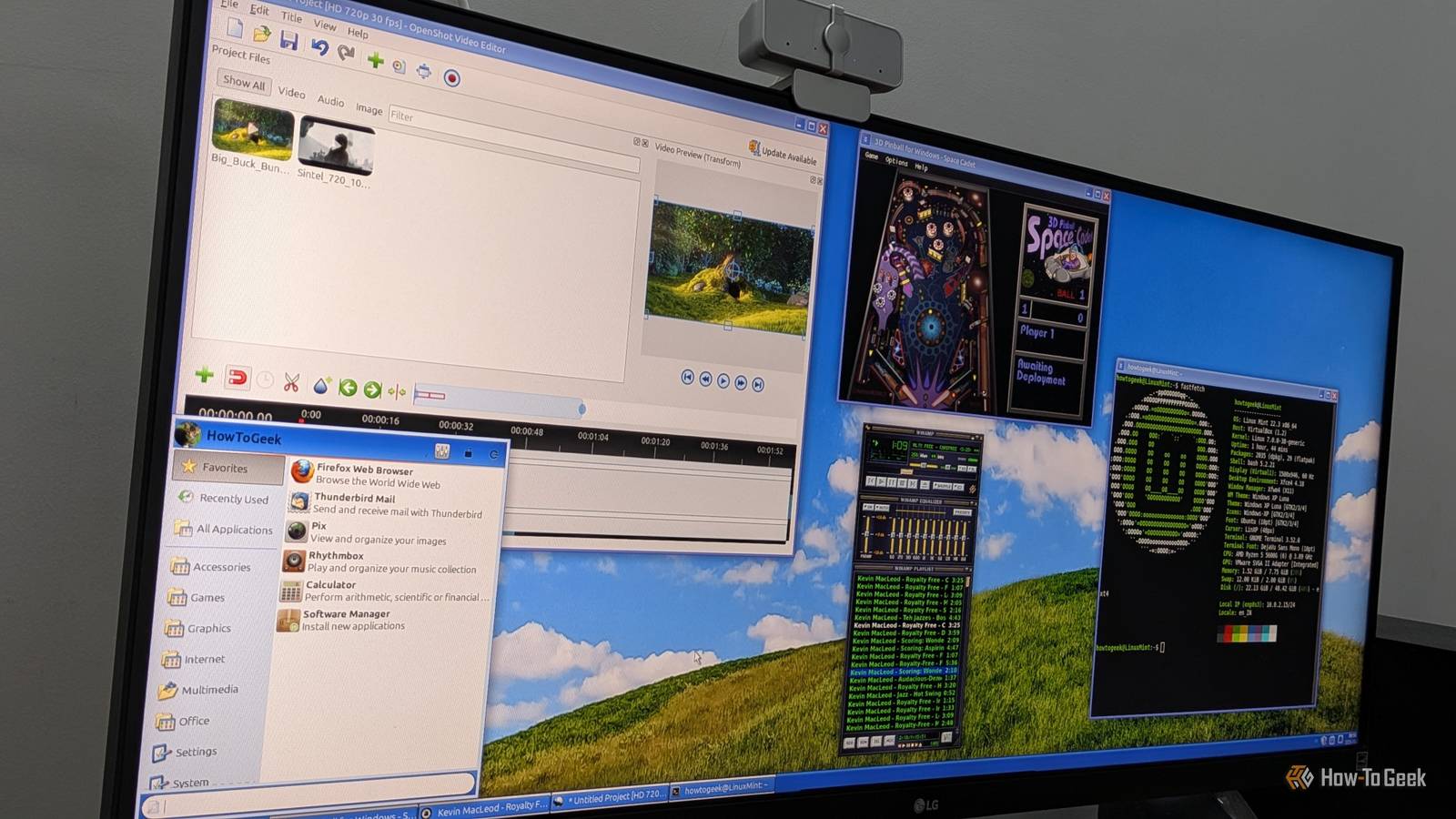
Published Oct 25, 2026, 7:01 PM EDT Dibakar Ghosh is a tech journalist at How-To Geek with over a decade of experience using and writing about open-source software, Linux, Android, AI, and personal productivity. He writes about software, operating systems, and tools that help people get more from the technology they already use. I’ve been using Windows since Windows 95, and over the years, I’ve watched a lot of my favorite apps die or get replaced with more “modern” alternatives. While these newer versions are probably better, I still miss the old ones. I really liked their overall layout and aesthetics, and maybe it’s nostalgia talking, but I also think those apps just worked better and were less buggy than their modern counterparts. As such, I’ve always been on the lookout for apps that try to recreate that retro look and feel, but I never expected to find them on Linux, of all places. AbiWord The replacement for WordPad WordPad is one of the most recent classic Windows apps to be discontinued, so it only makes sense to start the list with it. Microsoft removed WordPad in Windows 11 version 24H2, telling people to use Word if they needed to work with rich-text documents or Notepad if they wanted something simple and lightweight. Now, Microsoft has done some good work to make Notepad a more capable, Markdown-enabled note-taking app — but it’s still no WordPad. The thing is, you can’t leave people with only two options at opposite ends of the functionality spectrum. Having a middle option matters. WordPad used to fill that gap: it was fast, lightweight, supported RTF files (which Notepad doesn’t), and, most importantly, was free and completely offline. Fortunately, if you’re on Linux, there’s an excellent WordPad replacement in the form of AbiWord. It looks similar to WordPad in terms of layout, is free-to-use, handles RTF files just fine, and, thanks to its relatively lightweight design, loads much faster than fully featured document editors like LibreOffice or ONLYOFFICE. It covers all the features you’d expect from a document editor, including rich-text formatting, a word count tool, footnotes, tables, tables of contents, and even revision tracking. By default, it saves documents in its own .abw format, but it also supports .doc and .docx files. The only issue I’ve found is that some very complex DOCX files can look a little messy, but that’s an issue with LibreOffice, too. AbiWord is available as a Flatpak. OpenShot The replacement for Windows Movie Maker Windows Movie Maker came bundled with Windows XP and played a huge role in helping me develop a knack for making movies and editing videos. We used to go on family trips and come back with a pile of footage. I’d then spend weekend afternoons stitching the clips together, cutting out the boring bits, and throwing in some fun transitions to ultimately create a “movie” our whole family could watch and enjoy. I have a lot of fond memories associated with Windows Movie Maker. Unfortunately, Microsoft eventually decided to discontinue it and now ships Clipchamp as a modern replacement, preinstalled on Windows 11 systems. However, it’s no Windows Movie Maker. The biggest turnoff is that it’s a freemium app that tries to push a subscription. On the free tier, you can export videos at up to 1080p, while 4K exports are available only on a paid plan. That just sucks, especially when you consider that the alternatives are either professional-grade software or less capable ad-supported apps. Granted, a few good free options exist for hobbyist video editors, including Kdenlive and Shotcut, but the one that caught my eye is OpenShot. It comes closest to capturing Movie Maker’s balance between simplicity and functionality. You get a similar-looking layout, support for unlimited tracks, and a huge library of built-in audio and visual effects and transitions that are easy to apply. OpenShot is available as a Flatpak. Space Cadet Pinball The replacement for 3D Pinball for Windows — Space Cadet Most modern PC games are designed to get you hooked and keep you playing for hours. And while that’s certainly a testament to good storytelling and game design, these addictive elements can be counterproductive, especially for working professionals who want to enjoy video games as a hobby. At times like these, I genuinely miss the casual games I used to play as a kid — the ones I could just pick up and put down without feeling addicted or compelled to see what happens next. And the game I find myself missing most often is Space Cadet, the 3D pinball game that came bundled with Windows XP alongside Minesweeper and Solitaire. You could play it for hours, trying to beat your high score. Or you could play for a few minutes while waiting for a large file to finish copying. It didn’t demand your time or undivided attention. But alas, Microsoft decided to drop it after Windows XP. If you’re curious about why, check out this article from Windows Latest explaining the removal of Pinball from Windows. That said, a few weeks ago, while browsing Flathub, I came across Space Cadet Pinball. It’s a reverse-engineered version of the original game, but it plays and feels exactly as I remember it, with the same table and those iconic sound effects. In fact, it’s so faithful to the original that I initially thought it was a Linux port of the Windows version. Run these on a Windows-like Linux distro for the best experience These three Linux apps capture the look and feel of old, popular Windows apps, but what if you want your entire Linux desktop to look and feel like Windows? In that case, I’d highly recommend starting with a Windows-like Linux distro running a highly customizable desktop environment like KDE Plasma, Cinnamon, or Xfce. For reference, my current system, which I used to take all the screenshots, runs Linux Mint Xfce Edition with a custom Windows XP theme.
These 3 Linux apps replaced all my favorite dead Windows apps
Full Article
Original Source
Read the full article at Howtogeek →KhanList aggregates and links to publicly available news content. We do not host full articles from third-party sources. Always verify important information with original sources.