
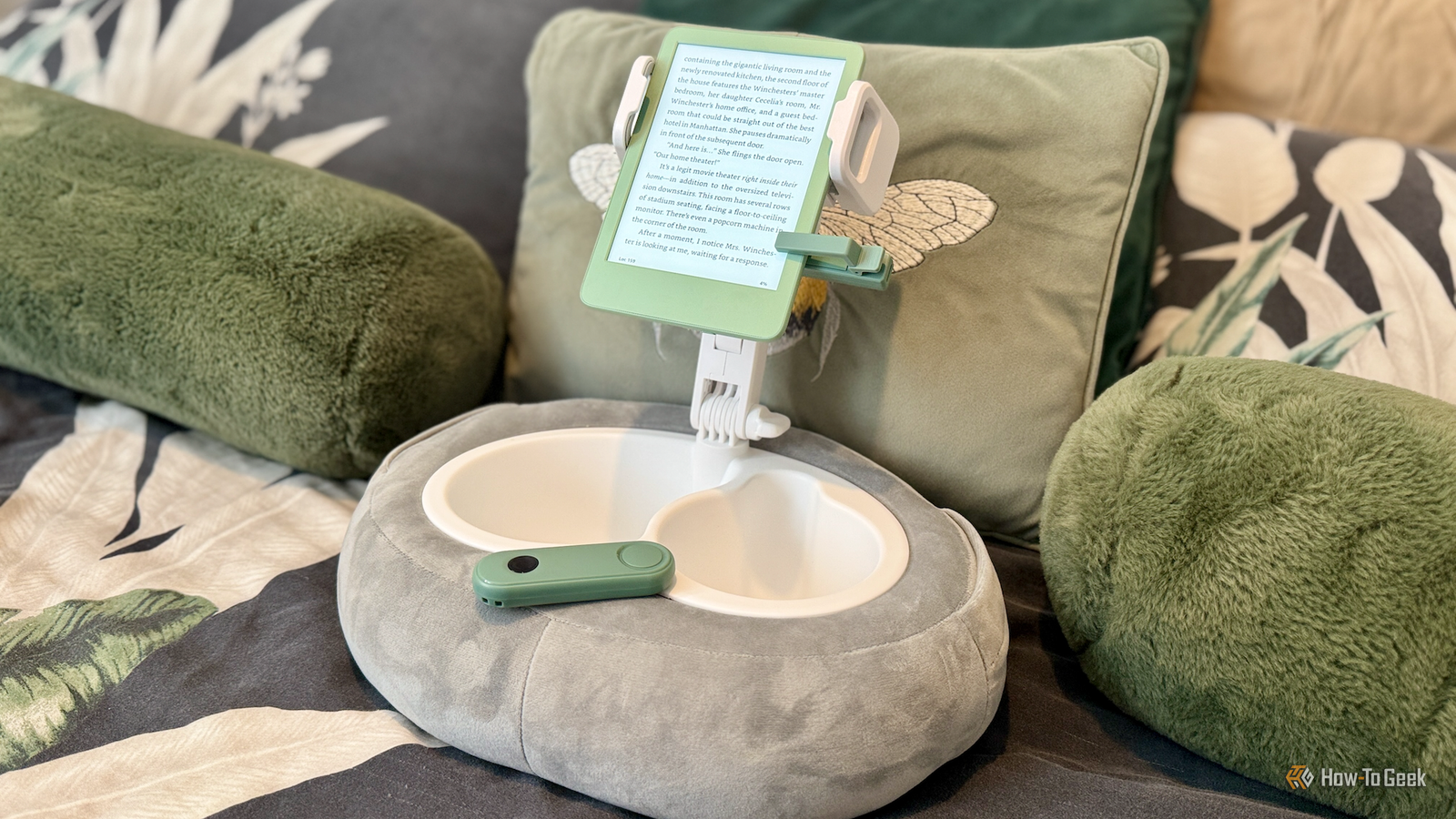
Published Nov 14, 2026, 2:16 PM EST Sydney Butler is a technology writer with over 20 years of experience as a freelance PC technician and system builder and over a decade as a professional writer. He's worked for more than a decade in user education. On How-To Geek, he writes commerce content, guides, opinions, and specializes in editing hardware and cutting edge technology articles. Sydney started working as a freelance computer technician around the age of 13, before which he was in charge of running the computer center for his school. (He also ran LAN gaming tournaments when the teachers weren't looking!) His interests include VR, PC, Mac, gaming, 3D printing, consumer electronics, the web, and privacy. He holds a Master of Arts degree in Research Psychology with a minor in media and technology studies. His masters dissertation examined the potential for social media to spread misinformation. Outside of How-To Geek, he hosted the Online Tech Tips YouTube Channel, and wrote for Online Tech Tips, Switching to Mac, and Helpdesk Geek. Sydney also wrote for Expert Reviews UK. He also has bylines at 9to5Mac, 9to5Google, 9to5Toys, Tom's Hardware, MakeTechEasier, and Laptop Mag. So you buy a Kindle and you think to yourself, "I sure would like to turn the pages from way over here, surely there's a solution for that?" Well, to my personal surprise, I have recently learned both that people who want to turn eReader pages at a distance exist (it makes sense when you think about it) and that Kindles in particular have no elegant way of achieving this goal. Hence, the existence of weird and wacky "Kindle page turners." Why Kindle page-turner remotes are such an odd niche Despite customers asking for years, it seems there's simply no native way to send a signal to Kindle saying "Turn the page" (with apologies to Bob Seger). If you want to turn the page on a Kindle you need to physically press a button, or use the touch screen. Now, at first it might not be obvious why anyone would want to do this, but if you think about it for a second, it makes sense. Accessibility immediately comes to mind. People use eReaders and tablet computers with remote controls because they have mobility problems. Pressing a button to advance the page using a remote opens up device use by a huge number of people. Credit: Adam Davidson / How-To Geek It's not just an accessibility thing though. For example, musicians that use eReaders for sheet music or tablature might want to use a foot pedal or a remote to turn to the next sheet. I've also seen people post on sites like Reddit that they like to read while knitting, and a remote lets them turn the page without interrupting that. It can even be as simple reading in cold weather, and you don't want to take your hands out from under the blanket. It's not really that important why people want this feature, there's a clear desire for it. Unfortunately, unlike any old Android tablet, or iPad, Amazon's Kindles don't support page-turning commands sent via Bluetooth. Yes, the devices have Bluetooth so you can listen to audiobooks. But, apparently, there's nothing in the Kindle API (Application Programming Interface) that lets a peripheral like a remote control page turning. Amazon Kindle Paperwhite (2024) Brand Amazon Screen 7-inch, 300 ppi, 16-level gray scale Storage 32GB Connectivity 2.4 GHz and 5.0 GHz networks with support for WEP, WPA, WPA2, WPA3, and OWE security using password authentication or Wi-Fi Protected Setup (WPS) Weight 7.5oz (214g) Dimensions 5 x 7 x 0.3in (127.6 x 176.7 x 7.8 mm) How the lack of Bluetooth support shapes the entire ecosystem For some reason, so far, Amazon refuses to budge on this. Even though, reportedly, the Kindle app on Android tablets (including Amazon's Fire models) and iPads have no issue working with Bluetooth remotes. Necessity, as the saying goes, is the mother of invention. If Amazon won't provide a simple way to turn pages remotely via Bluetooth, then the free market will provide. The way it provides is by giving us a multitude of different approaches to simulating your physical touch on the Kindle. It has to be said that you can make wireless page turning work on a Kindle by jailbreaking it, but that's not something most people would want to do just so they can turn pages using a remote. There are lots of awesome things you can do with a jailbroken Kindle, but if you aren't interested in them, it's not really worth risking it just for page turning. The bizarre world of electro-mechanical page turners If you search for "Kindle page turner" on a site like (rather ironically) Amazon, you'll see all sorts of clip-on devices that will simulate a tap on the Kindle's screen. That's when you get something like the Datafy Turner for Kindle Paperwhite which doesn't use Bluetooth or Wi-Fi (I suppose it's a cheap IR solution though some use RF) and can only advance pages, not page back. Credit: Datafy If you do want to have the ability to page both forward and back, you need something even more elaborate, like the Yuspakone page turner. Credit: Yuspakone Here you have not one, but two of the little clicker modules. The one on the left turns to the previous page, and the one on the right...well, you get the picture. DIY solutions for tinkerers and power users While you can buy one of these professionally-made page turners today without much effort, this wasn't always the case. As often happens, it's the DIY maker community that work up a solution. Like this cool DIY page turner made by YouTuber cosine where an iPhone app sends signals to to a simple circuit to trigger either a left or right tap on the eReader's screen. Not practical for most people, but a very simple concept to develop into a cheap, mass-produced product! Why the situation probably won’t change I actually find it genuinely surprising that Amazon hasn't simply enabled the use of Bluetooth remotes with Kindles. Its refrained from doing so long enough that an entire product category has sprung up to solve a problem that could probably be sorted by the Kindle software team in an afternoon. Cleary, I'm not a software or hardware engineer and I have no clue as to why the feature isn't present. Maybe it's too niche, and risks opening a vulnerability (though jailbreaking is a fact). Maybe it has serious implications for battery life. Who knows? All I do know is that for just a few dollars, you too can have a janky solution to turning your Kindle's (or any touchscreen device's) pages without having to lift a finger.
The weird world of Kindle page-turner remotes
Full Article
Original Source
Read the full article at Howtogeek →KhanList aggregates and links to publicly available news content. We do not host full articles from third-party sources. Always verify important information with original sources.