
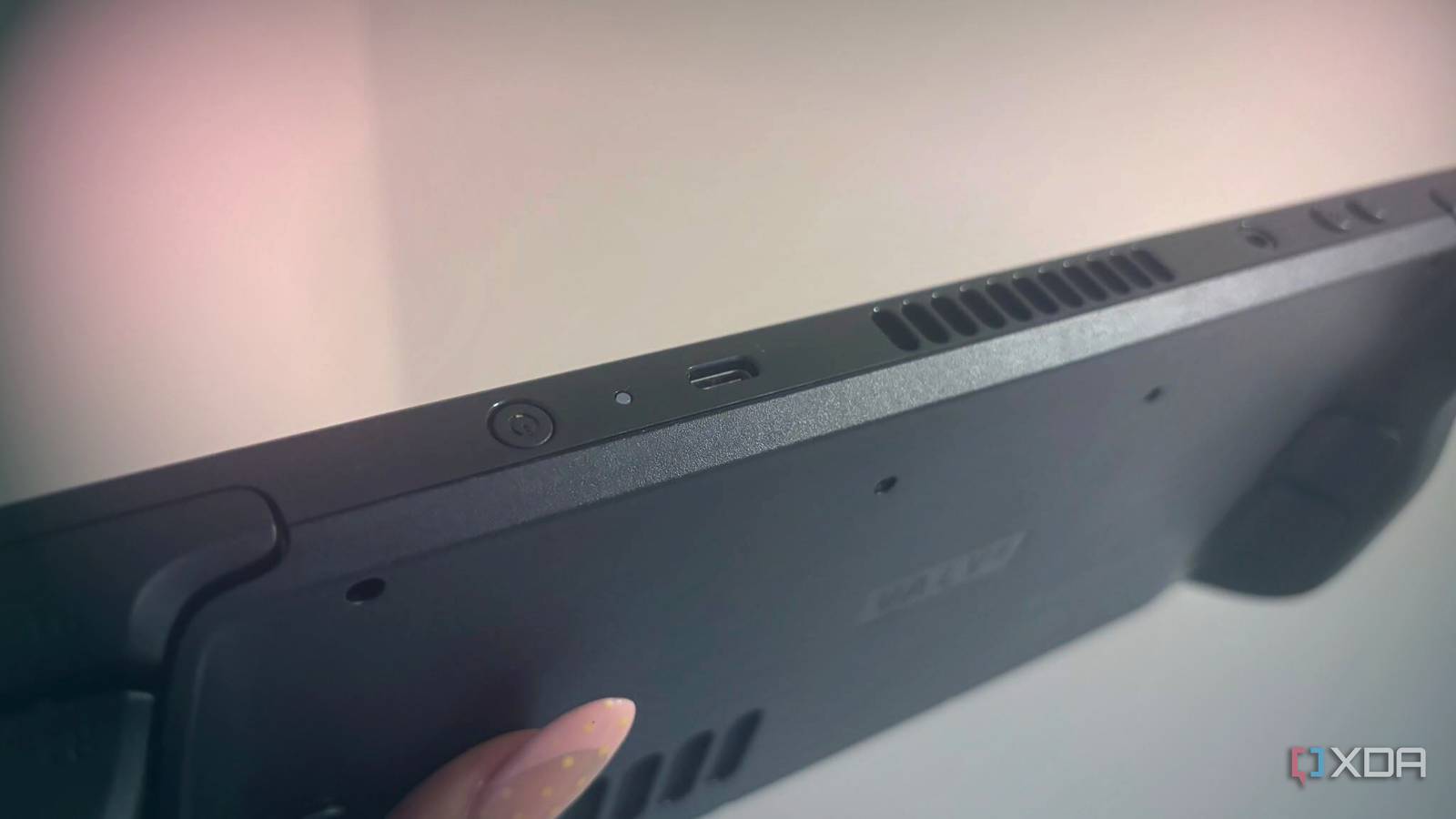
Published Aug 19, 2026, 1:30 PM EDT João has been covering the tech world for over 7 years, with a heavy focus on laptops and the Windows ecosystem. I also love all things tech and videogames, especially Nintendo, which he's always happy to talk about. Prior to joining XDA in 2021, he worked at Neowin: https://www.neowin.net/news/poster/jo%C3%A3o-carrasqueira/ Even after more than four years, the Steam Deck is still one of the best gaming handhelds out there. It may be outdone performance-wise by other handhelds, but the polished software experience and excellent control options still make it the go-to recommendation for many. It's also much cheaper than most of the competition, even after recent price increases. While it's great on its own, though, the Steam Deck has a USB-C port that lets you make it even better in a wide range of ways. So if you're looking to make the most out of yours, here are some accessories you might want to consider. External storage More games, fewer problems The original release of the Steam deck started with a measly 64GB of internal storage, and while the current base model is far more generous (you get a 512GB SSD), that may still be enough for just a handful of games, depending on what you're playing. If you want to increase your library, external storage is an easy way to do it that can still be more than fast enough. You can go with a typical USB-C flash drive like the Kingston microDuo 3C if you don't mind the slower speeds, but if you want your games to load as quickly as possible, then there are tiny SSD enclosures that can do the job even better without weighing you down. I personally like this Satechi unit I got to review a while back, but there are other options out there for you. Admittedly, I wouldn't say now is a great time to make this purchase considering the ridiculous prices of flash memory right now, but if you can afford it, this is a great way to get more storage without having to open up your hardware. Satechi Mini NVMe SSD Enclosure $54 $60 Save $6 Capacity Drive not included Power Bus-powered Speed Up to 10Gbps Connection USB 3.2 Gen 2 port (or included cable) Portable Yes This tiny SSD enclosure is perfect for pluggiing into a Steam Deck to expand your library of available games without adding bulk and while keeping fast access speeds. More battery Play for longer The Steam Deck generally has decent battery life, but if you're on a long trip, it's not likely to last you the entire time, especially if you play more intensive games. If you want to keep your gaming session going, your best bet is getting an external power bank. Any decently modern power bank should work, but there are some models that are design specifically for the Steam Deck, so you can mount them on the back of the handheld and play without having to fiddle around to figure out how to hold both devices. It makes things a lot easier and allows you to enjoy your games for longer, even when there's no outlet. NewQ 20,000mAh Power Bank for Steam Deck Brand NewQ Battery Capacity 20,000mAh Ports 1x USB-C, 1x USB Type-A Battery Technology Lithium ion Charging speed 65W The NewQ Power Bank extends the battery capacity of the Steam Deck andf includes a mounting bracket to make it easier to keep your gaming sessions going for longer. A controller For a more reliable connection The Steam Deck obviously has controls built-in, but maybe you want to set the console down and play with something lighter in your hands. The Steam Deck is fairly heavy, after all. Or maybe you want a different kind of control scheme, like a fight stick for games that feel better that way. With a USB-C plug, you can plug in a controller, either via a direct wired connection or a wireless adapter if you prefer that over regular Bluetooth. I tend to prefer these wireless adapters because direct Bluetooth connections can be fussy, especially if you use a controller across different devices, so I wouldn't blame you for going this route. You can even use Valve's own new Steam Controller, so you still get the touchpads and everything, complete with a dedicated wireless connection to keep things more stable. Steam Controller Brand Valve Platform Windows, macOS, Linux Battery 8.39 Wh Connectivity 2.4 GHz Wi-Fi, Bluetooth 4.2+ Extra Buttons 4x assignable grip buttons Weight 292 g The Steam Controller can be used via Bluetooth or a dedicated wireless connection and offers a wide range of inputs that match the Steam Deck, so you can get all the same features in a lighter package. Joystick type 2x full-size magnetic thumbsticks (TMR) with capacitive touch Polling rate ~8ms full end-to-end, 4ms polling rate External monitors Bigger is better Typically, a monitor will connect using ports like HDMI or DisplayPort, which the Steam Deck doesn't have on its own. However, many modern monitors can connect directly using a USB-C connector, and that means you can use your Steam Deck directly with a bigger screen. There are actually a few potential benefits to this. A bigger screen is a great start, but if you're using a USB-C capable monitor, then there's a good chance it also has some USB ports of its own, so you can also connect a keyboard and mouse if you want to play games that way. Plus, these monitors usually support power delivery as well, so it will keep your Steam Deck charged the whole time. Even if that's all a bit much, just connecting the Steam Deck to a larger screen is great for immersion. You can essentially use the Steam Deck itself as a controller and view your game through the big screen, and that's pretty cool already. Dell 27-inch QHD Monitor (S2725DC) $245 $260 Save $15 Resolution 2560x1440 Refresh Rate 144Hz Screen Size 27-inch Ports 1x DisplayPort. 1x HDMI, 1x USB-C (upstream), 1x USB-C (downstream), 2x USB Type-A (downstream) Display Technology IPS The Dell S2725DC monitor offers Quad HD resolution on a 27-inch panel, and it sports a USB-C connection, meaing you can easily use it with a Steam Deck. Aspect Ratio 16:9 Screen Brightness 350 nits Response Time Up to 4ms GTG Speakers Integrated speakers AR glasses Take immersion to the next level One up-and-coming category of accessories that's perfect for Steam Deck users are AR glasses. These are essentially wearable monitors; you can just put them on your face, and whatever you're playing takes over your field of view, making for one of the more immersive experiences you can have. There are plenty of these solutions out there, from companies such as TCL RayNeo, Xreal, or Viture. I wish I could vouch for these personally, but my eyes usually struggle to adjust to any head-worn display, so I'm not the best person to tell you they're amazing. But I've spoken with plenty of people who love this kind of accessory, and it's easy to see why they're so compelling. You can't get more immersion than a screen right in front of your eyes. Just be sure to take a break every now and then. TCL RayNeo Air 4 Pro The TCL RayNeo Air 4 Pro are a pair of AR glasses designed to be lightweight and offer an immersive viewing experience. A docking station All your accessories at once Of course, we couldn't talk about Steam Deck accessories without touching on a docking station, which lets you connect some of the accessories above and then some. A dock is the perfect way to turn your Steam Deck into a desktop or living room gaming rig, and it can do a lot. Aside from charging, your dock lets you connect a monitor (or a TV), wired internet for more reliable connections, and all kinds of peripherals, including a mouse and keyboard, external storage, or a controller. Steam Deck docks are fairly cheap, too, so you can get them in addition to any other accessories without much of a problem. JSAUX Steam Deck Dock Type JSAUX Steam Deck dock Color Options Gray What's Included Steam Deck dock Brand JSAUX This JSAUX dock for the Steam Deck lets you connect a wide range of peripherals, including an external monitor and fast, wired internet. Make the most out of your Steam Deck These are just some key examples of things you can do with the USB-C port on your Steam Deck to enhance your experience, and it's worth remembering it also has Bluetooth, which lets you pair more kinds of accessories, too. Of course, it's still a great device on its own, but there are always ways to make it work better for your specific needs. Steam Deck OLED Dimensions 11.7 x 4.6 x 1.9 inches (298mm x 117mm x 49mm) Weight 1.41 pounds (640 grams) Chipset Custom AMD Zen 2 APU (4 cores/8 threads, up to 3.5GHz boost) RAM 16GB LPDDR5 6400MT/s Storage 512GB or 1TB NVMe SSD, microSD card slot Wireless Connectivity Wi-Fi 6E & Bluetooth 5.3 The Steam Deck OLED is the only version of the Steam Deck officially available to purchase, and it comes with a slightly more efficient processor and bigger OLED display. It can still run most PC games with solid performance. Headset Compatibility Yes Display 7.4-inch OLED 1280 x 800 touchscreen, up to 90Hz Graphics AMD RDNA 2 Radeon Graphics Ports 1x USB-C (with DisplayPort support), 3.5mm combo audio jack, microSD card slot Battery 50Wh Speakers Dual stereo speakers Price $549
The USB-C port on your Steam Deck supports much more than charging, and these are the best uses for it
Full Article
Original Source
Read the full article at Xda-developers →KhanList aggregates and links to publicly available news content. We do not host full articles from third-party sources. Always verify important information with original sources.