
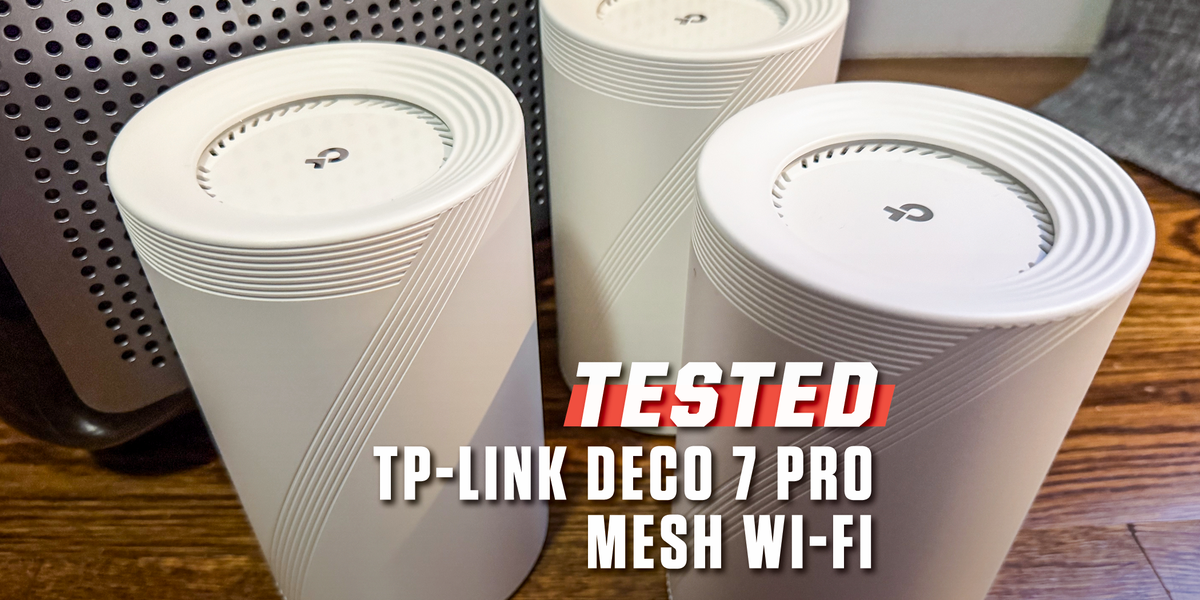
7 min readSo you’ve got a large home or small business that needs reliable WiFi, and your ISP-provided router just isn’t cutting it. You’ve weighed the pros and cons of a router versus a mesh network, and you’ve decided that a mesh network is the way to go. Maybe it’s your first mesh network ever, or maybe you’re replacing an old one that uses an outdated, slow WiFi standard. Mesh networks have grown faster and more reliable in recent years, with new frequency bands and WiFi standards, and it’s a crowded landscape with many competing brands.When I tested the best mesh WiFi networks last year, I found that the TP-Link Deco 7 Pro was the option I’d recommend to most people. It offers the kind of overwhelming performance you need to properly support a large home’s WiFi needs, both in terms of speed and capacity for handling simultaneous connections. Plus, it’s easy to set up, so you don’t need to be a networking nerd to take full advantage of what it has to offer. There are other systems that excel more in specific ways, but this is an excellent all-arounder that will work extremely well in just about any home.ProsAffordable 6GHz-compatible optionPlenty of fast Ethernet portsAlexa and Google Assistant integrationConsAdvanced parental controls and security features require a subscriptionMobile app setup onlyKey SpecsHighest Recorded Data Transfer Speed (Wireless)14 GbpsHighest Recorded Data Transfer Speed (Wired)13.5 GbpsWiFi StandardWiFi 7 (802.11be)Bands3 (2.4 GHz, 5 GHz, 6 GHz)Streams8 (2 x 2.4 GHz, 2 x 5 GHz, 4 x 6 GHz)WAN/LAN Ports1x 10 GB WAN/LAN, 1x 2.5 GB WAN/LAN, 1x 1 GB WAN/LANDimensions4.23 × 4.23 × 6.93 in.Wide Open Spaces (Now with WiFi)TP-Link sells the Deco 7 Pro in packs with one, two, or three nodes. Each node is a wireless access point, connecting to each other while also generating WiFi signals that can spread farther than any individual WiFi router.With the Deco 7 Pro specifically, the base node covers a 3,000-square-foot radius, with each properly placed secondary node adding 2,800 square feet. That means, in total, the three-node Deco 7 Pro system I tested should be able to bring internet to a 7,600-square-foot property. (And if that’s not enough, you can connect more. TP-Link claims that the system supports up to six nodes on a single system, which can cover as much as 17,000 square feet.)Using more nodes allows the system to support more devices. With three nodes in my test setup, including the main hub, the Deco 7 Pro is built to support dozens of phones, tablets, computers, and other WiFi-enabled smart tech, all of which require WiFi support. If you place them near major internet needs, like a home theater or home office, each node also has four 2.5-GB Ethernet ports, allowing you to plug some devices in directly rather than relying on WiFi.While a mesh system’s performance can vary depending on where you place your nodes, the thickness of your walls, and other individual factors, this system has the power and range to support a large home that’s full of tech.We Love an App for Easy SetupSetup on the Deco 7 Pro was a cinch. It wasn’t all that many years ago when you had to log into a special screen on your desktop computer in order to set up a new router or mesh network. It was clunky and, especially by the late 2010s, felt like an out-of-place remnant of the Y2K-era internet.TP-Link’s app made the setup process buttery smooth by comparison. Once I downloaded the app to my iPhone, I logged into my TP-Link account and pressed a single button on the screen to set up the main hub of the network. Once that was done, the app walked me through adding the other two nodes as if I were a 5-year-old. You could be the most tech-averse person in the world and still be able to set up the Deco 7 Pro. Hell, you could do it with one hand while you hold a coffee in the other.One of the most irritating things about the Deco 7 Pro is that TP-Link locks many of its software-based features, including security and parental controls, behind a paywall. You’re already spending hundreds of dollars on the device itself, and now you have to shell out $6 per month or, on an annual plan, $55 per year just to access all the features. TP-Link isn’t the only brand that charges for these features, but some brands, like Asus, do not. This is not enough of an issue to dissuade me from recommending the router, but I wish TP-Link would wake up to the fact that it shouldn’t charge an extra fee for basic security.Battle of the (Frequency) BandsWith routers and mesh networks, having the ability to simultaneously support many devices is just as important as the ability to reach every corner of your home. The Deco 7 Pro achieves this by supporting eight WiFi streams, which allow different devices to communicate with it at once. Those streams are spread across three WiFi frequency bands: two at 2.4 gigahertz (GHz), two at 5 GHz, and four at 6 GHz.Having so many streams is great for a mesh network, especially, since it will presumably need to support many people at once, each of whom may be using many devices at the same time. Think of each stream as a lane on a highway: When too many people share a stream, they create a bottleneck by collectively demanding more data than the stream is capable of delivering, and that slows everybody down. Breaking up all that (internet) traffic across multiple lanes means that everybody can speed along without devolving into a traffic jam.When you use the mesh’s full capabilities, spreading devices across each band, the Deco 7 Pro can handle a lot of internet “traffic.” Of course, each band has its own specific use, and it helps if you play to each of their strengths: 2.4 GHz is the most common WiFi band and isn’t impacted by environmental factors as much as 5 GHz and 6 GHz. In testing, it worked especially well when I ventured far from a node, and where my apartment building’s thick, prewar brick walls might weaken a connection. I used 5 GHz and 6 GHz for my core devices that I could keep near a node, and doing so allowed me to take full advantage of my very fast Verizon Fios gigabit connection.Having four streams devoted to 6 GHz may feel like a curious choice here, since it has the least adoption of the three. But it also offers the highest speeds. If you have devices that need it, you will want to use it. And, in five to 10 years, there will likely be many more devices that support it, so chalk the decision up to futureproofing.WiFi SpeedsAccording to TP-Link, the Deco 7 Pro can transfer data at up to 14 gigabits per second (Gbps) over WiFi, or up to 13.5 Gbps over a wired connection: I couldn’t even come close to taxing the Deco 7 Pro’s performance in my testing, even with three laptops and a TV streaming 4K video, and three mobile devices—two smartphones and an iPad—all browsing the web. There was no slowdown whatsoever. The Deco 7 Pro just laughed and shrugged.The Deco 7 Pro supports WiFi 7, which is currently the primary standard you’ll find on most WiFi routers and mesh networks. WiFi 8 is coming—I expect to start looking at WiFi 8 routers later this year–but it’ll be a couple of years before the majority of new gear supports it, and even longer before you have a home full of tech that benefits from it. Futureproofing is never a bad thing, but it would be premature for me to suggest that you need WiFi 8 now.Wired connections through Ethernet ports often get overlooked when it comes to talking about mesh networks and routers—you are buying this thing to set up WiFi, after all. But any good networking solution, modem, router, or otherwise, should give you the ability to plug in devices that need higher and more consistent connectivity. With the Deco 7 Pro, you only get three Ethernet ports per node. That isn’t a lot if you want to wire up a whole home theater or office. That said, each of the ports supports up to 10-Gbps speeds, which is terrifically fast. So if you can get away with prioritizing a few devices, like a gaming console or a desktop computer, you’ll get a best-of-both-worlds experience with wired and wireless internet.What’s Up With TP-Link’s Government Ban?In the past year, the FCC has implemented various bans barring new versions of various network-enabled consumer tech, including drones, robot vacuums, and routers. While these bans prevent companies from manufacturing tech anywhere other than the U.S., it is widely understood that the bans are designed specifically to weed out Chinese manufacturers, such as TP-Link, that could be compelled to share their user data with the Chinese government. Case in point: Netgear, a U.S. brand that manufactures its gear abroad, got an exemption, as has Eero, Amazon’s networking division. TP-Link has not been so lucky.Despite the government's concern, we have not seen, heard, or found evidence to suggest that TP-Link’s gear is less secure than other brands. In response to the ban, the brand has said it will continue to sell and support all of the devices that were approved for sale in the U.S., including new routers released in 2026. While the brand’s future is uncertain, we still feel that the Deco 7 Pro is a safe and worthy networking tool. You can count on customer support and regular software updates, too, so there’s no real risk in buying one today.Who Should Buy the TP-Link Deco 7 Pro Mesh Network?Mesh networks like the Deco 7 Pro come into their element when they’re strung together into a system of at least two nodes because it’s the distribution of multiple devices that allows strong WiFi signal to reach devices in all corners of a building. Somebody with a space of 3,000 square feet or smaller likely won’t need a mesh network. Consider instead the Netgear RS200 Nighthawk WiFi Router, which is our favorite WiFi router for most people, Or the Netgear RS700S Nighthawk if you want to optimize for speed.But for anyone who needs to provide simultaneous WiFi connections to a bunch of people spread out over 3,000 square feet, the TP-Link Deco 7 Pro is a better choice. Large homes will benefit from a Deco 7 two-pack more than from any single WiFi router, and with up to six nodes and 17,000 square feet of coverage, the Deco 7 Pro will provide the cure-all for the WiFi headaches of small- and medium-sized businesses, especially if they’ve been suffering from slow, often-dropped connections from using single-unit routers.More Mesh Networks We RecommendEero 7 Dual-Band Mesh WiFi NetworkTP-Link Deco 7 Elite BE330000 Quad-Band Mesh WiFi NetworkAsus ZenWiFi BD5 BE5000 Dual-Band Mesh WiFi NetworkMatt Jancer has been in the industry for 15 years and lives in his favorite urban death maze, New York City. He’s traded words for money on behalf of more than 15 magazines. Some of his longest-running bylines were spent covering cars, motorcycles, outdoors gear, health and fitness for Car and Driver, Outside, Esquire, Smithsonian, Playboy and Wired. When he’s not writing about motorcycles and our place in the wilderness for a living, he’s writing for enjoyment, riding his motorcycle, and mountain climbing out West. He believes everyone needs at least one hobby they have none of their ego invested into, and so guitar noises and cooking smells have been known to emanate from his apartment. Oh yeah, and he thinks pigeons are way underrated.Mike Epstein is a Senior Commerce Editor at Hearst Enthusiast Group, producing reviews for buying guides Popular Mechanics, Runner’s World, Bicycling, and Best Products. Prior to joining Hearst, he was a video game and technology critic for over 10 years, with bylines at IGN, Gamespot, Variety, Lifehacker, Kotaku, GamesRadar, Flavorwire and Digital Trends, among others. Now, he’s a jack of all trades, helping reviewers share everything they know about all kinds of technical gear, from snowblowers, to running shoes and bicycles, and every kind of gadget imaginable.
The TP-Link Deco 7 Pro BE14000 Is a Big Mesh Network for Big Spaces
Full Article
Original Source
Read the full article at Popularmechanics →KhanList aggregates and links to publicly available news content. We do not host full articles from third-party sources. Always verify important information with original sources.