
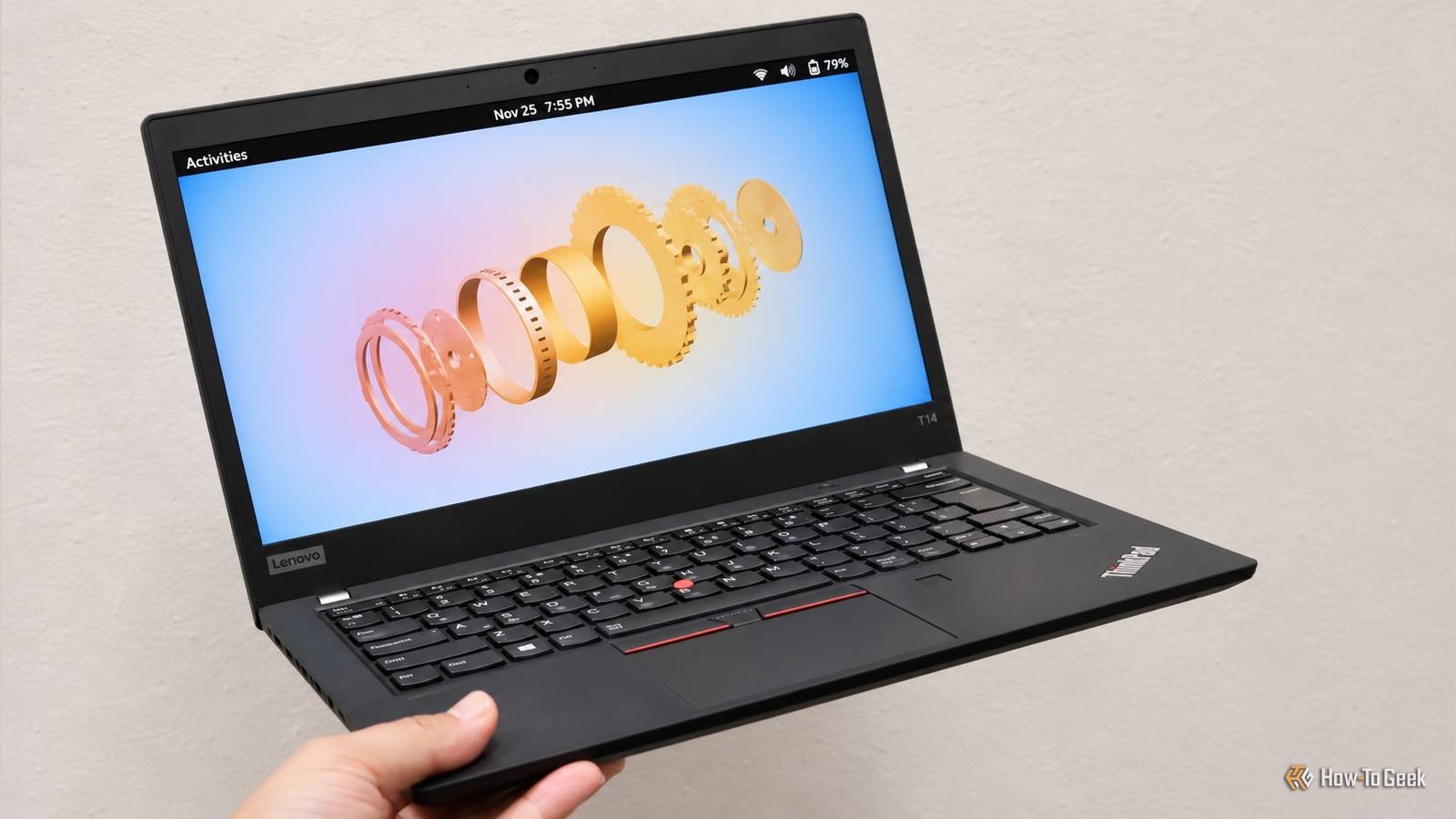
Published Nov 27, 2026, 11:30 AM EST Umair Khurshid is a technology writer and developer with a strong focus on Linux, FreeBSD, cloud infrastructure, and automation. Before focusing on writing, Umair worked as a developer and DevOps engineer building and automating cloud-native systems. For years, whenever someone asked for a recommendation for an inexpensive laptop to run Linux, the Lenovo ThinkPad T480 was one of the easiest recommendations to make. It had a quad-core processor, upgradeable RAM, a removable battery, an excellent keyboard, and a seemingly endless supply of replacement parts. As businesses retired their fleets of these laptops, they became remarkably affordable on the secondhand market. I still have a ThinkPad T480, and it is a surprisingly capable machine considering its age. However, if I were buying a budget ThinkPad today, I would be looking at something else. The ThinkPad T14 Gen 2 offers a substantial performance upgrade AMD’s Ryzen processors make a huge difference There is a tendency to recommend older ThinkPads based on their upgradability without giving enough consideration to the one component you generally cannot upgrade (you could on some older ThinkPads) the processor. The Core i5 and Core i7 processors in the T480 are still perfectly adequate for web browsing, streaming, and most everyday tasks. However, once you start doing anything particularly CPU intensive, the limitations of an older quad-core processor become apparent. The AMD ThinkPad T14 Gen 2 is available with the Ryzen 5 PRO 5650U and Ryzen 7 PRO 5850U, both based on AMD’s Zen 3 architecture. Even the Ryzen 5 represents a substantial upgrade over the fastest processor available in the T480. The additional cores are only part of the improvement. Zen 3 also brought architectural advancements that allow these processors to accomplish more work per clock cycle. Consequently, even applications that cannot take advantage of all the available cores benefit from the newer hardware. Specification ThinkPad T480 ThinkPad T14 Gen 2 AMD ThinkPad T14 Gen 2 AMD Processor Core i7-8650U Ryzen 5 PRO 5650U Ryzen 7 PRO 5850U Release year (CPU) 2017 2021 2021 Cores 4 6 8 Threads 8 12 16 Maximum boost clock 4.2GHz 4.2GHz 4.4GHz L3 cache 8MB 16MB 16MB Memory speed DDR4-2400 DDR4-3200 DDR4-3200 Integrated graphics Intel UHD 620 Radeon Vega 7 Radeon Vega 8 The Ryzen 7 configuration is particularly appealing if you are a CS student, frequently multitask, or occasionally work with more demanding applications. Having eight cores and 16 threads in an affordable 14-inch laptop gives you plenty of performance headroom as your computing needs evolve. For most people, though, I would recommend the Ryzen 5 model, especially if there is a significant difference in price. Its six cores and 12 threads are more than sufficient for everyday computing and can comfortably handle reasonably demanding workloads. Regardless of which processor you choose, you also get a considerable upgrade in graphics performance over the T480. The Intel UHD 620 graphics in the T480 were fairly unremarkable even when the laptop was new. While they handle ordinary desktop workloads well enough, there is very little headroom for gaming or more demanding graphical applications. The integrated Radeon Vega graphics in the T14 Gen 2 are considerably more capable, allowing you to play a wider selection of older games and less demanding indie titles, particularly if the laptop is configured with dual-channel memory. Of course, a 5-year-old business laptop is hardly a substitute for a dedicated gaming PC. However, having the option to enjoy some casual gaming makes the T14 Gen 2 a more versatile laptop for everyday use. You can still upgrade much of the hardware There is a good reason I am recommending the second generation One of the biggest complaints about modern laptops is how frequently manufacturers solder components onto the motherboard. Unfortunately, ThinkPads have hardly been immune to this trend. The AMD ThinkPad T14 Gen 2 comes with either 8GB or 16GB of soldered RAM, alongside a conventional DDR4 SO-DIMM slot. Depending on the configuration, Lenovo officially supports up to 40GB or 48GB of RAM. Admittedly, this is a compromise compared to the T480, which has two replaceable memory modules and can unofficially accommodate up to 64GB of RAM. However, having one accessible memory slot still gives you a reasonable degree of flexibility. If you purchase a T14 Gen 2 with 16GB of soldered RAM, you can install another 16GB module for a dual-channel 32GB configuration. This is also one of the reasons I specifically recommend the second-generation model. Lenovo switched to entirely soldered LPDDR5 memory on the AMD ThinkPad T14 Gen 3. If you purchase an 8GB or 16GB configuration of that laptop, you are stuck with that capacity for the remainder of its useful life. The third-generation model has its advantages, including more powerful integrated graphics and a taller 16:10 display. Nevertheless, I would be hesitant to purchase one with limited RAM purely because it is a generation newer. The T14 Gen 2 also has a conventional M.2 2280 NVMe SSD slot with four PCIe 3.0 lanes. The T480’s primary NVMe storage configuration, by comparison, is limited to two PCIe 3.0 lanes. This gives the T14 Gen 2 a higher theoretical ceiling for storage bandwidth, though you are unlikely to notice much of a difference when opening a web browser. It retains many of the features that make ThinkPads appealing A practical port selection and better display options One thing I particularly appreciate about the T480 is that I rarely need to carry a USB hub when using it. Fortunately, the T14 Gen 2 offers a similarly practical selection of ports. There are two USB-A ports, two USB-C ports supporting charging and display output, a full-sized Ethernet port, HDMI 2.0, a headphone jack, and a microSD card reader. The Ethernet port is particularly welcome if you frequently work with wired networks. HDMI 2.0 also allows you to connect a 4K monitor running at 60Hz directly to the laptop. There is one notable downgrade, however. The AMD T14 Gen 2 lacks Thunderbolt connectivity, which the T480 supports. If you already own Thunderbolt peripherals that require that interface, this could be a dealbreaker. If you primarily use your laptop away from a desk, there is another improvement you will likely appreciate: the quality of the built-in display. One of the problems with buying a used ThinkPad T480 is that many businesses purchase the cheapest available display configuration. Some units shipped with a rather unpleasant 1366x768 TN panel, while the standard 1080p display was rated at just 250 nits. Even the basic display configuration of the T14 Gen 2 is a 1080p IPS panel rated at 300 nits. There is also a particularly desirable 400-nit low-power display option with better color reproduction. If you spend several hours a day looking at your laptop screen, getting the better display configuration is well worth the effort. I would particularly recommend the 400-nit panel over the optional 4K display, given the latter’s higher potential power consumption and the limited benefits of such a high resolution on a 14-inch screen. Living with the T14 Gen 2 A few compromises, but still a great laptop for Linux As much as I like the newer ThinkPads, I wish Lenovo had retained the Power Bridge battery system. The T14 Gen 2 has an internal 51Wh battery. Although you can replace it by removing the bottom cover, you cannot carry a spare battery and swap it out while the laptop is running. Fortunately, USB-C power banks with sufficient Power Delivery output provide a reasonably convenient alternative these days. You can also use the same power bank to charge other devices, making it arguably more useful than carrying a proprietary laptop battery. When purchasing either laptop secondhand, battery health deserves more attention than the manufacturer’s original battery life claims. Even a five-year-old laptop that has spent most of its life connected to a docking station could have a considerably degraded battery. While the T14 Gen 2 has lost one of my favorite hardware features of the T480, it retains another important reason I have gravitated toward ThinkPads over the years: their excellent Linux compatibility. Lenovo even offered the AMD T14 Gen 2 with Linux, including Fedora and Ubuntu. Its integrated AMD graphics use the open-source AMD GPU driver built into the Linux kernel, so you do not need to worry about installing a proprietary graphics driver. As with any laptop, compatibility with optional hardware, such as fingerprint readers and cellular modems, can vary. I have had my fair share of trouble getting the fingerprint reader on my T480 to work reliably under Linux, so I would recommend checking the specific hardware configuration before purchasing either laptop if those features are important to you. For someone looking for an affordable laptop to use as a daily Linux machine, the T14 Gen 2 remains one of the more compelling options on the secondhand market. Consider what you are getting for your money As of November 2026, used ThinkPad T480 units have a median asking price of around $185 on one US eBay price tracker. Meanwhile, listings for the AMD T14 Gen 2 with 16GB of RAM start at around $220 among the examples I found, although some units cost $400 or more. At under $300, I think the T14 Gen 2 is a compelling purchase. Spending the additional money gets you a significantly more capable processor that should remain useful for considerably longer. However, at $400 or more, I would also start looking at newer generations of ThinkPads. If you decide to purchase a T14 Gen 2, these are the specifications I would look for: AMD Ryzen 5 PRO 5650U or Ryzen 7 PRO 5850U Preferably 16GB of soldered RAM At least a 256GB NVMe SSD A 400-nit low-power IPS display, if available A battery with at least 80% of its original capacity An unlocked BIOS without a supervisor password Make sure you are purchasing the regular AMD T14 Gen 2 rather than the Intel variant or the thinner T14s, which has entirely soldered memory. The first-generation AMD T14 is also worth considering if you find one substantially cheaper.
The ThinkPad T480 had a legendary run, but there is a better budget ThinkPad now
Full Article
Original Source
Read the full article at Howtogeek →KhanList aggregates and links to publicly available news content. We do not host full articles from third-party sources. Always verify important information with original sources.