
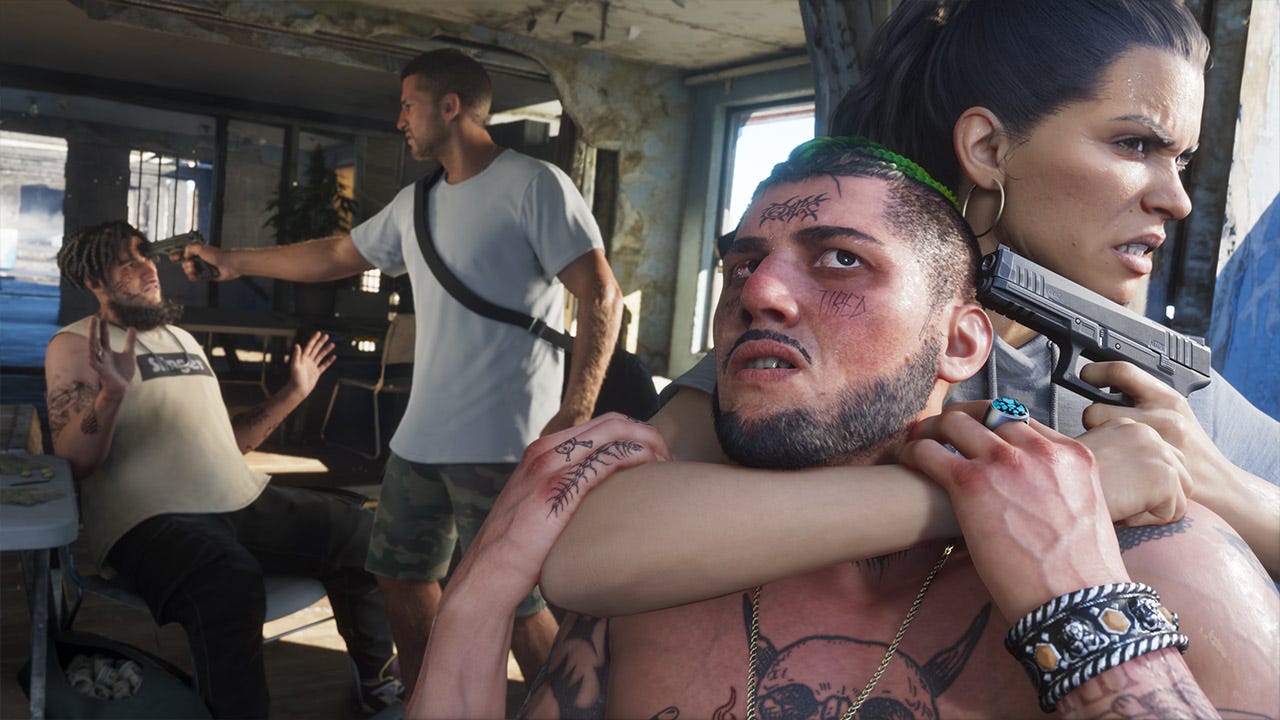
There are many, many new things you can do in GTA 6 compared with the rest of the Grand Theft Auto series, and many of them have dedicated controls. One of the most obvious is the switching of sprint to L3 by default, which is explained on a menu screen before you even set foot in Leonida. Others, though, are revealed to you later in the story, or, in some cases, not outright communicated to you at all. From how to flip your car if you end up overturning it to how you can keep the engine running outside a robbery target, here are 23 secret buttons Rockstar doesn’t tell you about in GTA 6.Vehicle Controls1. Leaving the Car Engine Running – Want to make a quick getaway from the scene of a crime? You can leave your car’s engine purring away while you’re robbing somewhere by double-tapping the triangle/Y button on your controller when you exit the vehicle.2. Leaving the Boat Engine Running – If you do the same thing while in a boat — double-tap the triangle/Y button — you can then freely walk around it while it continues to sail in a straight line. Use that opportunity to change into scuba gear, or shoot at nearby people if you wish.3. Auto Drive – Want to sit back and enjoy the scenery? You can switch into cinematic camera mode and Jason or Lucia will drive to your chosen destination without you having to do a thing, much like how Red Dead Redemption 2 lets you do something similar with your horse. Hold down on the D-pad and press the options/menu button. Once in cinematic view, hold circle/B.4. Vehicle Options – Want to manually access the options of your chosen vehicle? Open the radio menu by holding left on the D-pad, then flick the right stick to turn on your headlights, roll down the windows, or fold down the convertible roof, if your car has one. This also applies to other vehicles, such as lowering the anchor on a boat.5. Flip Your Car – Got yourself into a little bit of bother on the tight streets of Vice City? If you happen to overturn your car completely, hit L3/LS and then hold square/X to get back onto four wheels.6. Push Jet Ski Back Into Water – Accidentally beach your jet ski, or find one sitting on the sand that you want to get back into the ocean? Walk behind it and hold R1/RB to push it back into the water.GTA 6: Photo Mode Gallery7. Use Your Door as a Weapon – Want to smack anyone who happens to be a little too close to your car? Tap square/X while seated inside to hit them with your door. This also works when cycling, but causes Jason or Lucia to kick out with force.8. Get Low and Hide – Sometimes avoiding trouble is the best method, though. Avoid anyone looking for you, such as the police, by holding circle/B when sitting in the driver’s seat. Your character will then duck low to remain hidden.9. Turn Signals – Want to fully immerse yourself when behind the wheel in GTA 6 and follow the code of the road? Tap left or right on the D-pad while driving to indicate using your turn signals.10. Road Rage – Fancy hurling a volley of verbal abuse at a nearby driver? Yell out of the window by pressing R3/RS while driving.11. Quick Radio Toggle – A quick double-tap of left on the D-pad when driving can swiftly switch the radio on or off if you want to make sure you hear a certain piece of dialogue, for example.12. Hand Over the Wheel – Sometimes you just want to sit back and let your partner drive. GTA 6 lets you do this by standing near a car while playing as both Jason and Lucia together, and holding right on the D-pad and selecting cross/A.13. Pop a Wheelie – This is one you’ve been able to do in many GTA games of the past, but it's still something that Rockstar doesn’t teach you here. Pull back on the left stick while accelerating to pop a wheelie, or push forward to perform a stoppie.On Foot14. Car Hood Slide – There are uses for your car outside of it getting you from point A to B. It can also make you look pretty cool when on foot. Sprint and then hit cross/A when approaching a car hood to slide across it smoothly.15. Combat Roll – If you want to go full action movie hero/heroine, then combat rolls are a necessity. Push the left stick in a direction of your choosing and hit cross/A while aiming to evade in style. Note: looks even cooler in focus mode.16. Take a Rest – Sometimes a break from all the action is needed, though. Lean on a wall or railing by pressing R3/RS or sit on chairs or the end of a jetty by holding circle/B.17. First-Person – Inspect Mode lets you see the world through Jason and Lucia’s eyes. While you can’t move around or drive cars from this perspective, it does let you see some of GTA 6’s details more clearly and help you find clues such as safe combinations. Hold the left trigger and then press the right stick to take a closer look.18. Aim Down Sights – If you hit R3/RS while aiming with a gun, though, you will be able to aim down sights. This only happens if your weapon is equipped with a suitable optic, however.19. Switch Shoulder – When aiming a weapon, you can choose which shoulder Jason or Lucia is firing from by hitting left on the D-pad.20. Chokehold – Find yourself in a fist fight? There are plenty more ways of ending it available to you than hammering the punch button. Grapple with R2 and then hold in square/X before pressing the same button repeatedly to choke your opponent out. 21. Flip the Bird – Nothing beats the classics. Make sure you have no weapon equipped, target an NPC with the left trigger, and then hold in R1 to raise a middle finger towards them.22. Flick the Cigarette – Another way to annoy the population of Leonida is to flick a lit cigarette into their face. Midway through smoking one, hold the left trigger and then pull the right trigger to dash the burning tobacco at them.23.Quickly Reject Phone Calls – While it’s nowhere near as incessant as Niko’s many friends and family members ringing you in GTA 4, Jason and Lucia receive a lot of phone calls. Save yourself a few seconds and quickly reject them if you want by hitting circle/B without having to open up the phone menu. Saved you a click.These are all of the secret buttons and prompts we’ve found so far in GTA 6, but there are likely more of them out there. Found anything we’ve missed or a particular little detail you love? Let us know in the comments.Simon Cardy is a Senior Editor at IGN who can mainly be found skulking around open world games, indulging in Korean cinema, or despairing at the state of Tottenham Hotspur and the New York Jets. Follow him on Bluesky at @cardy.bsky.social.
The Secret Controls GTA 6 Doesn't Tell You About — How To Flip Your Car, Flip the Bird, and Much More
Full Article
Original Source
Read the full article at Ign →KhanList aggregates and links to publicly available news content. We do not host full articles from third-party sources. Always verify important information with original sources.